
Introduction
The TrysGame Magical Flying Orb Toy is an interactive, hand-controlled device designed for entertainment. It features motion sensors for hovering, bouncing, and 360-degree spins, along with 3D flip capabilities. Constructed from soft, durable ABS material with an enclosed mesh shell, it prioritizes safety during play. The toy is USB rechargeable and includes colorful LED lights for enhanced visual appeal.

Image: The Magical Flying Orb Toy illuminated with vibrant LED lights, demonstrating its dynamic flight capabilities.
What's in the Box
- TrysGame Magical Flying Orb Toy
- USB Charging Cable
- User Manual
Setup
Charging the Device
The Magical Flying Orb Toy is equipped with a USB-C charging port. Use the provided USB charging cable to connect the toy to a compatible USB power source (e.g., computer, wall adapter). A full charge typically takes 40-50 minutes and provides approximately 10-15 minutes of playtime.

Image: The flying orb toy connected to a power bank via USB-C cable, illustrating the charging process.
Power On/Off and Mode Selection
- Power On: Press the power button once to turn on the device. The LED lights will illuminate.
- Mode Selection: Press the button a second time to switch between modes. A green light indicates Beginner Mode, and a blue light indicates Master Mode.
- Power Off: To turn off the device, press and hold the power button until the lights extinguish.

Image: A visual guide detailing the power button, charging port, and how to switch between Beginner (green light) and Master (blue light) modes.
Operating Instructions
Basic Flight and Motion Control
The Magical Flying Orb Toy is designed for hand-controlled operation. Once powered on, gently push the ball with your palm to initiate flight. The smart motion sensors allow it to hover, bounce, and spin in mid-air. To catch the flying ball, move your palm backward as it approaches.
Performing Tricks
- Bouncing: Utilize the flexible jump bar design at the bottom. Lightly tap it with your hand, arm, shoulder, knee, or foot to make it bounce.
- 3D Flips: For more advanced maneuvers, tap the bottom bar with more force to make the orb perform 3D flips.
- Interactive Play: Pass the orb between friends or family members, using various body parts to keep it airborne, similar to a hacky sack.
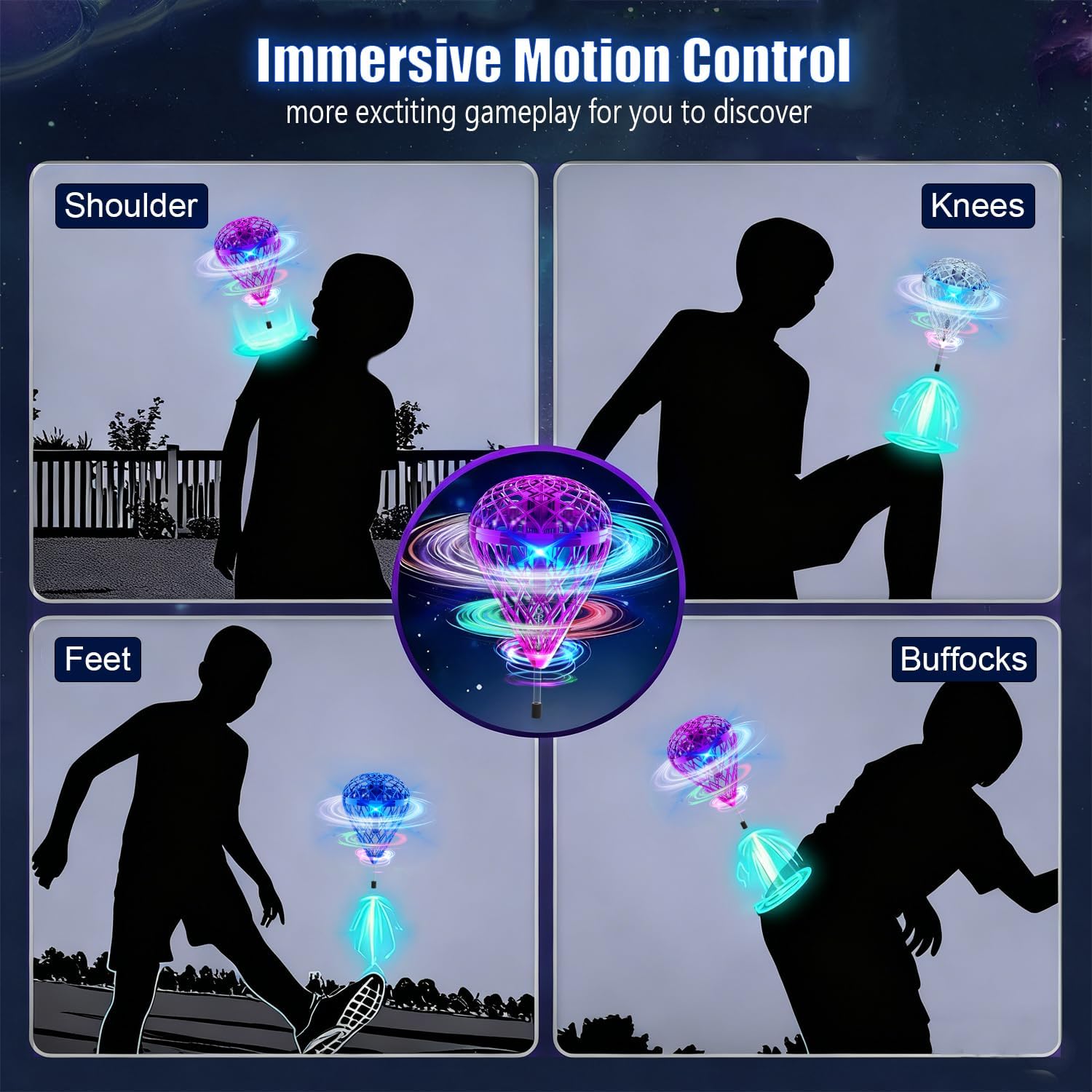
Image: A visual guide demonstrating various ways to interact with the flying orb toy using different body parts for immersive motion control.
Automatic Stop Protection
The device features intelligent stop protection. If the orb senses an impact or is held for more than 2 seconds, it will automatically power off to prevent damage and ensure safety.
Official Product Video: Hand Control Demonstration
Video: A demonstration of the flying orb toy being controlled by hand, highlighting its no-remote operation and various flight patterns.
Official Product Video: Interactive Play
Video: Multiple users interacting with the flying orb toy, showcasing its suitability for group play and dynamic movement.
Maintenance
Cleaning
To clean the Magical Flying Orb Toy, gently wipe its surface with a soft, dry cloth. Avoid using harsh chemicals or abrasive materials, as these may damage the device or its finish.
Storage
Store the toy in a cool, dry place away from direct sunlight and extreme temperatures. Ensure it is fully charged before long-term storage to maintain battery health.

Image: The flying orb toy's resilient and environmentally friendly material, designed to withstand impacts.
Troubleshooting
- Device not turning on: Ensure the device is fully charged. If the issue persists, try pressing and holding the power button for a few seconds to reset.
- Erratic flight: Check for any obstructions in the propellers or damage to the outer mesh. Ensure you are playing in an open area free from strong air currents.
- Short playtime: Verify the device is fully charged. Battery performance may decrease over time with repeated use.
- Not responding to hand gestures: Ensure your hand is close enough to the device for the motion sensors to detect it.
Specifications
| Feature | Detail |
|---|---|
| Product Dimensions | 6.49 x 3.77 x 3.77 inches |
| Item Weight | 3.84 ounces |
| Item Model Number | TSM027-S |
| Manufacturer Recommended Age | 6 years and up |
| Batteries | 1 Lithium Ion battery required (included) |
| Manufacturer | DONGGUAN TESIMAI ELECTRONIC TECHNOLOGY CO.LTD |
Safety Information
- Avoid impact with eyes.
- Keep fingers clear of propellers when the device is active.
- Supervise young children during play.
Warranty and Support
For warranty information or technical support, please refer to the contact details provided on the product packaging or visit the official TrysGame website. Keep your purchase receipt for any warranty claims.