
1. Introduction
Thank you for purchasing the QVUUOU Full Size Wood Daybed with Twin Trundle, Built-in Desk, USB Charging Ports, and Smart Cable Management. This manual provides detailed instructions for assembly, operation, maintenance, and troubleshooting to ensure safe and optimal use of your new furniture. Please read all instructions carefully before assembly and retain this manual for future reference.
2. Safety Information
- Adult Assembly Required: This product requires adult assembly. Keep small parts away from children during assembly.
- Weight Capacity: The upper bed has a maximum weight capacity of 300 lbs. The trundle bed has a maximum weight capacity of 250 lbs. Do not exceed these limits.
- Mattress Requirements: Use standard full-size mattresses for the main bed and standard twin-size mattresses (up to 8 inches thick) for the trundle. Mattresses are not included.
- Secure Connections: Ensure all bolts, screws, and connectors are securely tightened before use. Periodically check and re-tighten as necessary.
- Placement: Place the daybed on a flat, level surface. Avoid placing near open flames or heat sources.
- USB Port Safety: Do not overload the USB charging ports. Use only for charging compatible electronic devices. Disconnect devices when not in use.
3. Package Contents
Please verify that all components are present before beginning assembly. If any parts are missing or damaged, contact customer support.
- Daybed Frame Components (Headboard, Footboard, Side Rails)
- Twin Trundle Bed Frame
- Built-in Desk with USB Charging Ports and Cable Management Hole
- Wood Slats for Main Bed and Trundle
- Hardware Pack (Screws, bolts, Allen wrench, etc.)
- Instruction Manual
4. Setup and Assembly
Follow these steps carefully for proper assembly. It is recommended to have two adults for assembly.
4.1 Unpacking and Preparation
- Clear a spacious area for assembly.
- Unpack all components and lay them out on a soft, clean surface to prevent scratches.
- Identify all parts against the package contents list.
4.2 Assembling the Main Daybed Frame
- Attach the side rails to the headboard and footboard using the provided hardware. Ensure all connections are snug but do not overtighten initially.
- Securely attach the built-in desk unit to the footboard side of the main bed frame.
- Insert the wood slats into the designated slots or attach them to the side rails using the provided screws. Ensure slats are evenly spaced and firmly secured to support the mattress.
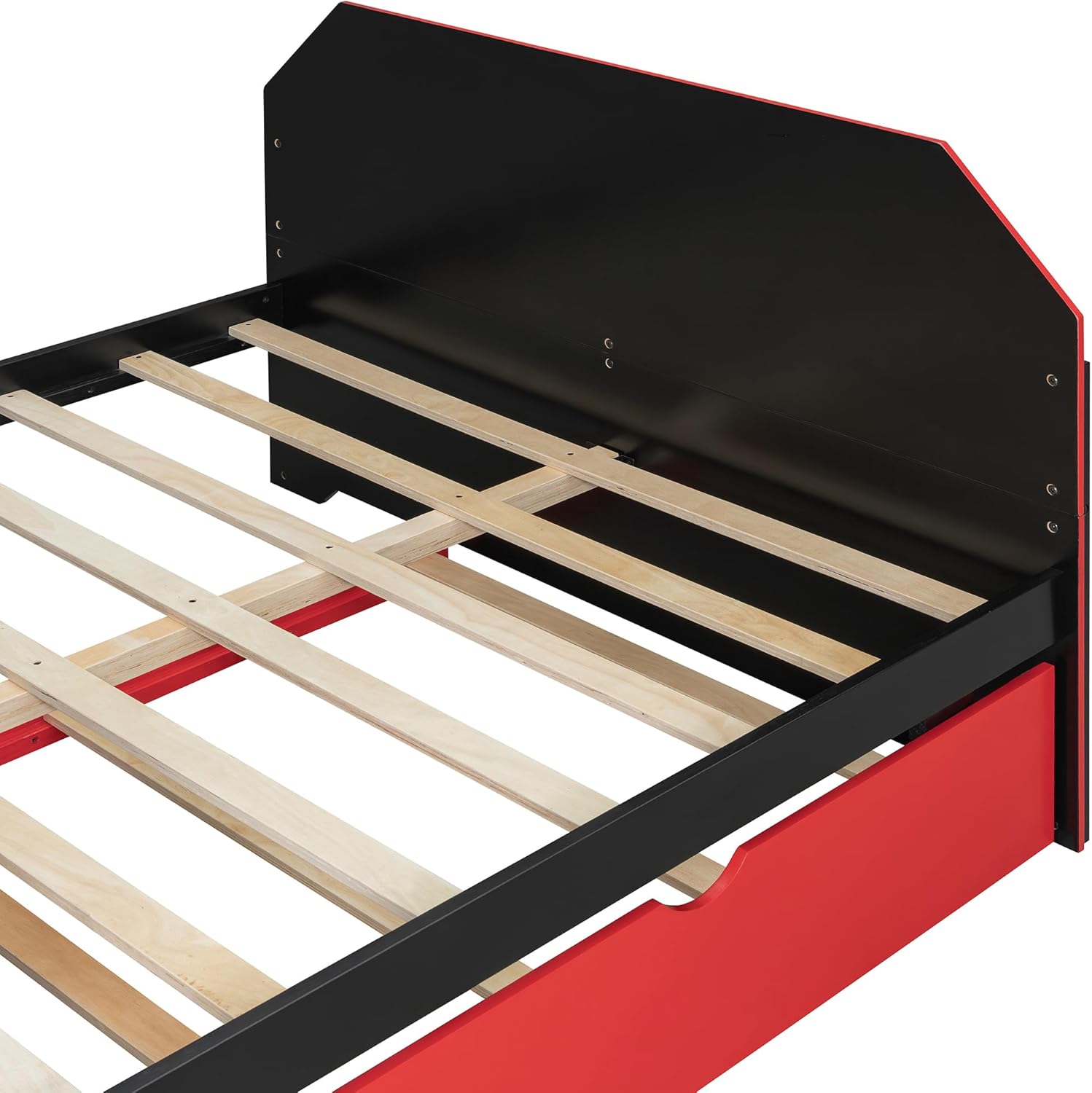
Image: Close-up of the wooden slats, showing how they are installed to support the mattress.
4.3 Assembling the Twin Trundle
- Assemble the trundle frame components, including the side panels and end panels.
- Attach the wheels or casters to the bottom of the trundle frame. Ensure they are securely fastened and can rotate freely.
- Install the wood slats for the trundle bed, ensuring they are evenly spaced and secured.

Image: An exploded view showing the daybed frame with its dimensions and the separate trundle unit.
4.4 Final Tightening and Placement
- Once all components are assembled, go back and fully tighten all bolts and screws. Do not overtighten.
- Carefully slide the assembled trundle under the main daybed frame.
- Place your full-size mattress on the main bed and a twin-size mattress (max 8" thick) on the trundle.
5. Operating Instructions
5.1 Using the Twin Trundle
The trundle bed is designed for flexible sleeping arrangements. To use:
- Gently pull the trundle frame out from under the main daybed. The casters allow for smooth movement.
- Once fully extended, ensure the trundle is stable before use. Some trundles may have locking brakes on the casters; engage these if present to prevent unwanted movement.
- To store, disengage any caster locks and gently push the trundle back under the main daybed until it is fully recessed.

Image: The daybed with the trundle fully extended, showing its functionality for an additional sleeping space.
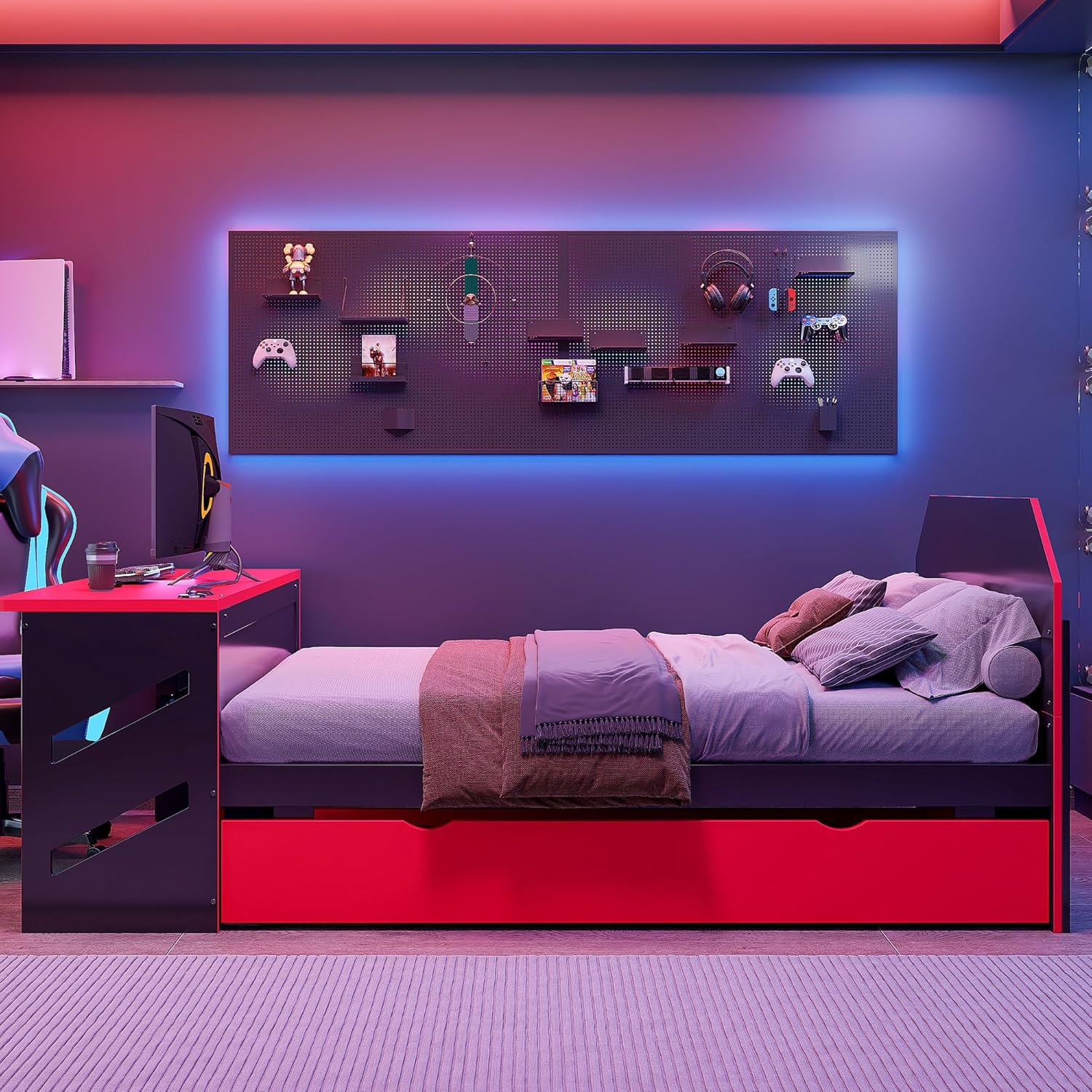
Image: The daybed with the trundle neatly tucked away, demonstrating its space-saving design.
5.2 Using the Built-in Desk
The integrated desk provides a convenient surface for various activities.
- Use the desk for studying, gaming, or working. Ensure items placed on the desk do not exceed its weight capacity.
- The desk features a cable management hole to keep wires organized and out of sight. Feed power cords and data cables through this opening for a tidy workspace.

Image: A detailed view of the built-in desk, highlighting its surface and structural design.
5.3 USB Charging Ports
The desk includes USB charging ports for your electronic devices.
- Connect your USB charging cables directly to the ports to power phones, tablets, or gaming controllers.
- Ensure devices are compatible with standard USB charging.
- Avoid exposing the USB ports to liquids or excessive moisture.
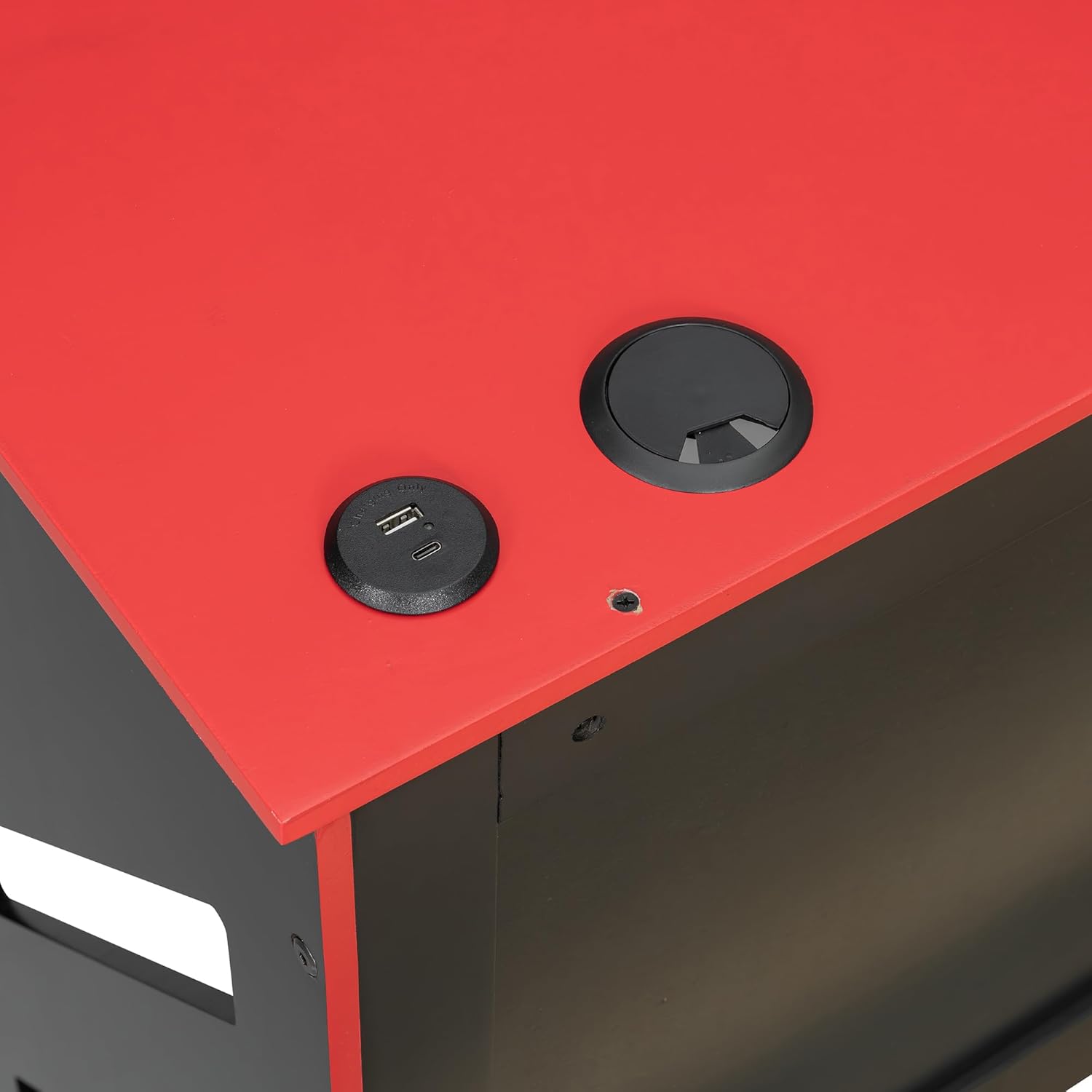
Image: A detailed shot of the desk surface, showing the integrated USB charging ports and the cable management grommet.
6. Maintenance and Care
- Cleaning: Wipe surfaces with a soft, damp cloth. Avoid harsh chemicals or abrasive cleaners, which can damage the finish.
- Hardware Check: Periodically check all bolts, screws, and connections to ensure they remain tight. Re-tighten as needed to maintain structural integrity.
- Avoid Moisture: Protect the wood from excessive moisture and direct sunlight to prevent warping or fading.
- Moving the Bed: When moving the daybed, lift it rather than dragging it to prevent damage to the frame and floor.
7. Troubleshooting
7.1 Trundle Not Gliding Smoothly
- Check Casters: Ensure the casters are clean and free of debris. Lubricate if necessary.
- Level Surface: Verify that the daybed is on a level surface. Uneven flooring can impede trundle movement.
- Obstructions: Check for any objects or bedding obstructing the trundle's path.
7.2 Squeaking Noises
- Tighten Hardware: Squeaking often indicates loose connections. Re-tighten all bolts and screws on both the main bed and trundle frames.
- Slats: Ensure all wood slats are properly seated and secured.
7.3 USB Ports Not Working
- Power Connection: Ensure the daybed's power cord (if applicable for USB) is securely plugged into a working wall outlet.
- Device Compatibility: Verify that the device you are trying to charge is compatible with standard USB charging.
- Cable Check: Try a different USB cable to rule out a faulty cable.
8. Specifications
| Feature | Detail |
|---|---|
| Product Dimensions (L x W x H) | 92.1" x 58.2" x 35.6" |
| Material Type | MDF, Plywood, Solid Wood |
| Color | Red |
| Special Features | Twin Size Trundle, Built-in Desk, USB Charging Ports |
| Upper Bed Weight Capacity | 300 lbs |
| Trundle Bed Weight Capacity | 250 lbs |
| Required Assembly | Yes |
| Finish Type | Lacquered |
| Item Weight | 124.6 Pounds |
9. Warranty and Support
This product comes with a standard manufacturer's warranty. For specific warranty details, please refer to the documentation included with your purchase or contact QVUUOU customer support. If you have any questions, require assistance with assembly, or need to report missing/damaged parts, please contact our customer service team through the retailer where the product was purchased.