
1. Introduction
Welcome to your new FoundEast Silicone Smartwatch Band. This manual provides essential instructions for the proper installation, use, and care of your new watch band. It is specifically designed for compatibility with the Yoever DR05 smartwatch.

Image 1.1: This image displays the FoundEast silicone smartwatch bands in a variety of colors, including white, red, black, grey, teal, and pink. The top row shows the detached bands, highlighting their texture and quick-release pins. The bottom row illustrates the bands attached to smartwatches, showcasing how they appear when worn.
2. Setup and Installation
Follow these steps to correctly attach the FoundEast Silicone Smartwatch Band to your Yoever DR05 smartwatch.
- Identify Quick-Release Pins: Locate the small metal quick-release pins on each end of your new watch band. These pins allow for easy attachment and removal without tools.
- Align One End: Position one end of the quick-release pin into the corresponding lug hole on your Yoever DR05 smartwatch.
- Retract and Insert: Gently pull the small lever on the quick-release pin to retract the other end. While retracted, carefully insert this end into the opposite lug hole on the smartwatch.
- Secure the Pin: Release the lever. The pin should spring into place, securing the band to the watch.
- Verify Attachment: Gently tug on the band to ensure it is firmly attached and does not come loose.
- Repeat for Second Piece: Follow the same steps to attach the second piece of the watch band.

Image 2.1: This image shows a detached black FoundEast silicone smartwatch band. The quick-release pin mechanism is visible at both ends, illustrating how the band connects to the smartwatch. The stainless steel buckle is also featured.

Image 2.2: A close-up view of the white FoundEast silicone smartwatch band securely attached to the back of a black smartwatch. This angle highlights the connection points and the texture of the band.
3. Operating and Wearing
Once installed, wearing and adjusting your FoundEast Silicone Smartwatch Band is straightforward.
- Position the Smartwatch: Place your Yoever DR05 smartwatch on your wrist, ensuring the watch face is oriented correctly.
- Thread the Band: Guide the longer section of the band through the buckle of the shorter section.
- Adjust for Fit: Insert the buckle pin into one of the adjustment holes on the band. Select a hole that provides a comfortable yet secure fit. The band is designed to fit wrists measuring 5.5" to 8.7" in circumference.
- Secure Excess Band: Use the two silicone loops to tuck away any excess band, preventing it from flapping or catching on objects.
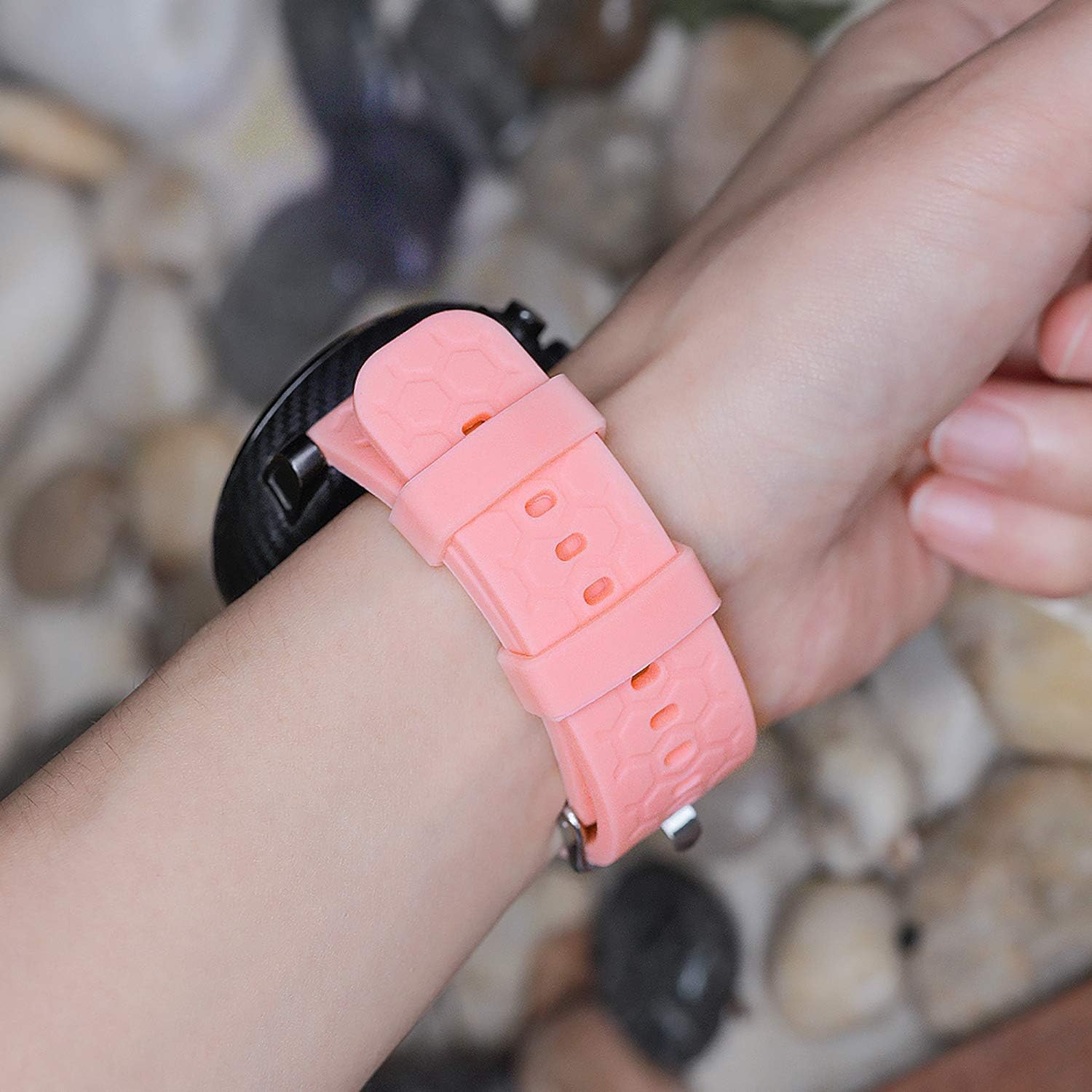
Image 3.1: This image shows the pink FoundEast silicone smartwatch band comfortably worn on a wrist, attached to a smartwatch. It demonstrates the band's appearance and fit during use.
4. Maintenance
Proper care will extend the life and appearance of your silicone smartwatch band.
- Regular Cleaning: Wipe the band with a soft, damp cloth to remove dirt and sweat.
- Deep Cleaning: For more thorough cleaning, use a small amount of mild soap with water. Rinse the band thoroughly under clean water to remove all soap residue.
- Drying: Ensure the band is completely dry before reattaching it to your smartwatch or wearing it.
- Avoid Harsh Chemicals: Do not use abrasive cleaners, solvents, or harsh chemicals, as these can damage the silicone material.
- Storage: Store the band in a cool, dry place away from direct sunlight and extreme temperatures when not in use.
5. Troubleshooting
- Band Not Attaching Securely:
- Ensure the quick-release pins are fully engaged in the lug holes. You should hear a small click or feel the pin lock into place.
- Check for any debris or obstructions in the smartwatch's lug holes that might prevent the pin from seating correctly. - Discomfort or Irritation:
- Adjust the band's tightness. A band that is too tight can restrict circulation, while one that is too loose can rub and cause irritation.
- Ensure the band is clean and free from any residue that might cause skin reactions.
6. Specifications
| Material | Silicone |
| Buckle Material | Stainless Steel |
| Compatible Smartwatch | Yoever DR05 |
| Band Width | 22mm |
| Wrist Size Compatibility | 5.5" - 8.7" |
| Installation | Quick-release pins (tool-free) |
Note: The product title's "1.27" refers to the compatible smartwatch's screen size, not the band width. The actual band width is 22mm.
7. Warranty and Support
For any questions, concerns, or support regarding your FoundEast Smartwatch Band, please contact the seller directly through your purchase platform. Please refer to your purchase documentation for specific warranty details, if applicable.