Introduction
This manual provides instructions for the installation, use, and maintenance of your FoundEast replacement silicone wrist straps, compatible with the Yoever DR05 Smartwatch. Please read this guide carefully to ensure proper handling and longevity of your product.
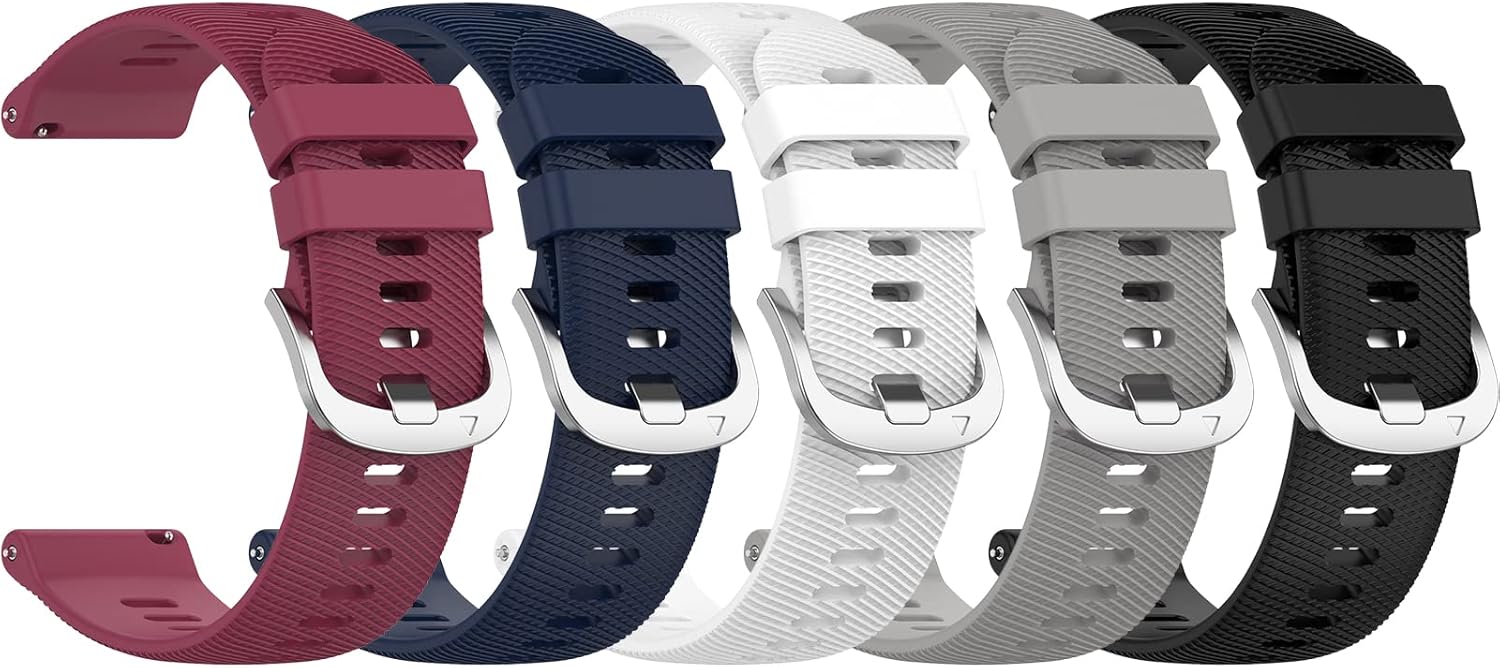
Image: A set of five FoundEast silicone replacement bands for the Yoever DR05 Smartwatch, showcasing various color options.
Setup: Band Installation
The FoundEast replacement bands feature quick-release pins for easy attachment and removal from your Yoever DR05 Smartwatch.
- Remove Existing Band: Locate the quick-release pin on the underside of your current smartwatch band. Slide the pin inwards to detach one side of the band from the watch lug. Repeat for the other side.
- Attach New Band: Take one half of the new FoundEast silicone band. Insert one end of the quick-release pin into the corresponding hole on the smartwatch lug.
- Secure Band: While holding the first end in place, slide the quick-release pin inwards. Align the other end of the pin with the second hole on the watch lug and release the pin. Gently tug on the band to ensure it is securely fastened.
- Repeat for Second Half: Follow steps 2 and 3 to attach the second half of the silicone band to the other side of your smartwatch.

Image: Detail of the black silicone band, showing the metal buckle and the quick-release pin mechanism for easy installation.
Ensure both ends of the band are firmly attached before wearing your smartwatch.
Operating: Wearing and Adjustment
The FoundEast silicone bands are designed for comfort and adjustability.
- Wearing: Place the smartwatch on your wrist and thread the free end of the band through the buckle.
- Adjustment: Select a hole that provides a snug yet comfortable fit. The band should not be too tight to restrict circulation, nor too loose to allow the smartwatch to move excessively, which can affect sensor accuracy.
- Secure Loop: Use the two keeper loops to secure the excess band length.

Image: A visual guide indicating the adjustable band size, fitting wrists from 5.5 inches to 8.7 inches in circumference.
Maintenance
To ensure the longevity and hygiene of your silicone bands, follow these maintenance guidelines:
- Cleaning: Regularly clean the band with a soft, damp cloth. For deeper cleaning, use mild soap and water, then rinse thoroughly and dry completely before reattaching to your smartwatch.
- Avoid Harsh Chemicals: Do not expose the band to strong chemicals, solvents, or abrasive cleaners, as these can damage the silicone material.
- Storage: When not in use, store the bands in a cool, dry place away from direct sunlight to prevent discoloration or material degradation.
Troubleshooting
| Problem | Solution |
|---|---|
| Band does not attach securely. | Ensure the quick-release pins are fully engaged in the watch lug holes. Check for any obstructions in the lug holes or on the pin mechanism. |
| Band feels too tight or too loose. | Adjust the buckle to a different hole on the band. Refer to the "Wearing and Adjustment" section for proper fit guidelines. |
| Skin irritation. | Ensure the band is clean and dry. If irritation persists, discontinue use and consult a medical professional. Ensure the band is not worn too tightly. |
Specifications
- Compatible Model: Yoever DR05 Smartwatch
- Material: Premium Silicone, Stainless Steel buckle
- Band Length: 93.3mm + 119.8mm
- Wrist Circumference Fit: 5.5" - 8.7"
- Package Contents: 5 x FoundEast Silicone Bands (Smartwatch not included)

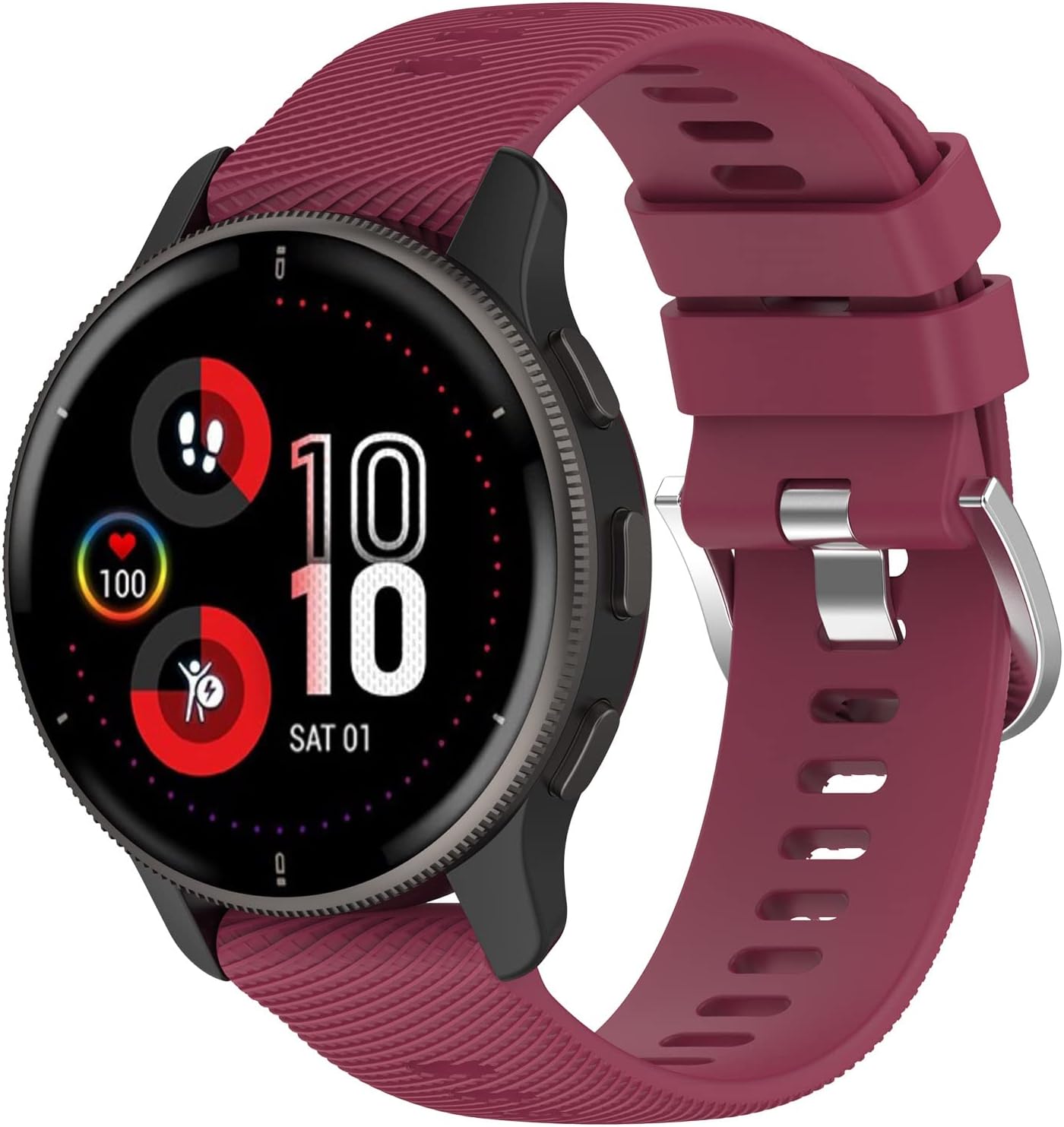

Image: Examples of the FoundEast silicone bands attached to a Yoever DR05 Smartwatch, demonstrating various color options.
Warranty and Support
For any questions, concerns, or warranty inquiries regarding your FoundEast replacement bands, please contact the seller directly through your purchase platform. Please refer to your purchase documentation for specific warranty terms and contact information.


