
1. Important Safety Information
This device is designed with comprehensive safety features to protect users, the vehicle, and the home electrical network. Adhere to all local electrical codes and safety regulations during installation and operation.
- Integrated Protection: Includes AC 30 mA + DC 6 mA residual current protection.
- Voltage Protection: Protection against overvoltage and undervoltage.
- Current Protection: Protection against overcurrent.
- Grounding and Surge Protection: Ensures proper grounding and protection against surge impulses.
- Temperature Protection: Overheating protection is integrated.
The FoxESS L07P Wallbox complies with CE and EN/IEC 61851 safety standards.

2. Setup and Installation
The FoxESS L07P Wallbox is designed for single-phase domestic electrical networks (230 V ± 20%) and supports a maximum charging current of 32 A. It is compatible with all electric vehicles equipped with a Type 2 connector. Installation is straightforward and does not require complex electrical work.
2.1 Physical Installation
The wallbox can be flexibly mounted on a wall or a pole. Power cable entry is possible from either the bottom or the rear of the unit. A hardwired connection is required for installation.


2.2 Electrical Connection
Ensure all electrical connections are made by a qualified electrician in accordance with local regulations. The load balancing function requires the use of an external electric meter. The recommended meter model is DDSU666 single-phase meter (5(80)A) with dual RS485 interfaces (model number 30-803-00024-00).

3. Operating Instructions
The FoxESS L07P Wallbox offers intelligent control via a smartphone application, alongside manual operation, accommodating various user preferences.
3.1 Smart Control via App
The dedicated smartphone application allows for easy starting and stopping of charging sessions, scheduling, and monitoring of energy consumption. This intelligent control enables flexible charging times, contributing to energy savings and grid-friendly charging.
- Remote Start/Stop: Initiate or terminate charging from your smartphone.
- Scheduling: Plan charging sessions to take advantage of off-peak electricity rates or solar production.
- Energy Monitoring: Track your energy consumption and charging history.

3.2 Dynamic Load Balancing and PV Integration
The wallbox supports dynamic load management, automatically adjusting charging power to the total household consumption to prevent overloads. It also features additional PV integration for green charging using solar energy, making it ideal for modern home energy management systems.

3.3 Scheduled Charging
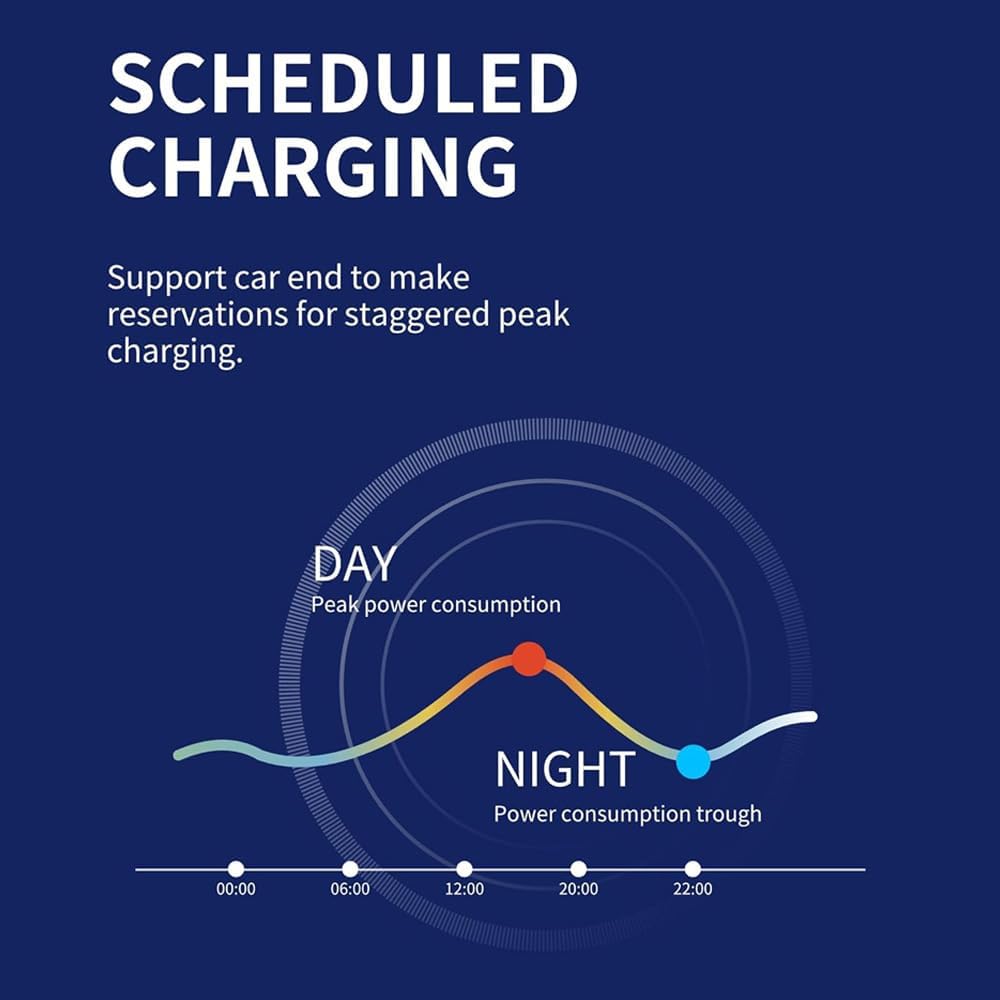
Utilize the scheduled charging feature to make reservations for staggered peak charging, optimizing energy costs and usage.
4. Maintenance
The FoxESS L07P Wallbox features a robust and weather-resistant casing, ensuring durability and minimal maintenance requirements.
- IP55 Rating: The enclosure is waterproof and dustproof, suitable for outdoor or garage installation.
- IK08 Rating: Provides impact resistance, protecting against physical damage.
- Operating Conditions: Designed to operate in temperatures ranging from -25 °C to +50 °C, with humidity between 5% and 95%.
Regularly inspect the charging cable and connector for any signs of wear or damage. Keep the unit clean and free from debris. Do not attempt to open or repair the unit yourself; contact qualified personnel for service.


5. Troubleshooting
If you encounter issues with your FoxESS L07P Wallbox, consider the following general troubleshooting steps:
- No Power: Check the circuit breaker in your electrical panel. Ensure the wallbox is properly connected to the power supply.
- Charging Not Starting: Verify that the Type 2 connector is securely plugged into your vehicle. Check the app for any scheduled charging conflicts or error messages. Ensure the vehicle is ready to accept a charge.
- App Connectivity Issues: Confirm your Wi-Fi or Bluetooth connection is active and stable. Restart the app and, if necessary, the wallbox.
- Indicator Light Status: Refer to the indicator light on the wallbox for status or error codes. Consult the full product manual (if available) for specific light patterns.
For persistent issues, contact FoxESS customer support or a certified electrician.
6. Specifications
| Feature | Specification |
|---|---|
| Manufacturer | FOXESS CO., LTD. |
| Brand | FoxESS |
| Model | L07P |
| Item Weight | 3.9 Kilograms |
| Product Dimensions (L x W x H) | 19.7 x 19.6 x 10.5 cm |
| Max Charging Power | 7.3 kW |
| Max Charging Current | 32 A |
| Input Voltage | 230 V ± 20% (Single-phase) |
| Connector Type | Type 2 |
| Ingress Protection (IP) Rating | IP55 (Waterproof & Dustproof) |
| Impact Protection (IK) Rating | IK08 |
| Operating Temperature Range | -25 °C to +50 °C |
| Humidity Range | 5% to 95% |
| Connectivity | WiFi/Bluetooth (App Control) |
| Safety Standards | CE, EN/IEC 61851 |
7. Warranty and Support
Information regarding the specific warranty period and detailed support contact options for the FoxESS L07P Wallbox is not available in the provided product data. Please refer to the product packaging, the official FoxESS website, or your point of purchase for comprehensive warranty details and customer support contacts.
For technical assistance or service inquiries, it is recommended to contact FoxESS directly or an authorized service provider.


