
Introduction
Thank you for choosing the iWALK Magnetic Wireless Power Bank 10000mAh. This portable charger is designed to provide convenient and efficient power for your mobile devices, featuring magnetic wireless charging, a built-in kickstand, and a clear LED display. Please read this manual carefully before use to ensure proper operation and to maximize the product's lifespan.
Important Safety Information
- Do not expose the power bank to extreme temperatures, direct sunlight, or fire.
- Avoid dropping, disassembling, or attempting to repair the device yourself.
- Keep away from water and other liquids.
- Use only certified charging cables and adapters.
- Keep out of reach of children.
- Dispose of the power bank according to local regulations. Do not dispose of with household waste.
Package Contents
Please check the package for the following items:
- iWALK Magnetic Wireless Power Bank 10000mAh
- USB-C Charging Cable
- User Manual
Product Overview

Image: Front and side view of the iWALK Magnetic Wireless Power Bank, highlighting its slim design and LED display.
The iWALK Magnetic Wireless Power Bank features a compact design with a magnetic charging surface, a built-in foldable kickstand, a USB-C port for input/output, and an LED digital display to show the remaining battery percentage.
Setup
Initial Charging of the Power Bank
- Connect the provided USB-C charging cable to the USB-C port on the power bank.
- Connect the other end of the USB-C cable to a compatible USB power adapter (not included).
- The LED display will show the charging progress. Charge the power bank fully before first use.
- Once fully charged, the LED display will show "100%". Disconnect the cable.

Image: The iWALK power bank connected to a wall adapter via its USB-C port for charging. The LED display shows charging status.
Operating Instructions
Wireless Charging (MagSafe Compatible)
- Ensure your device is MagSafe compatible (iPhone 12 series and newer) or has a MagSafe compatible case.
- Align the iWALK power bank with the back of your MagSafe-compatible iPhone. The magnets will automatically snap the power bank into place.
- Wireless charging will begin automatically. The LED display on the power bank will show its remaining battery percentage.
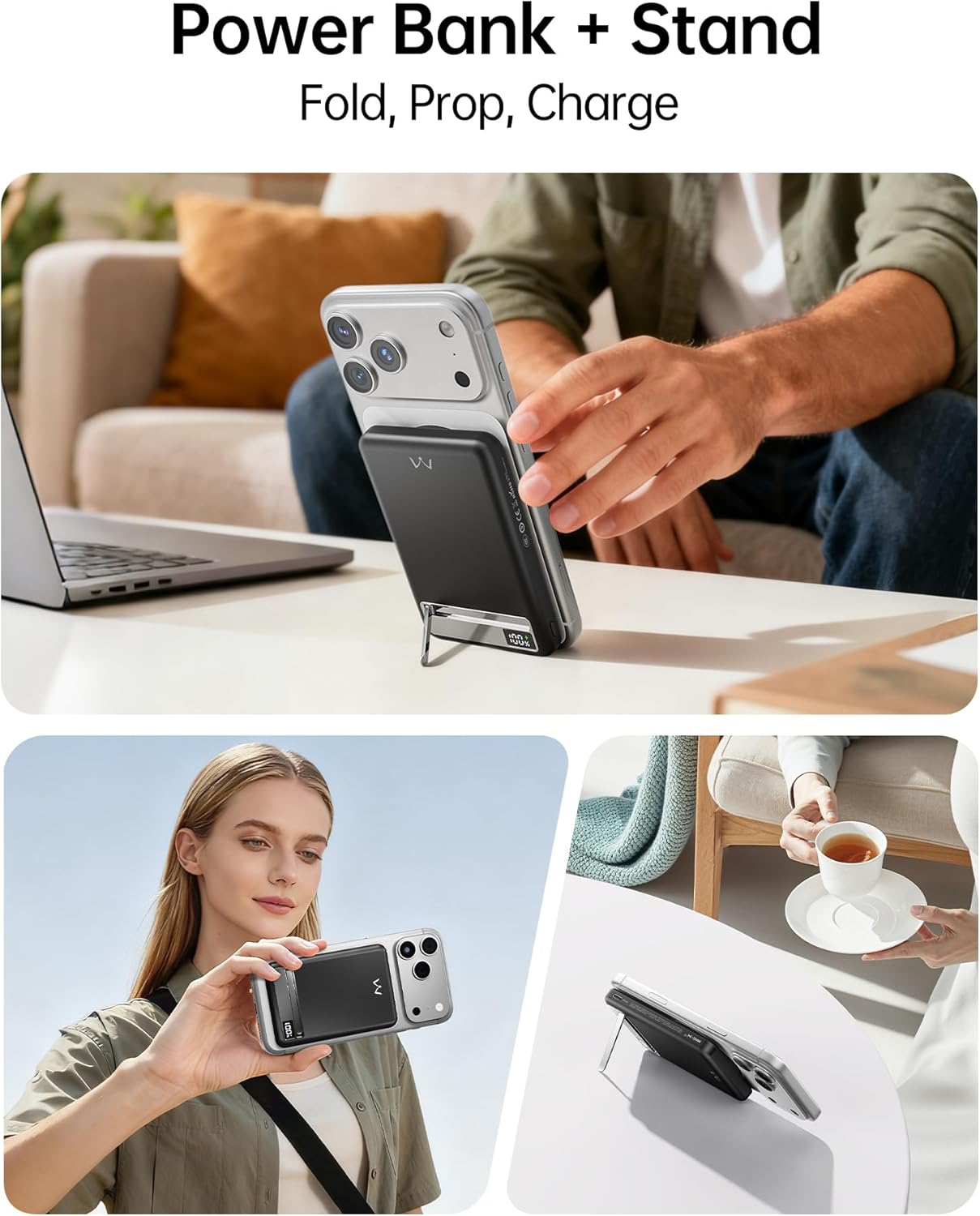
Image: The iWALK power bank is shown magnetically attached to the back of an iPhone, indicating active wireless charging.

Image: A visual representation of the strong magnetic connection (1.2KG) between the power bank and an iPhone, illustrating compatibility with iPhone 12-17 series and magnetic phone cases.
Wired Charging (USB-C Output)
- Connect a USB-C cable (the one provided or another compatible cable) to the USB-C port on the power bank.
- Connect the other end of the cable to your device (e.g., smartphone, tablet, earbuds).
- The power bank will automatically begin charging your device. The LED display will show the remaining battery percentage.
- The USB-C port supports 20W Power Delivery (PD) fast charging for compatible devices.

Image: The iWALK power bank simultaneously charging an iPhone wirelessly and an iPad via a USB-C cable, demonstrating its dual-device charging capability.
Using the Built-in Metal Kickstand
- Gently pull out the metal kickstand located on the back of the power bank.
- Position the kickstand to prop up your iPhone (with the power bank attached) in either portrait or landscape orientation.
- This allows for hands-free viewing, video calls, or browsing while your device charges.

Image: An iPhone with the iWALK power bank attached, using its built-in metal kickstand to stand upright on a desk, ideal for hands-free use.
Video: Demonstrates the iWALK PowerStand 10000, showcasing its magnetic attachment, fast wireless charging, and the functionality of its foldable kickstand for hands-free use.
LED Digital Display
The integrated LED display provides a precise real-time indication of the power bank's remaining battery percentage. This allows you to easily monitor the charge level and know when a recharge is needed.

Image: A close-up view of the iWALK power bank's LED digital display, clearly showing the battery percentage.
Maintenance
- Clean the power bank with a soft, dry cloth. Do not use harsh chemicals or abrasive materials.
- Store the power bank in a cool, dry place when not in use.
- Avoid prolonged exposure to direct sunlight or high humidity.
- For optimal battery life, fully charge the power bank at least once every three months if stored for extended periods.
Troubleshooting
| Problem | Possible Cause | Solution |
|---|---|---|
| Power bank not charging. | Cable not connected properly; faulty cable/adapter; power bank depleted. | Ensure cable is securely connected. Try a different cable or power adapter. Allow time for initial charge if completely depleted. |
| Device not charging wirelessly. | Misalignment; non-MagSafe compatible device/case; foreign objects; power bank depleted. | Realign the power bank with your device. Ensure your device/case is MagSafe compatible. Remove any foreign objects between the power bank and device. Check power bank battery level. |
| Device not charging via USB-C. | Cable not connected properly; faulty cable; power bank depleted. | Ensure cable is securely connected. Try a different USB-C cable. Check power bank battery level. |
| LED display not working. | Power bank is off or completely depleted. | Press the power button (if available) or connect the power bank to a charger to activate the display. |
Specifications
| Model Number | MXB020 |
| Battery Capacity | 10000 Milliamp Hours |
| Product Dimensions | 4.09 x 2.68 x 0.7 inches |
| Item Weight | 10.2 ounces |
| Connector Type | Wireless, USB C |
| Special Features | Auto Shut-Off, Digital Display, Fast Charging, Slim, Wireless Charging, Metal Kickstand |
| Manufacturer | U2O GLOBAL CO.,LTD |
Warranty and Support
iWALK products come with a standard manufacturer's warranty. For detailed warranty information, product support, or technical assistance, please visit the official iWALK website or contact their customer service. Please retain your proof of purchase for warranty claims.
Official iWALK Website: iWALK Store on Amazon


