
1. Introduction
This manual provides comprehensive instructions for the OCRUSTAR EKX5-L Universal Remote Control Adapter, designed for iPhone devices with a Lightning plug. This adapter transforms your iPhone into a universal remote, allowing control over various infrared-enabled home appliances such as TVs, air conditioners, DVDs, projectors, and more. Please read this manual thoroughly before use to ensure proper operation and maximize the device's functionality.
2. Package Contents
Verify that all items are present in your package:
- 1x OCRUSTAR Universal Remote Adapter (Lightning Plug iOS)
- 1x User Guide
- 1x Key Ring
- 1x Leather Case

Image: The OCRUSTAR Universal Remote Adapter (Lightning Plug iOS) shown alongside its protective silicone case, both in black. The adapter is compact with a green LED indicator.
3. Product Overview
The OCRUSTAR EKX5-L adapter is a compact device designed to integrate seamlessly with your iPhone. It features an infrared emitter that communicates with various appliances.
- LED Working Indicator: A small green LED illuminates when an infrared command is being transmitted, providing visual confirmation of operation.
- Protective Silicone Case: The adapter comes with a durable silicone case to protect it from damage and facilitate portability.
- Key Ring: A key ring is included for convenient attachment to your keys, making the adapter easily accessible.
- Compact Design: The adapter's small size ensures it is unobtrusive when plugged into your iPhone and easy to carry.
- Smart Chip Technology: Equipped with an advanced chip for fast response times, broad device compatibility, and an effective control distance of up to 50 feet.

Image: Detailed view of the adapter highlighting its LED indicator, the protective silicone case, and the included key ring for portability.

Image: An internal diagram illustrating the "Ocrustar Smart Chip" within the adapter, emphasizing its features like fast response, broad compatibility, reduced size, and a 50-foot control distance.
4. Setup Instructions
Follow these steps to set up your OCRUSTAR Universal Remote Control Adapter:
- Download the App: Scan the QR code provided in the user guide or search for "Ocrustar Remote" in the Apple App Store. Download and install the application on your iPhone.
- Connect the Adapter: Insert the OCRUSTAR adapter into your iPhone's Lightning port. Ensure it is securely connected.
- Launch the App: Open the "Ocrustar Remote" application. The app should detect the connected adapter.
- Add a Device:
- In the app, select the option to "Add Device" or a similar function.
- Choose the type of appliance you wish to control (e.g., TV, AC, DVD, Projector).
- Select the brand of your appliance from the provided list.
- The app will guide you through a pairing process, typically involving testing various infrared codes. Point the adapter towards your appliance and follow the on-screen prompts to find the correct code.
- Once a functional code is found, save the remote profile.
- Repeat for Additional Devices: You can add multiple devices to the app, creating a centralized control hub for your home electronics.
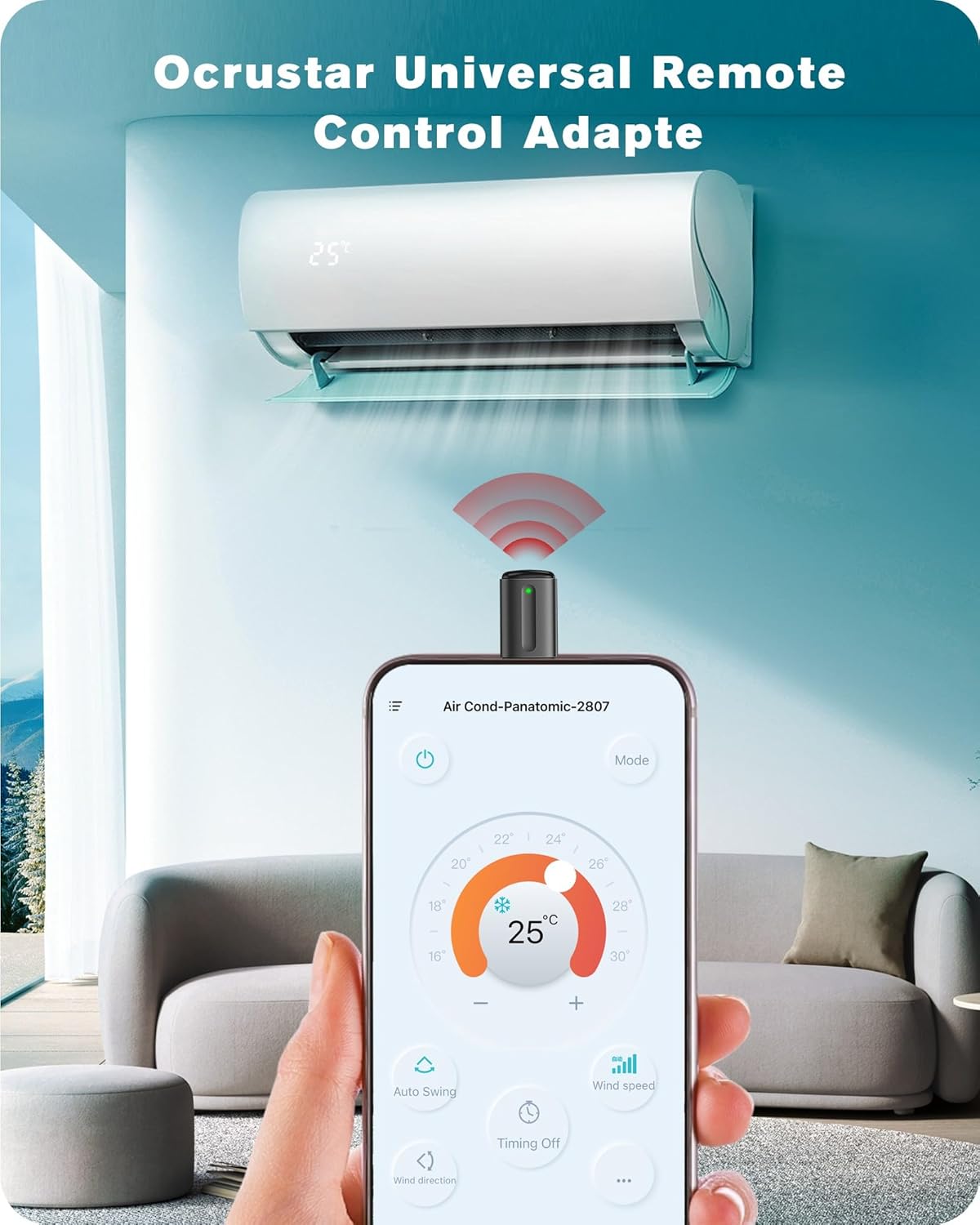
Image: An iPhone screen showing the Ocrustar app interface, actively controlling an air conditioner. The adapter is plugged into the phone's Lightning port, emitting an infrared signal.

Image: The Ocrustar app displaying a selection of device types that can be controlled, including TV, STB, DVD, AC, Projector, and Amplifier, demonstrating broad compatibility.
5. Operating Instructions
Once your devices are set up in the Ocrustar Remote app, controlling them is straightforward:
- Select Device: Open the Ocrustar Remote app and select the device you wish to control from your saved list.
- Point and Control: Ensure the OCRUSTAR adapter is plugged into your iPhone. Point the top of the adapter towards the infrared receiver of your appliance.
- Use On-Screen Remote: The app will display a virtual remote control interface specific to your selected device. Tap the buttons on your iPhone screen to send commands (e.g., power on/off, change channels, adjust volume, set AC temperature).
- Observe LED Indicator: The green LED on the adapter will flash with each command sent, confirming transmission.

Image: A visual representation showing a stack of traditional remote controls being replaced by a single Ocrustar Universal Remote Control Adapter, symbolizing its multi-device capability.
6. Maintenance
To ensure the longevity and optimal performance of your OCRUSTAR Universal Remote Control Adapter, follow these maintenance guidelines:
- Cleaning: Use a soft, dry cloth to clean the adapter. Avoid using liquid cleaners or abrasive materials.
- Storage: When not in use, store the adapter in its protective leather case to prevent dust and physical damage.
- Avoid Extreme Conditions: Do not expose the adapter to extreme temperatures, direct sunlight, or high humidity.
- Handle with Care: Avoid dropping the adapter or subjecting it to strong impacts.
7. Troubleshooting
If you encounter issues with your OCRUSTAR Universal Remote Control Adapter, refer to the following common solutions:
| Problem | Possible Cause / Solution |
|---|---|
| Adapter not detected by iPhone/App. |
|
| App is poorly translated or difficult to navigate. |
|
| App cannot access the IR code database. |
|
| Appliance does not respond to commands. |
|
| Commands are delayed or unresponsive. |
|
8. Specifications
| Feature | Detail |
|---|---|
| Model Number | EKX5-L |
| Brand | OCRUSTAR |
| Color | Black |
| Connector Type | Lightning |
| Compatible Devices | TVs, Set Top Boxes, Air Conditioners, Projectors, Ott-Boxes, DVDs, Amplifiers, SLRs, Fans, IR Switches, Water Heaters, Electric Heaters, Air Cleaners, Robot Vacuums, Blinds |
| Item Weight | 0.352 ounces |
| Package Dimensions | 3.46 x 3.11 x 0.47 inches |
| Manufacturer | SHENZHEN YILIANKE TECHNOLOGY CO., LTD |
9. Warranty and Support
OCRUSTAR provides the following support for your product:
- Money-Back Guarantee: 30-day money-back guarantee from the date of purchase.
- Exchanges: 18-month hassle-free exchanges for product defects or malfunctions.
- Customer Service: Friendly and responsive after-sales service is available to assist with any questions or issues. Please refer to the contact information provided with your purchase or on the official OCRUSTAR website for support.