
1. Introduction
The Yamaha MODX M7 is a 76-key music synthesizer designed for keyboardists seeking exceptional sound, expressive control, and a streamlined workflow. This instrument is suitable for both stage and studio environments, offering a compact and lightweight design. It incorporates advanced sound engines for recreating analog synths, modern FM synths, and realistic instruments, providing a diverse range of sonic possibilities. Intuitive performance controls, including physical faders and a Super Knob, enable real-time expression, complemented by an improved keyboard action for enhanced playability. The included Expanded Softsynth Plugin (ESP) facilitates integration with your preferred Digital Audio Workstation (DAW).
2. Included Items
Verify that all the following items are included in your package:
- AC Adaptor: PA-300C
- Quick Guide
- Cubase AI Download Information
- Expanded Softsynth Plugin for MODX M Download Information

3. Setup
3.1 Power Connection
- Connect the supplied AC adaptor (PA-300C) to the DC IN jack on the rear panel of the MODX M7.
- Plug the AC adaptor into a standard wall outlet.
- Press the [POWER] button to turn on the instrument.
3.2 Audio Connections
Connect the MODX M7 to an audio system, headphones, or a computer using appropriate cables. The instrument features 10 OUT / 4 IN audio interface capabilities via USB.

4. Operating the Synthesizer
4.1 Basic Navigation
The MODX M7 features an upgraded navigation system with a color touch screen and 6 dedicated display knobs for quick and intuitive sound editing and operation.
4.2 Sound Engines
The synthesizer is equipped with three powerful sound engines:
- AN-X Engine: Recreates classic analog synthesizer sounds.
- AWM2 Engine: Delivers ultra-realistic instrument sounds.
- FM-X Engine: Offers cutting-edge modern synth sounds.


4.3 Expressive Control
The MODX M7 offers intuitive performance controls for real-time expression:
- 8 Physical Faders: For adjusting various parameters and mixing sounds.
- Super Knob: A versatile control for morphing between sounds and complex parameter changes.
- Improved Keyboard Action: 76 semi-weighted keys provide a faster, more substantial synth action for enhanced playability.


4.4 Motion Control Synthesis Engine
This engine allows for dynamic and expressive sound creation through programmable control sequences.

4.5 DAW Integration
The Expanded Softsynth Plugin (ESP) replicates the MODX M in your favorite DAW, allowing you to create, edit, and mix sounds seamlessly within your production environment. Cubase AI download information is included.

5. Maintenance
5.1 Cleaning
Wipe the surface of the instrument with a soft, dry cloth. Avoid using abrasive cleaners or solvents that could damage the finish.
5.2 Storage
Store the instrument in a cool, dry place away from direct sunlight and extreme temperatures. When transporting, use a protective case to prevent damage.
6. Troubleshooting
6.1 No Sound
- Check all audio cable connections.
- Ensure the master volume is turned up.
- Verify that the correct sound is selected and not muted.
6.2 Power Issues
- Confirm the AC adaptor is securely connected to both the instrument and the power outlet.
- Ensure the power outlet is functional.
7. Specifications
| Feature | Detail |
|---|---|
| Model Name | MODX M Series |
| Number of Keys | 76 |
| Keyboard Action | Semi-weighted |
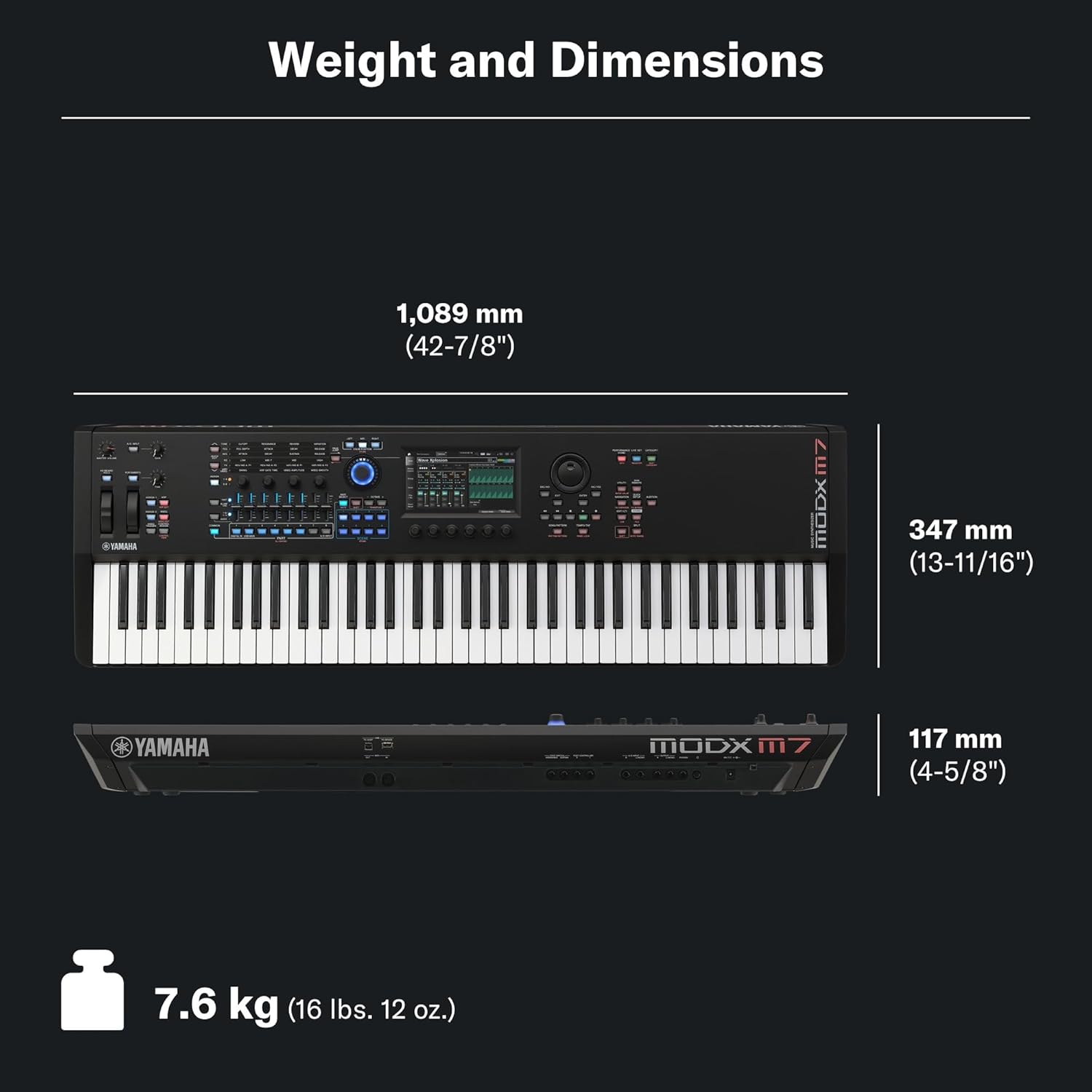
| Dimensions | 49 x 18 x 9.25 inches |
| Item Weight | 25.6 pounds |
| Operating System Compatibility | Windows, macOS |
| Special Features | Advanced Sequencer, Digital Effects, Lightweight, Preset Tones & Rhythms, Programmable |
| UPC | 889025163712 |
8. Official Product Videos
Yamaha MODX M Synthesizer Overview
This video provides a comprehensive overview of the Yamaha MODX M Synthesizer series, highlighting its key features, sound engines, and performance capabilities. It offers insights into the instrument's design and functionality from the manufacturer.
Yamaha MODX6 61-Key Synthesizer
This video showcases the Yamaha MODX6 61-Key Synthesizer, demonstrating its features and sound capabilities. While specifically featuring the MODX6, much of the core functionality and sound architecture is shared across the MODX M series, including the M7.
9. Warranty and Support
For detailed warranty information and technical support, please refer to the official Yamaha website or contact Yamaha customer service. Keep your purchase receipt for warranty claims.