
Introduction
This manual provides essential instructions for the proper setup, operation, and maintenance of your Sunorshop Health Fitness Tracker. Please read this manual thoroughly before using the device to ensure optimal performance and longevity. This device is designed to assist in monitoring various health and fitness metrics, but it is not intended for medical use.
What's in the Box
Upon opening your package, verify that all items listed below are present:
- Smart Watch (1 unit)
- Charging Cable (1 unit)
- Replacement Band (1 unit)
- User Manual (1 unit)

Image: Contents of the product package, showing the smart watch, charging cable, and an additional band.
Setup
1. Charging the Device
Before initial use, fully charge your fitness tracker. Connect the provided charging cable to the charging port on the back of the watch and to a USB power source. A full charge typically takes approximately 1.5 hours. The device offers 5-7 days of battery life with typical usage.
2. App Installation
Download and install the companion application, 'DA Fit', from your smartphone's app store (available for Android 5.0+ and iOS 10.0+). This app is essential for full functionality, data synchronization, and customization.
3. Device Pairing
Ensure Bluetooth is enabled on your smartphone. Open the 'DA Fit' app and follow the on-screen instructions to search for and pair with your Sunorshop Health Fitness Tracker. The device uses Bluetooth 5.0 for stable connectivity.
Operating Instructions
1. Basic Navigation
The fitness tracker features a 1.47-inch HD color display. Swipe left, right, up, or down to navigate through menus and functions. Tap to select options. The display offers clear and larger fonts for easy readability.

Image: The device's 1.47-inch HD screen showing clear icons and text.
2. Health Monitoring
The device provides 24/7 monitoring capabilities for various health metrics:
- Heart Rate: Continuously tracks your heart rate.
- Blood Pressure: Monitors blood pressure levels.
- Blood Oxygen (SpO2): Measures blood oxygen saturation.
- Sleep Tracking: Analyzes sleep patterns, including deep, light, and awake times.
Note: Health monitoring data is for reference only and should not be used for medical diagnosis or treatment.
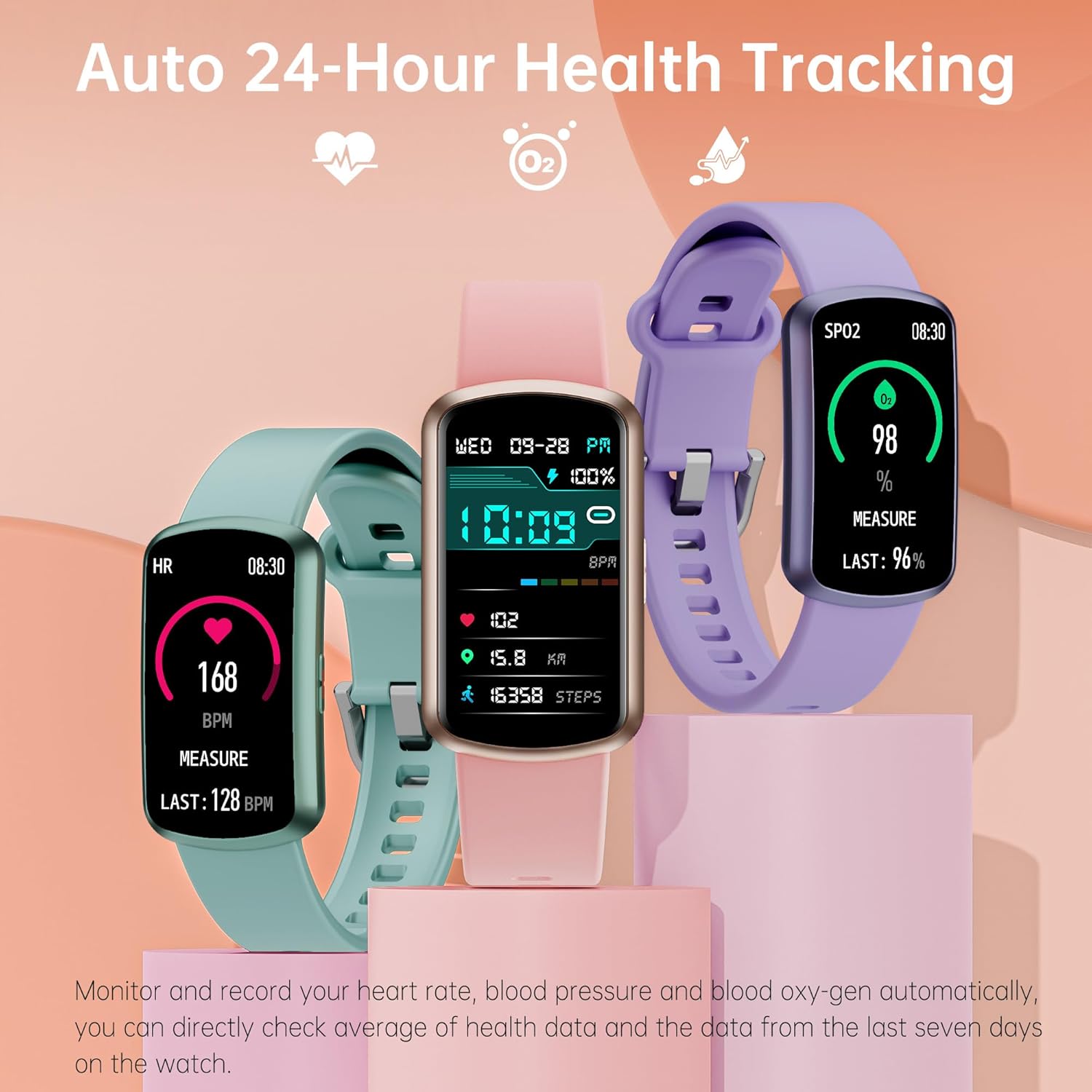
Image: Multiple watches showing real-time health data like heart rate, steps, and SpO2.

Image: Sleep tracking interface showing deep, light, and awake sleep durations.
3. Sport Modes
The tracker includes over 120 sport modes to record various physical activities. Select the appropriate mode before starting your workout to track metrics such as steps, calories burned, and distance.

Image: Display of 120+ sport modes and activity tracking metrics like heart rate, calories, steps, and distance.
4. Smart Notifications
Receive notifications for incoming calls, text messages, and app alerts directly on your wrist when connected to your smartphone. Manage these settings within the 'DA Fit' app.

Image: The watch screen showing an incoming call notification.
5. Additional Features
The fitness tracker offers several other convenient functions:
- Weather Updates: View current weather conditions.
- Music Control: Control music playback on your smartphone.
- Menstrual Cycle Reminders: Track and predict menstrual cycles.
- Alarm Clock: Set silent alarms.
- Shutter Control: Remotely control your phone's camera.
- Stopwatch: Use for timing activities.
- Hydration Alerts: Receive reminders to drink water.
- Sedentary Reminders: Get alerts to move after periods of inactivity.
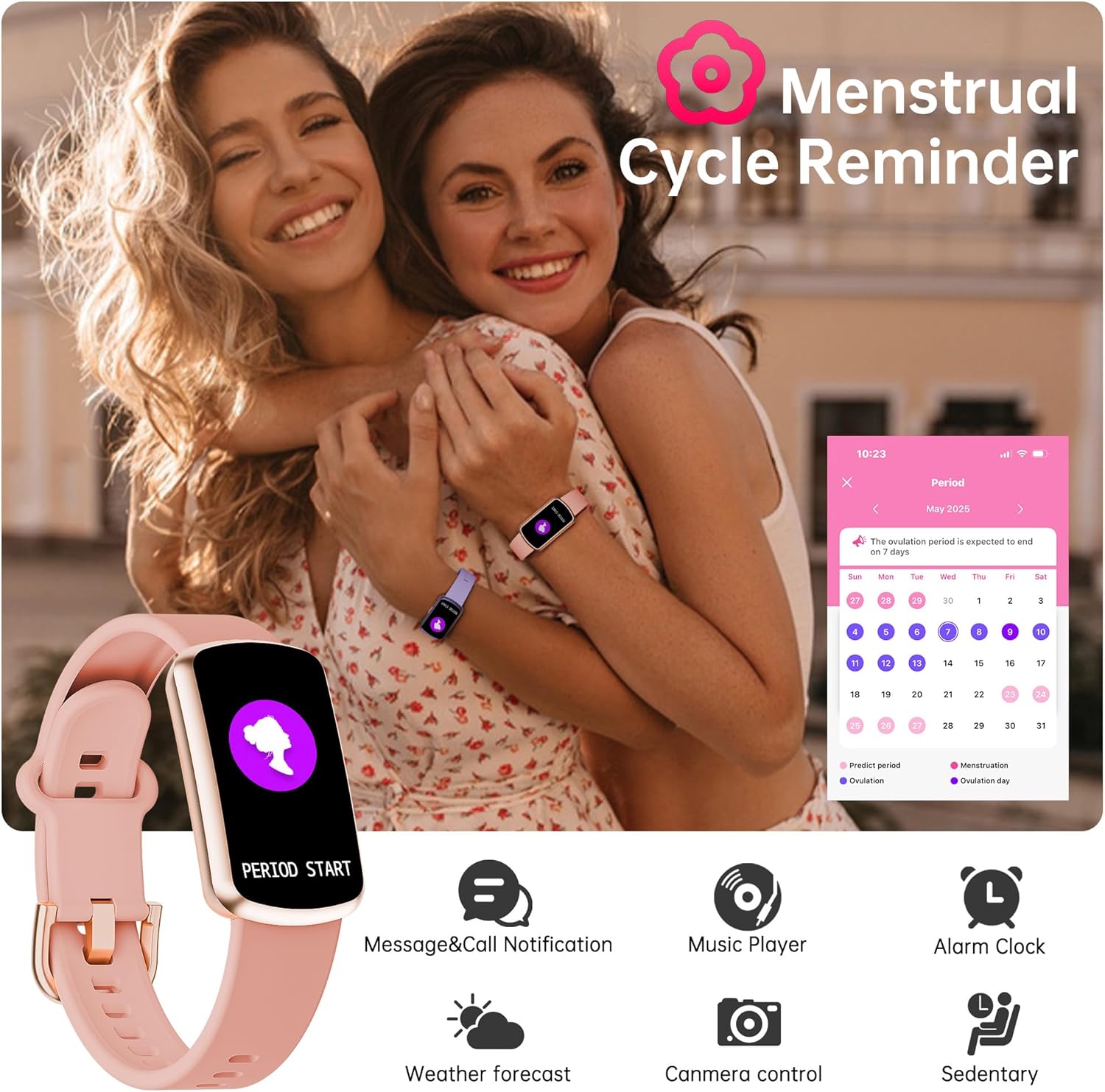
Image: Menstrual cycle tracking feature displayed on the watch and a smartphone app.
Maintenance
1. Cleaning
Regularly clean your fitness tracker and band with a soft, dry cloth. If necessary, use a slightly damp cloth with mild soap, then rinse and dry thoroughly. Avoid harsh chemicals or abrasive materials.
2. Water Resistance
The device has an IP68 waterproof rating, meaning it can withstand splashes, sweat, and can be worn during swimming. However, it is not suitable for hot water activities like showering or sauna, or for deep diving.

Image: The fitness tracker being worn in a wet environment, demonstrating its IP68 waterproof rating.
Troubleshooting
- Device not turning on: Ensure the device is fully charged. Connect it to the charger and wait a few minutes before attempting to power it on.
- Cannot pair with smartphone: Verify Bluetooth is enabled on your phone and the 'DA Fit' app is open. Ensure the tracker is within range. Restart both the phone and the tracker if issues persist.
- Inaccurate health readings: Ensure the watch is worn snugly on your wrist, not too tight or too loose. Clean the sensor on the back of the watch. Note that environmental factors and individual physiology can affect readings. Remember, this device is not for medical use.
- Notifications not appearing: Check notification settings within the 'DA Fit' app and your phone's system settings to ensure permissions are granted for the app to display notifications.
- Short battery life: Reduce screen brightness, disable unnecessary notifications, and limit continuous heart rate monitoring if not required.
Specifications
| Feature | Specification |
|---|---|
| Model | B0FRSPLMNR |
| Display Size | 1.47 Inches |
| Connectivity | Bluetooth 5.0 |
| Operating System Compatibility | Android 5.0+, iOS 10.0+ |
| Battery Capacity | 200 Milliamp Hours |
| Battery Life (Typical Use) | 5-7 Days |
| Charging Time | Approx. 1.5 Hours |
| Water Resistance Rating | IP68 |
| Item Weight | 3.2 ounces (0.2 Pounds) |
| Special Features | 120+ Sport Modes, Heart Rate, Blood Pressure, Blood Oxygen Monitor, Sleep Tracking, Notifications, Music Control, Menstrual Cycle Reminders |
Important Safety Information
- Do not attempt to disassemble or modify the device.
- Keep the device away from extreme temperatures and direct sunlight.
- Avoid exposing the device to strong impacts or drops.
- Consult a physician before starting any new exercise regimen, especially if you have pre-existing health conditions.
- This device is not a medical device and should not be used to diagnose or treat any medical condition.
- If you experience skin irritation or discomfort, discontinue use and consult a doctor.
Warranty and Support
Your Sunorshop Health Fitness Tracker is covered by a manufacturer's warranty. For specific warranty details, please refer to the documentation included with your purchase or contact Sunorshop customer support. For technical assistance or inquiries, please reach out to the seller or manufacturer directly.