
1. Product Overview
The SOUNDPEATS C30 Wireless Earphones are designed to deliver a high-quality audio experience with advanced features. They support Hi-Res audio and LDAC codec for superior sound fidelity. The earphones incorporate a hybrid Active Noise Cancellation (ANC) system, capable of reducing ambient noise by up to -52dB, providing a focused listening environment. With Bluetooth 6.0 technology, they ensure stable connectivity and low latency. The C30 also features 6 microphones for clear call quality, multi-point connectivity, and a dedicated mobile application for personalized settings. Its IP54 rating offers dust and splash resistance, making it suitable for various daily activities.
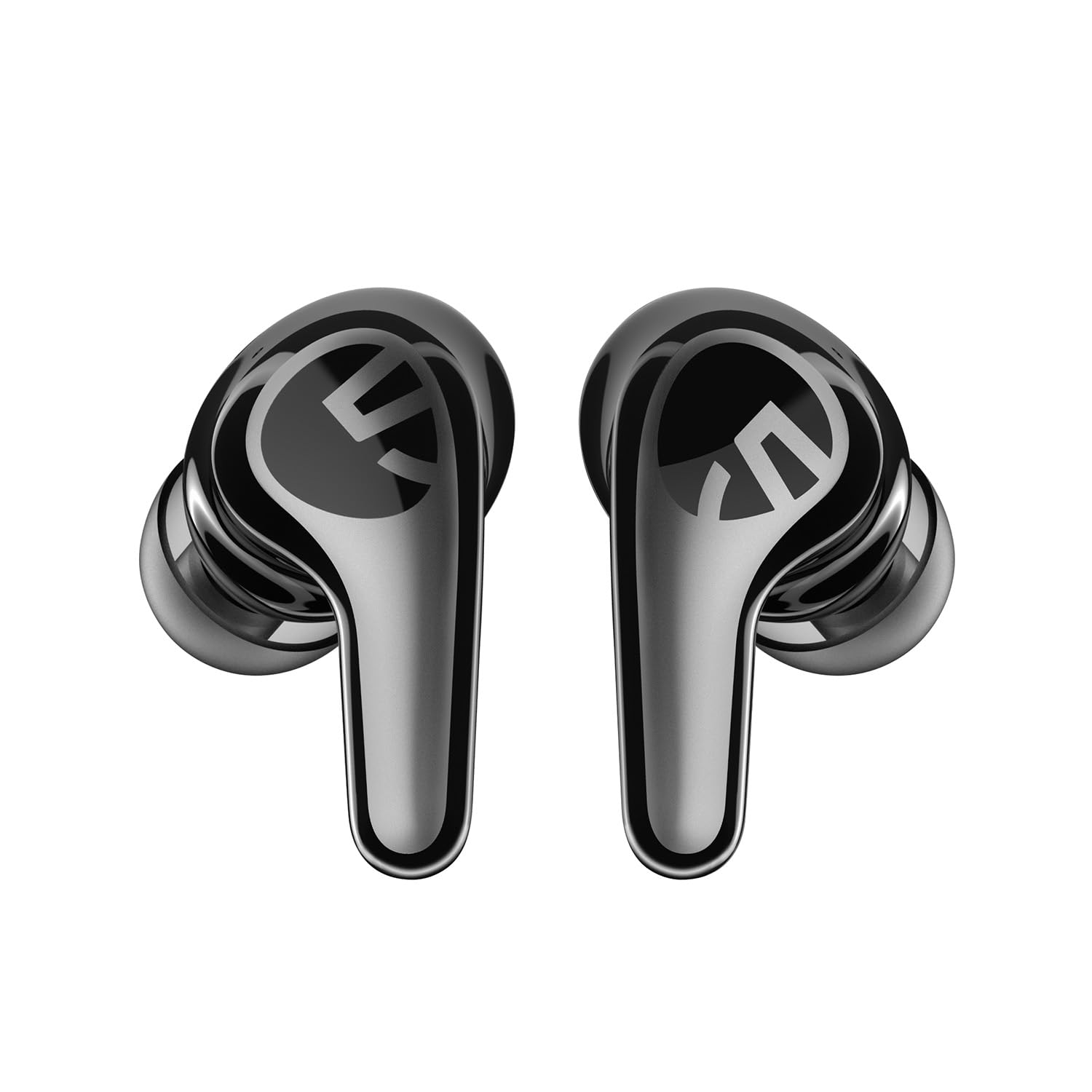
This image displays the SOUNDPEATS C30 wireless earphones, showing both earbuds and their compact charging case. The earphones feature a sleek, ergonomic design, and the charging case has a smooth, pebble-like shape with a leather-like texture on top.
2. Package Contents
Please ensure all items are present in your package:
- SOUNDPEATS C30 Bluetooth Earphones
- Charging Case
- Eartips (S, M, L sizes; M size pre-installed)
- Type-C Charging Cable
- User Manual
3. Setup
3.1 Charging
Before initial use, fully charge both the earphones and the charging case. Connect the provided Type-C charging cable to the charging port on the case and a compatible USB power source. A 10-minute quick charge can provide approximately 3 hours of playback time.
3.2 Pairing
- Open the charging case. The earphones will automatically power on and enter pairing mode.
- On your Bluetooth-enabled device (e.g., smartphone, tablet), go to the Bluetooth settings.
- Select "SOUNDPEATS C30" from the list of available devices to connect.
Multi-point Connection: To use multi-point connection, you may need to disable the LDAC codec in the 'PeatsAudio' app first, as LDAC is not supported during multi-point use. Connect to your first device, then disconnect. Connect to your second device. Reconnect to the first device. The earphones should now be connected to both devices simultaneously.
4. Operating Instructions
4.1 Touch Controls
The SOUNDPEATS C30 earphones feature intuitive touch controls on each earbud. Specific functions may vary or be customizable via the app, but common controls include:
- Single Tap: Play/Pause audio, Answer/End phone calls.
- Double Tap (Left/Right): Typically for volume adjustment (e.g., Left for Volume Down, Right for Volume Up).
- Triple Tap (Left/Right): Typically for track navigation (e.g., Left for Previous Track, Right for Next Track).
- Long Press: Switch between ANC/Transparency modes, Reject incoming calls.
4.2 ANC and Ambient Sound Modes
The earphones offer multiple listening modes:
- Hybrid ANC: Reduces external noise for an immersive audio experience.
- Ambient Sound Mode: Allows you to hear your surroundings clearly without removing the earphones, useful for announcements or conversations.
- Intelligent Adaptive ANC System: Features 'Ear Canal Adaptive Mode' which analyzes your ear shape in real-time for optimal noise control, and 'Environment Adaptive Mode' which detects ambient conditions (e.g., train, cafe, street) to instantly optimize noise reduction levels.
4.3 PeatsAudio App
Download the official "PeatsAudio" app to unlock the full potential of your C30 earphones:
- EQ Customization: Fine-tune high, mid, and low frequencies to create your preferred sound profile.
- Spatial Audio: Activate spatial audio with a single tap for a more immersive listening experience.
- Mode Switching: Easily switch between ANC, Ambient Sound, and other listening modes.
- Multi-point Settings: Manage your multi-point connections.
5. Maintenance
Proper maintenance ensures the longevity and optimal performance of your earphones:
- Cleaning: Regularly clean the eartips and the surface of the earphones with a soft, dry, lint-free cloth. Avoid using harsh chemicals or abrasive materials.
- Water Resistance: The earphones are IP54 dust and splash resistant. This means they can withstand light rain and sweat. Do not submerge them in water or expose them to heavy downpours. Ensure the charging port is dry before charging.
- Storage: When not in use, store the earphones in their charging case to protect them from dust, damage, and to keep them charged. Store in a cool, dry place away from extreme temperatures.
6. Troubleshooting
If you encounter issues with your SOUNDPEATS C30 earphones, please refer to the following common solutions:
- No Sound or Connection Issues:
- Ensure both earphones and the charging case are sufficiently charged.
- Verify that Bluetooth is enabled on your device and that "SOUNDPEATS C30" is selected.
- Try disconnecting and re-pairing the earphones with your device.
- If problems persist, consider performing a factory reset (refer to the full user manual for specific steps, if available).
- ANC Performance Not Optimal:
- Ensure the earphones are properly seated and sealed in your ear canals. Try different eartip sizes for a better fit.
- ANC effectiveness can vary based on individual ear fit and the type of ambient noise.
- App Functionality Issues:
- Make sure the "PeatsAudio" app is updated to its latest version.
- Check your device's compatibility with the app and ensure Bluetooth is active.
7. Specifications
| Brand | SoundPEATS |
| Model Name | SOUNDPEATS C30 |
| Headphone Style | In-Ear |
| Color | Black |
| Connectivity Technology | Wireless (Bluetooth 6.0) |
| Item Weight | 43.6 grams |
| Product Dimensions | 6.72 x 5.15 x 3.39 cm |
| Dust & Splash Resistance | IP54 |
| Noise Cancellation | Hybrid ANC (up to -52dB) |
| Microphones | 6 (for calls) |
| Playback Time | Up to 10 hours (earphones only), up to 52 hours (with charging case) |
| Quick Charge | 10 minutes charge for approx. 3 hours playback |
| Included Components | SOUNDPEATS C30 Bluetooth Earphones, Eartips, Cable, Charging Case, User Manual |
8. Warranty and Support
This product complies with the technical standards stipulated by Japanese Radio Law and Telecommunications Business Law. The Technical Compliance Certification Number is 220-JP9986.
For any questions or issues encountered during the use of your SOUNDPEATS C30 earphones, please contact our customer support. We are committed to providing prompt and sincere assistance.