
1. Product Overview
The Samsung Galaxy A17 4G (model SM-A175F/DS) is an unlocked smartphone designed for reliable everyday performance. It features an immersive 6.7-inch Super AMOLED display, a versatile 50MP triple camera system, and a long-lasting 5000mAh battery. This device is compatible with T-Mobile, Mint, Tello, and Global networks.
Key Features:
- Display: 6.7" Super AMOLED FHD+ with 90Hz Refresh Rate, 385 ppi, 800 nits (HBM), 1080x2340px.
- Processor: Mediatek Helio G99 (6 nm) Octa-Core, Mali-G68 MP2 GPU.
- Memory & Storage: 128GB internal storage, 4GB RAM, expandable via microSDXC (uses shared SIM slot).
- Cameras: Rear: 50MP (wide) + 5MP (ultrawide) + 2MP (macro) with LED flash, panorama, HDR. Front: 13MP.
- Battery: 5000mAh capacity, offering up to 24 hours of talk time.
- Operating System: Android 15 with One UI 7, supporting 6x OS upgrades and 6 years of security updates.
- Durability: IP54 splash protection and Corning Gorilla Glass Victus for scratch defense.
- Connectivity: Global 4G LTE, Dual SIM (SIM + SIM/Memory Card).
2. Setup Guide
2.1. Unboxing and Initial Inspection
Carefully remove your Samsung Galaxy A17 4G from its packaging. Ensure all components are present: the smartphone and a USB cable. Please note that the charger is sold separately.
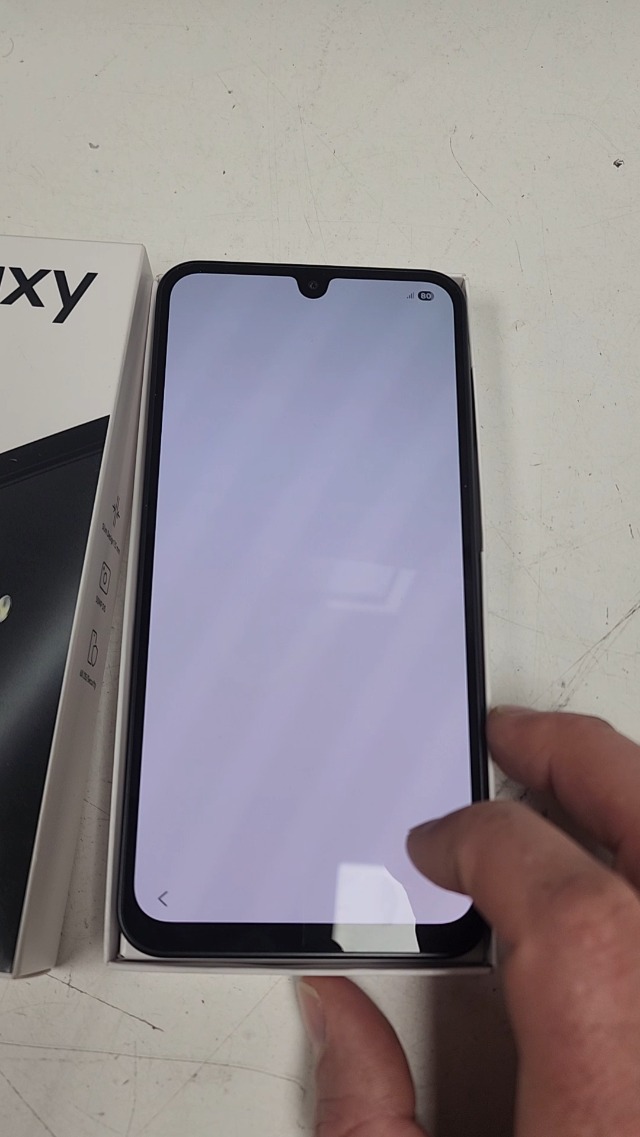
Image: The Samsung Galaxy A17 4G smartphone displayed next to its retail packaging, showing the phone's screen with a 'Welcome' message and the box with 'Galaxy A17' branding.
2.2. SIM Card and MicroSD Card Installation
The Samsung Galaxy A17 4G supports Dual SIM functionality, allowing you to use two Nano-SIM cards or one Nano-SIM card and one microSDXC card for expanded storage. The microSDXC card shares a slot with the second SIM card.
- Locate the SIM tray on the side of your device.
- Insert the provided SIM ejection tool into the small hole on the SIM tray to open it.
- Place your Nano-SIM card(s) and/or microSDXC card into the designated slots on the tray. Ensure they are correctly oriented.
- Carefully push the SIM tray back into the device until it clicks into place.
2.3. Powering On and Initial Configuration
Press and hold the Power button (located on the side of the device) until the Samsung Galaxy logo appears. Follow the on-screen prompts to complete the initial setup, including selecting your language, connecting to a Wi-Fi network, agreeing to terms and conditions, and setting up security features like face recognition, fingerprints, PIN, or password.
3. Operating Your Device
3.1. Display and Navigation
Experience vibrant visuals on the 6.7-inch Super AMOLED display with a smooth 90Hz refresh rate. Navigate through the One UI 7 interface using intuitive gestures or traditional navigation buttons. Adjust display settings such as brightness, dark mode, and eye comfort shield in the 'Settings' menu under 'Display'.
3.2. Camera Usage
Capture stunning photos and videos with the versatile triple camera system. The 50MP wide lens is ideal for detailed shots, the 5MP ultrawide lens for expansive landscapes, and the 2MP macro lens for close-up details. The front 13MP camera is perfect for selfies and video calls. Access various camera modes like panorama and HDR directly from the camera app.
3.3. Connectivity
The Galaxy A17 4G supports ultra-fast 4G LTE connectivity for seamless streaming, gaming, and sharing. Manage your Wi-Fi, Bluetooth, and mobile network settings via the 'Connections' menu in 'Settings'.
3.4. Performance and Multitasking
Powered by the Mediatek Helio G99 octa-core processor and 4GB RAM, your device delivers smooth performance for HD streaming, responsive gaming, and efficient multitasking. Switch between applications using the recent apps button or gesture navigation.
4. Maintenance and Care
4.1. Software Updates
Keep your device secure and up-to-date. Samsung provides 6 generations of OS upgrades and 6 years of security updates for the Galaxy A17 4G. Regularly check for and install updates via 'Settings' > 'Software update'.
4.2. Battery Management
The 5000mAh battery provides extended usage. To optimize battery life, manage background app usage, adjust screen brightness, and enable power-saving modes. Access battery settings in 'Settings' > 'Battery'.
4.3. Storage Management
Your device comes with 128GB of internal storage. If you need more space, you can expand it using a microSDXC card (up to 1TB). Regularly clear unnecessary files and uninstall unused apps to maintain optimal performance. Check storage usage in 'Settings' > 'Device care' > 'Storage'.
4.4. Device Protection
The Galaxy A17 4G features IP54 splash protection and Corning Gorilla Glass Victus for enhanced durability against scratches and minor splashes. While durable, it is recommended to use a protective case and screen protector for added safety.
5. Troubleshooting
5.1. Network Connectivity Issues
If you experience issues with network connectivity (e.g., no signal, slow data), ensure your SIM card is correctly inserted and your mobile data is enabled. Verify that your device is compatible with your carrier's network bands. Some international models may have limited compatibility with certain U.S. carriers beyond T-Mobile.
5.2. Performance Lags
If your device feels slow or unresponsive, try the following:
- Restart your phone.
- Clear cache for frequently used apps.
- Ensure your software is up-to-date.
- Check for sufficient storage space.
5.3. Battery Draining Quickly
If your battery drains faster than expected, review your battery usage in 'Settings' > 'Battery'. Identify apps consuming significant power and consider restricting their background activity or uninstalling them if not essential. Reduce screen brightness and disable unnecessary features like GPS or Bluetooth when not in use.
6. Specifications
| Feature | Specification |
|---|---|
| Model Name | Galaxy A17 4G |
| Item Model Number | SM-A175F/DS |
| Display Size | 6.7 Inches |
| Display Type | Super AMOLED FHD+ |
| Resolution | 1080 x 2340 pixels |
| Refresh Rate | 90Hz |
| CPU Model | MediaTek Helio G99 |
| CPU Speed | 2.2 GHz |
| RAM Memory Installed Size | 4 GB |
| Memory Storage Capacity | 128 GB |
| Rear Camera | 50MP (wide) + 5MP (ultrawide) + 2MP (macro) |
| Front Camera | 13MP |
| Battery Capacity | 5000 Milliamp Hours |
| Phone Talk Time | 24 Hours |
| Operating System | Android 15 |
| Connectivity Technologies | 4G LTE |
| Special Features | Dual SIM |
| Product Dimensions | 6 x 4 x 2 inches |
| Item Weight | 6.7 ounces |
| Color | Gray |
7. Warranty and Support
7.1. Warranty Information
This is an International Model and may not come with a U.S. manufacturer warranty. The seller's return policy applies. Please refer to the seller's terms and conditions for specific warranty details.
7.2. Protection Plans
Optional protection plans are available for purchase separately. These may include 2-Year Protection Plans or Complete Protect plans covering eligible past and future purchases.
7.3. Customer Support
For further assistance, troubleshooting, or service inquiries, please contact your point of purchase or refer to the official Samsung support website for general product information and user guides.


