
1. Product Overview
The JOCCA 2679 Ceramic Chimney Heater is a portable electric heater designed to provide efficient warmth with an aesthetic flame effect. It incorporates PTC ceramic heating technology for rapid and uniform heat distribution.
- Realistic Flame Effect: Features a simulated flame with 4 adjustable brightness levels to enhance ambiance.
- Efficient Heating: Utilizes 1500W PTC ceramic technology for quick and consistent heating.
- Adjustable Settings: Offers 2 heat intensity levels and an adjustable thermostat for personalized comfort.
- Safety Features: Equipped with overheating protection, an anti-tip safety system, a protective grille, and touch controls with an indicator light.
- Portable Design: Compact dimensions (approximately 20 cm W x 14.5 cm D x 34 cm H) and a lightweight design (1.75 kg) with an integrated carrying handle for easy relocation.

Figure 1: Front view of the JOCCA 2679 Ceramic Chimney Heater, showcasing the realistic flame effect and control panel.
2. Important Safety Instructions
Please read all safety warnings and instructions carefully before using this appliance to prevent electric shock, fire, and/or serious injury.
- Placement: Always place the heater on a firm, level surface. Keep combustible materials such as furniture, pillows, bedding, papers, clothes, and curtains at least 1 meter (3 feet) from the front of the heater and away from the sides and rear.
- Power Supply: Ensure the voltage indicated on the heater's rating label matches your mains supply voltage. Do not overload electrical circuits.
- Supervision: Close supervision is necessary when any appliance is used by or near children or individuals with reduced physical, sensory, or mental capabilities.
- Moisture: Do not use the heater in bathrooms, laundry areas, or similar indoor locations where it may come into contact with water. Never immerse the heater in water.
- Ventilation: Do not block air intakes or exhaust openings. Do not use on soft surfaces, like a bed, where openings may become blocked.
- Overheating Protection: The heater is equipped with an automatic overheating protection system. If it overheats, it will shut off. Unplug the heater, allow it to cool, and remove any obstructions before restarting.
- Anti-Tip Switch: This heater includes an anti-tip safety switch that automatically turns off the unit if it is accidentally knocked over.
- Maintenance: Always unplug the heater before cleaning or performing any maintenance.
- Damaged Cord/Plug: Do not operate any heater with a damaged cord or plug, or after the heater malfunctions or has been dropped or damaged in any manner.
3. Setup
Follow these steps to set up your JOCCA 2679 Ceramic Chimney Heater:
- Unpack: Carefully remove the heater from its packaging. Retain the packaging for future storage or transport.
- Inspect: Check the heater for any signs of damage. If damaged, do not use and contact customer support.
- Placement: Place the heater on a stable, flat, and heat-resistant surface. Ensure there is at least 1 meter (3 feet) of clear space around the heater from any combustible materials.
- Power Connection: Plug the power cord into a suitable electrical outlet. Ensure the outlet is rated for 220-240V, 50/60Hz.
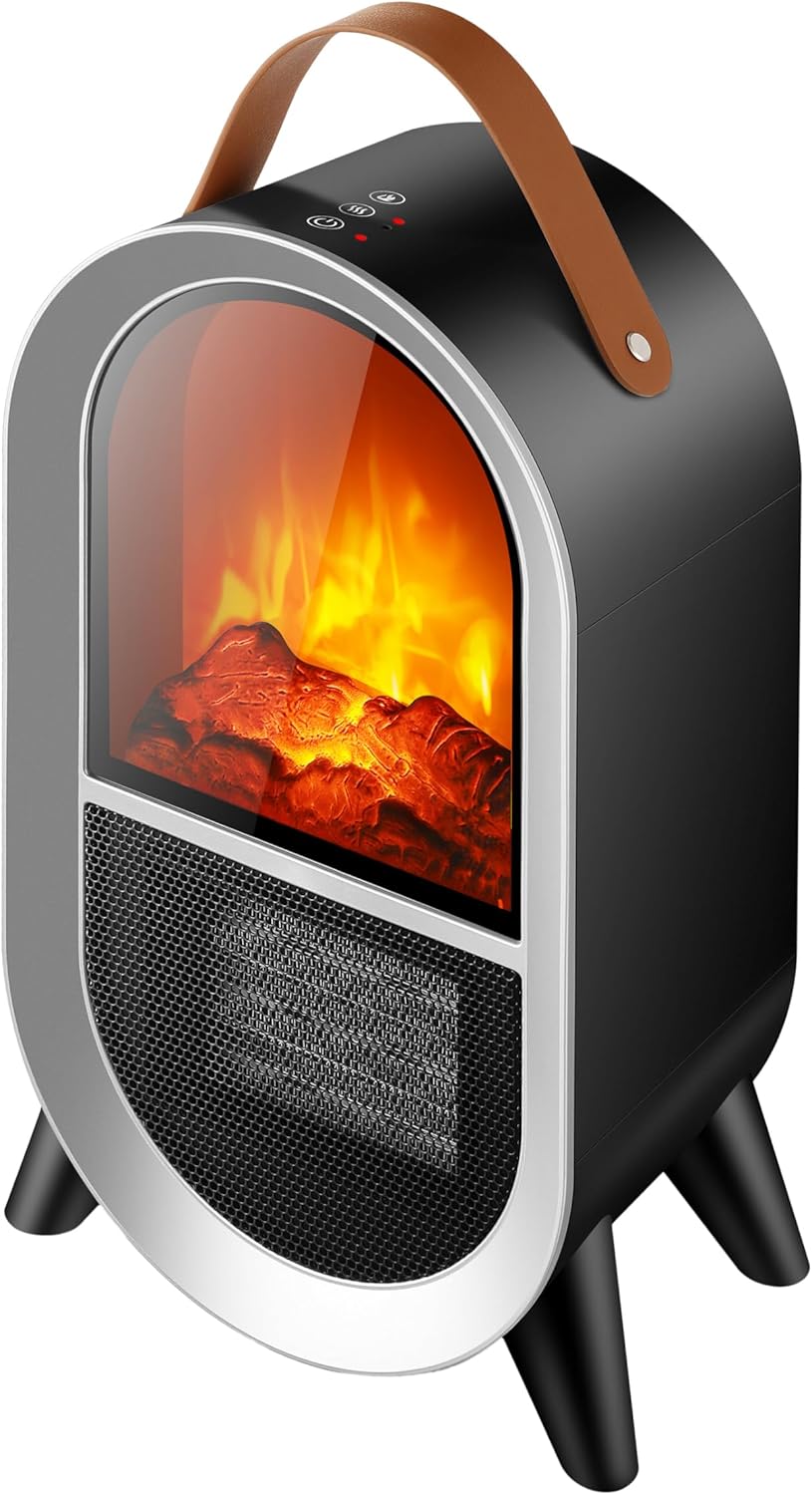
Figure 2: Angled view of the JOCCA 2679 Ceramic Chimney Heater, showing its compact design and carrying handle.
4. Operating Instructions
The JOCCA 2679 heater features intuitive touch controls located on the top panel. An indicator light will confirm your selections.

Figure 3: Diagram illustrating the dimensions and key components of the JOCCA 2679 heater.
4.1 Power On/Off
- To turn the heater ON, press the power button on the control panel. The unit will typically start in a low heat setting with the flame effect active.
- To turn the heater OFF, press the power button again. The heater will stop operating.
4.2 Adjusting Heat Levels
- The heater offers 2 heat intensity levels. Press the heat setting button (often indicated by a fan or wave icon) to cycle between low heat and high heat modes.
- Select the desired heat level based on your comfort requirements.
4.3 Thermostat Control
- Use the thermostat control (often indicated by a thermometer icon or +/- buttons) to set your desired room temperature.
- The heater will automatically turn on and off to maintain the set temperature, optimizing energy consumption.
4.4 Flame Effect Adjustment
- The realistic flame effect can be adjusted through 4 brightness levels. Press the flame effect button (often indicated by a flame icon) to cycle through the different brightness settings.
- You can use the flame effect independently of the heating function for ambiance.
5. Maintenance
Regular maintenance ensures the longevity and efficient operation of your heater.
5.1 Cleaning
- Always unplug the heater from the power outlet and allow it to cool completely before cleaning.
- Use a soft, damp cloth to wipe the exterior surfaces of the heater. Do not use abrasive cleaners or solvents.
- Gently vacuum or wipe the air intake and exhaust grilles to remove dust and debris. Ensure these openings remain clear for proper airflow.
- Do not allow water to drip into the interior of the heater as this could create a fire or electric shock hazard.
5.2 Storage
- If storing the heater for an extended period, clean it thoroughly as described above.
- Store the heater in its original packaging, if possible, in a cool, dry place.
- Avoid placing heavy objects on top of the heater during storage.
6. Troubleshooting
If you encounter issues with your JOCCA 2679 heater, refer to the following common problems and solutions:
| Problem | Possible Cause | Solution |
|---|---|---|
| Heater does not turn on. |
|
|
| No heat, but fan/flame effect works. |
|
|
| Heater emits a burning smell. |
|
|
If the problem persists after trying these solutions, please contact JOCCA customer support.
7. Specifications
Detailed technical specifications for the JOCCA 2679 Ceramic Chimney Heater:
| Brand | JOCCA |
| Model Number | 2679 |
| Power Output | 1500W |
| Heating Element | PTC Ceramic |
| Heat Levels | 2 |
| Thermostat | Adjustable |
| Flame Effect | Realistic, 4 brightness levels |
| Safety Features | Overheating Protection, Anti-Tip Switch |
| Dimensions (approx.) | 20 cm (Width) x 14.5 cm (Depth) x 34 cm (Height) |
| Weight (approx.) | 1.75 kg |
| Material | Plastic |
| Power Source | Electric Cable |
| Intended Use | Indoor Room Heating |

Figure 4: Internal diagram highlighting the safety features such as the PTC ceramic heating element and protective grille.
8. Warranty and Support
For warranty information, technical support, or service inquiries, please refer to the warranty card included with your product or visit the official JOCCA website. Keep your purchase receipt as proof of purchase.
Manufacturer: JOCCA
Website: Visit the JOCCA Store on Amazon (for general brand information)
