
1. Introduction
Thank you for choosing the Yuejiqi 3220S Treadmill. This manual provides essential information for the safe and efficient operation, assembly, and maintenance of your new fitness equipment. Please read this manual thoroughly before use and retain it for future reference.

The Yuejiqi 3220S Treadmill in use, demonstrating its auto-incline capability for varied workout intensity.
2. Safety Information
Your safety is paramount. Please observe the following precautions:
- Always attach the safety key clip to your clothing before starting the treadmill. In case of an emergency, pulling the safety key will immediately stop the machine.
- Ensure the treadmill is placed on a flat, stable surface with adequate clearance around it.
- Do not exceed the maximum weight recommendation of 300 pounds.
- Keep children and pets away from the treadmill during operation.
- Consult a physician before beginning any exercise program.
- Wear appropriate athletic footwear during use.
- Do not operate the treadmill if it is damaged or malfunctioning.
3. Package Contents
Upon unpacking, verify that all components are present:
- Pad Holder x 1
- User Manual x 1
- Side Cover x 2
- Safety Key x 1
- Lubricating Oil x 1
- Tool Kit x 1
- Wrench 6mm x 1
- Wrench 5mm x 1
- Screw M8*18 x 2

An overview of all items included in the treadmill package, such as the pad holder, user manual, safety key, and tools.
4. Setup and Assembly
The Yuejiqi 3220S Treadmill is designed for quick and easy assembly. Follow these steps:
- Carefully remove the treadmill and all accessories from the packaging.
- Remove any protective foams or packaging materials from the treadmill.
- Lift the console and columns into the upright position.
- Tighten the knobs at the base of the columns to secure them.
- Use the provided M8*18 screws and wrench to secure the console to the columns.
- Install the left and right side covers at the base of the columns.
- Attach the phone/tablet holder to the console.
- Plug the power cord into a grounded outlet.
- Insert the safety key into its designated slot on the console.
For a visual guide, please refer to the installation video:
Video: Step-by-step installation guide for the Yuejiqi 3220S Treadmill.
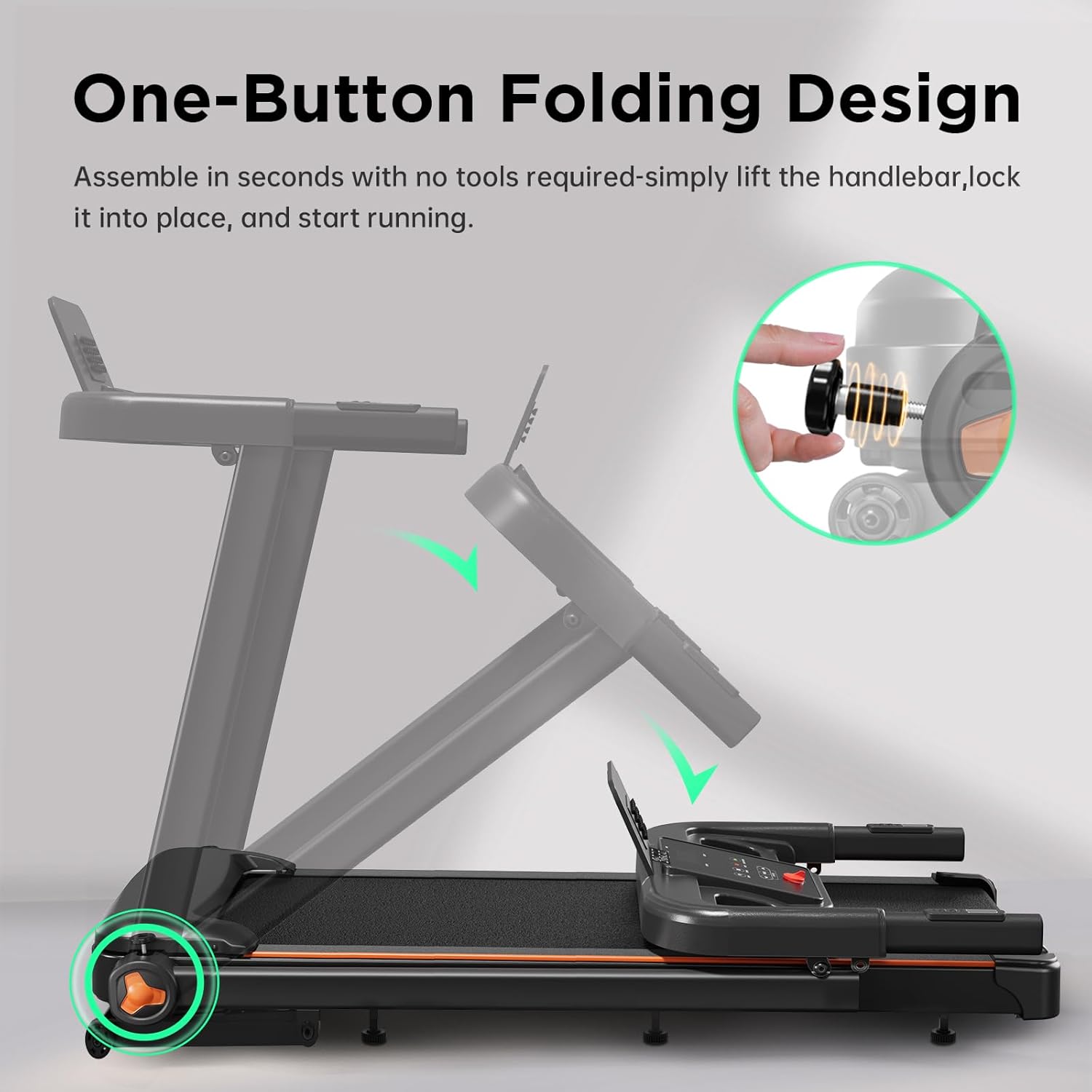
Illustration of the treadmill's easy one-button folding design for convenient storage.
5. Operating Instructions
5.1 Basic Operation
- Start/Pause: Press the green START/PAUSE button to begin or temporarily stop your workout.
- Stop: Press the red STOP button to end your workout.
- Speed Adjustment: Use the SPEED +/- buttons on the console or the handles to adjust the running speed (0.5 to 8.5 MPH). Quick speed buttons (2/4/6) are also available on the console.
- Incline Adjustment: Use the INCLINE +/- buttons on the console or the handles to adjust the incline (0-15%). Quick incline buttons (3/6/9) are also available on the console.
5.2 Console Features
The LED display tracks your workout metrics:
- Time: Duration of your workout.
- Distance: Total distance covered.
- Calories: Estimated calories burned.
- Heart Rate: Measured via integrated sensors in the handrails.
- Incline: Current incline level.
- Speed: Current running speed.
The console also features 12 preset programs (PROG button) for varied intensity workouts and a MODE button to cycle through different display modes.
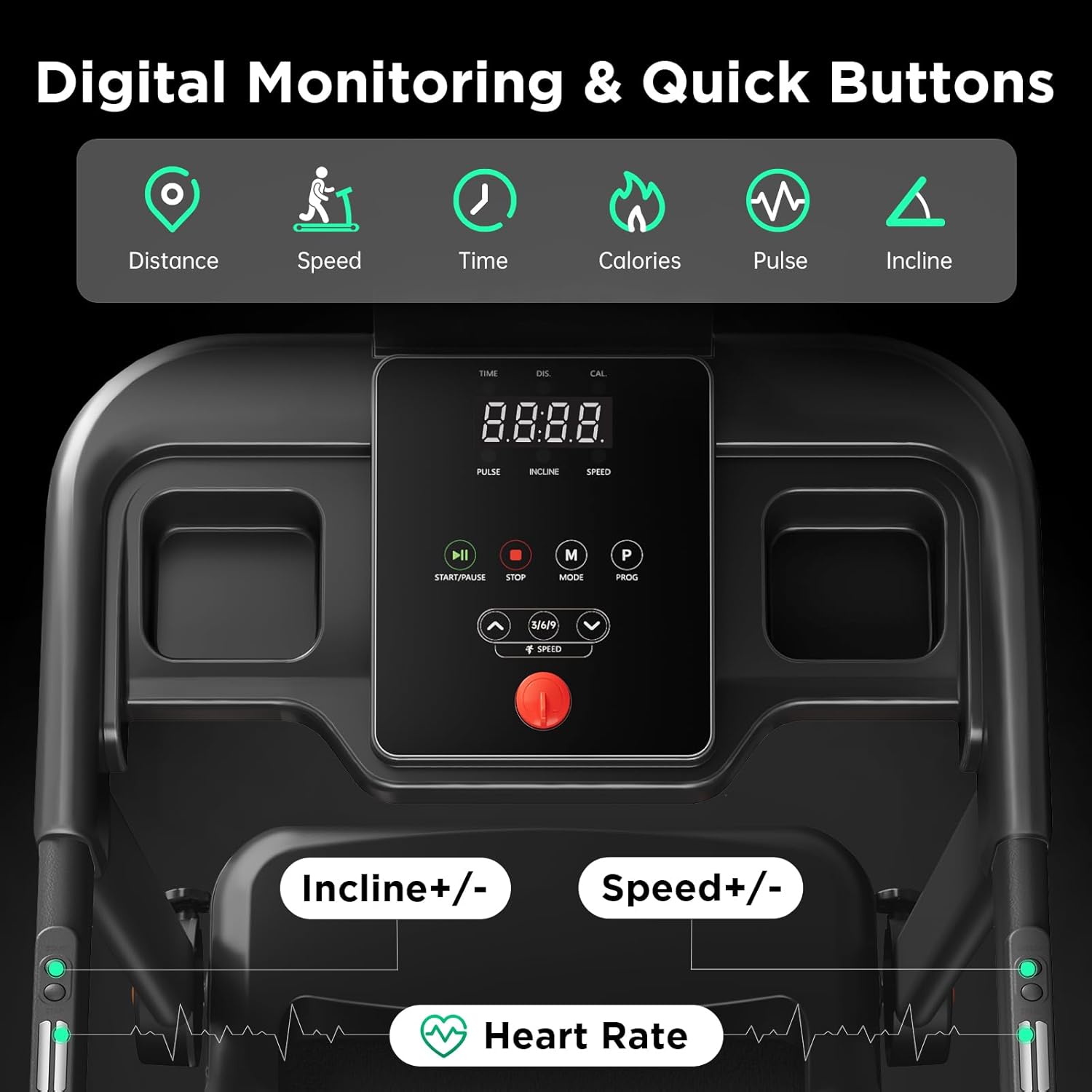
The treadmill's multi-functional console with LED display for tracking metrics and quick buttons for speed and incline adjustments.
5.3 App Connectivity
Enhance your workout experience by connecting your treadmill to compatible fitness applications via Bluetooth. This allows for real-time performance tracking, interactive training, and access to immersive scenic routes and pro-designed workout programs.

The treadmill's Bluetooth connectivity feature, allowing integration with popular fitness applications for enhanced workouts.
For a visual guide on using the treadmill, please refer to the video:
Video: Demonstration of the Yuejiqi 3220S Treadmill's features and operation.
6. Maintenance
Regular maintenance ensures the longevity and optimal performance of your treadmill.
6.1 Lubrication Schedule
Lubricate the running belt according to the following schedule:
| Usage Frequency | Maintenance Frequency |
|---|---|
| <3 Hours/Week | 2 Months |
| 4-7 Hours/Week | 1 Month |
| ≥8 Hours/Week | 2 Weeks |

A table detailing the recommended lubrication schedule for the treadmill based on weekly usage hours.
6.2 General Cleaning
Wipe down the treadmill after each use with a damp cloth to remove sweat and dust. Avoid using abrasive cleaners.
7. Troubleshooting
If you encounter issues with your treadmill, refer to the following common problems and solutions:
- Treadmill does not start: Ensure the power cord is securely plugged in and the safety key is correctly inserted into the console. Check the power switch on the machine's base.
- Belt slipping: The running belt may need adjustment or lubrication. Refer to the maintenance section for lubrication instructions. If slipping persists, the belt tension may need adjustment (consult the full user manual for detailed steps or contact support).
- Unusual noises: Check for loose parts or foreign objects under the belt. Lubricate the belt if necessary. If the noise persists, discontinue use and contact customer support.
- Error Codes: If an error code appears on the display (e.g., E08), consult the comprehensive user manual for specific code meanings and troubleshooting steps.
For further assistance, please contact customer support.
8. Specifications
| Feature | Specification |
|---|---|
| Brand | Yuejiqi |
| Model Name | 3220S |
| Motor | 3.5 HP Brushless Motor |
| Maximum Speed | 8.5 Miles per Hour |
| Minimum Speed | 0.5 Miles per Hour |
| Maximum Incline Percentage | 15% |
| Running Surface (Deck Length x Width) | 42" x 16" |
| Maximum Weight Recommendation | 300 Pounds |
| Product Dimensions (LxWxH) | 52.4"D x 24.4"W x 41.5"H |
| Folded Size | 49.2" x 23.2" x 5.9" |
| Item Weight | 68 Pounds |
| Material | Alloy Steel |
| Display Type | LED |
| Connectivity Technology | Bluetooth |
| Metrics Measured | Calories Burned, Distance, Heart Rate, Speed, Time |
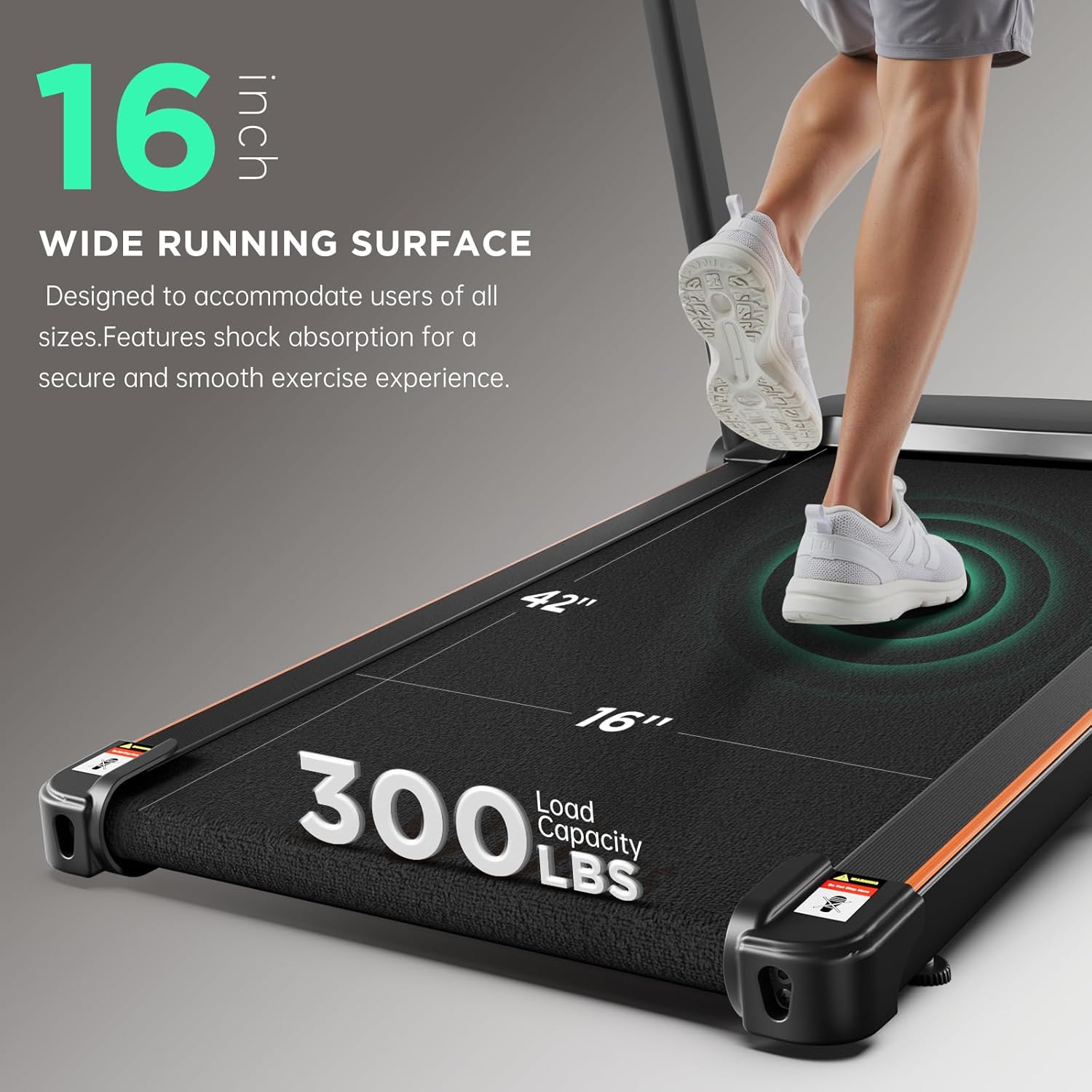
Close-up of the treadmill's wide running belt (42x16 inches) and its 300 lbs weight capacity.

Demonstration of the treadmill's portability and foldable design, making it easy to move and store in small spaces.
9. Warranty and Support
The Yuejiqi 3220S Treadmill comes with a 1-Year Manufacturer Warranty. For warranty claims, technical support, or any questions not covered in this manual, please contact Yuejiqi customer service.
Contact information can typically be found on the product packaging, the official Yuejiqi website, or through your retailer.