
1. Introduction
The Antonki Indoor Digital Thermometer Hygrometer is designed to provide accurate, real-time measurements of indoor temperature and humidity. This device helps you monitor the environmental conditions in your home, office, greenhouse, or other sensitive areas, ensuring optimal comfort and health. It features a clear display, records maximum and minimum values, and offers flexible placement options.
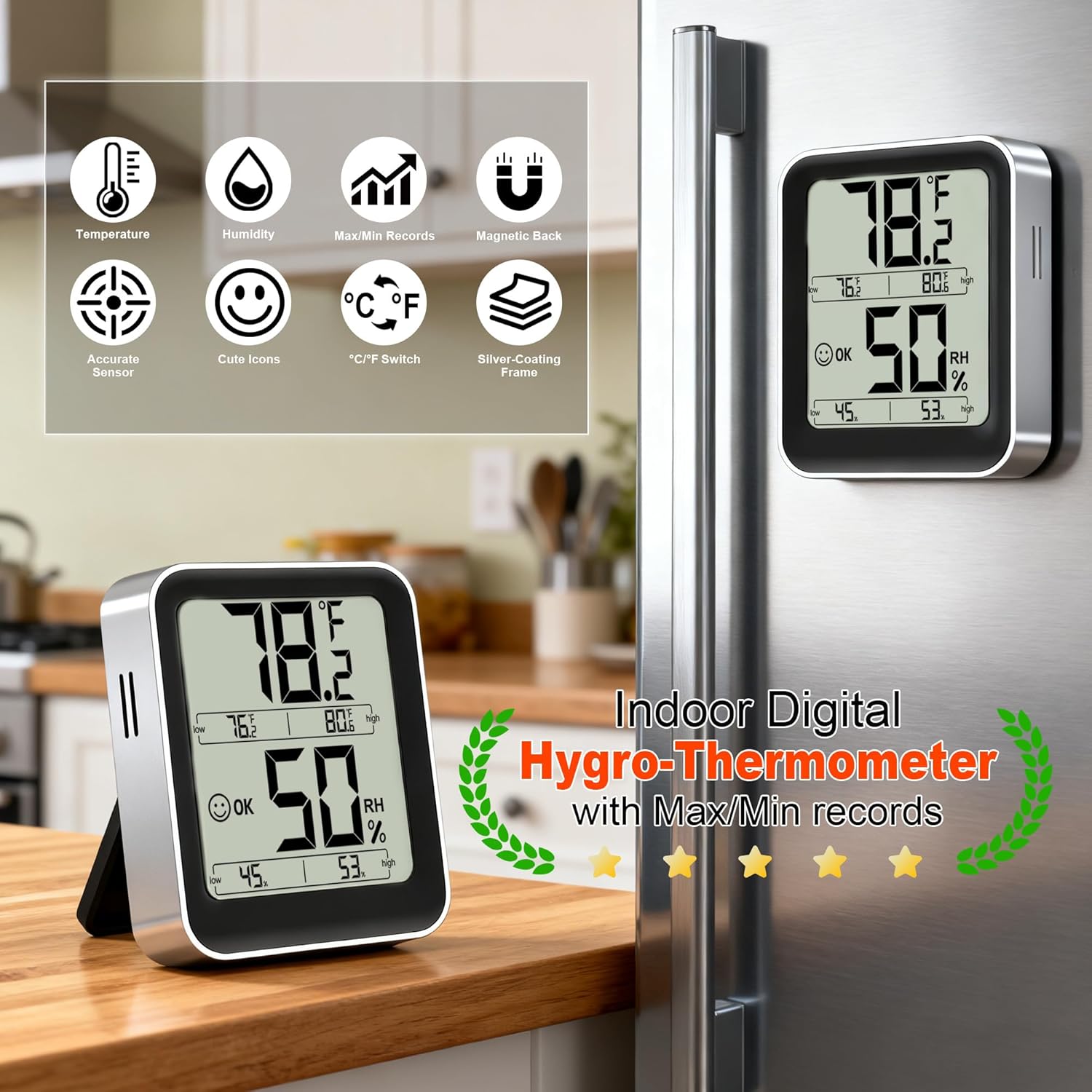
Antonki Indoor Digital Thermometer Hygrometer displaying temperature and humidity, shown on a kitchen counter and magnetically attached to a refrigerator.
2. What's in the Box
- 1 x Antonki Room Hygro-Thermometer
- 1 x AAA Battery
- 1 x User Manual
3. Product Features
- Real-Time Air Comfort Indicator: Displays air conditions (DRY/OK/WET) with intuitive icons.
- High Accuracy and Fast Refresh: Provides accuracy within ±5% RH and ±2°F, updating data every 5 seconds.
- High & Low Records: Automatically records and displays maximum and minimum temperature and humidity values.
- Wide Measuring Range: Temperature range of -58°F ~ 158°F (-50°C ~ 70°C) and humidity range of 10% ~ 99%.
- User-Friendly Design: Includes a tabletop stand and magnetic back for versatile placement. Features a clear, non-backlit display and a °F/°C selector.

Large screen display with comfort level indicators.
4. Setup
4.1 Battery Installation
- Locate the battery compartment on the back of the device.
- Open the battery compartment cover.
- Insert one AAA battery, ensuring the correct polarity (+/-) as indicated inside the compartment.
- Close the battery compartment cover securely.

Exploded view illustrating battery placement.
5. Operating Instructions
5.1 Initial Power On
After battery installation, the device will automatically power on and begin displaying current temperature and humidity readings. The display may blink briefly during initial setup before settling.
5.2 Display Information
The large LCD screen displays the following information:
- Current Temperature: Shown prominently at the top.
- Current Humidity: Shown prominently in the middle.
- Comfort Level Indicator: An icon (DRY, OK, WET) indicating the current air comfort based on humidity levels.
- Max/Min Temperature: The highest and lowest temperature recorded since the last reset.
- Max/Min Humidity: The highest and lowest humidity recorded since the last reset.
5.3 Max/Min Records
The device automatically tracks and displays the maximum and minimum temperature and humidity values. These records are updated continuously.
- To view the maximum and minimum records, simply observe the smaller numbers displayed below the current readings.
- To reset the Max/Min records, press and hold the 'CLEAR' button (if available, or typically the °F/°C button for a few seconds). Refer to the specific button on your device.
5.4 Temperature Unit Selection (°F/°C)
To switch between Fahrenheit (°F) and Celsius (°C), press the °F/°C button located on the back or side of the device. The display will instantly change to the selected unit.
This video demonstrates the Antonki Indoor Digital Thermometer Hygrometer's compact design, its ability to display temperature and humidity, and its comparison with other devices for accuracy. It also shows the device being placed on a desk and magnetically attached to a surface.
6. Placement Options
The Antonki Thermometer Hygrometer offers flexible placement to suit your needs:
- Tabletop Stand: Utilize the integrated kickstand on the back of the device to place it on any flat surface, such as a desk, shelf, or counter.
- Magnetic Back: The device features a magnetic back, allowing it to be securely attached to metal surfaces like refrigerators, metal cabinets, or magnetic boards.
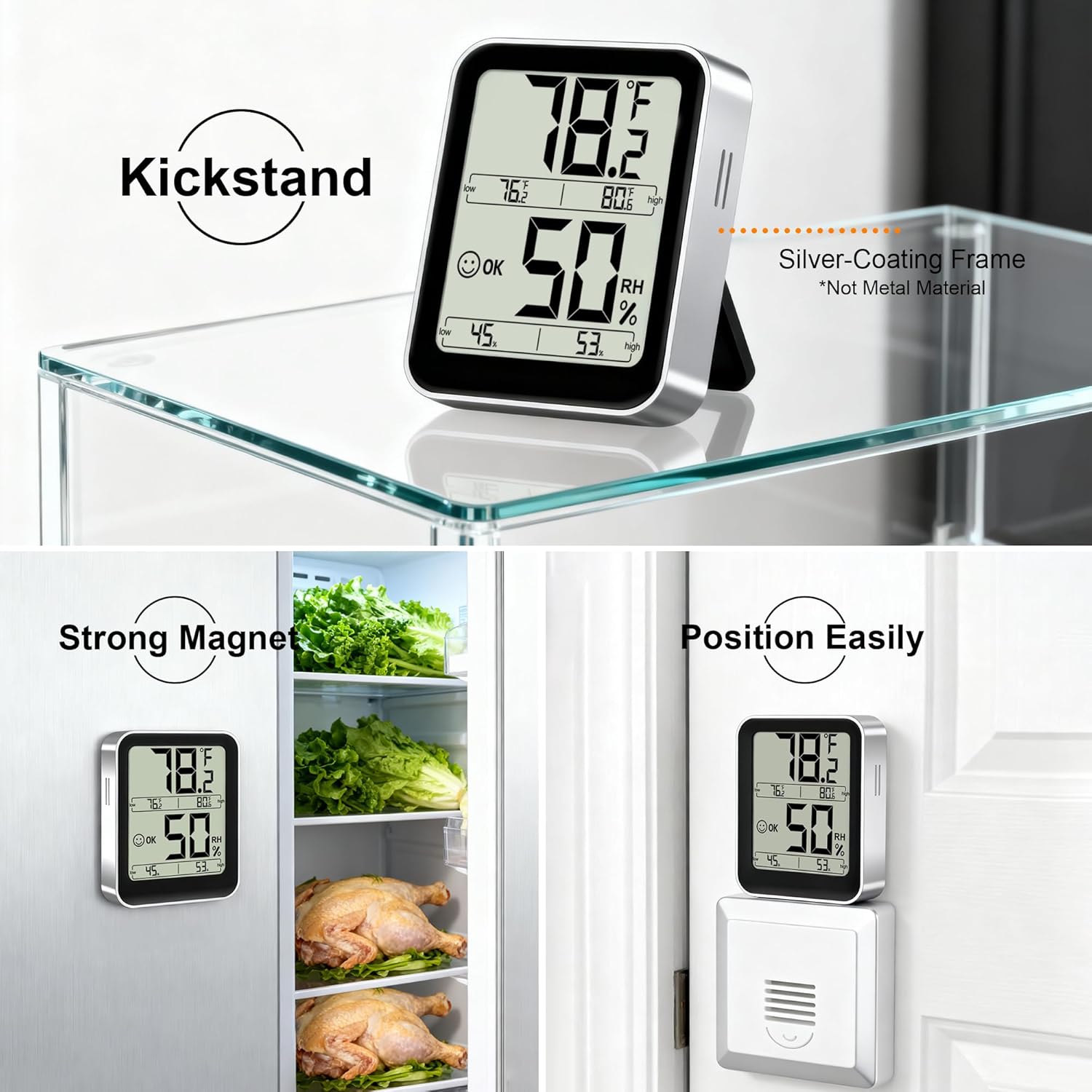
The device features a kickstand for tabletop use and a magnetic back for metal surfaces.

Examples of versatile placement in different environments.
7. Maintenance
- Clean the device with a soft, dry cloth. Do not use abrasive cleaners or immerse in water.
- Replace the AAA battery when the display becomes dim or the device stops functioning.
- Avoid placing the device in direct sunlight, near heat sources, or in areas with extreme temperature fluctuations to ensure accurate readings.
8. Troubleshooting
| Problem | Possible Cause | Solution |
|---|---|---|
| No display or dim display | Battery is dead or incorrectly installed. | Replace the AAA battery, ensuring correct polarity. |
| Inaccurate readings | Device placed in an unsuitable location (e.g., direct sunlight, near a vent, high humidity area). | Relocate the device to a stable environment away from direct heat, cold, or moisture sources. Allow 30 minutes for readings to stabilize. |
| Readings not updating | Device malfunction or low battery. | Replace battery. If issue persists, contact customer support. |
9. Specifications
| Specification | Value |
|---|---|
| Brand | Antonki |
| Product Dimensions | 2.4"W x 2.8"H |
| Item Weight | 59 Grams (2.08 ounces) |
| Operating Humidity Range | 10% ~ 99% |
| Temperature Range | -58°F ~ 158°F (-50°C ~ 70°C) |
| Temperature Accuracy | ±1.8°F |
| Humidity Accuracy | ±5% RH |
| Power Source | 1 x AAA Battery (included) |
10. Warranty and Support
Antonki products are designed for reliability and performance. For warranty information or technical support, please refer to the contact details provided with your purchase or visit the official Antonki website. Please retain your proof of purchase for any warranty claims.