
Introduction
This manual provides detailed instructions for the proper setup, operation, and maintenance of your Yoever DR05 Smartwatch. Please read this manual thoroughly before using the device to ensure optimal performance and longevity. The DR05 Smartwatch is designed to assist with fitness tracking, communication, and health monitoring.
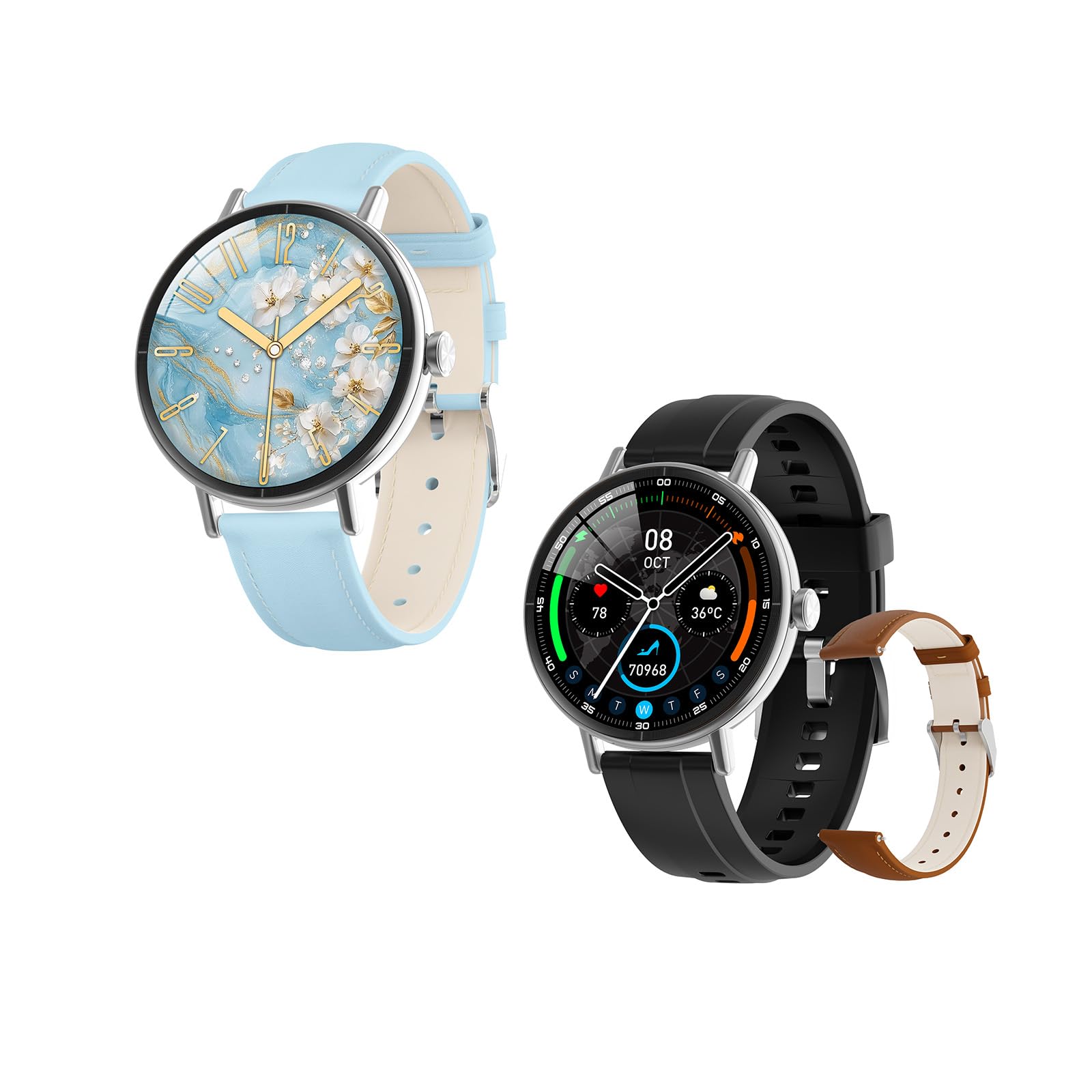
Figure 1: Yoever DR05 Smartwatch with interchangeable bands.
This image displays the Yoever DR05 Smartwatch, highlighting its round HD display and the two included interchangeable bands (one black, one blue). The watch face shows a digital time display and various health metrics icons.
1. Setup
1.1 Charging the Smartwatch
- Connect the magnetic charging cable to the charging contacts on the back of the smartwatch.
- Plug the USB end of the cable into a standard USB power adapter (5V/1A recommended) or a computer's USB port.
- The watch display will show a charging indicator. A full charge typically takes approximately 2.5 hours.
- Ensure the charging contacts are clean and dry before charging to prevent corrosion.
1.2 App Installation and Pairing
- Download the App: Search for the companion application (refer to the packaging or quick start guide for the exact app name) on the Apple App Store (for iPhone) or Google Play Store (for Android devices) and install it.
- Enable Bluetooth: Ensure Bluetooth is enabled on your smartphone.
- Open the App: Launch the installed application on your smartphone.
- Add Device: Follow the in-app instructions to add a new device. Select 'DR05' from the list of available devices.
- Confirm Pairing: A pairing request will appear on both your smartphone and the smartwatch. Confirm the pairing on both devices.
- Initial Settings: Complete any initial setup prompts within the app, such as personal profile information (age, height, weight) for accurate health tracking.
2. Operating Instructions
2.1 Basic Navigation
- Touchscreen: Swipe left, right, up, or down to navigate through menus and features. Tap to select an item.
- Side Button(s): Typically, a short press returns to the previous screen or watch face, while a long press may activate a specific function (e.g., power on/off, AI voice assistant). Refer to the quick start guide for specific button functions.
2.2 Bluetooth Calling
The DR05 Smartwatch supports making and receiving calls directly from your wrist when connected to your smartphone via Bluetooth.
- Making a Call: Access the 'Dialer' or 'Contacts' feature on your smartwatch. You can dial a number directly or select a contact from your synced phonebook.
- Receiving a Call: When a call comes in, the smartwatch will display the caller ID. You can answer or reject the call directly from the watch screen.
- Volume Adjustment: Adjust call volume using the on-screen controls during a call.
2.3 AI Voice Assistant
Activate the built-in AI voice assistant by long-pressing the designated side button or through the watch's menu. You can then issue voice commands for various functions, such as checking weather, setting alarms, or initiating calls.
2.4 Watch Faces
Customize your smartwatch by changing watch faces. Swipe on the main watch face screen or navigate to the 'Watch Face' settings within the watch or the companion app to select from multiple available designs.
3. Health and Wellness Tracking
The DR05 Smartwatch provides comprehensive health monitoring features. Note: This device is not intended for medical use and should not be used to diagnose or treat any medical condition. Consult a medical professional for health concerns.
- Heart Rate Monitoring: The watch continuously monitors your heart rate throughout the day. View real-time data on the watch or detailed trends in the app.
- Blood Oxygen (SpO2) Monitoring: Measure your blood oxygen saturation levels. Ensure the watch is worn snugly on your wrist for accurate readings.
- Stress Level Tracking: The smartwatch estimates your stress levels based on heart rate variability.
- Sleep Stage Tracking: Wear the watch to bed to monitor your sleep patterns, including deep sleep, light sleep, and awake times.
- Women's Menstrual Cycle Tracking: Utilize the companion app to track and predict menstrual cycles.
4. Sports Modes and Water Resistance
4.1 Sports Modes
The DR05 Smartwatch supports over 110 sports modes. To start an activity:
- Navigate to the 'Workout' or 'Sports' menu on your watch.
- Select your desired activity (e.g., running, cycling, swimming).
- Tap to start the tracking. The watch will display real-time metrics such as duration, calories burned, and heart rate.
- Tap to pause or long-press to end the activity. Data will sync to your companion app.
4.2 IP68 Water Resistance
The DR05 Smartwatch has an IP68 water resistance rating, meaning it is resistant to dust and can withstand immersion in water up to 1.5 meters for up to 30 minutes. It is suitable for daily use, including showering, hand washing, and swimming in shallow water. However, it is not recommended for hot water activities, diving, or high-pressure water exposure (e.g., jet skiing).
- Avoid exposing the watch to hot water, steam, or strong detergents.
- After exposure to water, especially saltwater, gently wipe the watch dry with a soft cloth.
5. Maintenance
5.1 Cleaning the Smartwatch
- Regularly clean the watch screen and body with a soft, lint-free cloth.
- For stubborn dirt, slightly dampen the cloth with water. Avoid using harsh chemicals or abrasive materials.
- Ensure the charging contacts on the back of the watch are clean and free of debris to maintain proper charging.
5.2 Band Care
- Clean the watch bands regularly, especially after workouts or prolonged wear, to prevent skin irritation.
- For silicone bands, use mild soap and water, then rinse thoroughly and dry completely.
- Ensure the bands are completely dry before reattaching them to the watch or wearing the watch.
6. Troubleshooting
- Watch not turning on: Ensure the watch is fully charged. Connect it to the charger for at least 10 minutes.
- Unable to pair with smartphone:
- Ensure Bluetooth is enabled on your phone.
- Make sure the watch is within Bluetooth range of your phone.
- Restart both the watch and your smartphone.
- Clear the Bluetooth cache on your phone (if applicable) and try pairing again.
- Inaccurate health data:
- Ensure the watch is worn snugly on your wrist, not too tight or too loose.
- Verify your personal information (height, weight, age) is correctly entered in the companion app.
- Clean the sensor on the back of the watch.
- Notifications not appearing:
- Check notification permissions for the companion app in your phone's settings.
- Ensure the watch is connected to your phone via Bluetooth.
- Verify that notification settings are enabled within the companion app.
7. Specifications
| Model | DR05 |
| Display | 1.27" HD Dynamic Display, 60FPS |
| Battery Life | Up to 7 days (typical usage) |
| Charging Time | Approx. 2.5 hours |
| Water Resistance | IP68 (suitable for swimming, not for diving or hot water) |
| Connectivity | Bluetooth |
| Compatibility | iPhone, Samsung, Android devices |
| Features | Bluetooth Calling, AI Voice Assistant, 110+ Sports Modes, 24/7 Health Tracking (Heart Rate, SpO2, Stress, Sleep, Menstrual Cycle) |
8. Warranty and Support
8.1 Warranty Information
The Yoever DR05 Smartwatch is backed by a 5-year guarantee from the date of purchase. This warranty covers manufacturing defects and malfunctions under normal use. It does not cover damage caused by misuse, accidents, unauthorized modifications, or normal wear and tear. Please retain your proof of purchase for warranty claims.
8.2 Customer Support
For technical assistance, troubleshooting, or warranty inquiries, please contact Yoever customer support through the official website or the contact information provided with your product packaging. When contacting support, please have your product model (DR05) and purchase details ready.