
1. Introduction
This manual provides detailed instructions for the setup, operation, and maintenance of your Marsyu Smartwatch. Please read this manual thoroughly to ensure proper use and to maximize the features of your device.
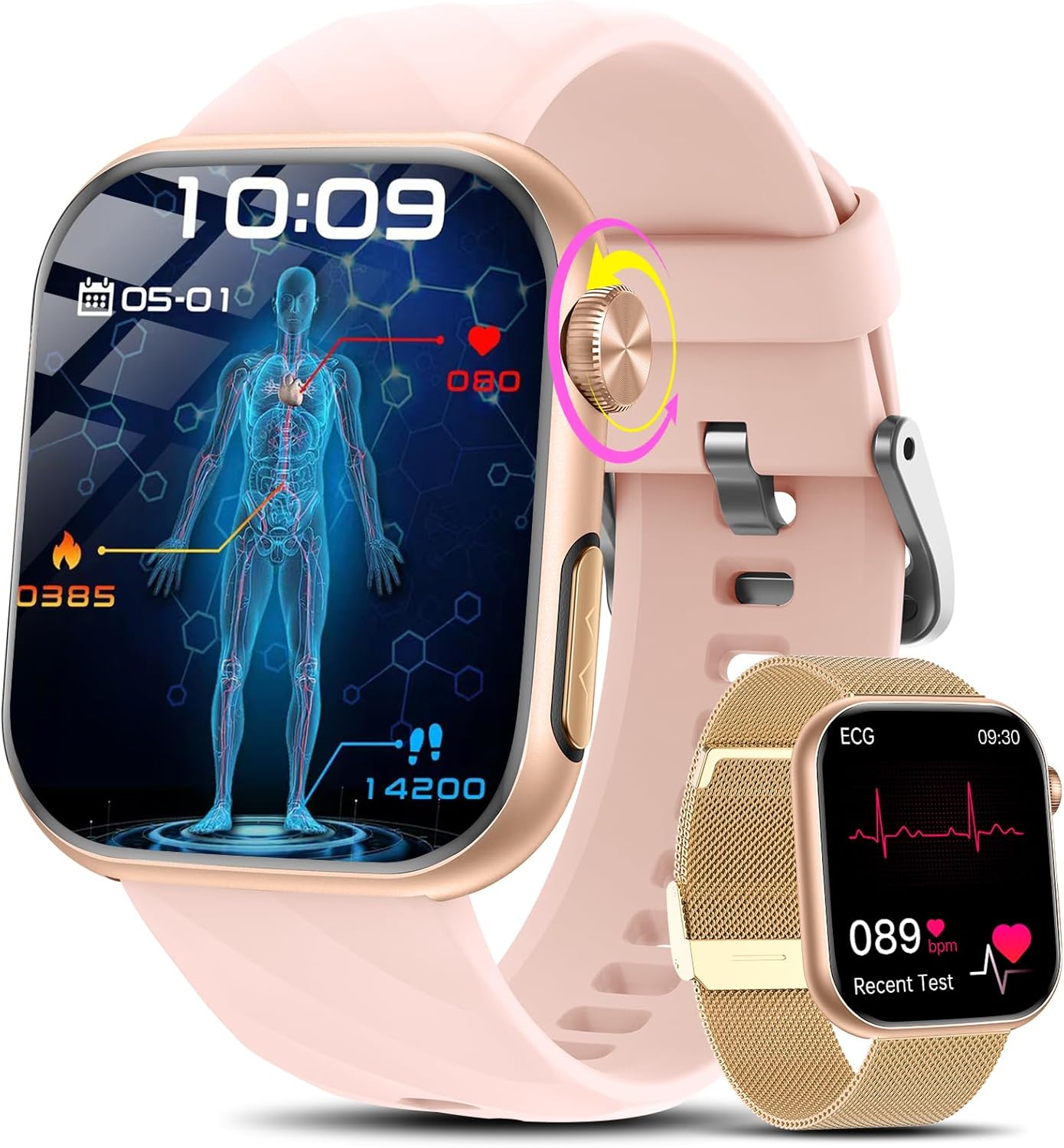
Image 1.1: Marsyu Smartwatch with both strap options.
2. Package Contents
Verify that all items are present in your package:
- Smartwatch x 1
- Charging Cable x 1
- User Manual x 1
- Pink Silicone Strap x 1
- Gold Milanese Steel Strap x 1
Video 2.1: Unboxing the Smartwatch and its contents.
3. Initial Setup
3.1 Charging the Device
Before first use, fully charge your smartwatch. Connect the provided charging cable to the charging port on the back of the watch and to a USB power source. A full charge typically takes approximately 2.5 hours. The watch has a 350 mAh battery capacity.
3.2 App Installation and Pairing
To access all features and synchronize data, download the H Band application on your smartphone. The app is compatible with iOS 10.0+ and Android 5.0+ devices.
- Scan the QR code in the manual or search for "H Band" in your smartphone's app store.
- Install and open the H Band app.
- Ensure Bluetooth is enabled on your smartphone.
- In the app, follow the instructions to search for and pair with your Marsyu Smartwatch. The device uses Bluetooth 5.0 for stable connection.
4. Basic Operation
4.1 Touchscreen and Buttons
The smartwatch features a 1.97-inch AMOLED HD touchscreen with a resolution of 390x450 pixels. Navigate by swiping across the screen and tapping icons. The side button can be rotated for navigation and pressed for selection or to return to the home screen.
4.2 Bluetooth Calls and Notifications
Once paired with your smartphone via Bluetooth, the smartwatch supports stable calls and notifications:
- Making/Receiving Calls: You can answer, make calls, add contacts, and view call history directly from the watch.
- Message Notifications: Receive notifications from various applications directly on your watch.
- SOS Function: Press and hold the side button for three seconds to dial a pre-set emergency contact in the H Band app.
4.3 Smart Features
The smartwatch includes several convenient features:
- Voice Assistant: Interact with your phone's voice assistant directly from the watch.
- Music Control: Control music playback on your smartphone.
- Camera Control: Use the watch as a remote shutter for your phone's camera.
- Find Phone: Locate your misplaced smartphone by triggering an alert from your watch.
- Weather Forecast: View current weather conditions and forecasts.
- Alarm Clock: Set alarms directly on the watch.
- Calculator: Basic calculator functionality.
- Sedentary Reminder: Get alerts to move after periods of inactivity.
- Water Reminder: Receive reminders to drink water throughout the day.
5. Health Monitoring
The Marsyu Smartwatch offers comprehensive health monitoring features. Note: The data provided by this device is for informational purposes only and should not be used for medical diagnosis or treatment. Consult a medical professional for any health concerns.
5.1 ECG Monitoring
Equipped with an ECG button, the watch can generate an ECG report in 60 seconds with a single touch. The data can be analyzed and viewed in the H Band app, providing insights into heart health and detecting abnormal heart rate alerts.
Video 5.1: Demonstration of ECG and other health monitoring features (functionality similar to Marsyu Smartwatch).

Image 5.1: ECG monitoring and app integration.
5.2 Non-Invasive Uric Acid and Lipids Monitoring
The smartwatch supports non-invasive monitoring of uric acid and blood lipid levels, providing real-time tracking for comprehensive blood health insights. This feature is for informational purposes only and not for medical use.

Image 5.2: Uric acid and lipid monitoring.
5.3 BMI, Emotion, and Fatigue Measurement
The watch can measure body composition, including BMI, by pressing the ECG button for 30 seconds. It also features emotion and fatigue measurement functions, allowing you to monitor your emotional state, stress levels, and fatigue degree effectively within 30 seconds.

Image 5.3: BMI and body composition measurement.
5.4 24/7 Heart Rate Monitoring
The smartwatch continuously monitors your heart rate throughout the day, providing timely reminders if any abnormalities are detected.

Image 5.4: 24-hour heart rate monitoring.
5.5 Body Temperature Monitoring
Automatic 24-hour body temperature monitoring generates a report of temperature changes, helping you track your body's thermal trends.

Image 5.5: Body temperature monitoring.
5.6 Sleep Monitoring
The watch registers deep sleep, light sleep, and nocturnal blood oxygen levels, quantifying your sleep quality to help you understand and improve your rest patterns.

Image 5.6: Sleep monitoring features.
5.7 Female Health Tracking
The smartwatch provides detailed data for female health, including menstrual period tracking, prediction, and ovulation tracking, helping users stay informed about their body's changes.

Image 5.7: Female health tracking.
6. Fitness Modes and Water Resistance
6.1 Sports Modes
The smartwatch includes over 50 sports modes. It accurately records daily steps, mileage, calorie consumption, and heart rate during exercise. Examples of supported activities include cycling and various other exercises.

Image 6.1: Multiple sports modes and activity tracking.
6.2 Water Resistance (IP67)
The device is IP67 water-resistant, suitable for daily use and workouts. It is not recommended for use during bathing, prolonged underwater activities, or in high-temperature environments like saunas.
7. Customization
7.1 Watch Faces
Through the H Band app, you can download over 100 watch faces or customize exclusive dials using your own photos, allowing you to change styles at any time.

Image 7.1: Customizable watch faces.
7.2 Interchangeable Straps
The smartwatch comes with two interchangeable straps: an elegant gold stainless steel strap and a casual pink silicone strap, allowing you to switch between classic and sporty styles.

Image 7.2: Pink silicone strap and gold Milanese strap options.
8. Specifications
| Brand | Marsyu |
| Model Number | B0FRLVPJP8 |
| Display Size | 1.97 Inches |
| Display Type | AMOLED |
| Resolution | 390 x 450 pixels |
| Battery Capacity | 350 mAh |
| Battery Composition | Lithium Polymer |
| Connectivity Technology | Bluetooth 5.0 |
| Memory Capacity | 128 MB |
| Water Resistance | IP67 |
| Compatible Devices | Smartphone (iOS 10.0+, Android 5.0+) |
| Product Weight | 190 g |
9. Maintenance
To ensure the longevity and optimal performance of your Marsyu Smartwatch, follow these maintenance guidelines:
- Cleaning: Regularly wipe the watch screen and straps with a soft, dry, lint-free cloth. For stubborn dirt, slightly dampen the cloth with water. Avoid using harsh chemicals or abrasive materials.
- Charging: Use only the provided charging cable. Ensure the charging contacts on the watch and cable are clean and dry before charging.
- Storage: Store the watch in a cool, dry place away from direct sunlight and extreme temperatures when not in use.
- Avoid Impacts: Protect the watch from strong impacts or drops, which can damage the screen or internal components.
- Water Exposure: While IP67 rated, avoid prolonged submersion, hot water, or chemical exposure (e.g., soaps, detergents) which can compromise the water resistance seals.
10. Troubleshooting
If you encounter issues with your smartwatch, refer to the following common solutions:
- Watch not turning on: Ensure the watch is fully charged. Connect it to the charger and wait a few minutes before attempting to turn it on again.
- Unable to pair with phone:
- Ensure Bluetooth is enabled on your phone and the watch.
- Make sure the watch is within the Bluetooth range of your phone.
- Restart both your phone and the smartwatch.
- Check if the H Band app is updated to the latest version.
- If previously paired, try unpairing and re-pairing the device through the app.
- Inaccurate health data:
- Ensure the watch is worn snugly on your wrist, not too tight or too loose.
- Clean the sensors on the back of the watch.
- Remember that data is for informational purposes only and not medical-grade.
- Notifications not appearing:
- Verify that notifications are enabled in both your phone's settings and the H Band app.
- Ensure the watch is connected via Bluetooth.
- Check if your phone is in 'Do Not Disturb' mode.
11. Warranty and Support
For warranty information, please refer to the documentation included with your purchase or contact the retailer. If you require further assistance or have questions not covered in this manual, please contact Marsyu customer support through the contact information provided on the product packaging or the official Marsyu website.