
1. Introduction
This manual provides detailed instructions for the safe and effective operation of your Proran Galaxy Projector XK26. Please read this manual thoroughly before use and retain it for future reference.
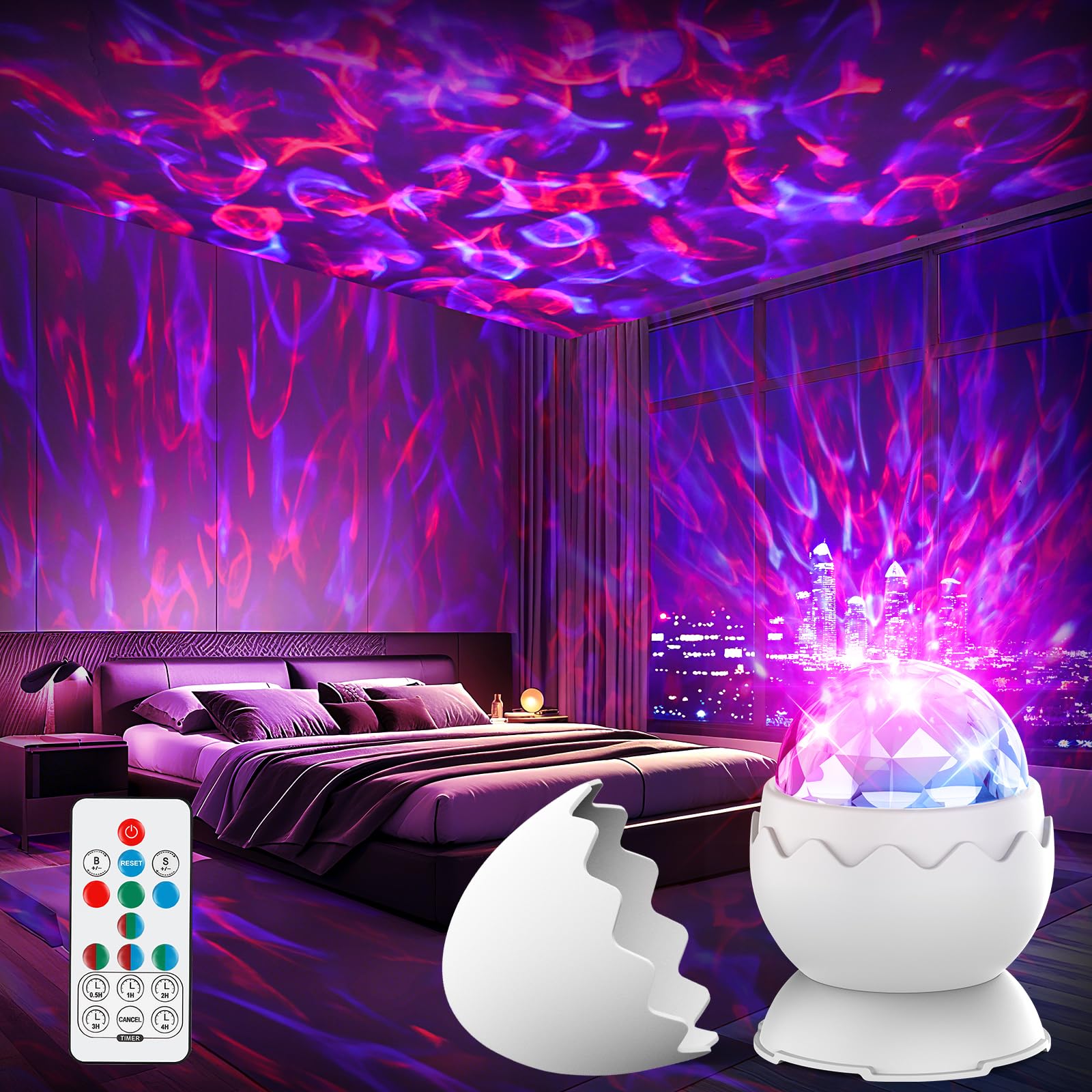
Figure 1: Proran Galaxy Projector XK26 (White Dinosaur Egg)
2. Product Overview
2.1 Components
The package includes the following items:
- Galaxy Projector (1 unit)
- Remote Control (1 unit)
- USB to Type C Cable (1 unit)

Figure 2: Product Components
2.2 Key Features
- Multifunctional Design: Functions as both a galaxy projector and a night light with 7 distinct lighting modes.
- Unique Dinosaur Egg Shape: The removable top cover allows for easy conversion between galaxy projection and diffused night light modes.
- Remote Control: Provides convenient operation for adjusting brightness, nebula rotation speed, and setting the timer.
- Auto-off Timer: Customizable timer settings for 0.5, 1, 2, 3, or 4 hours. The device automatically powers off after 5 hours if no timer is manually set.

Figure 3: 2-in-1 Galaxy Night Light Projector Functionality
3. Setup
- Place the projector on a stable, flat surface.
- Connect the USB to Type C cable to the projector's power input and a compatible USB power adapter (not included).
- Ensure the remote control has batteries (not included) and is ready for use.
4. Operating Instructions
4.1 Power On/Off
Press the Power button on the remote control to turn the projector on or off.
4.2 Adjusting Lighting Modes and Colors
The projector offers 7 lighting modes with various color combinations (Red, Green, Blue, Red+Green, Red+Blue, Blue+Green, Red+Blue+Green). Use the dedicated color buttons on the remote control to select your desired color or combination.
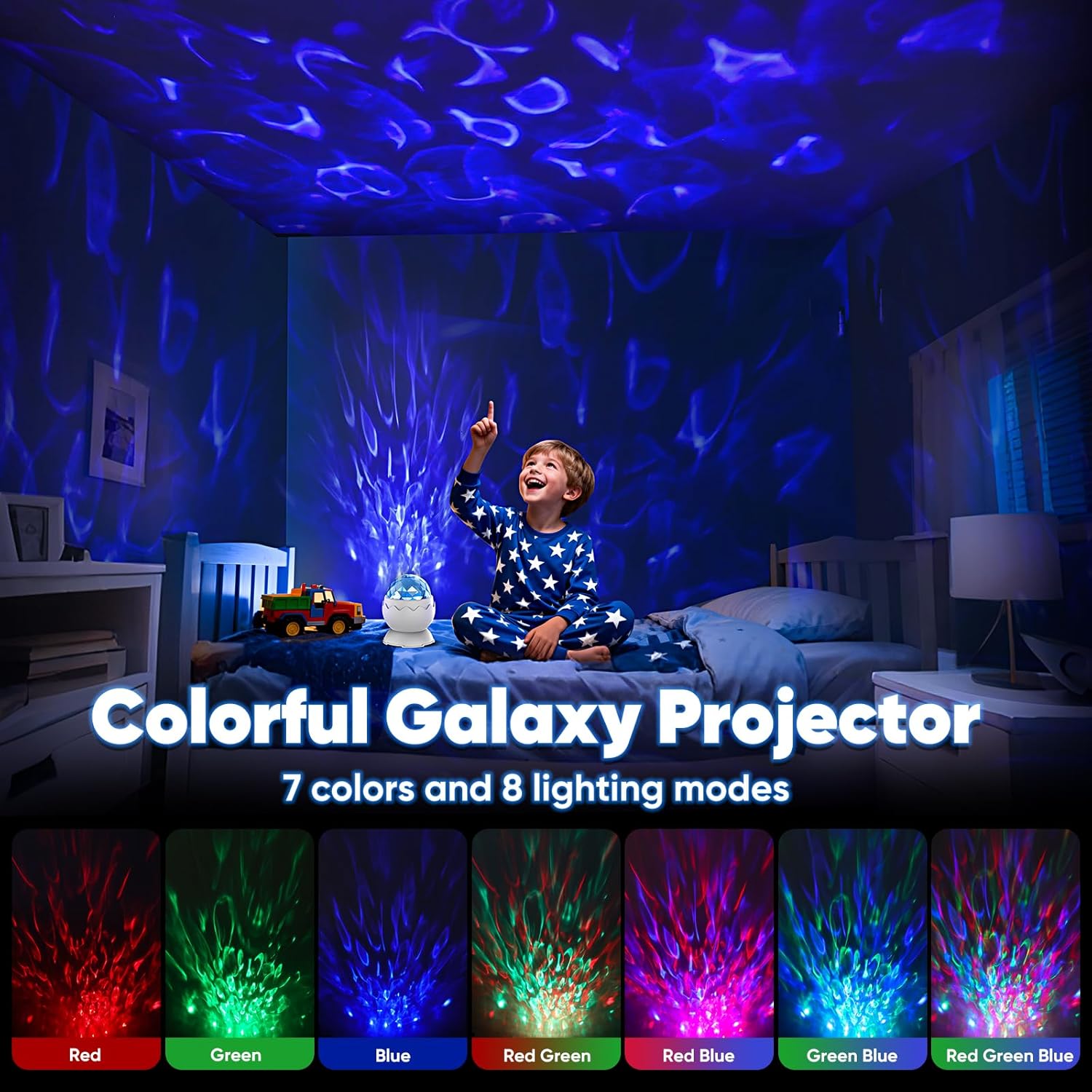
Figure 4: Available Color Lighting Modes
4.3 Brightness and Rotation Speed Adjustment
Use the B +/- buttons on the remote control to adjust the brightness level. The S +/- buttons control the nebula rotation speed.

Figure 5: Brightness and Timer Controls
4.4 Night Light Mode
To use the device as a diffused night light, simply place the top cover back onto the projector. The light will then emit a softer glow without projecting patterns.
4.5 Timer Function
The auto-off timer can be set for 0.5, 1, 2, 3, or 4 hours using the corresponding timer buttons on the remote control. If no timer is manually set, the device will automatically power off after 5 hours.

Figure 6: Remote Control for Easy Operation
4.6 Official Product Video
Video 1: A short demonstration of the Proran Galaxy Projector's light effects and remote control functionality.
5. Maintenance
- Ensure the device is powered off and unplugged before cleaning.
- Wipe the projector's surface with a soft, dry cloth.
- Do not use liquid cleaners or abrasive materials, as these may damage the surface or internal components.
6. Troubleshooting
| Issue | Possible Cause | Solution |
|---|---|---|
| No Power | USB cable not connected properly; Power adapter faulty. | Ensure USB cable is securely connected. Test with a different USB power adapter. |
| Lights Not Projecting | Top cover is on. | Remove the top cover for galaxy projection. |
| Remote Not Working | Batteries are dead or incorrectly installed; Obstruction between remote and projector. | Check battery installation and replace if necessary. Ensure clear line of sight to the projector. |
7. Specifications
| Feature | Detail |
|---|---|
| Model Name | XK26 |
| Product Dimensions | 3.5"D x 5.5"W x 5.5"H |
| Item Weight | 8.4 ounces |
| Material | Plastic |
| Lamp Type | Night Light |
| Light Color Options | Red, Blue, Green (and combinations) |
| Switch Type | Remote |
| Indoor/Outdoor Usage | Indoor |
| Lighting Method | LED |
| Included Components | Galaxy Projector, Remote Control, USB to Type C Cable |
8. Warranty and Support
For warranty information and customer support, please refer to the product packaging or contact Proran customer service directly. Contact details can typically be found on the product box or the manufacturer's official website.