
Introduction
Thank you for choosing the Homkdom Queen Bed Frame. This bed frame is designed to provide comfort, style, and practical storage solutions for your bedroom. It features a velvet upholstered headboard with integrated LED lighting, a convenient charging station, and four spacious storage drawers. This manual provides detailed instructions for assembly, operation, maintenance, and troubleshooting to ensure you get the most out of your new bed frame.
Important Safety Information
WARNING:
- Always follow the assembly instructions carefully.
- Keep the charging station dry and do not insert any foreign objects.
- Do not leave the bed unattended while charging devices.
- This bed is not intended for children under 5 years old.
- Do not use this bed with crib bumpers, soft bedding, or other items that could pose an entrapment or suffocation hazard to infants and young children.
Package Contents
Before beginning assembly, ensure all parts listed below are present and undamaged. If any parts are missing or damaged, please contact customer service.
- Headboard
- Side Rails
- Footboard
- Wooden Slats
- 4 Storage Drawers
- LED Light Kit
- Charging Station
- Assembly Hardware (screws, bolts, Allen wrench)
- Installation Manual
Assembly Instructions
Follow these steps carefully for proper assembly. It is recommended to assemble the bed frame with two people.
Step 1: Prepare the Headboard and Side Rails
Unpack all components and lay them out on a clean, soft surface to prevent scratches. Identify the headboard, footboard, and side rails.

Image: All components of the bed frame laid out, showing the headboard, side rails, footboard, and drawer parts.
Step 2: Assemble the Headboard Structure
Attach the headboard support beams to the main headboard panel using the provided screws and Allen wrench. Ensure all connections are secure.

Image: Close-up of headboard components being assembled, showing screws securing wooden panels to the metal frame.
Connect the upholstered headboard section to the assembled headboard structure. The headboard height is adjustable to three settings: 41.73", 43.70", and 45.67". Choose your desired height before fully tightening.

Image: The headboard showing its adjustable height feature with three distinct height options.
Step 3: Attach Side Rails and Footboard
Connect the side rails to the headboard and footboard using the appropriate hardware. Ensure all connections are firm and stable.
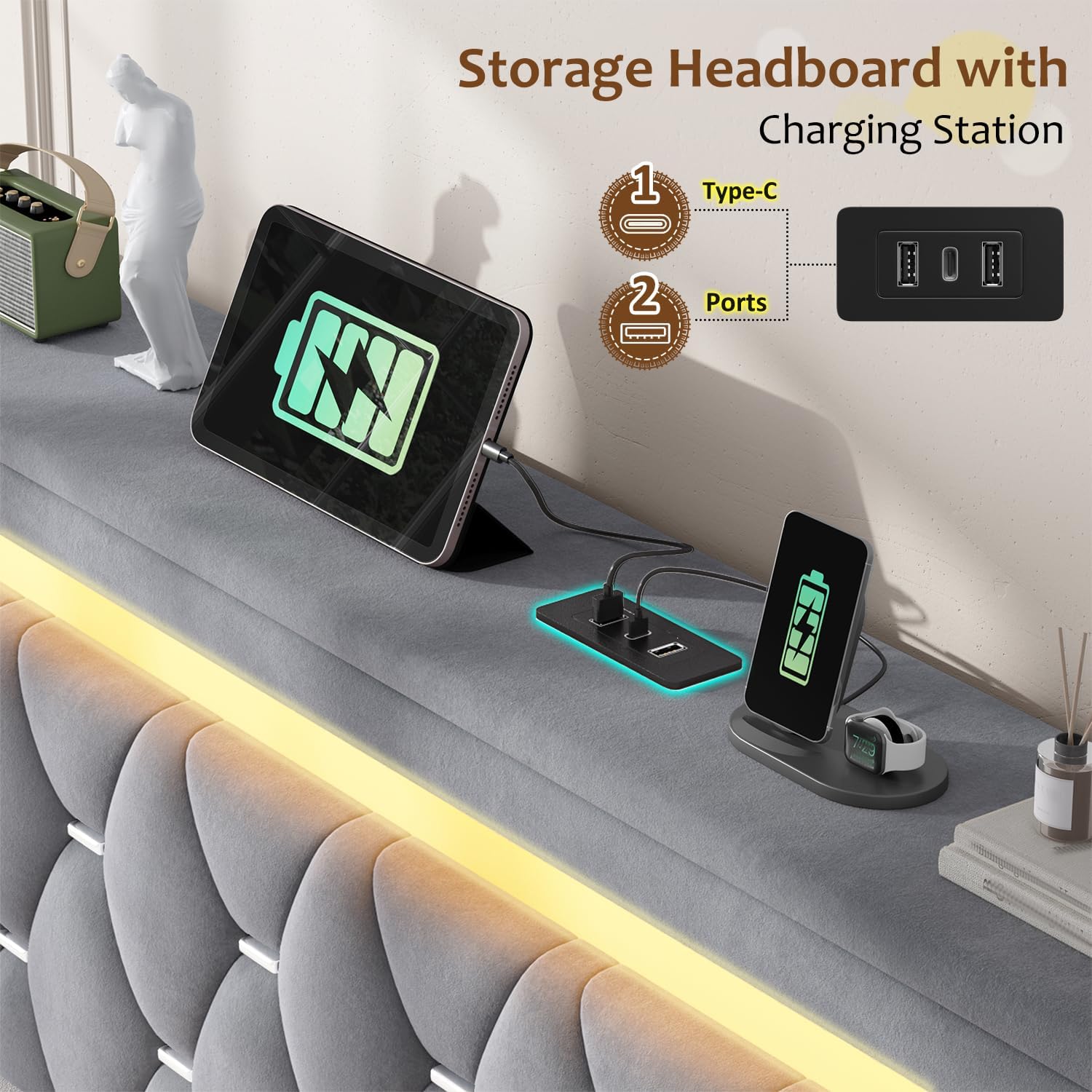
Image: The main bed frame structure assembled, highlighting the sturdy metal frame and upholstered sections.
For visual guidance on bed frame assembly, refer to the following video:
Video: Step-by-step assembly guide for a similar bed frame, demonstrating the connection of main components.
Step 4: Install Wooden Slats
Place the wooden slats across the bed frame, ensuring they are evenly spaced and secured according to the instructions. This provides sturdy support for your mattress.

Image: Detail of the wooden slats being placed into the bed frame, showing the secure fitting for mattress support.
Step 5: Assemble and Install Storage Drawers
Assemble the four storage drawers. Each drawer is designed to slide smoothly under the bed frame. Attach the drawer panels to the metal baskets and ensure the wheels are securely fastened.
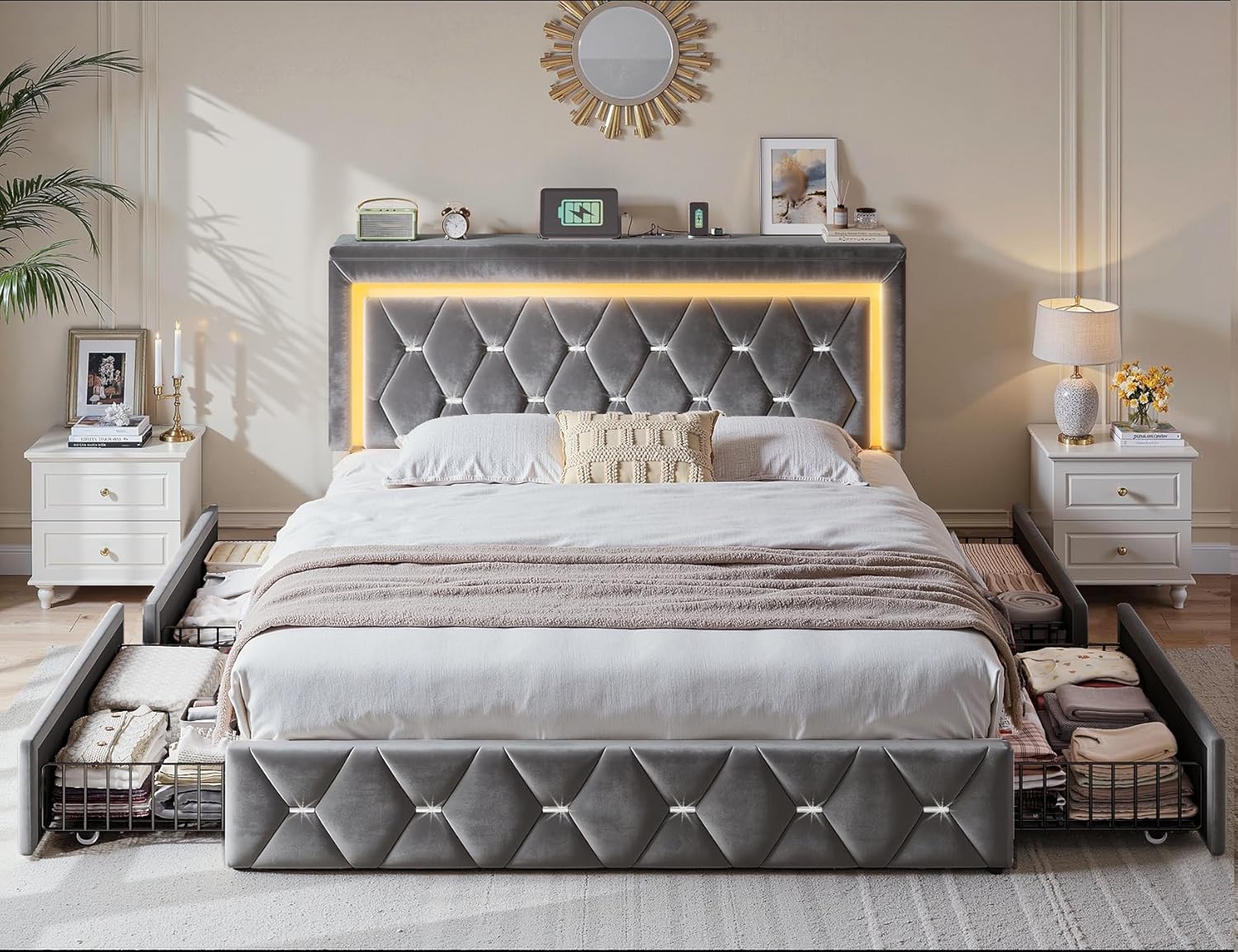
Image: Close-up of an assembled storage drawer, highlighting its wireframe construction and wheels for easy movement.
Slide the assembled drawers into their designated positions under the bed frame. The drawers are designed to fit snugly and provide ample storage space.

Image: The bed frame with all four storage drawers extended, showcasing their capacity for storing various items.
For a visual guide on drawer assembly and installation, watch this video:
Video: Assembly process for the bed frame's storage drawers, showing how to put them together and slide them under the bed.
Operating Instructions
LED Lights
The integrated LED lights on the headboard can be controlled via a remote or a dedicated app. Use the remote to:
- Turn lights ON/OFF.
- Adjust brightness.
- Change colors (over 60,000 options).
- Select various lighting effects (e.g., flash, strobe, fade, smooth).
- Set a timing function.
- Activate music-sync lighting.
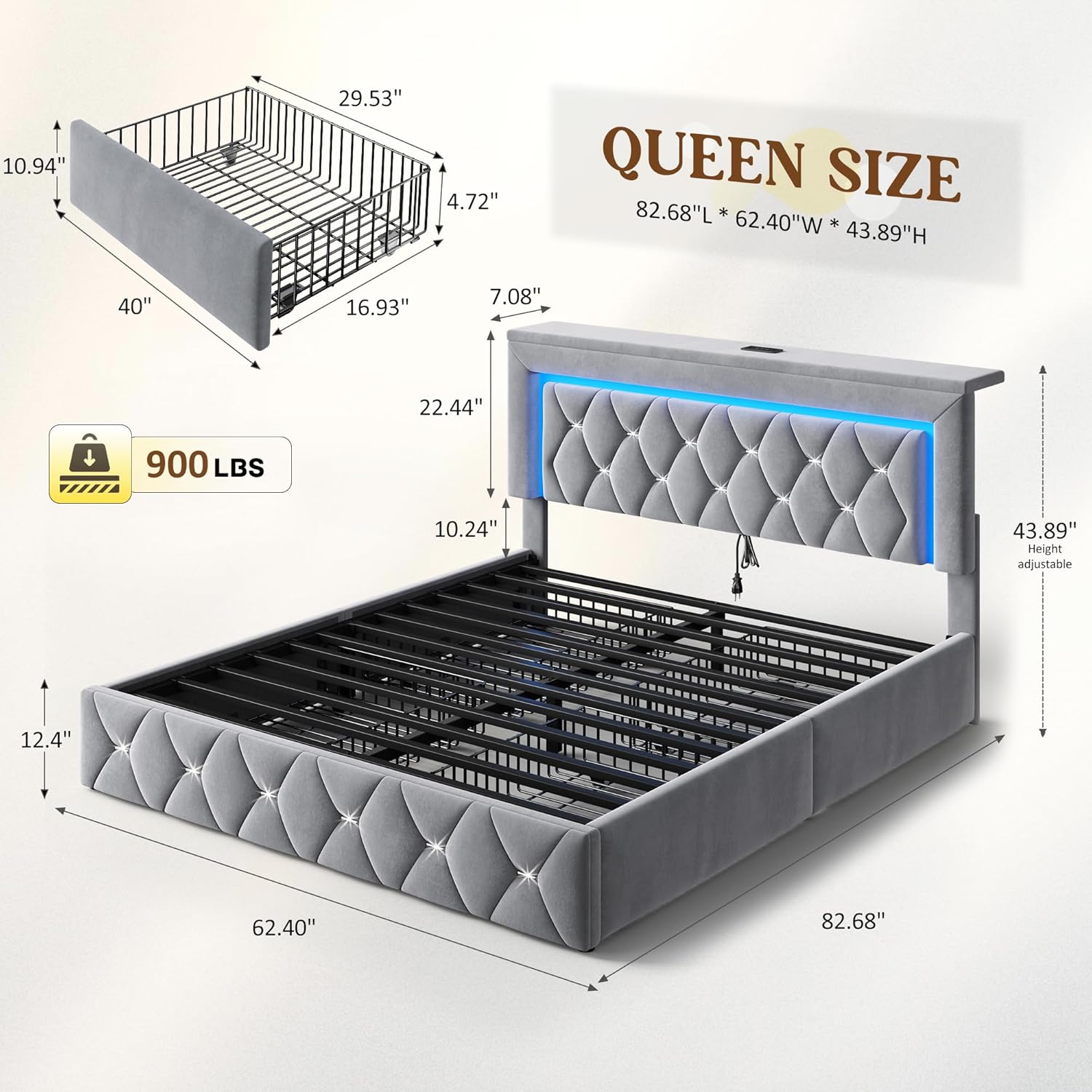
Image: The bed frame's headboard illuminated with colorful LED lights, demonstrating the range of color and effect options.
To use the app control, scan the QR code provided in the manual or on the controller to download and install the application. Ensure Bluetooth is enabled on your device; the LED light will automatically connect to the app.
Charging Station
The headboard includes a built-in charging station with USB and Type-C ports. Simply plug in your devices to charge them conveniently from your bed. The charging station supports wireless charging for compatible devices.

Image: A tablet and smartphone charging on the headboard's built-in charging station, showing USB and wireless charging capabilities.
Maintenance
- Cleaning: For the velvet upholstery, gently vacuum with a soft brush attachment to remove dust. For spills, blot immediately with a clean, dry cloth. Do not rub. For stubborn stains, use a mild upholstery cleaner following the product's instructions.
- Frame Care: Regularly check all bolts and screws to ensure they are tight. Re-tighten if necessary to maintain stability. Wipe the metal frame with a damp cloth and mild detergent, then dry thoroughly.
- Drawer Maintenance: Keep the drawer tracks clean and free of debris to ensure smooth operation.
- Electrical Components: Ensure the LED lights and charging station are kept dry. Do not attempt to repair electrical components yourself; contact a qualified technician if issues arise.
Troubleshooting
- LED Lights Not Working:
- Check if the power adapter is securely plugged into a working outlet.
- Ensure all connections between the LED strip and controller are firm.
- Replace the remote control battery if necessary.
- If using the app, ensure Bluetooth is enabled and the app is properly connected.
- Charging Station Not Functioning:
- Verify the bed frame's power cord is plugged into a live electrical outlet.
- Ensure your device's charging cable is properly connected to the USB/Type-C port.
- Test with a different device or cable to rule out device-specific issues.
- Drawers Sticking or Not Sliding Smoothly:
- Check for any obstructions in the drawer tracks.
- Ensure the drawer wheels are clean and free of debris.
- Verify that the drawers were assembled correctly and are not overloaded.
- Bed Frame Squeaking:
- Re-tighten all assembly bolts and screws on the frame.
- Ensure slats are properly seated and not rubbing against the frame.
Specifications
| Size: | Queen |
| Product Dimensions: | 82.68"L x 62.4"W x 43.89"H |
| Color: | Grey |
| Material: | Metal frame, Velvet upholstery |
| Special Features: | Charging Station, LED Lighting, No Box Spring Needed, 4 Storage Drawers, Upholstered, Height Adjustable Headboard |
| Weight Capacity: | Over 900 lbs |
| Assembly Required: | Yes |
Warranty and Support
For warranty information or technical support, please refer to the contact details provided on your purchase receipt or visit the official Homkdom website. Keep your proof of purchase for any warranty claims.