
1. Introduction
The zhizhi S67 Smartwatch is a versatile wearable device designed to enhance your daily life with smart communication, comprehensive health tracking, and diverse sports functionalities. This manual provides essential information for setting up, operating, and maintaining your smartwatch to ensure optimal performance.
Key features include Bluetooth calling, 24/7 health monitoring (heart rate, blood oxygen, sleep), over 120 sports modes, a 1.43-inch AMOLED display, and IP68 water resistance. It is compatible with both Android (5.0 and above) and iOS (9.0 and above) smartphones.
2. Package Contents and Setup
Before using your smartwatch, please ensure all components are present and follow the initial setup steps.
2.1 Package Contents
- zhizhi S67 Smartwatch (with one strap attached)
- Additional strap (e.g., silicone)
- Magnetic charging cable
- User Manual

Image: Illustration of the zhizhi S67 Smartwatch and its included accessories, such as the watch body, two different straps, a magnetic charging cable, and the user manual.
2.2 Initial Charging
Fully charge the smartwatch before first use. Connect the magnetic charging cable to the charging contacts on the back of the watch and plug the USB end into a standard USB power adapter (not included).
2.3 App Download and Pairing
- Scan the QR code in the manual or on the watch screen (if available) to download the companion app, or search for the app name (usually indicated in the manual) in your phone's app store.
- Install and open the app on your smartphone.
- Enable Bluetooth on your smartphone.
- In the app, follow the instructions to search for and pair with your zhizhi S67 Smartwatch. Confirm the pairing request on both your phone and the watch.
- Once paired, the watch will synchronize time and data with your phone.
3. Operating Instructions
Navigate your smartwatch using the touchscreen and physical buttons.
3.1 Basic Navigation
- Swipe Up/Down: Scroll through menus or notifications.
- Swipe Left/Right: Access quick functions or widgets.
- Tap: Select an item or confirm an action.
- Press Side Button: Return to the home screen or access the main menu.
3.2 Customizing Watch Faces
The zhizhi S67 offers over 200 customizable watch faces. You can change them directly on the watch or through the companion app.
- On Watch: Long-press the home screen, then swipe left or right to browse and tap to select.
- Via App: Open the app, navigate to the watch face section, and choose from the gallery or upload your own photo to create a custom face.
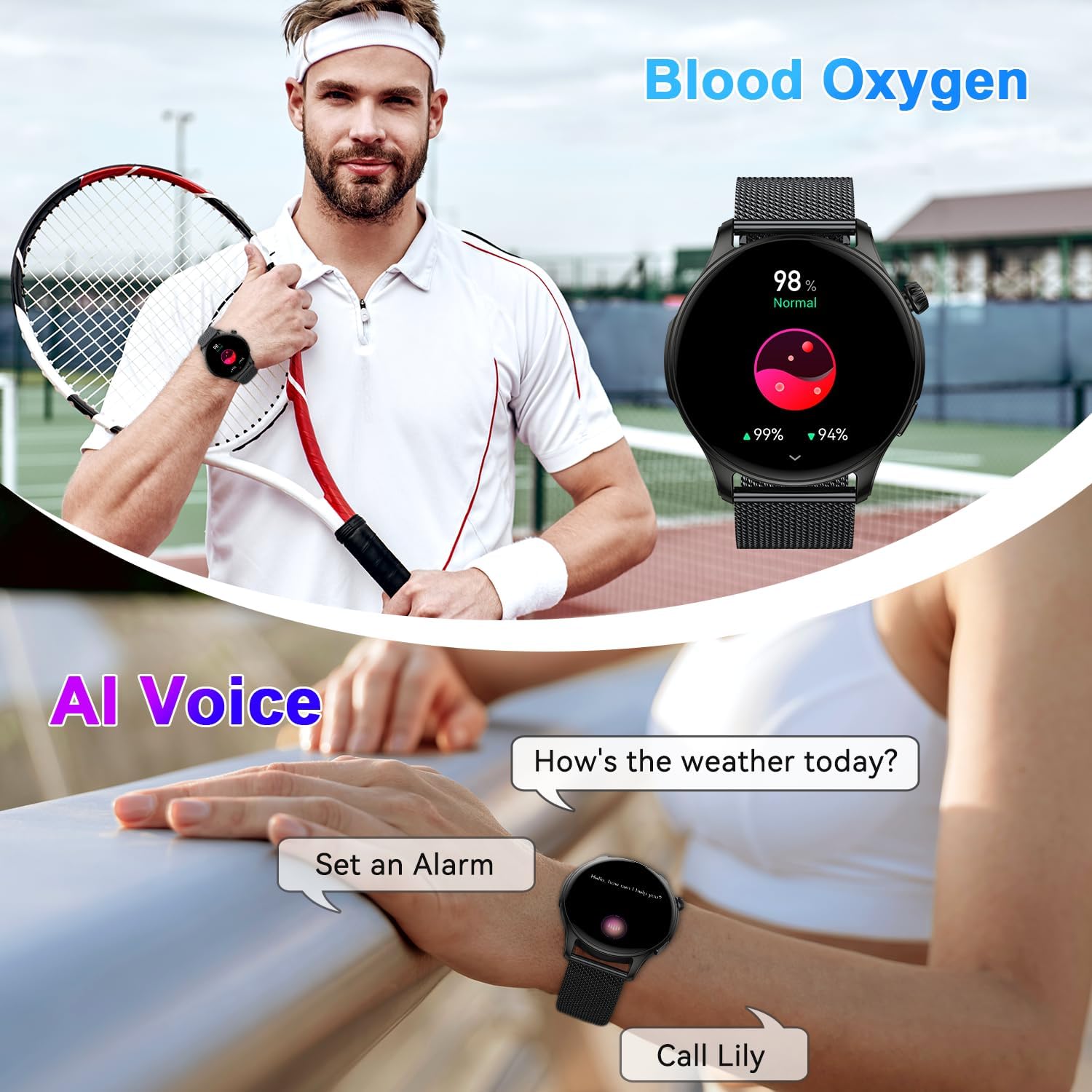
Image: The zhizhi S67 Smartwatch showcasing its 1.43-inch AMOLED screen with multiple watch face options, including digital and analog styles, and options for customization.
4. Bluetooth Calls and Smart Notifications
Stay connected with Bluetooth calling and receive important notifications directly on your wrist.
4.1 Making and Receiving Calls
Once connected to your phone via Bluetooth, the smartwatch allows you to manage calls.
- Receive Calls: When a call comes in, the watch will vibrate and display the caller ID. Tap the green icon to answer or the red icon to reject.
- Make Calls: Access the dial pad or contact list on the watch to initiate a call. The watch uses its built-in speaker and microphone for communication.

Image: A person wearing the zhizhi S67 Smartwatch, demonstrating its Bluetooth call feature with a clear display of the dial pad and recent call logs on the watch screen.
4.2 Smart Notifications
The watch can display notifications from various apps on your smartphone.
- Ensure notification permissions are enabled for the companion app on your phone.
- Enable notifications for specific apps (e.g., WhatsApp, Facebook, Instagram) within the smartwatch app settings.
- Notifications will appear on the watch screen and alert you with a vibration.

Image: A person viewing smart notifications from social media and messaging apps on the zhizhi S67 Smartwatch, highlighting its ability to keep users informed.
4.3 AI Voice Assistant
Activate your phone's voice assistant directly from your smartwatch.
- Swipe to the AI Voice Assistant interface on your watch.
- Tap to activate and speak your command (e.g., "How's the weather today?", "Set an alarm for 7 AM").

Image: The zhizhi S67 Smartwatch displaying an active AI voice assistant interface, showing examples of voice commands like asking for weather or setting a timer.
5. Health Monitoring
The zhizhi S67 Smartwatch provides 24/7 monitoring of key health metrics.
5.1 Heart Rate Monitoring
The watch continuously monitors your heart rate throughout the day.
- Access the heart rate interface on the watch to view real-time data.
- Detailed historical data and trends can be viewed in the companion app.

Image: A person exercising while wearing the zhizhi S67 Smartwatch, with an overlay showing a graph of 24-hour heart rate monitoring data.
5.2 Blood Oxygen (SpO2) Monitoring
Measure your blood oxygen saturation levels.
- Navigate to the SpO2 measurement function on the watch.
- Keep your arm still during measurement for accurate results.
- Continuous monitoring data is available in the app.

Image: A person performing yoga while wearing the zhizhi S67 Smartwatch, with an overlay showing a graph of continuous blood oxygen monitoring data.
5.3 Sleep Monitoring
The smartwatch analyzes your sleep patterns, including deep sleep, light sleep, and wake times.
- Wear the watch to bed for automatic sleep tracking.
- View detailed sleep reports and insights in the companion app to help improve your sleep habits.

Image: A person sleeping while wearing the zhizhi S67 Smartwatch, with an overlay showing a detailed breakdown of sleep quality, including deep, light, and awake periods.
6. Sports Modes and Water Resistance
Track your workouts with precision and confidence.
6.1 120+ Sports Modes
The smartwatch supports a wide array of sports activities, providing real-time data for each.
- Navigate to the Sports section on your watch.
- Select your desired activity (e.g., running, cycling, basketball, yoga).
- The watch will record metrics such as heart rate, steps, calories burned, and distance.

Image: A person cycling outdoors while wearing the zhizhi S67 Smartwatch, with an overlay showing a selection of over 112 sports mode icons available on the device.
6.2 IP68 Water Resistance
The zhizhi S67 Smartwatch is IP68 rated, meaning it is resistant to dust and can withstand immersion in water up to 1.5 meters for 30 minutes.
- It is suitable for daily use, such as hand washing, sweating, and light rain.
- Avoid hot water, saunas, or diving, as steam and high pressure can compromise the seal.

Image: The zhizhi S67 Smartwatch shown in a natural outdoor setting with water droplets, illustrating its IP68 waterproof rating.
7. Other Practical Functions
The smartwatch includes several convenient features to assist you throughout your day.
- Music Control: Play, pause, skip tracks, and adjust volume for music playing on your phone.
- Camera Control: Use your watch as a remote shutter for your phone's camera.
- Weather Forecast: Get real-time weather updates.
- Stopwatch & Timer: Essential tools for timing activities.
- Alarm Clock: Set silent vibrating alarms.
- Sedentary Reminder: Get alerts to move after periods of inactivity.
- Find Phone: Locate your paired smartphone by making it ring.
- Breathing Training: Guided breathing exercises for relaxation.

Image: A collage of images showing the zhizhi S67 Smartwatch utilizing various practical functions such as alarm, sedentary reminder, stopwatch, camera control, weather forecast, music control, and find phone.
8. Maintenance
Proper care ensures the longevity and performance of your smartwatch.
- Cleaning: Regularly wipe the watch screen and strap with a soft, dry cloth. For stubborn dirt, use a slightly damp cloth and mild soap, then dry thoroughly.
- Charging: Use only the provided magnetic charging cable. Avoid exposing the charging contacts to liquids or metal objects.
- Storage: Store the watch in a cool, dry place when not in use. Avoid extreme temperatures.
- Avoid Chemicals: Do not expose the watch to strong chemicals, detergents, or solvents, as these can damage the materials.
- Screen Care: The 1.43-inch AMOLED screen is durable, but avoid sharp objects that could scratch it.
9. Troubleshooting
If you encounter issues with your zhizhi S67 Smartwatch, try the following solutions:
9.1 Pairing Issues
- Ensure Bluetooth is enabled on your phone and the watch is charged.
- Restart both your phone and the smartwatch.
- Clear the Bluetooth cache on your phone and try pairing again.
- Ensure the companion app has all necessary permissions.
9.2 Inaccurate Health Data
- Ensure the watch is worn snugly on your wrist, about one finger's width from the wrist bone.
- Keep the sensor clean and free from sweat or dirt.
- Note that smartwatches are not medical devices; readings are for reference only.
9.3 Short Battery Life
- Reduce screen brightness and screen-on time.
- Disable continuous heart rate monitoring or other intensive features if not needed.
- Ensure the watch is fully charged using the correct cable.
9.4 Watch Not Responding
- Perform a force restart by pressing and holding the side button for approximately 10-15 seconds until the watch restarts.
- If the issue persists, consider a factory reset via the watch settings (note: this will erase all data).
10. Specifications
| Model | S67 |
| Brand | zhizhi |
| Display | 1.43-inch AMOLED Touchscreen (320 x 320 resolution) |
| Battery Life | Up to 7 days (typical use), up to 30 days (standby) |
| Water Resistance | IP68 |
| Connectivity | Bluetooth |
| Compatibility | Android 5.0+ / iOS 9.0+ |
| Dimensions | 28.7 x 9.6 x 1.7 cm |
| Weight | 160 g |
| Special Features | Bluetooth Calls, Smart Notifications, 24/7 Health Monitor (HR, SpO2, Sleep), 120+ Sports Modes, AI Voice Assistant, Music/Camera Control, Weather, Stopwatch, Alarm |
| Manufacturer | Shenzhen Buzz Tech CO.,LTD |
11. Warranty and Support
Your zhizhi S67 Smartwatch comes with a standard manufacturer's warranty. Please refer to the warranty card included in your package for specific terms and conditions.
For technical support, troubleshooting assistance, or warranty claims, please contact the retailer or manufacturer's customer service. Contact information can typically be found on the product packaging or the official brand website.


