
Introduction
This user manual provides essential information for the proper installation and maintenance of CEESC replacement filters and sponges designed for the CEESC Wireless Cat Water Fountain Model 312-B. Adhering to these instructions will help ensure your pet receives clean, fresh water and prolong the life of your fountain.
Product Overview: Triple Filtration System
The CEESC replacement filter and sponge system utilizes a triple filtration process to purify water for your pet. Each component plays a crucial role in maintaining water quality:
- PP Grid: Blocks hair and larger particles, preventing them from entering the pump and other filtration layers.
- Ion Exchange Resin: Specifically designed to remove heavy metals from the water, contributing to healthier drinking water.
- Activated Carbon: Effectively eliminates odors and impurities, improving the taste and freshness of the water.
- High-density Sponge: Acts as a pre-filter, capturing hair and debris before water enters the main filtration system.

Image: Exploded view illustrating the layers of the triple filtration system, including PP grid, ion exchange resin, activated carbon, and high-density sponge.
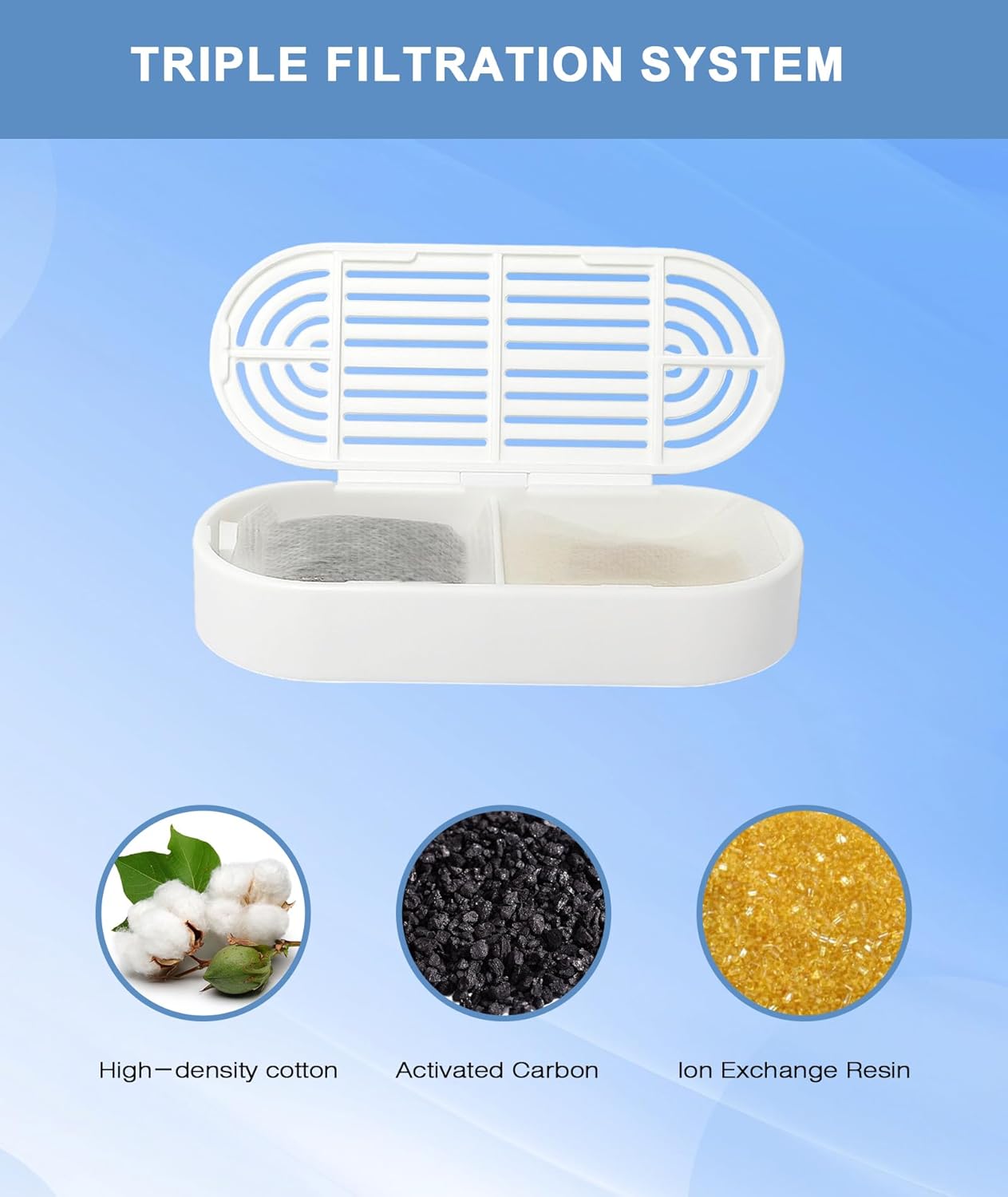
Image: Detailed view of the filter's internal components: high-density cotton, activated carbon, and ion exchange resin.
Installation
Follow these steps to correctly install the replacement filter and sponge in your CEESC Wireless Cat Water Fountain 312-B:
- Before first use, soak the new filter cartridge in clean water for 5 minutes. This helps to remove any loose carbon dust and prepares the filter for optimal performance.
- Rinse the filter cartridge thoroughly under running water.
- Remove the top tray of the fountain and locate the pump assembly.
- Carefully remove the old sponge from the pump intake.
- Place the new high-density sponge onto the pump intake. Ensure it fits snugly.
- Insert the new filter cartridge into its designated slot on the underside of the top tray, above the pump. Ensure it is seated correctly and securely.
- Reassemble the fountain by placing the top tray back onto the base.
- Fill the fountain with water to the appropriate level.

Image: Visual guide demonstrating the placement of the filter cartridge and sponge during installation.
Maintenance: Regular Replacement
For optimal performance and water quality, regular replacement of the filter and sponge is crucial. The frequency of replacement depends on your pet's usage and water hardness, but general guidelines are provided below:
- Filter Cartridge: Replace every 2 to 4 weeks. If you have multiple pets or notice reduced water flow or increased impurities, consider replacing it more frequently.
- High-density Sponge: Replace every 2 to 4 weeks, or sooner if it appears visibly dirty or clogged with hair and debris.
To replace, follow the installation steps outlined in the 'Installation' section. Always soak and rinse new filters before use.

Image: Visual steps for preparing a new filter: soaking in water for 5 minutes and washing under running water.
Specifications
The replacement filters and sponges are specifically designed to fit the CEESC Wireless Cat Water Fountain Model 312-B.
- Filter Cartridge Dimensions (approximate): 3.7 inches (length) x 1.6 inches (width) x 0.7 inches (height)
- Sponge Dimensions (approximate): 1.2 inches (length) x 1.0 inches (width) x 0.4 inches (height)

Image: Detailed measurements of the replacement filter cartridge and high-density sponge.
Troubleshooting
If you experience issues related to filtration, consider the following:
- Reduced Water Flow: Check if the sponge or filter cartridge is clogged with hair or debris. Clean or replace as necessary. Ensure the filter is properly seated.
- Unpleasant Odor/Taste: This indicates the activated carbon in the filter is saturated. Replace the filter cartridge immediately.
- Visible Impurities: If you see particles in the water, ensure the filter and sponge are correctly installed and not damaged. Replace if necessary.
Warranty and Support
For specific warranty information regarding your CEESC Wireless Cat Water Fountain 312-B or its replacement parts, please refer to the documentation included with your original fountain purchase or contact CEESC customer support directly. Replacement filters and sponges are consumable items and typically have a limited or no warranty due to their nature.