
Introduction
Thank you for choosing the Nautica NCT BLUESAIL Blue Strap Watch, Model NAPBSF503. This timepiece combines a bold design with reliable quartz movement and practical features. This manual provides essential information for setting up, operating, maintaining, and troubleshooting your watch to ensure its longevity and optimal performance.
The NCT BLUESAIL features a fixed square bezel, luminous hands, and a 46 mm stainless-steel case. It comes with a silicone strap and may include an additional strap in a box set, allowing for versatile styling.
Setup
1. Unboxing and Initial Inspection
Carefully remove your watch and any accessories from the packaging. Inspect the watch for any visible damage. If your watch is part of a box set, it will include an additional silicone strap and a strap changing tool.
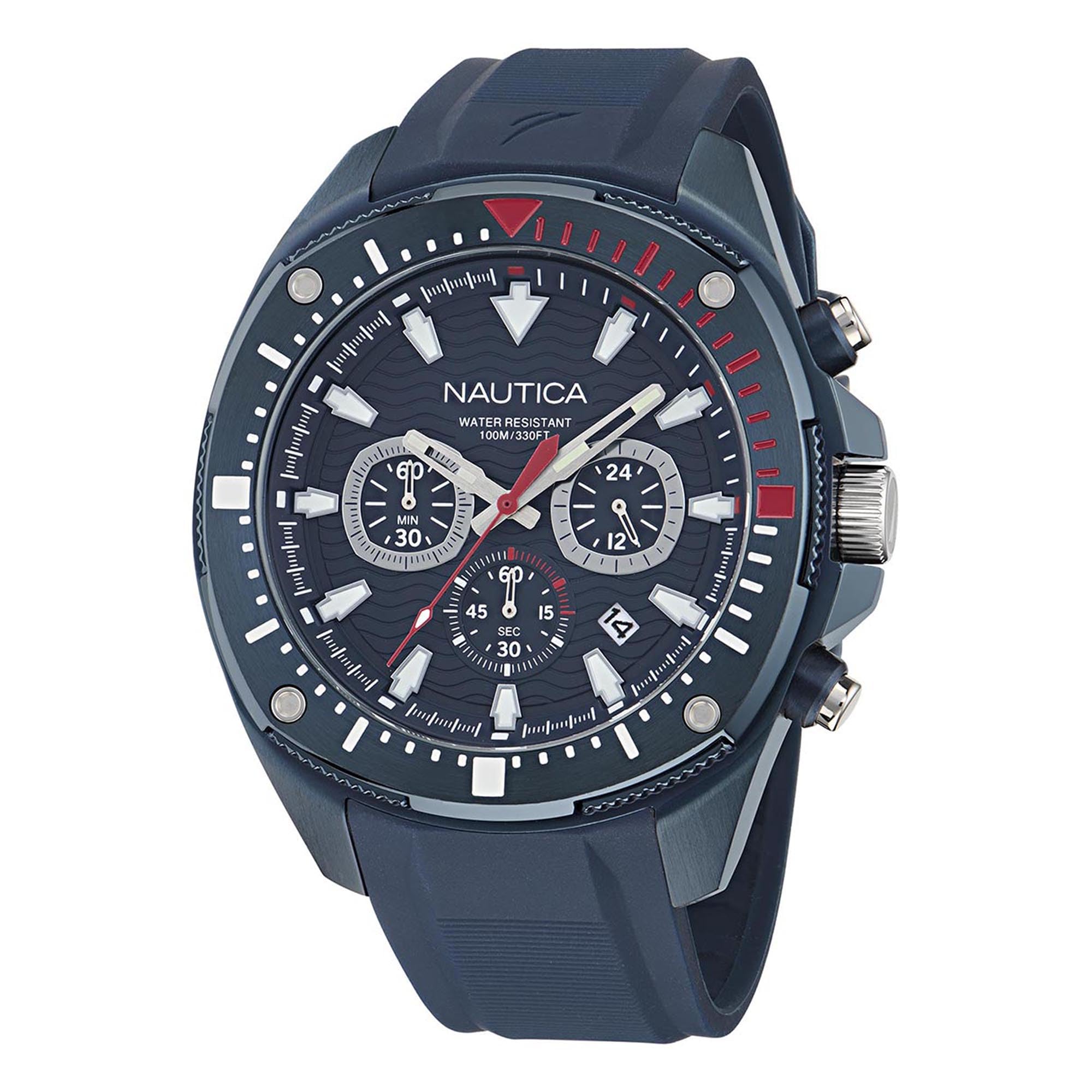
Image: The Nautica NCT BLUESAIL watch presented in its case, alongside an additional red silicone strap and a strap changing tool.
2. Setting the Time
- Pull out the crown: Gently pull the crown (the knob on the side of the watch) to the outermost position.
- Adjust the time: Rotate the crown clockwise or counter-clockwise to set the hour and minute hands to the correct time.
- Push in the crown: Once the time is set, push the crown back into its normal operating position. This will start the watch movement.

Image: Side view of the watch, highlighting the crown used for time adjustment and the pushers for chronograph functions.
3. Changing the Strap (if applicable)
If your watch includes an additional strap and a strap changing tool, you can easily swap the straps. Use the provided tool to depress the spring bars located on the underside of the strap where it connects to the watch case. Carefully remove the strap and attach the new one by aligning the spring bars with the holes in the lugs and releasing them into place.

Image: The watch face with its blue silicone strap, displayed next to an interchangeable red silicone strap.
Operating
1. Basic Timekeeping
Your Nautica NCT BLUESAIL watch displays hours, minutes, and seconds using its main hands. The watch features a quartz movement for accurate timekeeping.
2. Chronograph Function
This watch is equipped with a chronograph (stopwatch) function. The sub-dials on the watch face indicate chronograph minutes, seconds, and a 24-hour display.
- Start/Stop: Press the top pusher (button) to start and stop the chronograph.
- Reset: While the chronograph is stopped, press the bottom pusher to reset all chronograph hands to their zero positions.
3. Water Resistance
The Nautica NCT BLUESAIL watch is water resistant up to 100 meters (330 feet). This makes it suitable for swimming and snorkeling, but it is not recommended for scuba diving. Ensure the crown is fully pushed in before any contact with water. Do not operate the crown or pushers while the watch is wet or submerged.

Image: The back of the watch case, displaying the Nautica logo, model number (NAPBSF503), and water resistance rating of 100 meters.
Maintenance
1. Cleaning Your Watch
- Case and Crystal: Wipe the watch case and crystal with a soft, damp cloth. For stubborn dirt, a mild soap solution can be used, followed by rinsing with clean water and drying thoroughly.
- Silicone Strap: The silicone strap can be cleaned with mild soap and water. Ensure it is completely dry before wearing.
2. Battery Replacement
The watch is powered by a quartz battery. When the watch stops or the second hand begins to skip, it indicates a low battery. Battery replacement should be performed by a qualified watch technician to ensure proper sealing and water resistance.
3. Storage
When not wearing your watch, store it in a cool, dry place away from direct sunlight and extreme temperatures. Keep it away from strong magnetic fields, which can affect timekeeping accuracy.
Troubleshooting
- Watch Not Running: Check if the crown is fully pushed in. If it is, the battery may need replacement.
- Incorrect Time: Reset the time as described in the "Setting the Time" section. If the time continues to be inaccurate, the watch may require servicing.
- Water Inside the Watch: If you notice condensation or water droplets inside the watch, immediately take it to a qualified watch repair center. Do not attempt to open the watch yourself.
- Chronograph Hands Not Resetting to Zero: If the chronograph hands do not reset correctly, consult a professional watch repair service.
Specifications
| Feature | Specification |
|---|---|
| Model Number | NAPBSF503 |
| Brand Name | Nautica |
| Display Type | Analog |
| Watch Movement Type | Quartz |
| Water Resistance Depth | 100 Meters (330 Feet) |
| Clasp Type | Buckle |
| Case Shape | Round |
| Band Color | Blue (and Red if box set) |
| Dial Color | Blue |
| Band Material Type | Silicone |
| Case Material Type | Stainless Steel |
| Crystal Material | Mineral Glass |
| Case Diameter | 46 Millimeters |
| Band Width | 22 Millimeters |
| Case Thickness | 11.9 Millimeters |
| Item Weight | 0.28 Kilograms |
| Manufacturer | Timex |
Warranty
Your Nautica NCT BLUESAIL watch is covered by a 1-year limited manufacturer's warranty from the date of purchase. This warranty covers manufacturing defects in materials and workmanship under normal use. It does not cover damage resulting from improper handling, accidents, unauthorized repairs, or normal wear and tear of the case, crystal, or strap. Please retain your proof of purchase for warranty claims.
Support
For further assistance, warranty claims, or service inquiries regarding your Nautica NCT BLUESAIL watch, please contact Nautica customer service or visit the official Nautica website. You may also refer to the retailer where the watch was purchased for support options.
Nautica Official Website: Visit the Nautica Store on Amazon