
1. Introduction
This manual provides detailed instructions for the installation, operation, and maintenance of your Harbr.Breeze Flanagan III 52-inch Ceiling Fan. This fan is designed for both indoor and covered outdoor spaces, featuring an integrated LED light kit with color-changing capabilities and a remote control for convenient operation. Please read this manual thoroughly before installation and use to ensure safe and efficient operation.
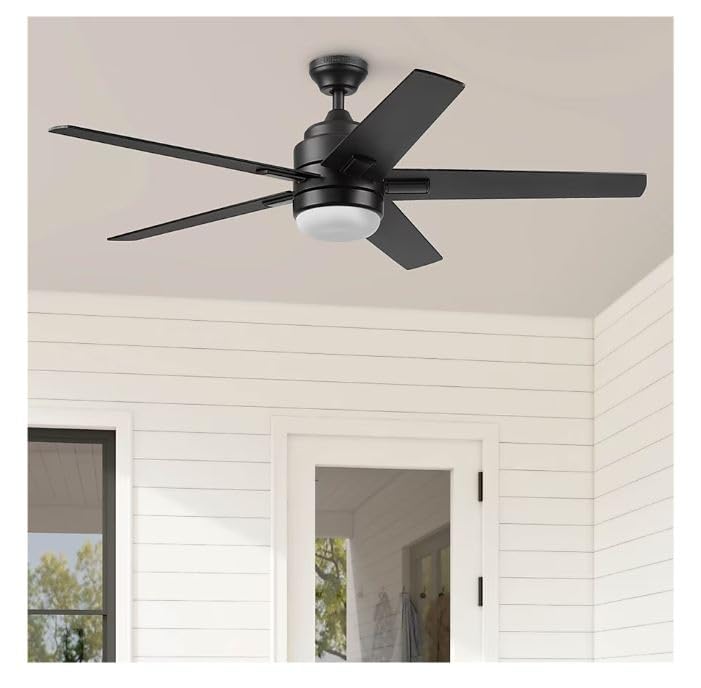
Image 1: Harbr.Breeze Flanagan III 52-inch Ceiling Fan, showcasing its design, remote control, and Custom White Spectrum feature.
2. Safety Information
WARNING: To reduce the risk of fire, electric shock, or personal injury, always follow these safety guidelines:
- Ensure the installation site is structurally sound and can support the fan's weight (at least 35 lbs).
- All wiring must be in accordance with national and local electrical codes. Consult a qualified electrician if unsure.
- Disconnect power at the circuit breaker before installation or servicing.
- Do not operate the fan with damaged wiring or if any parts are missing.
- Keep hands, clothing, and other objects away from rotating fan blades.
- Do not attempt to repair or replace parts unless specifically instructed in this manual.
- This fan is ETL listed as damp rated, suitable for covered outdoor spaces. Do not expose to direct water spray.
3. Package Contents
Verify that all components listed below are present in your package. If any parts are missing or damaged, contact customer support.
- 52-inch Ceiling Fan Motor Housing
- 5 Fan Blades (Black/Driftwood Reversible)
- Integrated LED Light Kit with Frosted Glass
- Remote Control with Wall Mount
- 4-inch Downrod
- Mounting Bracket and Hardware
- Instruction Manual
4. Setup and Installation
The Harbr.Breeze Flanagan III features Easy2Hang installation, designed to simplify the assembly process. This fan supports dual-mount installation, allowing it to be hung from standard or angled ceilings using the included 4-inch downrod.
4.1 Pre-Installation Steps
- Turn off power at the circuit breaker or fuse box.
- Ensure the mounting location is suitable and can support the fan's weight.
- Unpack all components and verify against the package contents list.
4.2 Mounting the Fan
- Attach the mounting bracket to the ceiling junction box using the provided screws. Ensure it is securely fastened.
- Assemble the downrod to the fan motor housing.
- Carefully lift the fan assembly and hang it onto the mounting bracket.
4.3 Electrical Wiring
- Connect the fan's electrical wires to the household wiring according to the wiring diagram provided in the full installation guide (not included here, refer to product packaging for detailed diagram).
- Ensure all connections are secure and insulated with wire nuts.
4.4 Attaching Blades and Light Kit
- Attach the fan blades to the motor housing using the provided screws. Ensure they are tightened securely.
- Install the integrated LED light kit and frosted glass cover.
- Restore power at the circuit breaker.
5. Operating Instructions
Your Harbr.Breeze Flanagan III ceiling fan is operated using the included remote control.

Image 2: Remote control functionality for adjusting light color temperature and fan settings.
5.1 Remote Control Functions
- Fan ON/OFF: Press the fan button to turn the fan on or off.
- Fan Speed: Use the speed buttons (typically 1, 2, 3 or +/-) to adjust the fan speed (low, medium, high).
- Light ON/OFF: Press the light button to turn the integrated LED light on or off.
- Light Dimming: Hold the light button to dim or brighten the light.
- Color Temperature Adjustment (Custom White Spectrum): Use the dedicated buttons (e.g., sun/moon icons or CCT buttons) to cycle through or select desired color temperatures, ranging from 2200K (warm white) to 6500K (bright white/daylight).
- Reversible Motor: A button on the remote or a switch on the fan housing allows you to reverse the blade direction for seasonal use (downward airflow for cooling in summer, upward airflow for circulating warm air in winter).
- Timer Function: Some remotes include a timer function (e.g., 2h, 4h) to automatically turn off the fan after a set period.
5.2 Seasonal Operation
The reversible motor allows for year-round comfort.
- Summer Mode: Blades rotate counter-clockwise, pushing air downward to create a cooling breeze.
- Winter Mode: Blades rotate clockwise, pulling air upward to circulate warm air near the ceiling.
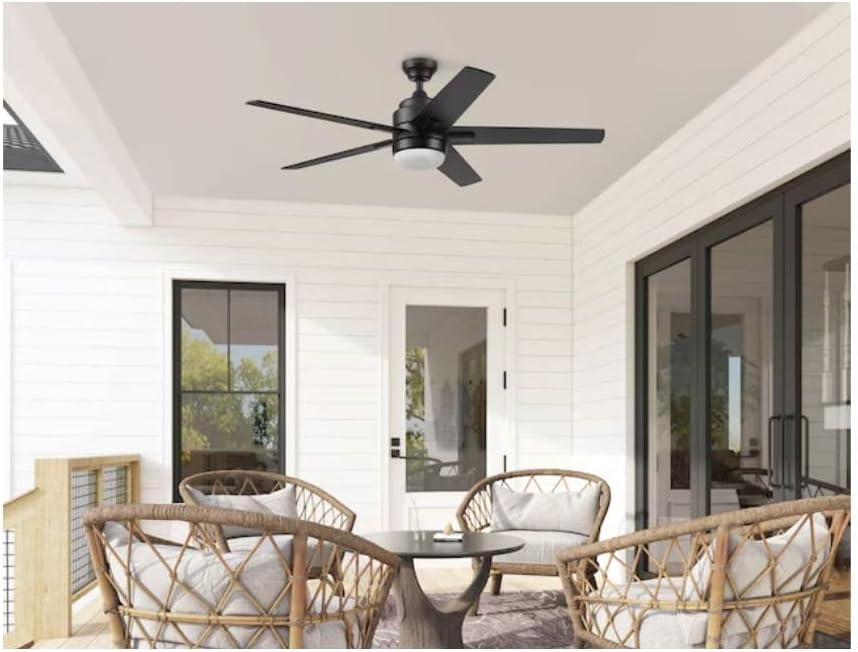
Image 3: The Flanagan III fan installed in a covered outdoor patio setting.

Image 4: The Flanagan III fan installed in an indoor living room setting.
6. Maintenance
Regular maintenance ensures the longevity and optimal performance of your ceiling fan.
- Cleaning: Periodically wipe the fan blades and motor housing with a soft, damp cloth. Do not use abrasive cleaners or solvents.
- Light Kit: The integrated LED light kit does not require bulb replacement. Clean the frosted glass cover gently with a soft cloth.
- Blade Screws: Check blade attachment screws annually to ensure they are tight. Loose screws can cause wobbling.
- Lubrication: The motor is permanently lubricated and does not require additional oiling.
7. Troubleshooting
Before attempting any repairs, ensure power is disconnected at the circuit breaker.
| Problem | Possible Cause | Solution |
|---|---|---|
| Fan does not start | No power to the fan; Loose wire connections; Remote control battery low. | Check circuit breaker; Verify all wire connections; Replace remote control battery. |
| Light does not work | No power to the light; Loose wire connections; Integrated LED failure. | Check circuit breaker; Verify light kit wire connections; Contact customer support if LED fails. |
| Fan wobbles | Loose blade screws; Unbalanced blades; Loose mounting bracket. | Tighten all blade screws; Use a balancing kit (not included) to balance blades; Ensure mounting bracket is secure. |
| Noisy operation | Loose screws; Motor housing rubbing; Incorrect installation. | Check and tighten all screws; Ensure no parts are rubbing; Re-check installation steps. |
8. Specifications
| Feature | Detail |
|---|---|
| Model Name | Flanagan III |
| Model Number | 5992689 |
| Product Dimensions (D x W x H) | 52"D x 52"W x 15.33"H (132.1 cm x 132.1 cm x 38.93 cm) |
| Blade Span | 52 inches |
| Color | Matte Black |
| Material | Metal, Plastic |
| Power Source | Electric |
| Wattage | 100 watts |
| Noise Level | 50 Decibels |
| Room Type | Indoor/Outdoor (Damp Rated) |
| Mounting Type | Downrod mount (4-inch downrod included) |
| Special Features | Custom White Spectrum LED (2200K-6500K), Remote Control, Reversible Motor, Easy2Hang Installation |

Image 5: Dimensional drawing of the Flanagan III ceiling fan.
9. Warranty and Support
For warranty information or technical support, please refer to the documentation included with your purchase or contact the retailer/manufacturer directly. Keep your proof of purchase for warranty claims.