
1. Introduction
This manual provides essential information for the safe operation, maintenance, and troubleshooting of your AZHAR Electric Scooter, Model B0FQBKZM25. Please read this manual thoroughly before your first ride to ensure proper use and to maximize the lifespan of your scooter.
The AZHAR Electric Scooter is designed for personal transportation, offering a blend of power, portability, and smart features. It is equipped with a 500W/650W peak motor, capable of reaching speeds up to 21 MPH, and a 36V battery providing a range of up to 23 miles. Key features include 8.5-inch solid tires, a dual braking system, app control, and a foldable design for easy storage and transport.

Image: Rear view of the AZHAR Electric Scooter, highlighting its overall design, blue handlebar grips, rear fender, and integrated brake light.
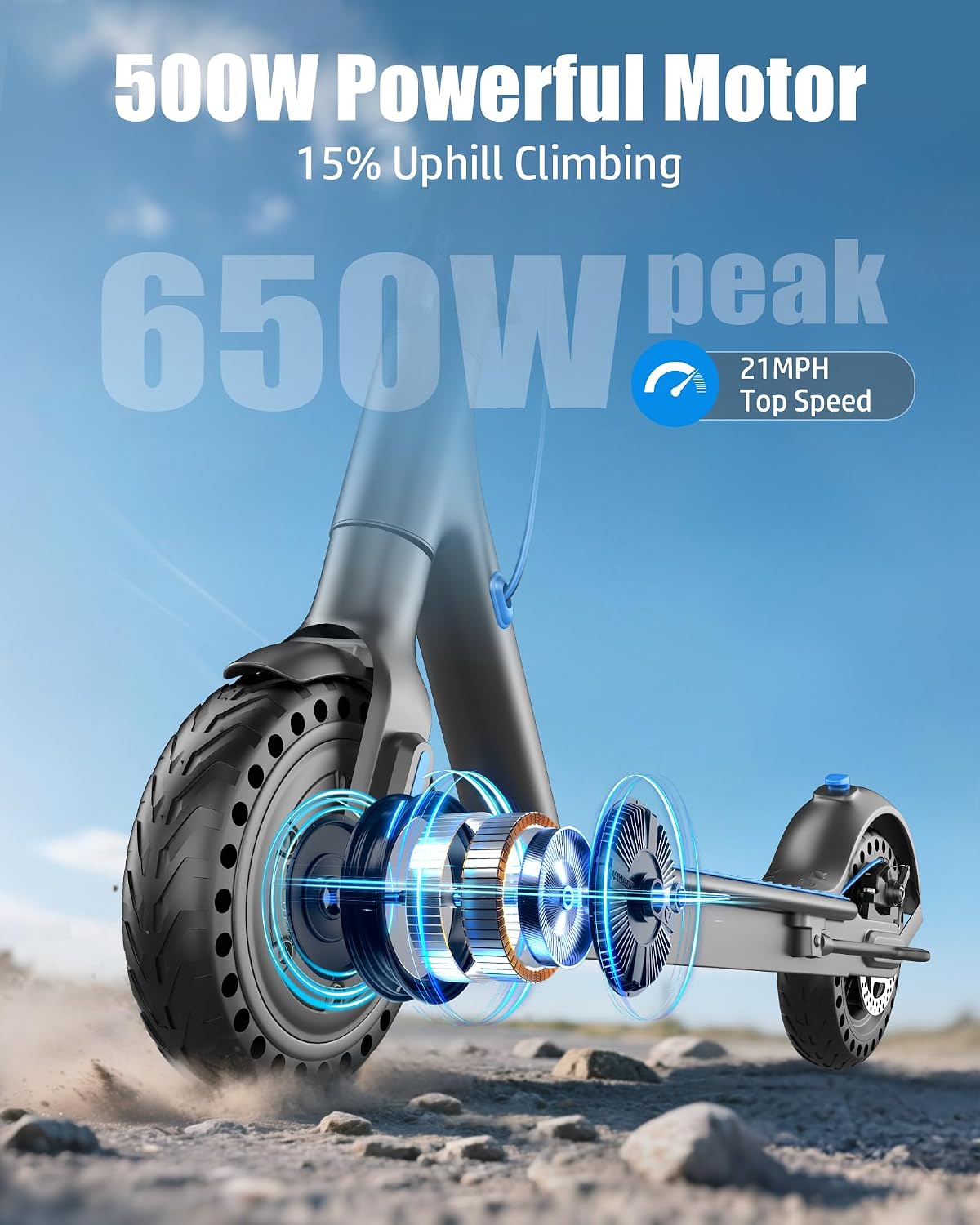
Image: Detailed view of the scooter's motor, indicating a 500W powerful motor with a 650W peak, capable of 15% uphill climbing and a top speed of 21 MPH.
2. Safety Information
WARNING: Riding an electric scooter carries inherent risks. Always wear a helmet and appropriate safety gear. Adhere to all local laws and regulations regarding electric scooter use.
- Always wear a certified helmet and protective gear (knee pads, elbow pads, wrist guards).
- Do not ride in wet conditions, heavy rain, or through puddles.
- Avoid riding on uneven surfaces, potholes, or obstacles.
- Ensure the scooter is fully charged and all components are securely fastened before each ride.
- Do not exceed the maximum weight limit of 265 lbs (120 kg).
- Maintain a safe distance from other vehicles, pedestrians, and obstacles.
- Familiarize yourself with the braking system and practice emergency stops in a safe area.
- Children under 16 years old should not operate this scooter.
- This scooter is UL2272 certified for electrical safety.
3. Package Contents
Upon unpacking, please verify that all items listed below are present and in good condition:
- AZHAR Electric Scooter (Main Unit)
- Power Adapter/Charger
- User Manual (This Document)
- Assembly Tools (if required)
If any items are missing or damaged, please contact customer support immediately.
4. Setup and Assembly
4.1 Unfolding the Scooter
- Place the scooter on a flat surface.
- Gently lift the handlebar stem until it locks into the upright position. Ensure the locking mechanism is fully engaged.
- Secure any quick-release clamps or safety pins as instructed.
4.2 Charging the Battery
Before first use, fully charge the scooter's battery. The charging port is typically located on the side of the deck.
- Ensure the scooter is powered off.
- Connect the charger to the charging port on the scooter.
- Plug the charger into a standard wall outlet.
- The indicator light on the charger will typically turn red during charging and green when fully charged.
- Charging time may vary, but a full charge usually takes several hours. Do not overcharge.

Image: Internal view of the scooter deck, illustrating the 36V 10AH Lithium Ion Battery. This battery provides a maximum range of 21 miles and features a Battery Management System (BMS) for safety and reliability.
5. Operating Instructions
5.1 Powering On/Off
Press and hold the power button on the display to turn the scooter on or off.
5.2 Riding the Scooter
- Place one foot firmly on the deck and push off with the other foot to gain initial momentum.
- Once moving, gently press the gas pedal (throttle) to engage the motor.
- Place your second foot on the deck.
- To slow down or stop, release the throttle and use the brake lever. The scooter features a dual braking system with a rear disc brake and an electronic brake for effective stopping.

Image: The Smart LED Display provides real-time information including speed (MPH/KM/H), gear shift, battery level, and functional indicators. The handlebar includes the brake lever, a small bell, and the gas pedal.

Image: Illustration of the scooter's dual brake system, featuring an electronic brake controlled by the handlebar lever and a mechanical disc rear brake for reliable stopping power.
5.3 Smart App Control
Your AZHAR Electric Scooter can be connected to a smartphone app for enhanced control and monitoring.
- Download the official AZHAR scooter app from your device's app store.
- Turn on the scooter and enable Bluetooth on your smartphone.
- Open the app and follow the on-screen instructions to pair your scooter.
- Through the app, you can adjust maximum speed, lock the scooter, activate cruise control, and view real-time data such as speed, battery status, and riding mode.

Image: The multifunctional app allows users to control various scooter settings, including battery lock, energy recovery level, unit conversion, current temperature, fault detection, speed limits, and auto power-off time.
5.4 Folding for Transport/Storage
The scooter features a fast-folding mechanism for convenient portability.
- Ensure the scooter is powered off.
- Locate the folding latch mechanism at the base of the handlebar stem.
- Follow the specific instructions for your model to release the latch and fold the stem downwards until it clicks into place, often securing to a hook on the rear fender.
- The scooter weighs approximately 25.3 lbs (11.5 kg) when folded.

Image: The scooter's fast-folding design allows for quick collapse and easy portability. The "Hook Anti-Loose" feature ensures the folded scooter remains compact and secure during transport.
6. Maintenance
Regular maintenance ensures the longevity and safe operation of your AZHAR Electric Scooter.
- Cleaning: Wipe the scooter with a damp cloth. Do not use high-pressure water or immerse the scooter in water.
- Tires: The scooter is equipped with 8.5-inch honeycomb, puncture-proof solid tires, which require minimal maintenance. Regularly inspect them for wear or damage.
- Brakes: Periodically check the brake levers and cables for proper function and adjustment. Ensure the rear disc brake and electronic brake respond effectively.
- Battery Care:
- Charge the battery fully before long-term storage.
- If storing for extended periods, charge the battery every 30-60 days to maintain its health.
- Avoid completely draining the battery.
- Fasteners: Regularly check all screws and bolts to ensure they are tight.
7. Troubleshooting
| Problem | Possible Cause | Solution |
|---|---|---|
| Scooter does not power on. | Low battery; Power button not pressed correctly; Internal fault. | Charge the battery; Press and hold the power button firmly; Contact customer support. |
| Motor not engaging. | Scooter not pushed off to gain initial speed; Throttle not engaged; Low battery. | Ensure initial push-off; Fully press the gas pedal; Charge the battery. |
| Reduced speed or range. | Low battery; Rider weight exceeds limit; Steep inclines; Headwinds; Tire wear. | Fully charge battery; Ensure rider weight is within 265 lbs; Ride on flatter terrain; Check tires for wear. |
| Brakes feel weak. | Brake pads worn; Brake cable loose; Electronic brake malfunction. | Inspect and replace brake pads if necessary; Adjust brake cable tension; Contact customer support. |
| App connection issues. | Bluetooth off; Scooter not powered on; App not updated. | Ensure Bluetooth is enabled and scooter is on; Restart app and scooter; Update app to latest version. |
For issues not listed here or if solutions do not resolve the problem, please contact AZHAR customer support.
8. Specifications
| Feature | Detail |
|---|---|
| Brand | AZHAR |
| Model | B0FQBKZM25 |
| Motor Power | 500W (Peak 650W) |
| Max Speed | Up to 21 MPH (34 km/h) |
| Max Range | Up to 23 Miles (37 km) |
| Battery | 36V 10AH Lithium-Ion |
| Tires | 8.5-inch Solid (Honeycomb, Puncture-Proof) |
| Braking System | Dual (Rear Disc Brake + Electronic Brake) |
| Max Load Capacity | 265 lbs (120 kg) |
| Scooter Weight | 25.3 lbs (11.5 kg) |
| Handlebar Type | Fixed |
| Suspension Type | Rigid |
| Safety Certification | UL2272 |
Note: Actual speed and range may vary based on rider weight, terrain, incline, and riding style.

Image: Size information for the scooter, including recommended rider height (4.9 ft - 6 ft), maximum load (265 lbs), scooter weight (23.5 lbs), and specific dimensions like lengths (41 inch), high degree (44 inch), folding height (19.7 inch), tire size (8.5 inch), handlebar width (17.3 inch), and pedal width (5.7 inch).
9. Warranty and Support
AZHAR provides a 1-year warranty on all accessories for your electric scooter, ensuring quality and reliability.
9.1 Warranty Coverage
The warranty covers manufacturing defects and malfunctions of accessories under normal use for one year from the date of purchase. It does not cover damage caused by misuse, accidents, unauthorized modifications, or normal wear and tear.
9.2 Customer Support
For any questions, technical assistance, or warranty claims, please contact our customer service team. When contacting support, please provide your model number (B0FQBKZM25) and a detailed description of the issue, along with any relevant pictures.
Email: ebikeservice25@outlook.com

Image: AZHAR is committed to providing excellent after-sales service, including a 30-day exchange or refund policy and a 1-year warranty, with customer support available within 24 hours.