
CLOUVOU BrightSeat
CLOUVOU BrightSeat Ergonomic Office Chair User Manual
Model: BrightSeat
Introduction
Thank you for choosing the CLOUVOU BrightSeat Ergonomic Office Chair. This manual provides essential information for the assembly, operation, maintenance, and troubleshooting of your new office chair. Please read these instructions carefully before use to ensure proper function and longevity of the product.
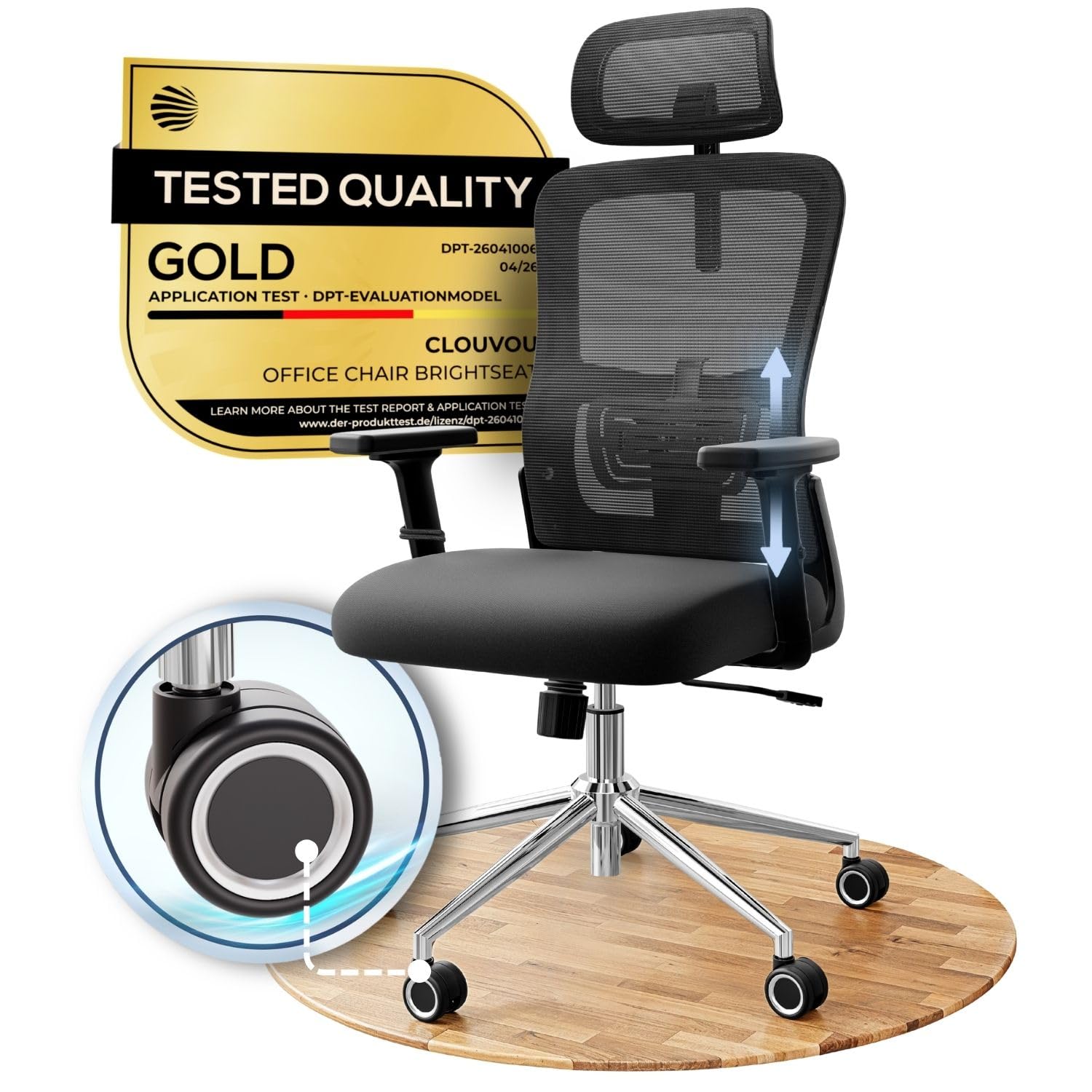
Figure 0: The CLOUVOU BrightSeat Ergonomic Office Chair.
Important Safety Information
Warning: To prevent injury and damage to the chair, observe the following safety guidelines:
- Do not exceed the specified weight limit of 149.69 kg (330 lbs). Exceeding this limit can lead to overload and potential damage to the chair.
- Do not lean back excessively to the point where the front legs lift off the floor, as this may cause the chair to tip over.
- Avoid leaning too far forward, as this can also lead to instability and tilting.
- Ensure all components are securely fastened before use. Periodically check and tighten all screws.
Setup and Assembly
The CLOUVOU BrightSeat Ergonomic Office Chair requires assembly. Please follow these steps carefully. It is recommended to assemble the chair on a soft, clean surface to prevent scratches.
- Unpack Components: Carefully remove all parts from the packaging and verify against the parts list (not provided in this manual, refer to original packaging).
- Attach Casters to Base: Insert the five Flux Wheels into the holes at the end of each leg of the chair base. Push firmly until they click into place.
- Insert Gas Lift: Place the gas lift cylinder into the center hole of the assembled chair base.
- Attach Seat Mechanism: Secure the seat mechanism to the underside of the seat cushion using the provided screws. Ensure the front of the mechanism faces the front of the seat.
- Connect Seat to Gas Lift: Carefully place the assembled seat onto the gas lift cylinder, ensuring it is centered and stable.
- Attach Backrest: Align the backrest with the mounting points on the seat mechanism and secure it with the appropriate screws.
- Install Armrests: Attach the 2D adjustable armrests to the designated points on the seat or seat mechanism, securing them with screws.
- Mount Headrest: Slide the adjustable headrest into its slot at the top of the backrest and secure it.
- Final Check: Ensure all screws are tightened and all components are securely in place before using the chair.

Figure 1: Exploded view of chair components, illustrating the various parts required for assembly.
Operating and Adjustments
The CLOUVOU BrightSeat chair offers multiple adjustment options to customize your seating experience for optimal comfort and ergonomic support.
1. Seat Height Adjustment
To adjust the seat height, locate the lever on the right side beneath the seat. While seated, pull the lever up to lower the seat. To raise the seat, stand up slightly and pull the lever up. Release the lever at the desired height to lock it in place.
2. Backrest Tilt and Lock
The backrest can be tilted and locked at various angles, up to 135 degrees. Use the lever on the left side beneath the seat to unlock the tilt mechanism. Lean back to your desired angle and push the lever down to lock the backrest in position. To return to an upright position, unlock the lever and lean forward.

Figure 2: Chair dimensions and backrest tilt range, illustrating the chair's adjustable angles.
3. 2D Adjustable Armrests
The armrests are 2D adjustable, allowing for height and rotational adjustments. To adjust the height, press the button on the side of the armrest and move it up or down. Release the button to lock. The armrests can also pivot horizontally to suit your preference.

Figure 3: 2D adjustable armrests, demonstrating their vertical and horizontal movement capabilities.
4. 2D Adjustable Lumbar Support
The lumbar support can be adjusted in two dimensions to provide targeted support to your lower back. Locate the adjustment knob or levers on the back of the chair. Adjust horizontally and vertically to find the most comfortable position for your spine.

Figure 4: Adjustable 2D lumbar support, highlighting its ergonomic design for lower back comfort.
5. Adjustable Headrest
The headrest can be adjusted for both height and angle. Gently push or pull the headrest to move it up or down. Tilt it forward or backward to achieve optimal neck and head support.

Figure 5: Individually adjustable headrest, demonstrating its height and angle customization.
Maintenance
Regular maintenance ensures the longevity and optimal performance of your CLOUVOU BrightSeat office chair.
- Cleaning: Wipe clean with a damp cloth. Avoid harsh chemicals or abrasive cleaners that may damage the material. For mesh fabric, a soft brush can be used to remove dust.
- Fastener Check: Periodically inspect all screws and bolts. Tighten any loose fasteners to maintain stability and prevent squeaks.
- Wheel Care: Keep the Flux Wheels clean from debris such as hair or dust, which can hinder smooth movement. The wheels are designed for quiet operation on various floor types.

Figure 6: Silent Flux Wheels, designed for smooth movement and floor protection.

Figure 7: Seat cushion detail, showing the premium foam for lasting comfort.
Troubleshooting
If you encounter any issues with your CLOUVOU BrightSeat chair, refer to the following common problems and solutions:
| Problem | Possible Cause | Solution |
|---|---|---|
| Chair feels unstable or wobbly. | Loose screws or uneven assembly. | Check and tighten all assembly screws, especially those connecting the backrest and armrests to the seat mechanism. Ensure the chair is on a flat surface. |
| Armrests become loose. | Screws securing armrests have loosened over time. | Regularly re-tighten the screws that secure the armrests to the chair. |
| Chair leans to one side. | Uneven weight distribution, loose components, or gas lift issue. | Verify all connections are tight. If the issue persists, it might indicate a gas lift or base component defect. Contact customer support. |
| Gas lift loses height or does not hold position. | Gas lift cylinder malfunction. | The gas lift may need replacement. Contact customer support for assistance under warranty. |
| Backrest does not recline or lock properly. | Mechanism obstruction or damage. | Check for any obstructions around the tilt mechanism. Ensure the lever is fully engaged. If the issue is mechanical failure, contact customer support. |
| Wheels do not roll smoothly. | Debris caught in casters. | Clean any hair, dust, or debris from the wheel casters. |
Product Specifications
| Brand | CLOUVOU |
| Model Name | BrightSeat |
| Color | Black |
| Material | Chromium, Elastic Nylon, Stable Polymer (Frame), Polyurethane (Seat), Mesh (Upholstery) |
| Product Dimensions (D x W x H) | 70D x 70W x 142H cm |
| Item Weight | 12.25 kg |
| Maximum Weight Recommendation | 149.69 kg (330 lbs) |
| Seat Height | 58 cm |
| Seat Depth | 46 cm |
| Chair Backrest Width | 50 cm |
| Arm Height | 65 cm |
| Special Features | 2D Adjustable Armrests, Adjustable Backrest, Adjustable Height, Adjustable Lumbar Support, Ergonomic Design, Silent Flux Wheels |
| Recommended Uses | Computer, Gaming, Home Office, Office |
| Care Instructions | Wipe Clean |
Warranty and Customer Support
CLOUVOU is committed to providing high-quality products and excellent customer service.
- Warranty: Your CLOUVOU BrightSeat Ergonomic Office Chair comes with a 2-year premium warranty covering manufacturing defects and major component failures.
- Spare Parts Service: We offer a lifetime spare parts service to ensure your chair remains functional for years to come.
- Customer Support: For any questions, concerns, or warranty claims, please contact our 24/7 customer support. You can find contact information on our official website or through your purchase platform.
- Online Resources: Visit the official CLOUVOU store for additional product information and support: CLOUVOU Store

Figure 8: CLOUVOU commitment to quality and customer service, including warranty and support.
Ask a question about this manual
Ask about setup, troubleshooting, compatibility, parts, safety, or missing instructions. Manuals+ will review the question and use this page’s manual context to help answer it.