
Introduction
This instruction manual provides comprehensive guidance for the safe and effective use of your Spriak 1200 Lumens Rechargeable EDC Pocket Flashlight (Model C2409). Please read this manual thoroughly before operating the device and retain it for future reference. This flashlight is designed for versatility, offering multiple lighting modes, a magnetic base, and a compact design suitable for various applications including outdoor adventures, emergency situations, and detailed work.
Product Features
- Versatile Dual Lighting (1200 Lumens Max): Easily switch between LED Spotlight for focused illumination, COB Floodlight for broad area coverage, and Red & Blue Warning Lights for emergency signaling.
- Hands-Free Clip & Magnetic Base: Features a removable pocket clip for secure attachment to clothing or gear, and dual strong magnets for mounting on metal surfaces, providing convenient hands-free lighting.
- Large-Capacity Rechargeable Battery: Equipped with a 1000mAh battery and USB-C fast charging, allowing a full recharge in approximately 2.5 hours. Provides 3 to 10 hours of reliable lighting depending on the selected mode.
- Durable, Waterproof & Dust-Resistant: Constructed from aluminum alloy and ABS plastic for durability. Rated IPX4 for water resistance and dust resistance, ensuring reliable performance in challenging environments and accidental drops up to 1.5 meters.
- Compact & Multi-Purpose: Its pocket-sized design makes it ideal for everyday carry, outdoor activities, and various work-related tasks.
Package Contents
Your Spriak EDC Pocket Flashlight package includes:
- 2 x Spriak Mini Flashlights (Model C2409)
- 2 x Instruction Manuals
- 2 x USB-C Charging Cables
Setup
1. Initial Charging
Before first use, fully charge your flashlight. Locate the USB-C charging port on the side of the flashlight. Open the protective cover and connect the provided USB-C cable to a compatible power source (e.g., USB wall adapter, computer USB port).

Image: Spriak flashlight connected to a USB-C charging cable, showing a red indicator light for low battery and a green indicator light for fully charged.
- A red indicator light will illuminate during charging.
- The indicator light will turn green when the flashlight is fully charged.
- Charging time is approximately 2.5 hours.
- A full charge provides 3-10 hours of operation, depending on the mode used.
Operating Instructions
1. Power Button and Mode Selection
The flashlight features a single power button for all functions. Press the button to cycle through the various lighting modes:
- LED Spotlight Modes:
- High (1000 Lumens)
- Mid (500 Lumens)
- Low (150 Lumens)
- Turbo (1200 Lumens - momentary burst)
- COB Floodlight Modes:
- High (400 Lumens)
- Low (200 Lumens)
- Warning Light Modes:
- Red & Blue Flashing
- Blue Flashing
- Red Flashing
Memory Function: If the flashlight remains in any mode for more than 7 seconds, a single press of the power button will turn it OFF. The next time it is turned ON, it will resume the last used mode.

Image: Spriak EDC flashlight showing its dual LED spotlight and side COB floodlight, with illustrations of different light modes: spot, flood, and warning.
2. Hands-Free Operation
The flashlight is equipped with a strong magnetic base and a removable pocket clip for convenient hands-free use.
- Magnetic Base: Attach the flashlight to any metal surface (e.g., car hood, workbench) to direct light precisely where needed.
- Pocket Clip: Use the clip to secure the flashlight to your belt, pocket, backpack strap, or tent for portable illumination.
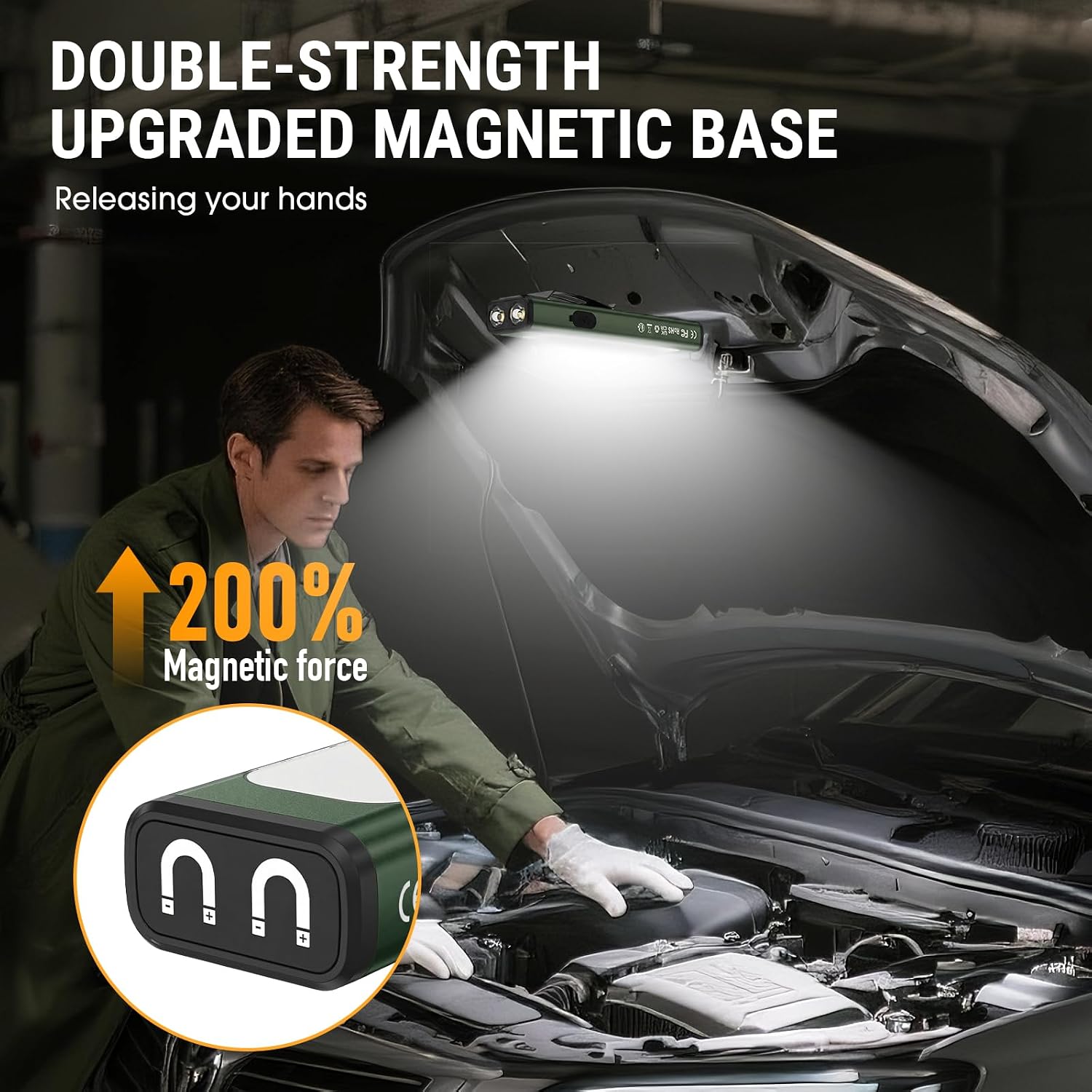
Image: A person using the Spriak flashlight's magnetic base to attach it to a car hood, illuminating the engine bay for hands-free work.

Image: A person demonstrating the Spriak flashlight's pocket clip design by attaching it to a backpack strap for easy everyday carry.
3. Usage Scenarios
The versatile design and multiple lighting options make this flashlight suitable for a wide range of activities:
- Working & Repairing: Use the COB floodlight for wide illumination or the LED spotlight for focused tasks.
- Outdoor Activities: Ideal for camping, hiking, fishing, and other adventures.
- Emergencies: The red & blue warning lights enhance visibility during roadside emergencies or power outages.

Image: A collage of four images showing the Spriak flashlight in various use cases: repairing electrical panels, hiking at night, fishing at night, and during an emergency.
Product Demonstration
Video: Demonstration of the Spriak EDC High Bright Flashlight's various modes and features by the seller (YC--Store).
Maintenance
- Cleaning: Wipe the flashlight with a soft, damp cloth. Do not use abrasive cleaners or solvents.
- Storage: Store the flashlight in a cool, dry place away from direct sunlight and extreme temperatures. For long-term storage, ensure the battery is partially charged (around 50%) to prolong its lifespan.
- Battery Care: Recharge the battery regularly, even if not in frequent use, to maintain optimal battery health. Avoid fully discharging the battery for extended periods.
Troubleshooting
- Flashlight not turning on:
- Ensure the battery is charged. Connect to a USB-C power source and check the charging indicator.
- Press the power button firmly.
- Light output is dim:
- The battery may be low. Recharge the flashlight.
- Ensure you are in the desired brightness mode. Cycle through modes to select a brighter setting.
- Flashlight not charging:
- Check the USB-C cable and power adapter for damage. Try a different cable or adapter.
- Ensure the USB-C cable is fully inserted into the charging port.
If you encounter persistent issues not covered here, please contact customer support.
Specifications
| Brand | Spriak |
| Model Number | C2409 |
| Light Source Type | LED |
| Brightness | Up to 1200 Lumens (Turbo Mode) |
| Power Source | Battery Powered (1000mAh Lithium Polymer) |
| Charging Port | USB-C |
| Charging Time | Approx. 2.5 hours |
| Run Time | 3-10 hours (depending on mode) |
| Material | Aluminum Alloy, ABS Plastic |
| Water Resistance Level | IPX4 (Waterproof) |
| Impact Resistance | 1.5m Drop Tested |
| Product Dimensions | 0.6"D x 1.1"W x 4.9"H |
| Item Weight | 6.1 ounces |
| Special Features | Adjustable Light Modes, High Lumens, Lightweight, Magnetic Base, Weatherproof |

Image: Spriak flashlight shown on a rocky surface, demonstrating its water-resistance and impact-resistance features.
Safety Information
- Do not shine the flashlight directly into eyes, as it may cause temporary vision impairment.
- Keep out of reach of children.
- Do not disassemble or modify the flashlight, as this may void the warranty and pose a safety risk.
- Avoid exposing the flashlight to extreme heat or open flames.
- Use only the provided USB-C cable or a certified equivalent for charging.
Warranty and Support
Spriak products come with a limited warranty. For detailed warranty information, product support, or to report any issues, please refer to the contact information provided in your product packaging or visit the official Spriak website.