
Introduction
Thank you for choosing the Barphygo Solar Generator 1800W GB-1800 Portable Power Station. This device is designed to provide reliable power for various applications, including outdoor camping, RV trips, home emergency backup, and off-grid living. Featuring a 1024Wh LiFePO4 battery and an 1800W AC output, it offers multiple charging methods and a range of output ports to keep your devices powered. Please read this manual carefully to ensure safe and optimal use of your power station.
Product Overview
The Barphygo GB-1800 Portable Power Station is equipped with a variety of input and output ports to meet diverse power needs. Understanding the layout of these ports is essential for proper operation.
The unit features multiple output options including Car Port (2* DC 12V 10A), DC 5525 Output (2* DC 12V 10A), USB-A Output (1* USB 5V 2.4A), USB-A Output (1* QC 3.0 18W max), USB-C Output (1* PD 100W max), and AC Output (4* 1800W max). These ports allow for simultaneous charging of up to 11 devices.

Image: Front panel view of the Barphygo GB-1800 Portable Power Station, highlighting its various output ports including Car Port, DC 5525, USB-A, USB-C, and AC outlets.
What's in the Package
Upon unboxing your Barphygo Solar Generator, please verify that all the following components are included:
- Portable Power Station 1800W GB-1800 (1 unit)
- 200W Foldable Solar Panel (1 unit)
- Wall Charger (1 unit)
- Car Charger Cable (1 unit)
- User Manual (1 unit)

Image: A visual representation of the Barphygo GB-1800 Portable Power Station and its included accessories: the power station itself, a 200W foldable solar panel, a user manual, a power cable, and a car charging cable.
Setup
Before first use, ensure the power station is fully charged. Follow these steps for initial setup:
- Unpack: Carefully remove all components from the packaging.
- Inspect: Check the power station and accessories for any signs of damage.
- Initial Charge: Connect the power station to a wall outlet using the provided AC wall charger. Allow it to charge completely until the LCD display indicates 100%.
- Read Manual: Familiarize yourself with the controls and safety guidelines in this manual.
Charging Methods
Your Barphygo GB-1800 Portable Power Station offers flexible charging options to suit your needs, whether you are at home, in a vehicle, or outdoors.
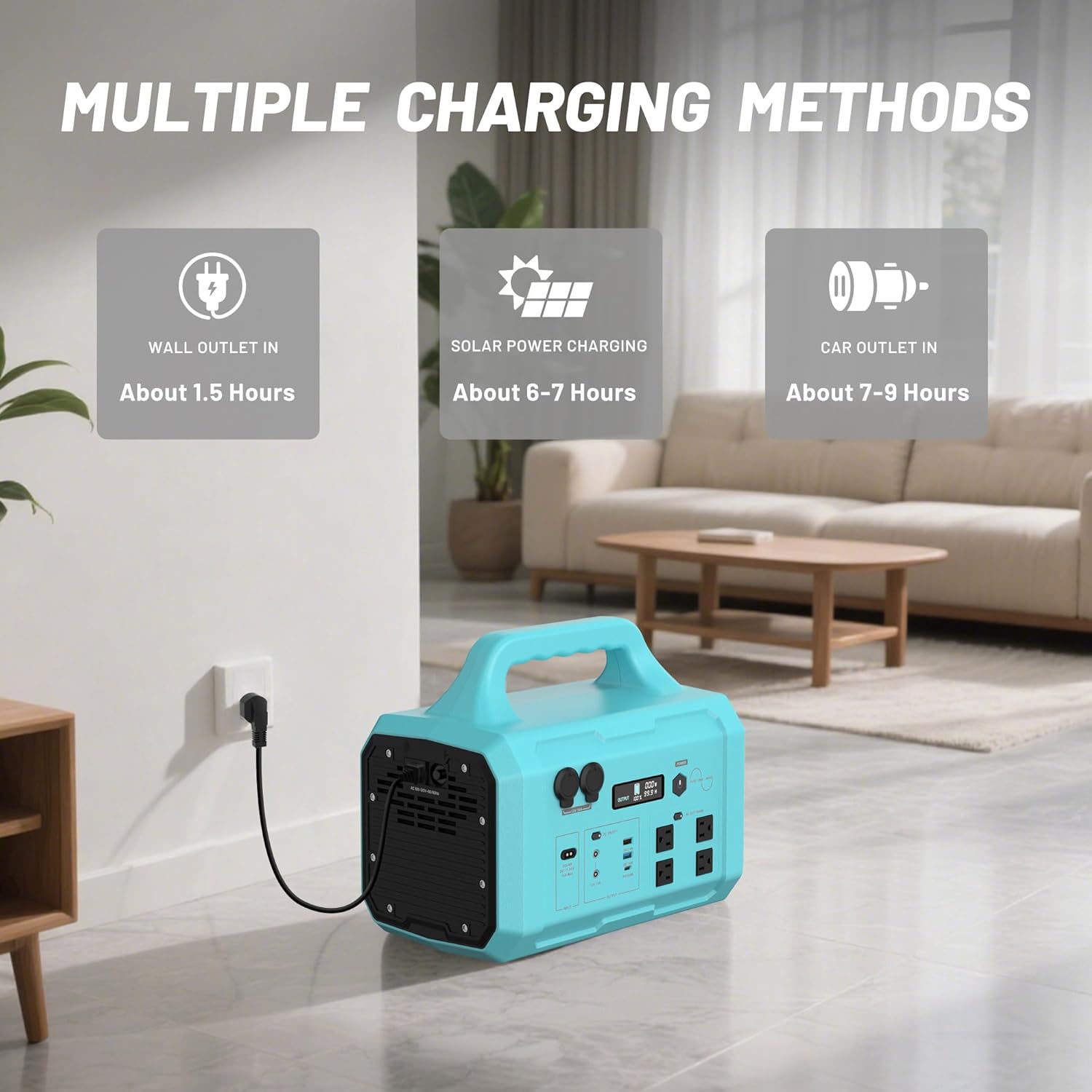
Image: Illustrates the three primary charging methods for the Barphygo GB-1800: wall outlet charging (approx. 1.5 hours), solar power charging (approx. 6-7 hours), and car outlet charging (approx. 7-9 hours).
1. Wall Outlet Charging (AC Adapter)
- Connect the provided AC wall charger to the power station's input port.
- Plug the charger into a standard 120V AC wall outlet.
- The LCD display will show the charging status. A full charge typically takes about 1.5 hours.
2. Solar Power Charging (with 200W Solar Panel)
- Unfold the 200W solar panel and place it in direct sunlight.
- Connect the solar panel to the power station's DC input port. Ensure the connection is secure.
- The integrated MPPT charging system will optimize solar input. Charging time is approximately 6-7 hours, depending on sunlight intensity.

Image: A Barphygo GB-1800 Portable Power Station connected to a solar panel, demonstrating solar charging in an outdoor setting. The image highlights the input voltage range (DC 12-60V), charging power (800W max), and full-load charging efficiency (>94%).
3. Car Outlet Charging
- Connect the provided car charger cable to the power station's input port.
- Plug the other end into your vehicle's 12V car outlet (cigarette lighter port).
- Charging time is approximately 7-9 hours.
Operating the Power Station
Powering On/Off
- To turn on the power station, press and hold the main power button for a few seconds until the LCD screen illuminates.
- To turn off the power station, press and hold the main power button again until the LCD screen turns off.
Using Output Ports
- AC Outlets: Press the AC power button to activate the AC outlets. Plug in your 120V AC devices. Ensure the total wattage does not exceed 1800W.
- DC Outlets (Car Port, DC 5525): Press the DC power button to activate these ports. Connect your 12V DC devices.
- USB Ports (USB-A, USB-C): These ports are typically active when the unit is powered on. Simply plug in your USB-compatible devices for charging.
Practical Functions
LED High-Brightness Light
The power station includes a built-in LED light with three modes for various situations:
- Flashlight Mode: Provides steady illumination.
- Strobe Mode: Emits a flashing light, useful for signaling.
- SOS Mode: Flashes the international Morse code signal for distress.
To cycle through these modes, press the dedicated LED light button.
High-Definition LCD Display
The LCD display provides real-time information about the power station's status:
- Input/Output Status: Shows whether the unit is charging or discharging.
- Power Levels: Displays current input and output wattage.
- Battery Remaining: Indicates the percentage of battery charge left.
- Time Remaining: Estimates the remaining operating time or charging time.
Battery Information
The Barphygo GB-1800 is equipped with a high-efficiency 1024Wh LiFePO4 (Lithium Iron Phosphate) battery. LiFePO4 batteries are known for their long lifespan, enhanced safety, and stable performance compared to other lithium-ion chemistries.
A sophisticated Battery Management System (BMS) is integrated to protect against common issues such as overcharging, over-discharging, high/low temperatures, multi-stage overcurrent, and short-circuiting, ensuring the longevity and safety of the battery.

Image: An X-ray style view of the Barphygo GB-1800, highlighting its internal LiFePO4 battery structure. Key features shown are the LiFePO4 battery type, a 6-year lifespan, and the Battery Management System (BMS) with over 12 protective measures.
Usage Scenarios
The Barphygo GB-1800 Portable Power Station is versatile and suitable for a wide range of applications:
- Camping & Outdoor Adventures: Power lights, mini-fridges, drones, and other essential gear.
- Emergency Home Backup: Keep critical appliances running during power outages.
- RV & Van Life: Provide power for comfort and convenience on the road.
- Work & Hobbies: Power tools, laptops, and cameras in remote locations.

Image: Demonstrates the Barphygo GB-1800 powering various devices outdoors, including a Nintendo Switch (52 hours), laptop (13 times), phone (70 times), camera (52 hours), GoPro (52 hours), drone (31 hours), mini-fridge (13 hours), and portable coffee machine (20 hours).
The power station is also capable of providing a stable power supply for sensitive electronics, including satellite internet systems like Starlink, ensuring connectivity even in remote areas.

Image: A Barphygo GB-1800 Portable Power Station providing power to a Starlink dish and a laptop in a camping environment, illustrating its capability to support high-stability power for critical devices.
Maintenance
Proper maintenance ensures the longevity and optimal performance of your power station:
- Cleaning: Use a dry, soft cloth to wipe the exterior. Do not use abrasive cleaners or immerse the unit in water.
- Storage: Store the power station in a cool, dry place, away from direct sunlight and extreme temperatures. For long-term storage, charge the battery to 50-80% every 3-6 months to prevent deep discharge.
- Ventilation: Ensure the ventilation openings are clear and unobstructed during operation to prevent overheating.
- Avoid Moisture: Keep the unit away from water and high humidity.
Troubleshooting
If you encounter issues with your Barphygo GB-1800, refer to the following common problems and solutions:
| Problem | Possible Cause | Solution |
|---|---|---|
| Unit does not power on | Battery is completely discharged; Power button not pressed long enough. | Charge the unit using an AC adapter; Press and hold the power button for 3-5 seconds. |
| AC outlets not working | AC output not activated; Overload protection triggered; Device power consumption too high. | Press the AC power button; Reduce the total wattage of connected devices; Restart the unit. |
| Slow solar charging | Insufficient sunlight; Solar panel not optimally angled; Dirty solar panel; Incorrect connection. | Ensure direct sunlight and optimal angle; Clean the solar panel surface; Verify all connections. |
| LCD display not showing information | Unit is off; Display malfunction. | Turn on the unit; If issue persists, contact customer support. |
Specifications
Detailed technical specifications for the Barphygo Solar Generator 1800W GB-1800:
| Feature | Detail |
|---|---|
| Brand | Barphygo |
| Model Number | PPS-1k8US-GB |
| Wattage | 1800 watts |
| Battery Type | 1024Wh LiFePO4 Battery |
| AC Output | 4 x 120V AC Outlets (1800W total) |
| USB-C Output | 1 x PD 100W |
| USB-A Output | 1 x QC 18W Fast Charge, 1 x 5V/2.4A |
| DC Output | 2 x 12V/10A DC, 2 x 12V/10A Car Port |
| Solar Input Voltage Range | DC 12-60V (800W Max) |
| Charging Time (Wall Outlet) | Approx. 1.5 hours |
| Charging Time (Solar) | Approx. 6-7 hours (with 200W solar panel) |
| Dimensions | 14.96"L x 8.43"W x 12.2"H |
| Item Weight | 27.2 Pounds |
| Special Features | Digital Display, Overload Protection, Portable, Short Circuit Protection, USB Port |
Warranty Information
The Barphygo Solar Generator 1800W GB-1800 Portable Power Station comes with a 1 Year Manufacturer Warranty. This warranty covers defects in materials and workmanship under normal use. Please retain your proof of purchase for warranty claims. For specific terms and conditions, refer to the warranty card included in your package or contact Barphygo customer support.
Support
For further assistance, technical support, or warranty inquiries, please contact Barphygo customer service. You can typically find contact information on the official Barphygo website or through the retailer where you purchased the product. When contacting support, please have your model number (PPS-1k8US-GB) and purchase date ready.