
1. Introduction
The Bomivoi BR08 is a versatile 2-in-1 Bluetooth 5.3 audio adapter designed to function as both a transmitter (TX) and a receiver (RX). It enables wireless audio streaming for a wide range of devices, from airplane entertainment systems and TVs to car stereos and home speakers. Featuring dual pairing capability, hands-free calling, and a long-lasting battery, the BR08 enhances your audio experience with convenience and high-fidelity sound.
2. Product Overview
2.1 Package Contents
- Bomivoi Bluetooth 5.3 Transmitter Receiver (BR08)
- 3.5mm Audio Cable (integrated)
- Dual 3.5mm Male to Female Adapter (for airplane use)
- USB Type-C Charging Cable
- User Manual
2.2 Device Layout

Image: Bomivoi BR08 Bluetooth Adapter with its integrated 3.5mm audio jack, RX/TX mode switch, multifunction button, device indicators, microphone, and Type-C charging port. Also shown is the dual 3.5mm male to female adapter.
- 3.5mm Audio Jack: Connects to audio source/output.
- RX/TX Mode Switch: Toggles between Transmitter and Receiver modes.
- Multifunction Button: Long press for power on/off; click for play/pause/answer/hang up calls.
- Device 1 Indicator: Blue LED, indicates connection status for the first paired device.
- Device 2 Indicator: Blue LED, indicates connection status for the second paired device.
- Mic: Built-in microphone for hands-free calling.
- Type-C Charging Port: For charging the device.
3. Safety Information
Please read and follow these safety guidelines to ensure proper operation and prevent damage:
- Do not use while driving if it distracts you from operating the vehicle safely.
- Keep the device away from excessive heat and moisture.
- The device may interfere with other wireless devices; maintain a reasonable distance.
- Dispose of batteries and electronic components according to local regulations.
- Not recommended for use on musical instruments such as pianos or guitars, or other devices requiring real-time low-latency 2.4G audio.
4. Setup
4.1 Charging the Device
Before first use, fully charge the Bomivoi BR08. Connect the included Type-C charging cable to the device's charging port and a USB power source (e.g., wall adapter, computer USB port). The device can be used while charging.
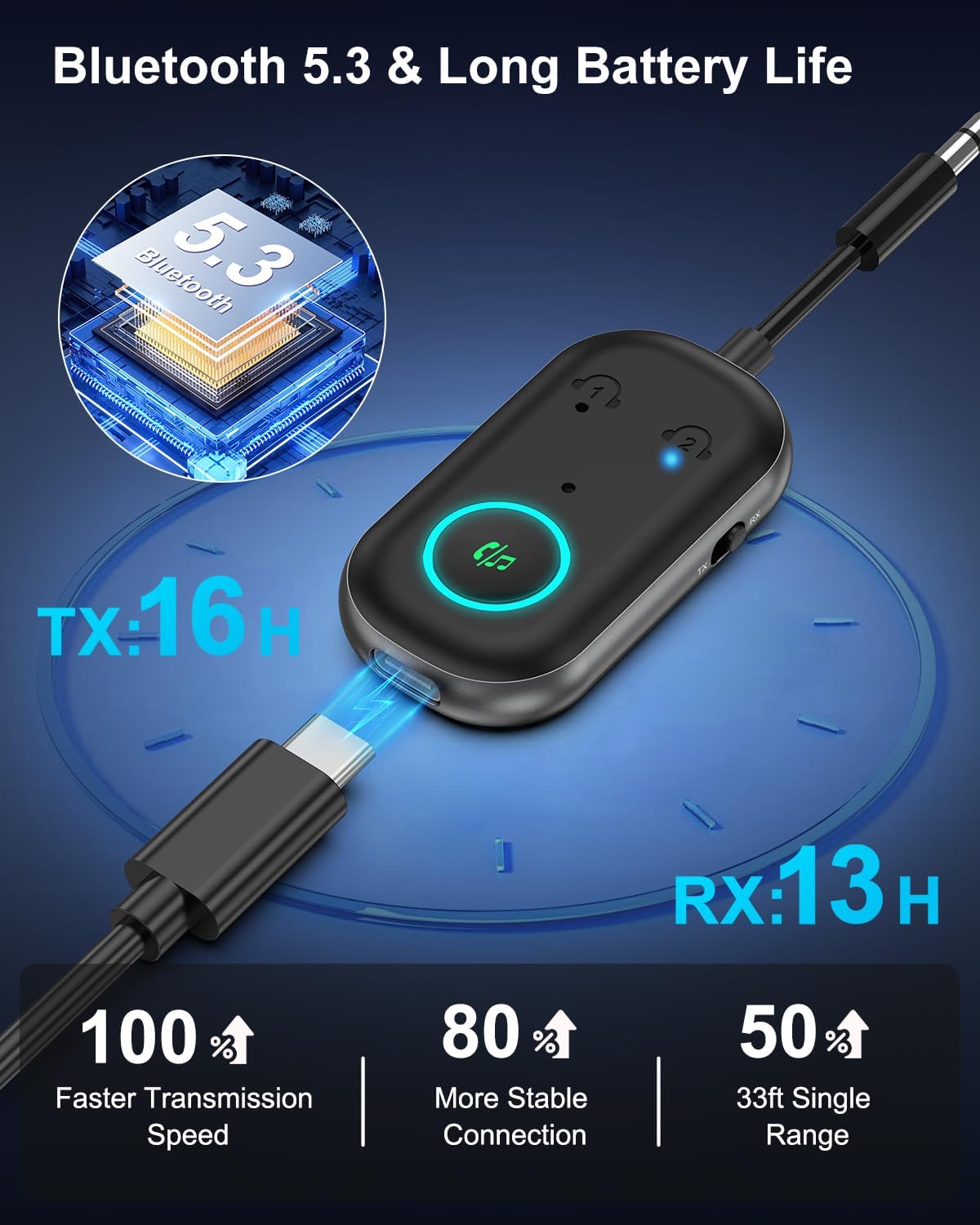
Image: The Bomivoi BR08 connected to a Type-C charging cable, illustrating its long battery life of up to 16 hours in TX mode and 13 hours in RX mode.
4.2 Switching Modes (TX/RX)
Locate the RX/TX mode switch on the side of the device. Slide the switch to the desired mode:
- TX (Transmitter) Mode: To send audio from a non-Bluetooth device (e.g., TV, airplane entertainment) to Bluetooth headphones/speakers.
- RX (Receiver) Mode: To receive audio from a Bluetooth device (e.g., smartphone, tablet) and play it on a non-Bluetooth speaker/car stereo.

Image: Step 1 of TX-First Pairing, illustrating the physical switch on the Bomivoi BR08 being set to TX mode.
5. Operating Instructions
5.1 Transmitter (TX) Mode Operation
In TX mode, the BR08 transmits audio from a wired source to Bluetooth headphones or speakers.
- Select TX Mode: Slide the RX/TX switch to the 'TX' position.
- Connect to Audio Source: Plug the BR08's 3.5mm audio jack into the audio output port of your non-Bluetooth device (e.g., TV, laptop, airplane entertainment system). Use the dual 3.5mm adapter for airplane jacks if needed.
- Power On: Long press the multifunction button for 3 seconds to power on the BR08. The indicator light will flash, indicating it's in pairing mode.
- Pair First Device: Turn on your Bluetooth headphones or speaker and set them to pairing mode. The BR08 will automatically search and connect. Once connected, Device 1 indicator light will be solid blue.
- Pair Second Device (Optional): To connect a second pair of headphones/speaker, click the multifunction button. The Device 2 indicator light will flash. Put the second Bluetooth device into pairing mode. Once connected, both Device 1 and Device 2 indicator lights will be solid blue.
Image: Visual guide for TX-First Pairing, showing the BR08 connected to a TV and pairing with a Bluetooth headset. The Device 1 indicator is shown as solid blue after successful connection.

Image: Visual guide for TX-Dual Pairing, demonstrating how to connect a second Bluetooth headset by clicking the multifunction button and pairing. Both Device 1 and Device 2 indicators are shown as solid blue.
5.2 Receiver (RX) Mode Operation
In RX mode, the BR08 receives audio from a Bluetooth device and plays it on a wired speaker system.
- Select RX Mode: Slide the RX/TX switch to the 'RX' position.
- Connect to Audio Output: Plug the BR08's 3.5mm audio jack into the AUX input port of your non-Bluetooth speaker, car stereo, or amplifier.
- Power On: Long press the multifunction button for 3 seconds to power on the BR08. The indicator light will flash, indicating it's in pairing mode.
- Pair First Device: On your smartphone or tablet, enable Bluetooth and search for 'BR08' in the list of available devices. Select 'BR08' to connect. Once connected, Device 1 indicator light will be solid blue.
- Pair Second Device (Optional): To connect a second smartphone or tablet, open Bluetooth on the other device and search for 'BR08'. Select 'BR08' to connect. The Device 2 indicator light will illuminate when the second device is paired. Note: When playing music from another phone, you may need to pause the current phone's music.

Image: Visual guide for RX-First Pairing, showing the BR08 connected to a car stereo and pairing with a smartphone. The smartphone's Bluetooth settings show 'BR08' as connected.

Image: Visual guide for RX-Dual Pairing, demonstrating how to connect a second smartphone to the BR08 in RX mode. The Device 2 indicator lights up upon successful connection.
5.3 Hands-Free Calling (RX Mode Only)
When the BR08 is in RX mode and connected to your smartphone, you can manage calls directly from the device:
- Answer Call: Click the multifunction button once.
- End Call: Click the multifunction button once during a call.
- Reject Call: Long press the multifunction button for 2 seconds.
6. Maintenance
To ensure the longevity and optimal performance of your Bomivoi BR08, follow these maintenance guidelines:
- Cleaning: Use a soft, dry cloth to clean the device. Avoid using harsh chemicals or abrasive cleaners.
- Storage: Store the device in a cool, dry place away from direct sunlight and extreme temperatures.
- Battery Care: To preserve battery life, avoid fully discharging the device frequently. Recharge it regularly, even if not in use for extended periods.
7. Troubleshooting
If you encounter issues with your Bomivoi BR08, refer to the following common problems and solutions:
- Device will not power on: Ensure the device is fully charged. Connect it to a power source using the Type-C cable.
- Cannot pair with a Bluetooth device:
- Ensure the BR08 is in the correct TX or RX mode.
- Make sure the BR08 is in pairing mode (indicator light flashing).
- Ensure your Bluetooth headphones/speaker/smartphone is also in pairing mode.
- Move the devices closer to each other.
- Clear previous pairing records on both devices and try again.
- No sound or poor audio quality:
- Check that the 3.5mm audio cable is securely connected to both the BR08 and the audio source/output device.
- Adjust the volume on both the BR08 and the connected audio device.
- Ensure the BR08 is in the correct mode (TX for transmitting, RX for receiving).
- Reduce interference by moving away from other wireless devices.
- Device disconnects frequently or won't reconnect automatically:
- Ensure the devices are within the 33ft (10m) transmission range.
- Obstacles like walls can affect signal strength.
- If the device goes to sleep after idle time, a power cycle (unplugging and replugging the charging cable, or switching the RX/TX mode switch) may be required to re-establish connection.
8. Specifications
| Model | BR08 |
| Bluetooth Version | 5.3 |
| Operating Modes | Transmitter (TX) / Receiver (RX) |
| Connectivity Technology | AUX (3.5mm Jack) |
| Dual Pairing | Supported in TX mode (2 headphones/speakers) and RX mode (2 smartphones/tablets) |
| Hands-Free Calls | Supported in RX mode (built-in microphone) |
| Battery Life (TX Mode) | Up to 16 hours |
| Battery Life (RX Mode) | Up to 13 hours |
| Charging Time | Approximately 1 hour (via Type-C) |
| Transmission Distance | Up to 33 feet (10 meters) |
| Special Features | CVC Noise Reduction, Dual Pairing, Hands-Free Calls, Long Battery Life |
| Dimensions | 5.2 x 2.95 x 0.94 inches |
| Item Weight | 1.76 ounces |
| Material | Plastic |
9. Warranty and Customer Support
Bomivoi products are designed for reliability and performance. For warranty information or technical assistance, please refer to the contact details provided with your purchase or visit the official Bomivoi website. Keep your purchase receipt for warranty claims.