
MOZC Q68
MOZC Q68 Wireless Earbuds User Manual
Model: Q68
1. Introduction
Thank you for choosing MOZC Q68 Wireless Earbuds. This manual provides detailed instructions on how to set up, operate, and maintain your earbuds to ensure optimal performance and longevity. Please read this manual carefully before use and retain it for future reference.

Image 1.1: MOZC Q68 Wireless Earbuds and Charging Case. The image displays the black earbuds inside their open charging case, with one earbud appearing to 'charge' with blue lightning effects, indicating power transfer.
2. Package Contents
Please check the package for the following items:
- MOZC Q68 Wireless Earbuds (Left and Right)
- Charging Case
- USB Charging Cable
- User Manual

Image 2.1: Package contents of MOZC Q68 Wireless Earbuds. The image shows the earbuds, charging case, USB cable, and various ear tip sizes (S, M, L, XL) alongside the product packaging.
3. Product Overview
The MOZC Q68 earbuds are designed for comfort and high-quality audio. Each earbud features an intuitive button control for easy management of music and calls. The charging case includes an LED display to show battery levels.
3.1 Earbud Features
- Ultra-Lightweight Design: Each earbud weighs only 2.8g for comfortable, extended wear.
- Ergonomic Fit: Contoured to fit the ear's natural shape, ensuring stability during activities.
- Intuitive Button Control: Physical buttons on each earbud for managing audio and calls.
- Hi-Fi Stereo Sound: Advanced 8mm driver with triple-layer diaphragm for rich audio.
- Advanced ENC Noise Cancellation: For clear calls and immersive listening.
3.2 Charging Case Features
- LED Power Display: Shows battery level from 1% to 100%.
- Extended Playtime: Provides multiple charges for up to 30 hours of total playtime.
4. Setup
4.1 Initial Charging
Before first use, fully charge the earbuds and the charging case.
- Place both earbuds into the charging case.
- Connect the charging case to a USB power source using the provided USB cable.
- The LED display on the charging case will show the current battery percentage. Ensure it reaches 100% for both the case and earbuds.
A single charge provides up to 6 hours of earbud playtime, and the charging case extends this to a total of 30 hours.
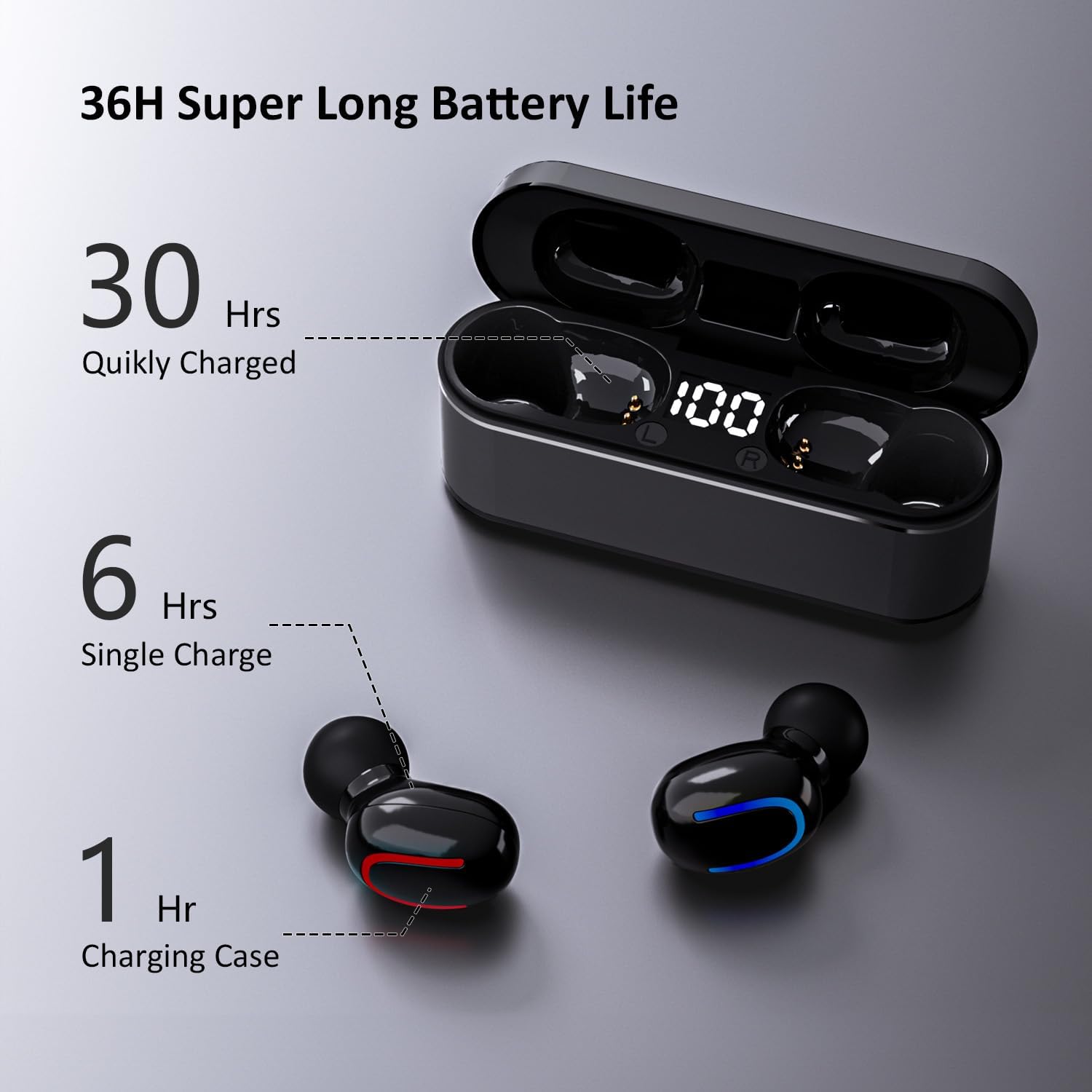
Image 4.1: MOZC Q68 Earbuds Battery Life Diagram. This graphic illustrates the battery performance: 6 hours of playtime on a single earbud charge, 30 hours total with the charging case, and 1 hour to fully charge the case.
4.2 Pairing with Your Device
The MOZC Q68 earbuds feature one-step pairing for convenience.
- Open the charging case. The earbuds will automatically enter pairing mode.
- On your smartphone or Bluetooth-enabled device, go to the Bluetooth settings.
- Search for available devices and select "YYK-Q68" (or similar) from the list.
- Once connected, the earbuds will automatically connect to your device whenever you open the charging case in the future.
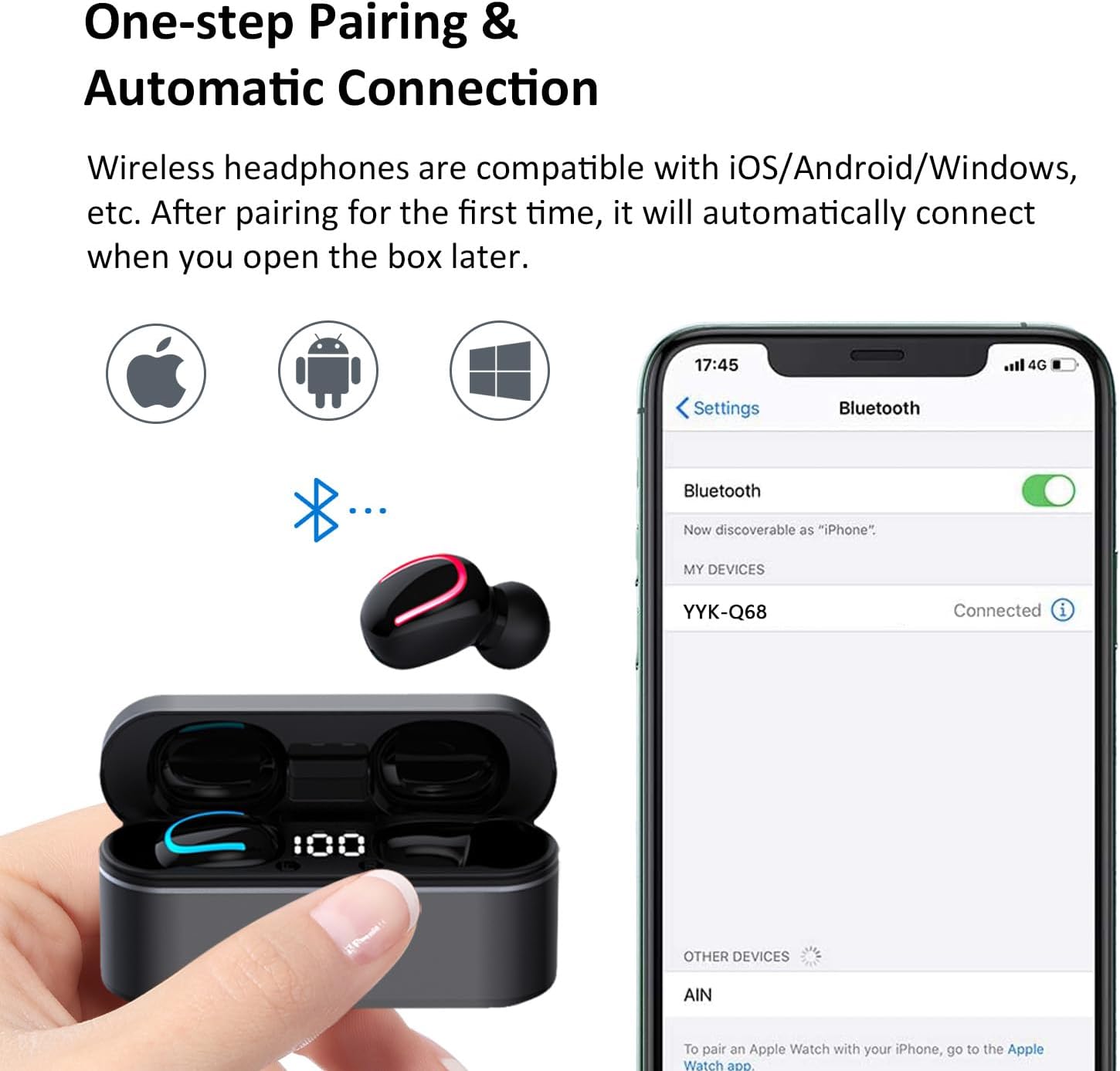
Image 4.2: MOZC Q68 Earbuds One-step Pairing. This image shows a hand opening the earbud charging case, with a smartphone screen displaying Bluetooth settings and the earbuds listed as 'YYK-Q68' and connected.
5. Operating Instructions
5.1 Basic Controls
The MOZC Q68 earbuds utilize intuitive button controls for various functions:
- Play/Pause: Single press on either earbud.
- Next Track: Double press the right earbud.
- Previous Track: Double press the left earbud.
- Answer/End Call: Single press on either earbud.
- Reject Call: Press and hold either earbud for 2 seconds.
- Activate Voice Assistant: Triple press on either earbud.
- Volume Up/Down: (Specific control not detailed in product info, typically long press or multiple presses on specific earbud, refer to quick start guide if included).
5.2 Audio Experience
The earbuds deliver an immersive audio experience:
- Hi-Fi Stereo Sound: Enjoy rich, clear audio with powerful bass and crisp treble.
- ENC Noise Cancellation: Advanced Environmental Noise Cancellation (ENC) and CVC 8.0 technology reduce background noise for crystal-clear calls and focused listening.

Image 5.1: MOZC Q68 Earbuds Hi-Fi Stereo Sound Components. This image shows an exploded view of an earbud's internal components, highlighting the 8mm driver and triple-layer diaphragm responsible for high-fidelity sound.
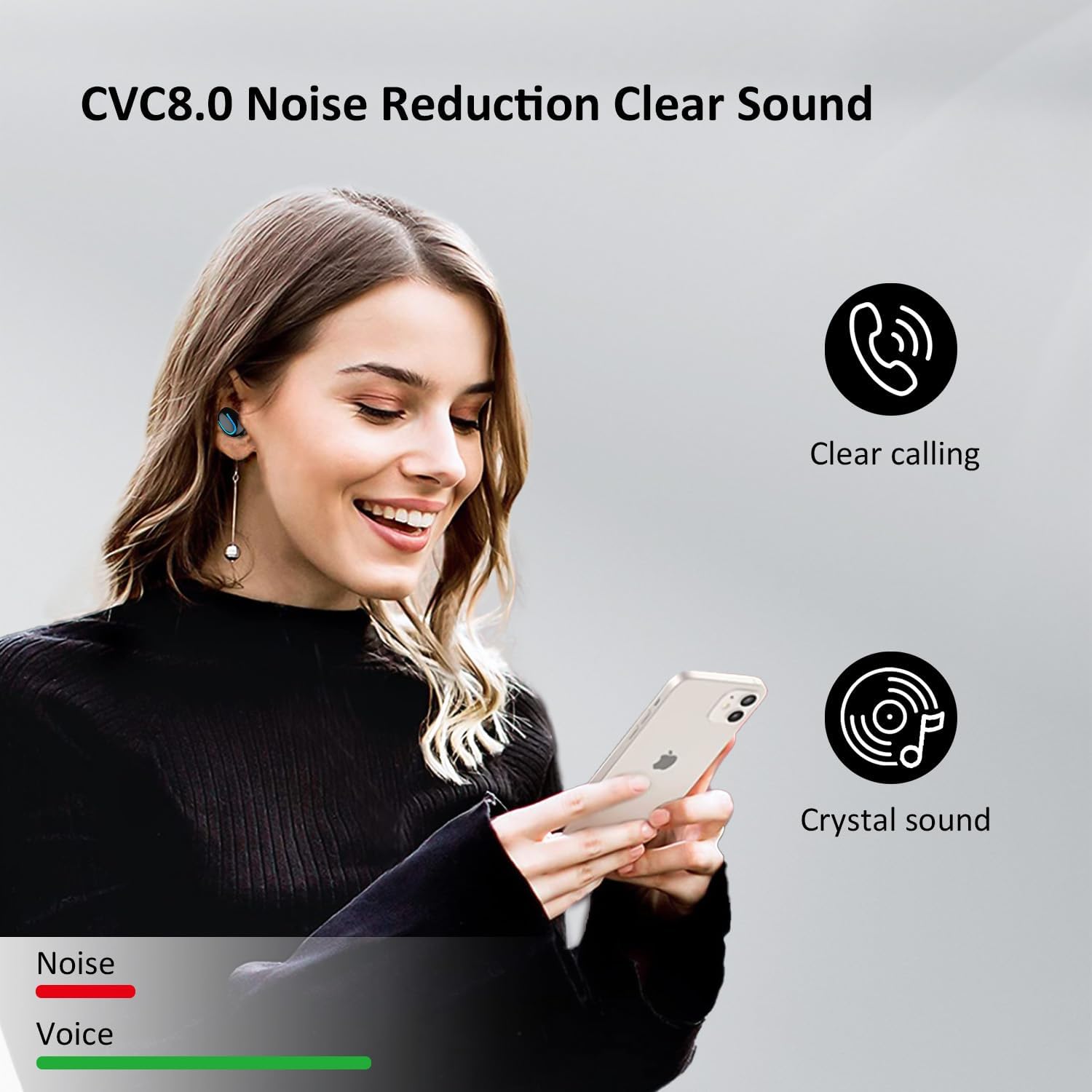
Image 5.2: MOZC Q68 Earbuds CVC8.0 Noise Reduction. This graphic illustrates the effect of CVC8.0 noise reduction, showing a clear sound wave for 'Voice' and a reduced, less complex wave for 'Noise', indicating improved call clarity.
6. Maintenance
6.1 Cleaning
To maintain optimal performance and hygiene:
- Gently wipe the earbuds and charging case with a soft, dry, lint-free cloth.
- Do not use abrasive cleaners, alcohol, or chemical solvents.
- Ensure charging contacts on both earbuds and case are clean and dry.
6.2 Water Resistance
The MOZC Q68 earbuds are IPX7 waterproof, protecting them from sweat and rain. However, they are not designed for swimming or prolonged submersion.
- Avoid exposing the charging case to water.
- If earbuds get wet, dry them thoroughly before placing them back in the charging case.
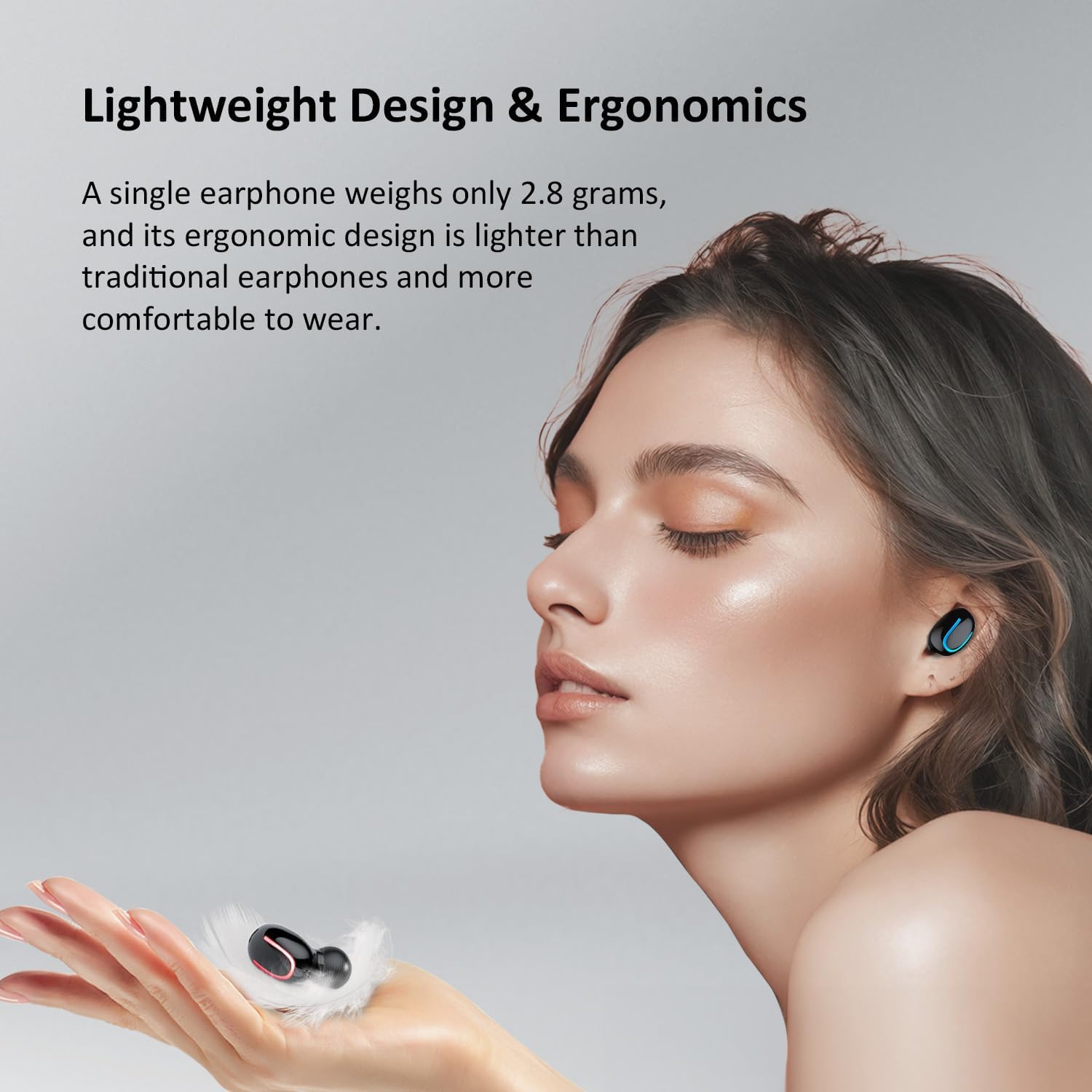
Image 6.1: MOZC Q68 Earbuds IPX7 Waterproof Feature. This image shows a person exercising with the earbuds, highlighting their rainproof and sweatproof capabilities with corresponding icons.
6.3 Storage
When not in use, store the earbuds in their charging case to protect them and keep them charged.
7. Troubleshooting
If you encounter any issues with your MOZC Q68 earbuds, please refer to the following common solutions:
| Problem | Possible Solution |
|---|---|
| Earbuds not pairing |
|
| No sound from one earbud |
|
| Charging case not charging |
|
| Poor sound quality |
|
8. Specifications
| Feature | Detail |
|---|---|
| Model Name | Q68 |
| Connectivity Technology | Wireless (Bluetooth) |
| Bluetooth Version | 5.4 |
| Audio Driver Type | Dynamic Driver (8mm) |
| Noise Control Features | ENC Noise Cancellation, CVC 8.0 |
| Battery Life (Earbuds) | Up to 6 Hours |
| Total Playtime (with Case) | Up to 30 Hours |
| Control Method | Push Button |
| Water Resistance Level | IPX7 Waterproof |
| Earbud Weight | 2.8 grams (each) |
| Material | Plastic, Silicone |
| Compatible Devices | Smartphones, Tablets, Bluetooth-enabled Devices (Android, iOS) |
| Item Weight | 2.39 ounces (total package) |
| Package Dimensions | 3.74 x 3.7 x 1.06 inches |
9. Warranty and Support
MOZC products are designed for reliability and performance. For warranty information, please refer to the documentation included with your purchase or contact MOZC customer support.
9.1 Customer Support
If you have any questions, concerns, or require technical assistance, please contact MOZC customer support through the retailer's platform or the official MOZC website. Please have your product model (Q68) and purchase details ready when contacting support.