1. Introduction
This manual provides essential instructions for the safe and efficient use of your NovemFoal Detachable Type-C Charging Dock. Please read this manual thoroughly before using the product and retain it for future reference.
This charging dock is designed for specific Amazfit smartwatch models:
- Amazfit T-Rex3 Pro (Model A2443)
- Amazfit T-Rex3 (Model A2322)
- Amazfit Helio Strap (Model A2445)
- Amazfit Balance (Model A2286)
- Amazfit Balance2 (Model A2429)
2. Product Overview
The NovemFoal Detachable Type-C Charging Dock provides a reliable and convenient charging solution for your compatible Amazfit smartwatch. Its compact design makes it suitable for various environments.
2.1 Package Contents
- 1 x Detachable Type-C Charging Dock
- 1 x USB Type-C to USB Type-A Charging Cable (length may vary based on specific product variant)
2.2 Product Components
The charging dock consists of a main charging pad with two contact pins and a Type-C input port. The included cable connects the dock to a power source.
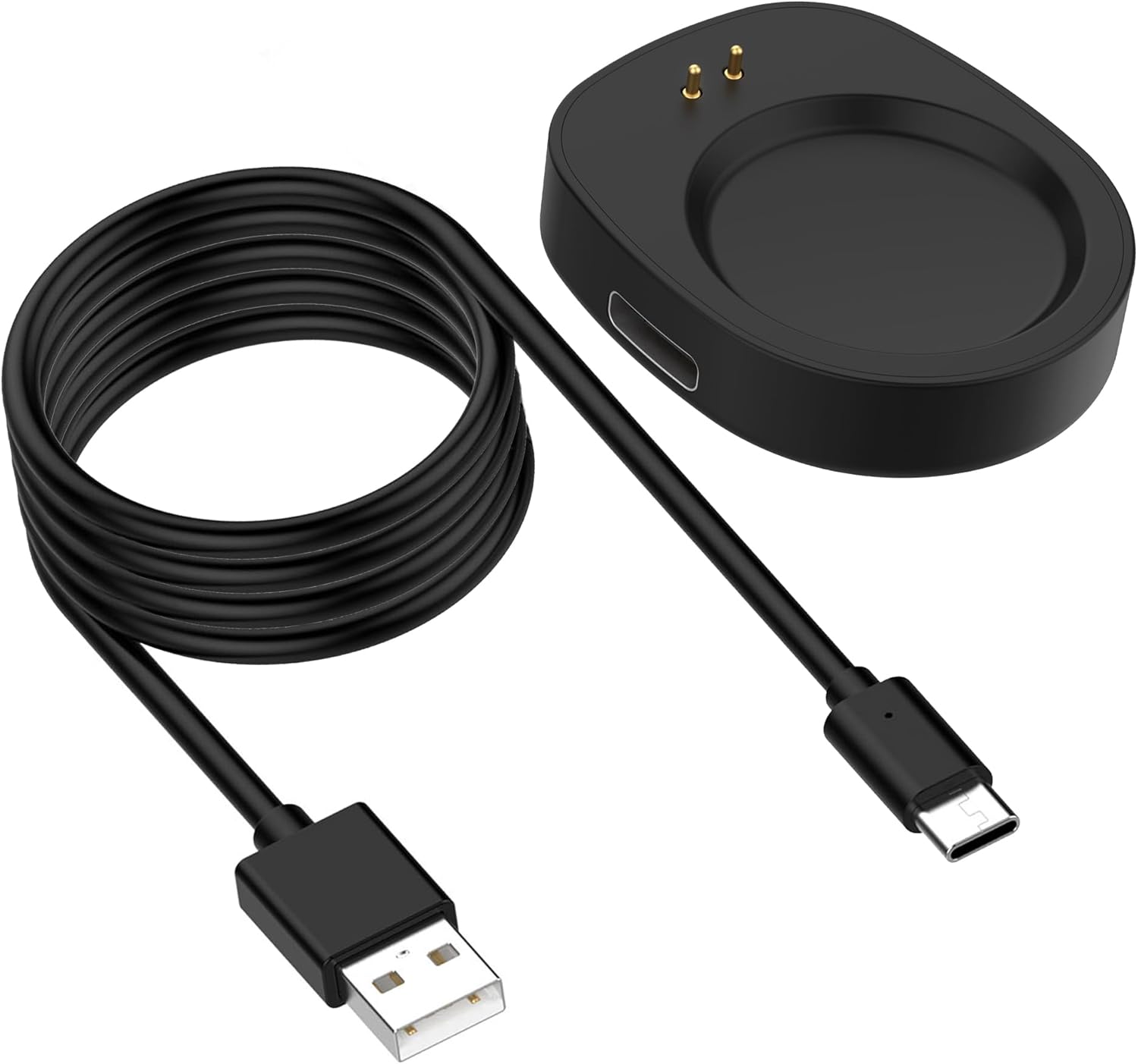
Image 2.2.1: NovemFoal Detachable Type-C Charging Dock with its integrated USB-A charging cable. The dock is black, oval-shaped, with two gold contact pins on one end and a Type-C port on the side. The cable is black and coiled.

Image 2.2.2: The detachable Type-C charging dock shown with its separate USB Type-C to USB Type-A cable. The Type-C end of the cable is positioned near the dock's Type-C input port, illustrating the detachable connection.

Image 2.2.3: A detailed view of the detachable charging dock from the top and side, highlighting the Type-C input port and the two charging contact pins.
3. Setup
Follow these steps to set up your charging dock:
- Connect the Cable: If your dock is the detachable Type-C version, insert the USB Type-C end of the charging cable into the Type-C port on the side of the charging dock. If your dock has an integrated cable, proceed to the next step.
- Connect to Power: Plug the USB Type-A end of the charging cable into a compatible USB power source. This can be a computer's USB port, a USB wall adapter (5V/1A recommended), or a power bank.

Image 3.1: An Amazfit smartwatch positioned next to the charging dock, with the Type-C cable being connected to the dock's input port.
4. Operating Instructions
Once the charging dock is connected to a power source, you can begin charging your smartwatch.
- Place Smartwatch: Carefully place your compatible Amazfit smartwatch onto the charging dock. Ensure the charging contacts on the back of your smartwatch align with the two gold pins on the dock.
- Verify Connection: The smartwatch should magnetically snap into place and begin charging. A charging indicator (usually an icon or percentage) will appear on your smartwatch screen.
- Charging Time: Charging time may vary depending on the smartwatch model and its current battery level.
- Safety Features: The dock includes built-in protections against overcharging, overheating, and short-circuits to safeguard your device.

Image 4.1: An Amazfit smartwatch securely placed on the NovemFoal charging dock, indicating that it is actively charging.
5. Maintenance
Proper maintenance ensures the longevity and optimal performance of your charging dock.
- Cleaning: Disconnect the dock from the power source before cleaning. Use a soft, dry, lint-free cloth to wipe the surface of the dock and the charging pins. Avoid using liquid cleaners or abrasive materials.
- Storage: When not in use, store the charging dock in a cool, dry place away from direct sunlight and extreme temperatures.
- Handling: Avoid dropping the dock or subjecting it to strong impacts. Do not attempt to disassemble the product.
6. Troubleshooting
If you encounter issues with your charging dock, refer to the following common problems and solutions:
- Smartwatch Not Charging:
- Ensure the charging cable is securely connected to both the dock and the power source.
- Verify that the power source is active and providing power (e.g., try a different USB port or wall adapter).
- Check if the smartwatch is correctly aligned on the dock, with its charging contacts making full connection with the dock's pins.
- Inspect the charging pins on the dock and the contacts on your smartwatch for any debris or damage. Clean gently if necessary.
- Slow Charging:
- Ensure you are using a 5V/1A (or higher) USB power adapter for optimal charging speed. Lower power sources (like some computer USB ports) may charge slower.
- Avoid charging in extremely hot environments, as this can affect charging efficiency.
- Dock Feels Warm:
- It is normal for the charging dock to become slightly warm during operation. If it becomes excessively hot, disconnect it immediately and contact support.
7. Specifications
| Feature | Detail |
|---|---|
| Brand | NovemFoal |
| Model | Detachable Type-C Charging Dock |
| Compatible Devices | Amazfit T-Rex3 Pro (A2443), T-Rex3 (A2322), Helio Strap (A2445), Balance (A2286), Balance2 (A2429) |
| Connector Type | USB Type-A, USB Type-C (for dock input) |
| Special Features | Fast Charging, Travel-friendly, Overcharge Protection, Overheat Protection, Short-circuit Protection |
| Item Weight | 0.8 ounces (approx.) |
| Package Dimensions | 5.5 x 3.15 x 0.39 inches (approx.) |

Image 7.1: Diagram showing the approximate dimensions of the charging dock (36.3mm x 30.3mm x 9.1mm) and the 1-meter charging cable.
8. Warranty and Support
NovemFoal products are manufactured with durable materials to ensure long-lasting performance. For any product-related inquiries, technical assistance, or warranty claims, please refer to the seller's contact information provided at the point of purchase or visit the official NovemFoal support website.
Please retain your proof of purchase for warranty purposes.