
Introduction
Experience wireless sound freedom with the Kaidi KD-780 TWS in-ear earbuds. Featuring Bluetooth technology, these earbuds provide a stable, high-quality connection, allowing you to enjoy your music and games without interruptions. The ergonomic design ensures comfort during extended use, making them ideal for those seeking practicality and style. Equipped with a built-in microphone, the Kaidi KD-780 are perfect for clear calls, an excellent choice for users on the go. Their gaming compatibility offers an immersive experience, letting you hear every detail while playing. An LED light adds a modern touch to the design.
This manual provides essential information for the proper setup, operation, and maintenance of your Kaidi KD-780 TWS earbuds.
Package Contents
- 1 pair of Kaidi KD-780 TWS Wireless In-Ear Earbuds
- 1 Charging Case
- Charging Cable
- User Manual (this document)
Setup
1. Charging the Earbuds and Case
Before first use, fully charge the earbuds and the charging case.
- Place the earbuds into the charging case, ensuring they are correctly seated.
- Connect the charging cable to the charging port on the case and to a USB power source.
- The LED indicator on the case will show the charging status. Once fully charged, the indicator may change color or turn off.
Note: Always use a certified charger and cable to prevent damage.
2. Bluetooth Pairing
To connect your Kaidi KD-780 TWS earbuds to your device:
- Ensure the earbuds are charged and placed in the charging case.
- Open the charging case. The earbuds will automatically enter pairing mode, indicated by a flashing LED light on the earbuds.
- On your device (smartphone, tablet, computer), enable Bluetooth.
- Search for available Bluetooth devices and select "Kaidi KD-780 TWS" from the list.
- Once connected, the LED indicator on the earbuds will stop flashing or change to a solid light.
The earbuds have a wireless range of up to 10 meters (33 feet) in an open environment.
Operating Instructions
Power On/Off
- Power On: Open the charging case, and the earbuds will automatically power on. Alternatively, press and hold the touch control area on each earbud for a few seconds.
- Power Off: Place the earbuds back into the charging case and close the lid. They will automatically disconnect and power off. Alternatively, press and hold the touch control area on each earbud for a few seconds until the LED indicator turns off.
Music Playback
Specific touch controls are not detailed in the product data. The following are common functions:
- Play/Pause: Tap the touch control area on either earbud once.
- Next Track: Double-tap the right earbud.
- Previous Track: Double-tap the left earbud.
- Volume Up: Triple-tap the right earbud.
- Volume Down: Triple-tap the left earbud.
Call Management
The built-in microphone allows for clear hands-free calls.
- Answer/End Call: Tap the touch control area on either earbud once.
- Reject Call: Press and hold the touch control area on either earbud for 2 seconds.
Voice Assistant
- Activate Voice Assistant: Press and hold the touch control area on either earbud for 3 seconds.
Gaming Mode
The Kaidi KD-780 TWS earbuds offer gaming compatibility for an immersive audio experience.
- Activate Gaming Mode: Refer to the product packaging or official Kaidi website for specific gaming mode activation instructions if available.
Maintenance
Proper maintenance ensures the longevity and optimal performance of your earbuds.
- Cleaning: Use a soft, dry, lint-free cloth to clean the earbuds and charging case. Do not use abrasive cleaners, alcohol, or chemical solvents.
- Storage: When not in use, store the earbuds in their charging case to protect them from dust and damage.
- Water Resistance: The earbuds are water repellent. Avoid submerging them in water or exposing them to heavy rain. Dry them thoroughly if they get wet.
- Temperature: Avoid exposing the earbuds to extreme temperatures (hot or cold) or high humidity.
Troubleshooting
If you encounter issues with your Kaidi KD-780 TWS earbuds, try the following solutions:
- No Sound:
- Ensure the earbuds are charged.
- Check if the earbuds are properly paired with your device.
- Adjust the volume on both your device and the earbuds.
- Try re-pairing the earbuds.
- Connection Issues:
- Ensure Bluetooth is enabled on your device.
- Make sure the earbuds are within the 10-meter wireless range.
- Turn off and on your device's Bluetooth, then try pairing again.
- Forget the device from your Bluetooth list and re-pair.
- Earbuds Not Charging:
- Ensure the charging cable is securely connected to both the case and the power source.
- Check if the charging port is clean and free of debris.
- Try a different charging cable or power adapter.
- Ensure the earbuds are correctly seated in the charging case.
- Microphone Not Working:
- Ensure the earbuds are connected and selected as the audio input device on your phone.
- Check for any obstructions on the microphone opening.
Specifications
| Model Name: | Kaidi KD-780 TWS |
| Connectivity Technology: | Wireless (Bluetooth) |
| Form Factor: | In-Ear |
| Color: | Black |
| Wireless Range: | Up to 10 meters (33 feet) |
| Microphone: | Built-in |
| LED Light: | Yes |
| Water Resistance Level: | Water Repellent |
| Material: | Thermoplastic Elastomer (TPE) |
Warranty and Support
This product comes with a limited warranty. The provided information indicates a warranty period of 30 days. Please retain your proof of purchase for warranty claims.
For further assistance or support, please refer to the retailer where the product was purchased or visit the official Kaidi website for contact information.
Product Images
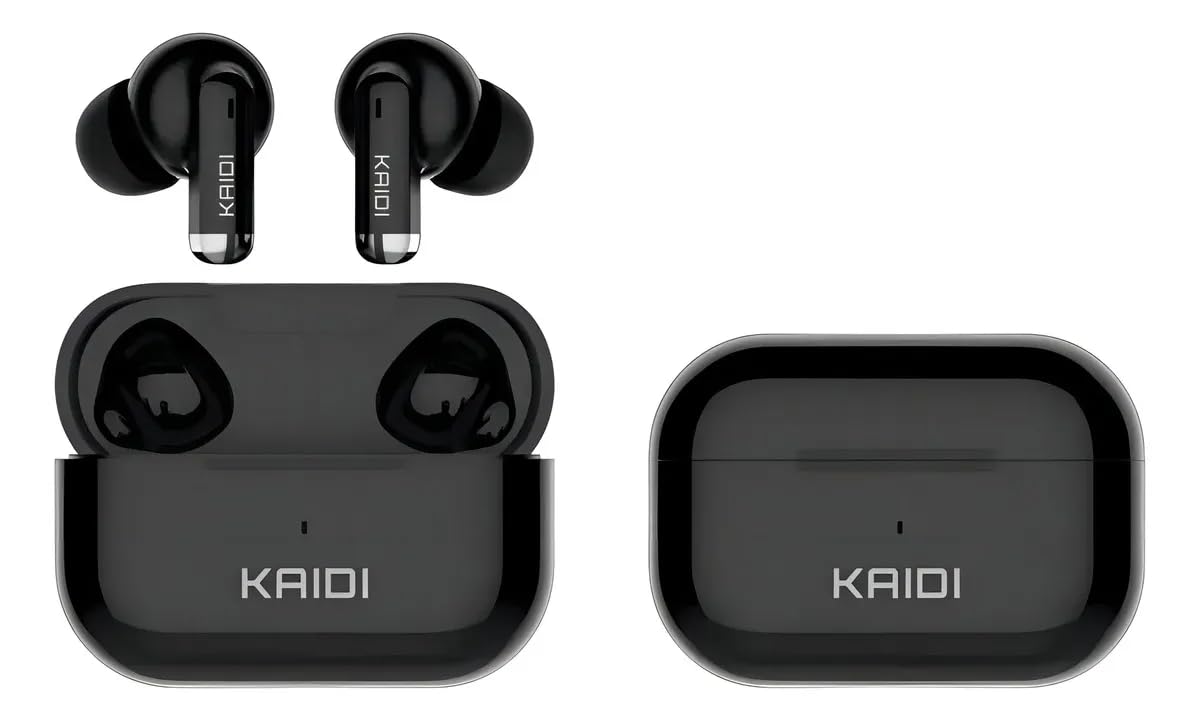
Image: Kaidi KD-780 TWS Wireless In-Ear Earbuds in Black, displayed with their compact charging case. The earbuds are designed for a secure in-ear fit.