
1. Introduction
This instruction manual provides essential information for the safe and effective installation, operation, and maintenance of your KLUfo Power Supply Board, model 262075 HLL-5865WA RSAG7.820.9701/ROH RSAG78209701. This board is designed as a replacement component for compatible Hisense TV models, including 70H6570G, 70A6G, and 70H78G. Please read this manual thoroughly before proceeding with any installation or service.
2. Safety Information
WARNING: Working with electronic components, especially power supply units, can be hazardous and may result in electric shock or damage to equipment if not performed correctly. It is highly recommended that installation be performed by a qualified technician.
- Always disconnect the television from the main power outlet before beginning any service or installation.
- Discharge any residual power in the television by pressing and holding the power button for several seconds after unplugging.
- Wear anti-static wrist straps or take other precautions to prevent electrostatic discharge (ESD), which can damage sensitive electronic components.
- Do not touch components on the power supply board while the TV is connected to power.
- Ensure all connections are secure and correctly oriented before restoring power.
- Keep children and pets away from the work area.
3. Product Overview
The KLUfo Power Supply Board (LIPS/LED) is a critical component responsible for distributing power to various parts of your television. This specific model, 262075 HLL-5865WA RSAG7.820.9701/ROH RSAG78209701, is designed for compatibility with Hisense TV models 70H6570G, 70A6G, and 70H78G.
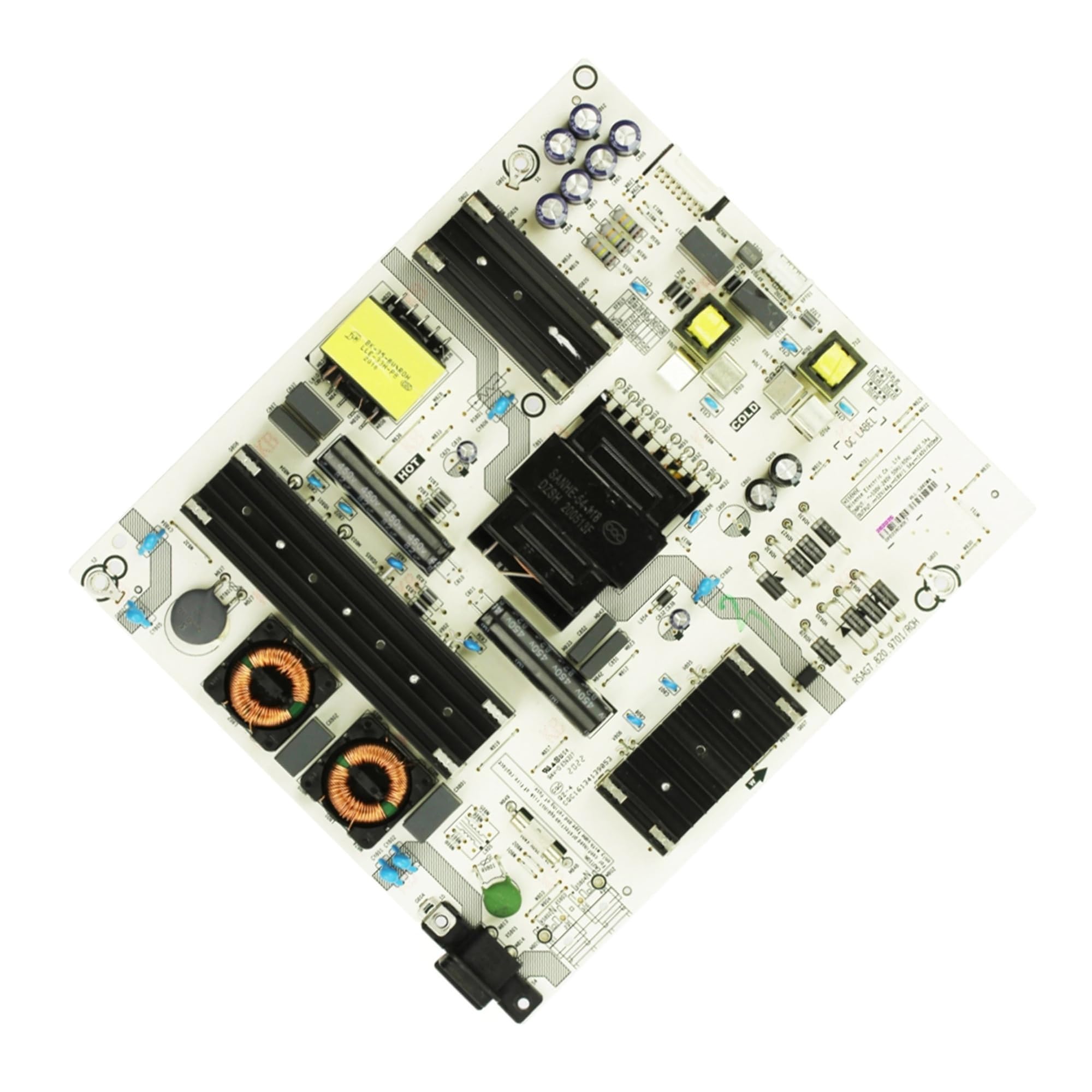
Figure 1: KLUfo Power Supply Board (Model 262075 HLL-5865WA RSAG7.820.9701/ROH RSAG78209701). This image displays the green circuit board with various electronic components, including resistors, capacitors, and integrated circuits, essential for power regulation and distribution within a television.
Key Features:
- Multifunctional: Equipped with a multi-core high-performance processor and a powerful GPU, ensuring smooth system operation, applications open within seconds, complex interface operations with no delays, providing a top-notch smart experience.
- High compatibility and scalability: Supports decoding of various video, audio, and image formats, compatible with various external devices, and can expand storage through interfaces.
- User interaction interface: Processes user input commands from remote controls, buttons, and microphones (voice control), converting them into system operations for human-computer interaction.
- Audio processing center: Handles audio signals, supports decoding such as Dolby and DTS, adjusts sound fields, synchronizes audio and video, and outputs signals to speakers or amplification systems via interfaces.
- Image parameter adjustment: Responsible for basic image parameter adjustments, such as white balance and brightness uniformity, which are the foundation for subsequent image quality optimization.
Note: The listed features describe the overall capabilities of a modern TV's internal processing, which the power supply board facilitates by providing stable power. The power supply board itself does not directly perform these functions but enables the TV's main board to do so.
4. Setup and Installation
This section outlines the general steps for replacing a TV power supply board. Specific procedures may vary slightly depending on your TV model. Always refer to your TV's service manual if available.
- Prepare the Work Area: Ensure you have a clean, well-lit, and static-free workspace. Gather necessary tools, including screwdrivers, plastic prying tools, and an anti-static wrist strap.
- Disconnect Power: Unplug the TV from the wall outlet. Wait at least 5-10 minutes for any residual power to dissipate from capacitors.
- Remove TV Back Cover: Carefully place the TV face down on a soft, clean surface to protect the screen. Remove all screws securing the back cover. Gently pry open the cover, being mindful of any clips or connectors.
- Locate the Power Supply Board: Identify the existing power supply board. It is typically a large circuit board with power input connectors and several output connectors leading to other boards (main board, LED drivers).
- Disconnect Cables: Carefully disconnect all cables connected to the old power supply board. Take photos or make notes of cable placements to aid reassembly. Use gentle force to avoid damaging connectors.
- Remove Old Board: Unscrew the mounting screws that secure the old power supply board to the TV chassis. Lift the board out carefully.
- Install New Board: Place the new KLUfo Power Supply Board into position, ensuring it aligns with the mounting holes. Secure it with the screws removed earlier.
- Reconnect Cables: Reconnect all cables to the new power supply board, referring to your photos or notes. Ensure all connections are firm and correctly seated.
- Reassemble TV: Replace the TV back cover, ensuring all clips engage and screws are tightened. Do not overtighten.
- Initial Power-Up: Plug the TV back into the power outlet. Observe for any unusual sounds, smells, or visual anomalies. If the TV powers on correctly, proceed with testing.
5. Operating Instructions
Once the KLUfo Power Supply Board is correctly installed, its operation is integrated with the television's normal functions. There are no specific user-operable controls on the power supply board itself.
- After installation, power on your television using the remote control or the TV's power button.
- Verify that the TV powers on, displays an image, and produces sound normally.
- Check all inputs (HDMI, USB, etc.) to ensure they function correctly, as the power supply board provides power to these circuits.
- If the TV does not power on or exhibits abnormal behavior, refer to the Troubleshooting section.
6. Maintenance
The KLUfo Power Supply Board is designed for long-term reliability and typically requires minimal maintenance. However, following these general guidelines can help prolong the life of your TV's internal components:
- Keep Clean: Periodically clean the TV's ventilation openings to prevent dust buildup, which can lead to overheating. Use a soft, dry cloth or a low-pressure air duster. Ensure the TV is unplugged before cleaning.
- Avoid Moisture: Keep the television and its components away from liquids and excessive humidity.
- Proper Ventilation: Ensure the TV has adequate space around its ventilation ports to allow for proper airflow. Do not block these openings.
- Stable Power: Connect your TV to a surge protector to guard against power fluctuations and surges, which can damage electronic components.
7. Troubleshooting
If you encounter issues after installing the power supply board, consider the following troubleshooting steps:
| Problem | Possible Cause | Solution |
|---|---|---|
| TV does not power on. | Loose power cable, incorrect board installation, faulty component. |
|
| TV powers on but no picture/sound. | Loose connections to other boards (main board, T-con board, LED drivers). |
|
| Intermittent power or flickering. | Unstable power connection, component issue. |
|
If these steps do not resolve the issue, it is recommended to consult a professional television repair technician.
8. Specifications
| Attribute | Detail |
|---|---|
| Product Name | TV Power Supply Board (LIPS/LED) |
| Part Model Numbers | 262075, HLL-5865WA, RSAG7.820.9701/ROH, RSAG78209701 |
| Compatible TV Models | Hisense 70H6570G, 70A6G, 70H78G |
| Brand | KLUfo |
| Item Dimensions (L x W x H) | 10 x 10 x 10 millimeters (approximate) |
| Product Dimensions | 1 x 1 x 1 cm (approximate) |
| Item Weight | 50 g |
| Assembly Required | No (refers to the board itself, installation into TV is required) |
9. Warranty and Support
Specific warranty information for this replacement part may vary depending on the retailer and purchase date. Please refer to your purchase documentation or contact the seller directly for details regarding warranty coverage and return policies.
For technical support or further assistance, it is recommended to contact the seller or a qualified electronics repair professional.