
1. Introduction
Welcome to the REDMAGIC 11 Pro gaming smartphone user manual. This guide provides essential information on setting up, operating, maintaining, and troubleshooting your device. The REDMAGIC 11 Pro is engineered for peak gaming performance, featuring advanced processing power, an innovative cooling system, and a high-refresh-rate display.
Official product overview video for the REDMAGIC 11 Pro, showcasing its design, cooling, and performance features.

The REDMAGIC 11 Pro gaming smartphone in Silver.
2. Key Features
- Ultimate Performance: Equipped with the Snapdragon 8 Elite Gen 5 processor, offering up to 4.6GHz clock speed for rapid response and smooth gameplay. GPU performance is enhanced by approximately 23% compared to the previous generation.
- Advanced Cooling System: Features the industry-first AquaCore cooling system, combining liquid and air cooling. This includes a composite liquid metal 3.0, a large 13,116mm² vapor chamber, and an ultra-high-speed fan for efficient heat dissipation. The device is also IPX8 waterproof.
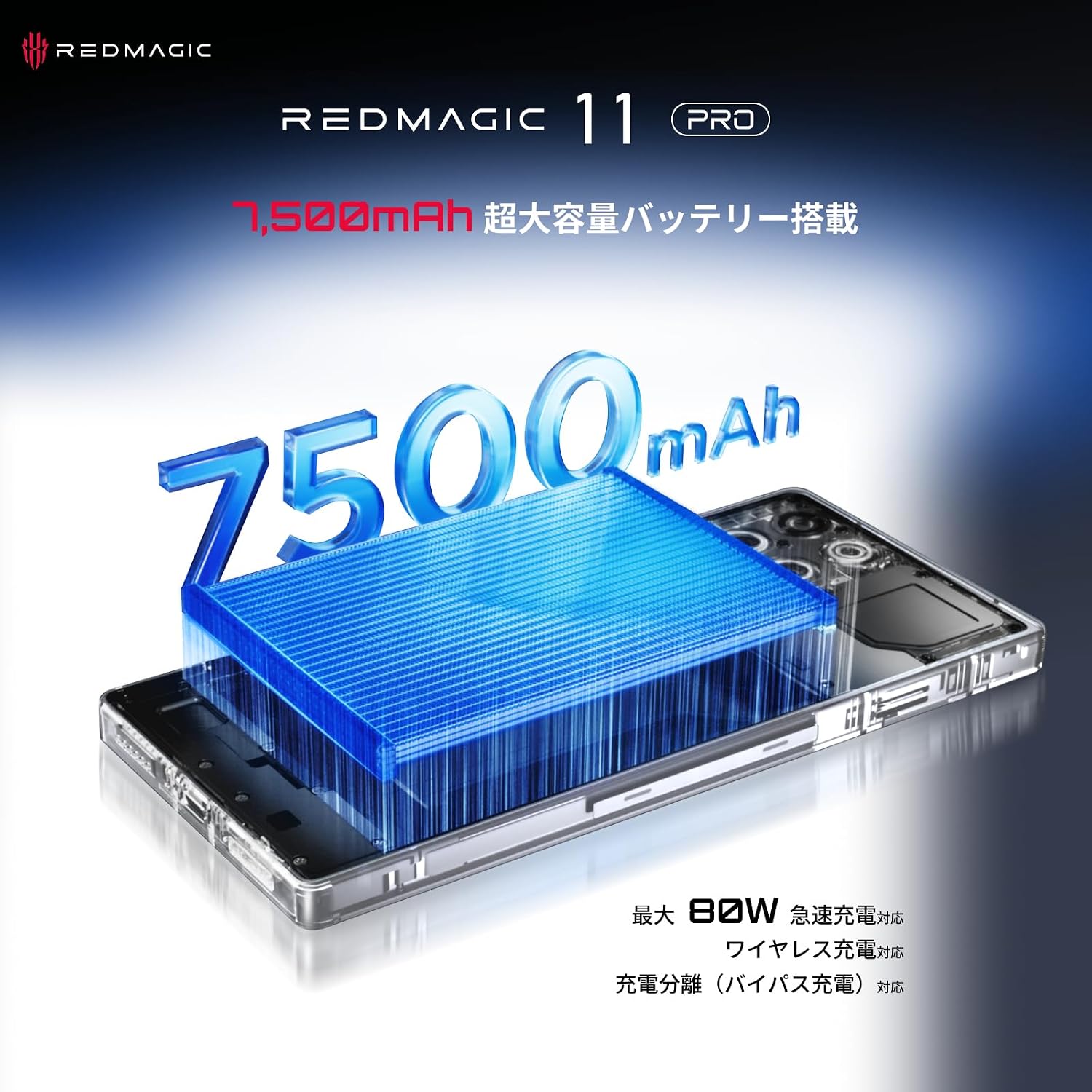
- Long-Lasting Battery & Charging: A massive 7,500mAh battery supports extended usage. It features 80W wired fast charging and is the first REDMAGIC series phone to include wireless charging. Bypass charging is also available to reduce heat during long gaming sessions.
- Immersive Display: Boasts a bezel-less X10 AMOLED full display with an under-display camera, maximizing screen real estate. It offers a 144Hz high refresh rate and up to 3,000Hz instant touch sampling rate for smooth and responsive interaction.
- Ergonomic Design: Features a cyber aesthetic with a completely flat back design, eliminating camera bumps. The transparent design showcases internal components, including the cooling system, for a unique visual appeal.
3. Setup Guide
3.1. Unboxing and Initial Inspection
Carefully remove all components from the packaging. Ensure the following items are present:
- REDMAGIC 11 Pro Smartphone
- Charging Adapter
- USB Type-C Cable
- SIM Ejector Tool
- Quick Start Guide
3.2. SIM Card Installation
- Locate the SIM card tray on the side of the device.
- Insert the SIM ejector tool into the small hole next to the tray and press firmly until the tray pops out.
- Place your Nano-SIM card(s) onto the tray with the gold contacts facing down. The REDMAGIC 11 Pro supports Dual SIM.
- Carefully reinsert the tray into the device.
3.3. Powering On and Initial Configuration
- Press and hold the Power button until the REDMAGIC logo appears.
- Follow the on-screen instructions to complete the initial setup, including language selection, Wi-Fi connection, Google account login, and security settings (fingerprint, face unlock, PIN/pattern).
4. Operating Instructions
4.1. Basic Operations
- Power On/Off: Press and hold the Power button. Select 'Power off' or 'Restart'.
- Screen Lock/Unlock: Press the Power button briefly to lock/unlock the screen. Use the in-display fingerprint sensor or configured face unlock for quick access.
- Volume Control: Use the Volume Up and Volume Down buttons on the side of the device.
4.2. Game Mode Activation
The REDMAGIC 11 Pro features a dedicated Game Mode switch for an optimized gaming experience.
- Locate the red switch on the side of the device.
- Slide the switch to activate Game Mode. This will launch the Game Space, where you can manage game settings, performance, and notifications.
- Slide the switch back to exit Game Mode.

The shoulder triggers provide enhanced control during gameplay.
5. Cooling System
The REDMAGIC 11 Pro incorporates an advanced AquaCore cooling system to maintain optimal performance during intensive use. This system combines liquid and air cooling technologies.
- Liquid Cooling: Utilizes composite liquid metal 3.0 and a large vapor chamber to efficiently transfer heat away from critical components.
- Air Cooling: An integrated ultra-high-speed fan actively dissipates heat, working in conjunction with the liquid cooling for comprehensive thermal management.
- IPX8 Waterproof: The device is designed with IPX8 water resistance, ensuring durability even with the active cooling fan. The internal components are sealed to prevent water ingress.

Exploded view illustrating the internal cooling components of the REDMAGIC 11 Pro.

Diagram showcasing the AquaCore cooling system.
6. Display and Interaction
The REDMAGIC 11 Pro features a cutting-edge display and responsive interaction technologies.
- X10 AMOLED Full Display: Enjoy an expansive, bezel-less viewing experience with vibrant colors and deep blacks.
- High Refresh Rate: A 144Hz refresh rate ensures ultra-smooth visuals, crucial for fast-paced gaming.
- Instant Touch Sampling: With up to 3,000Hz touch sampling, every touch is registered with extreme precision and minimal latency.
- Under-Display Camera: The front camera is discreetly placed under the display, providing an uninterrupted screen.
- 3D Ultrasonic Fingerprint Sensor: Offers fast and secure biometric authentication, even with wet hands.
- Shoulder Triggers: Integrated shoulder triggers provide a console-like gaming experience with ultra-fast response times.
The immersive X10 AMOLED full display of the REDMAGIC 11 Pro.
7. Battery and Charging
The REDMAGIC 11 Pro is equipped with a high-capacity battery and versatile charging options.
- 7,500mAh Battery: Provides extended battery life for prolonged gaming and daily use.
- 80W Wired Fast Charging: Rapidly recharges your device, minimizing downtime.
- Wireless Charging: Offers convenient cable-free charging.
- Bypass Charging: Directly powers the device from the charger, bypassing the battery. This reduces heat generation and prolongs battery lifespan during intense gaming sessions.

Illustration of the 7,500mAh battery capacity within the REDMAGIC 11 Pro.
8. Audio
Experience high-quality audio with the REDMAGIC 11 Pro.
- 3.5mm Headphone Jack: Connect your favorite wired headphones for lossless audio and zero latency.
- Premium Sound: The device is designed to deliver immersive audio for gaming and multimedia.

Close-up of the 3.5mm headphone jack on the REDMAGIC 11 Pro.
9. Connectivity and AI Features
The REDMAGIC 11 Pro offers robust connectivity and intelligent AI enhancements.
- 5G Connectivity: Supports the latest 5G networks for ultra-fast downloads and low-latency online gaming.
- Dual SIM: Allows for the use of two SIM cards simultaneously.
- AI Assistant: Integrated AI features provide smart assistance for various tasks, including real-time translation and content generation.
- REDMAGIC OS 11.0: The optimized operating system enhances speed, efficiency, and overall user experience.

The AI-enhanced Game Space on the REDMAGIC 11 Pro.
10. Specifications
| Feature | Detail |
|---|---|
| Brand | REDMAGIC |
| Operating System | Android 16 |
| Installed RAM Size | 16 GB |
| CPU Model | Snapdragon 8 Elite Gen 5 |
| CPU Speed | 4.6 GHz |
| Internal Memory Capacity | 16 GB (RAM) |
| Max Memory Capacity | 256 GB (Flash Memory) |
| Color | Silver |
| SIM Card Slot Count | Single SIM (Note: Product description mentions Dual SIM, please verify with product packaging) |
| Connector Type | USB Type-C |
| Form Factor | Bar |
| Biometric Authentication | Fingerprint Recognition |
| Waterproof | Yes (IPX8) |
| Headphone Jack | 3.5 mm |
| Rear Camera Resolution | 50 MP |
| Battery Capacity | 7325 mAh |
| Battery Type | Lithium Ion |
| Item Weight | 0.23 Kilograms |
| Screen Size | 6.85 Inches |
| Resolution | 1440 x 3000 pixels |
| Refresh Rate | 144 Hz |
| Display Type | AMOLED |
| Max Display Resolution | 2688x1216 Pixels |
| Wireless Provider | All network carriers |
| Mobile Technology | 5G |
| Model Year | 2025 |
| Country of Origin | China |
| Included Items | SIM Ejector |
| Warranty Content | 1-year manufacturer warranty |
| Manufacturer Name | nubia |
| Product Use | Gaming |
11. Maintenance
Proper maintenance ensures the longevity and optimal performance of your REDMAGIC 11 Pro.
- Cleaning: Use a soft, lint-free cloth to clean the screen and body. Avoid abrasive materials or harsh chemicals. For the fan vents, use a soft brush or compressed air carefully.
- Software Updates: Regularly check for and install system updates to ensure your device has the latest features, security patches, and performance improvements. Go to Settings > System > System updates.
- Battery Care: Avoid extreme temperatures. Do not fully discharge the battery frequently. Utilize bypass charging during long gaming sessions to reduce battery strain.
- Storage Management: Periodically clear unnecessary files and apps to free up storage and maintain device speed.
12. Troubleshooting
If you encounter issues with your REDMAGIC 11 Pro, refer to the following common solutions:
- Device Not Powering On: Ensure the battery is charged. Connect the device to its charger for at least 15 minutes before attempting to power on again.
- Charging Issues: Check the charging cable and adapter for damage. Try a different outlet. Ensure the USB Type-C port is clean and free of debris.
- Performance Lag: Close background applications. Clear cache. Ensure Game Mode is activated for optimal gaming performance. Check for system updates.
- Overheating: While the device has an advanced cooling system, prolonged intensive use in high ambient temperatures can still cause warmth. Ensure the fan vents are not obstructed. Activate Game Mode to optimize cooling.
- Network Connectivity Problems: Check if your SIM card is properly inserted. Restart the device. Verify network settings and contact your carrier if issues persist.
For more complex issues, please refer to the official REDMAGIC support resources.
13. Warranty and Support
Your REDMAGIC 11 Pro comes with a 1-year manufacturer warranty from the date of purchase. This warranty covers manufacturing defects under normal use conditions.
For warranty claims, technical support, or service inquiries, please contact REDMAGIC customer service through their official website or the contact information provided in your product packaging.
Please retain your proof of purchase for warranty validation.


