
1. Introduction
Thank you for choosing the ICARE Ozone Odor Eliminator. This device is designed to improve air quality by effectively neutralizing strong odors and purifying the air using ozone (O₃) and negative ion technology. Please read this manual thoroughly before operating the device to ensure safe and optimal performance.
2. Product Overview & Features
The ICARE Ozone Odor Eliminator is a compact, portable, and rechargeable device suitable for various indoor environments. It features a user-friendly interface with multiple operating modes.
Key Features:
- 99% Efficient Odor Removal: Utilizes O₃ and negative ions to eliminate odors and purify air by attracting dust, pollen, and harmful particles.
- 200 MG/H Ozone Output: Provides an ideal ozone concentration for deodorizing spaces ranging from 10-40 m².
- Two Operating Modes: Features 'L' (timed operation) and 'P' (cycle operation) modes for flexible use.
- Rechargeable 10,000 mAh Battery: Offers extended wireless operation (1-2 weeks depending on mode) and convenient USB charging.
- Quiet Design: Operates at a low noise level of 35 dB, ensuring a peaceful environment.
- Versatile Application: Effective for pet odors, smoke, kitchen smells, bathroom odors, and more.

Figure 1: How the ICARE Ozone Odor Eliminator works.

Figure 2: Benefits of the ICARE Ozone Odor Eliminator.
3. Package Contents
Ensure all items are present in the package:
- ICARE Ozone Odor Eliminator (Model IC52)
- USB Charging Cable
- User Manual
- 2 Adhesive Stickers (for mounting)
4. Setup
4.1 Initial Charging
Before first use, fully charge the device using the provided USB charging cable. Connect the cable to the USB port on the device and a compatible USB power adapter (not included).

Figure 3: Charging the device.
4.2 Mounting the Device
The device can be placed on a flat surface or mounted on a wall using the included adhesive stickers.
- Choose a suitable location for the device, ensuring it is within the desired area for odor elimination.
- Clean the wall surface thoroughly to ensure proper adhesion.
- Peel off the protective film from one of the adhesive stickers.
- Attach the sticker to the back of the device, aligning it with the designated mounting point.
- Press the device firmly against the wall for a few seconds to secure it.
Video 1: Unboxing, charging, and wall mounting of the ICARE Ozone Odor Eliminator.
5. Operation
5.1 Control Panel Overview

Figure 4: Control Panel Layout.
5.2 Power On/Off
Press the ON/OFF button located in the center of the control panel to turn the device on or off.
5.3 Operating Modes
The device offers two main operating modes: Time Mode (L) and Cycle Mode (P). These modes allow you to customize the operation based on your needs and room size.

Figure 5: Understanding the L and P Modes.
Time Mode (L):
Press the 'L' button to select a fixed working time. The device will operate for the selected duration and then turn off.
- L1: 5 minutes
- L2: 10 minutes
- L3: 20 minutes
- L4: 30 minutes
Cycle Mode (P):
Press the 'P' button to cycle through different intermittent operation modes. The device will operate for a set time, then pause for a set time, and repeat the cycle.
- P1: 5 minutes ON / 2 hours OFF
- P2: 10 minutes ON / 12 hours OFF
- P3: 20 minutes ON / 12 hours OFF
- P4: 30 minutes ON / 24 hours OFF
The ozone generator is suitable for cleaning rooms ranging from 10-40 m². Adjust the mode according to your room size and odor intensity.
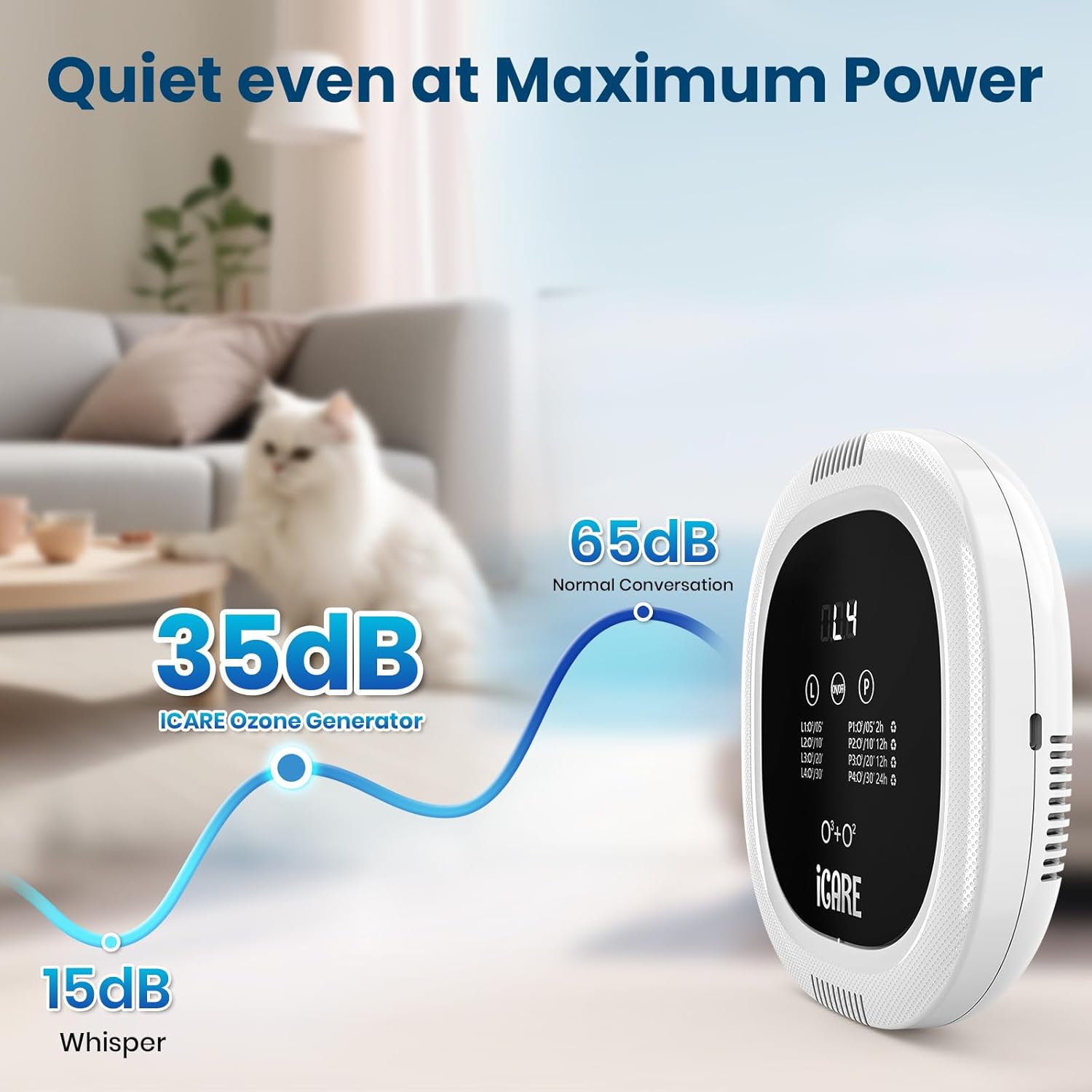
Figure 6: Recommended usage areas.
Video 2: Demonstration of the ICARE Ozone Odor Eliminator in various settings, including a cat litter area.
6. Maintenance
The ICARE Ozone Odor Eliminator is designed for low maintenance. It does not require frequent filter changes. Simply plug it into a power supply, and it will produce ozone and negative ions.
To clean the device, gently wipe its surface with a soft, dry cloth. Do not use harsh chemicals or abrasive materials.
7. Safety Information
Please observe the following safety precautions:
- The ozone generator may release a smell similar to Houttuynia cordata during use. If you find the odor unpleasant, it is recommended to leave the area during ozone operation.
- For safety, ensure no one, including pets, is in the room during ozone generation.
- After deodorizing, ventilate the area by opening windows for 15-20 minutes to dissipate any residual ozone.
- Do not block the air inlet or outlet during operation.
- Keep the device away from water and high humidity.
- Do not attempt to disassemble or repair the device yourself. Contact customer support for assistance.
8. Troubleshooting
Common Questions & Solutions:
- Q: Is this ozone purifier physically harmful?
A: No. The ozone air purifier generates a large number of negative ions and a trace amount of ozone. The combination of these elements helps eliminate various pollutant gases and odors. However, always follow the safety guidelines regarding room occupancy during operation and ventilation afterward. - Q: How long do the batteries last on a single charge?
A: The built-in 10,000 mAh battery can work continuously for 1-2 weeks on a single charge, depending on the selected operating mode. - Q: The device does not turn on after charging.
A: Ensure the USB charging cable is securely connected and the power adapter is functioning. If the issue persists, try a different USB cable or power source. If the device still does not respond, contact customer support. - Q: Why does the device produce a slight odor?
A: The device generates ozone, which can have a distinct smell. This is normal. Refer to the Safety Information section for precautions regarding this odor.
9. Specifications
| Feature | Detail |
|---|---|
| Model Number | IC52 |
| Product Dimensions | 7 x 1.3 x 7 inches |
| Item Weight | 1.94 Pounds (0.88 Kilograms) |
| Power Source | Battery Powered (Rechargeable) |
| Battery Capacity | 10,000 mAh |
| Control Method | Touch Control |
| Filter Type | Ozone / Negative Ion |
| Ozone Output | 200 mg/h |
| Noise Level | 35 Decibels |
| Applicable Area | 10-40 m² |
| Wattage | 7 watts |
| Certifications | EPA Certified, FCC Certified |
10. Warranty and Support
For warranty information or technical support, please refer to the product packaging or contact ICARE customer service. Keep your purchase receipt for warranty claims.