1. Introduction
This manual provides detailed instructions for the setup, operation, and maintenance of your Zivron EM3354TY WiFi Weather Station. This device offers comprehensive real-time weather data, including temperature, humidity, wind speed, rainfall, pressure, and UV index, displayed on a large HD VA screen. With WiFi connectivity, you can access historical data and current conditions via a mobile application.
2. Product Overview and Components
The Zivron EM3354TY WiFi Weather Station consists of an indoor display unit and a multi-sensor outdoor unit.
2.1 Outdoor Multi-Sensor Unit
The outdoor sensor unit is designed to accurately detect various weather parameters. It includes a wind vane for direction, wind cups for speed, a rain funnel for rainfall measurement, and an induction box for temperature and humidity. It also features light and UV sensors, and a solar panel for power.

Image Description: This image displays the outdoor multi-sensor unit with labels pointing to its key components: wind cups, wind directional vane, lighting & UV sensors, solar panel, temperature/humidity induction box, and rain funnel. It also notes typical error margins for temperature, wind speed, and rainfall. A warning advises against placing it near interference sources.
2.2 Indoor Display Unit
The indoor display unit features a 7.5-inch HD VA screen that presents comprehensive weather data. It shows indoor and outdoor temperature and humidity, wind speed and direction, rainfall, air pressure, UV index, time, date, and a 12-hour weather forecast. The display has adjustable brightness and intuitive sections for easy readability.

Image Description: This image shows the Zivron weather station's 7.5-inch HD VA display from multiple angles, highlighting its large size and the rich information presented, including indoor/outdoor temperature, humidity, wind speed, and a weather forecast.
2.3 Detailed Component Labels
Refer to the diagram below for a detailed breakdown of the indoor display unit's screen elements and physical buttons, as well as the outdoor sensor's components.

Image Description: This image provides a comprehensive labeled diagram of both the indoor display unit and the outdoor sensor. It identifies various display indicators (A1-A20) such as temperature, humidity, wind, rain, UV index, and time, as well as physical buttons and ports (B1-B13) on the indoor unit and components of the outdoor sensor.
3. Setup
3.1 Power Supply
The indoor display unit can be powered by the included AC/DC power adapter. For the outdoor sensor, it is powered by a solar panel or 3 AA batteries (not included).
- Indoor Display: Connect the power adapter to the display unit and a power outlet.
- Outdoor Sensor: Insert 3 AA batteries into the battery compartment. Ensure correct polarity. The solar panel will supplement power and extend battery life.

Image Description: This image illustrates the power supply methods for both the indoor display unit and the outdoor sensor. It shows the indoor unit connected via a DC adapter and the outdoor sensor with its solar panel and a diagram indicating the placement of 3 AA batteries.
Note: When running on battery power only, the indoor display stays off to save power. Touch the top button to wake the display for 15 seconds. When using the power adapter, the display stays on continuously.
3.2 Outdoor Sensor Installation
The remote sensor offers robust functionality and is designed for easy installation.
- Choose an open location for the outdoor sensor, away from obstructions that could affect wind or rain measurements.
- Ensure the sensor is mounted securely and level using the built-in bubble level to ensure accurate rainfall readings.
- Avoid placing the sensor near TVs, towers, power lines, or other interference sources.
- The maximum transmission distance between the outdoor sensor and the indoor unit is 328 feet (100 meters) in an open area.

Image Description: This image demonstrates the versatility of the Zivron outdoor sensor's placement, showing it mounted on a roof, a lawn railing, and a farm fence. It highlights the "Ultra Long 328FT Transmission in Open Area" capability.
For detailed installation instructions, please refer to the video below.
Video Description: This video provides a visual overview of the Zivron Weather Station, demonstrating its components and basic functionality. It shows the indoor display unit and the outdoor sensor, highlighting their design and how they interact.
3.3 WiFi Connection and App Control
The weather station can connect to your home WiFi network (2.4GHz only) to enable smart app control and access to historical data.
- Ensure the indoor display unit is plugged in via the power adapter, as WiFi connectivity is only available when powered this way.
- Download the companion app from the App Store or Google Play.
- Follow the in-app instructions to connect your weather station to your 2.4GHz WiFi network.
- Once connected, use the app to adjust settings such as screen brightness, alarms, time (12/24hr), and temperature units (°F/°C).
- The app allows you to track detailed history of temperature, humidity, pressure, wind, and rainfall, accessible anytime on your phone.
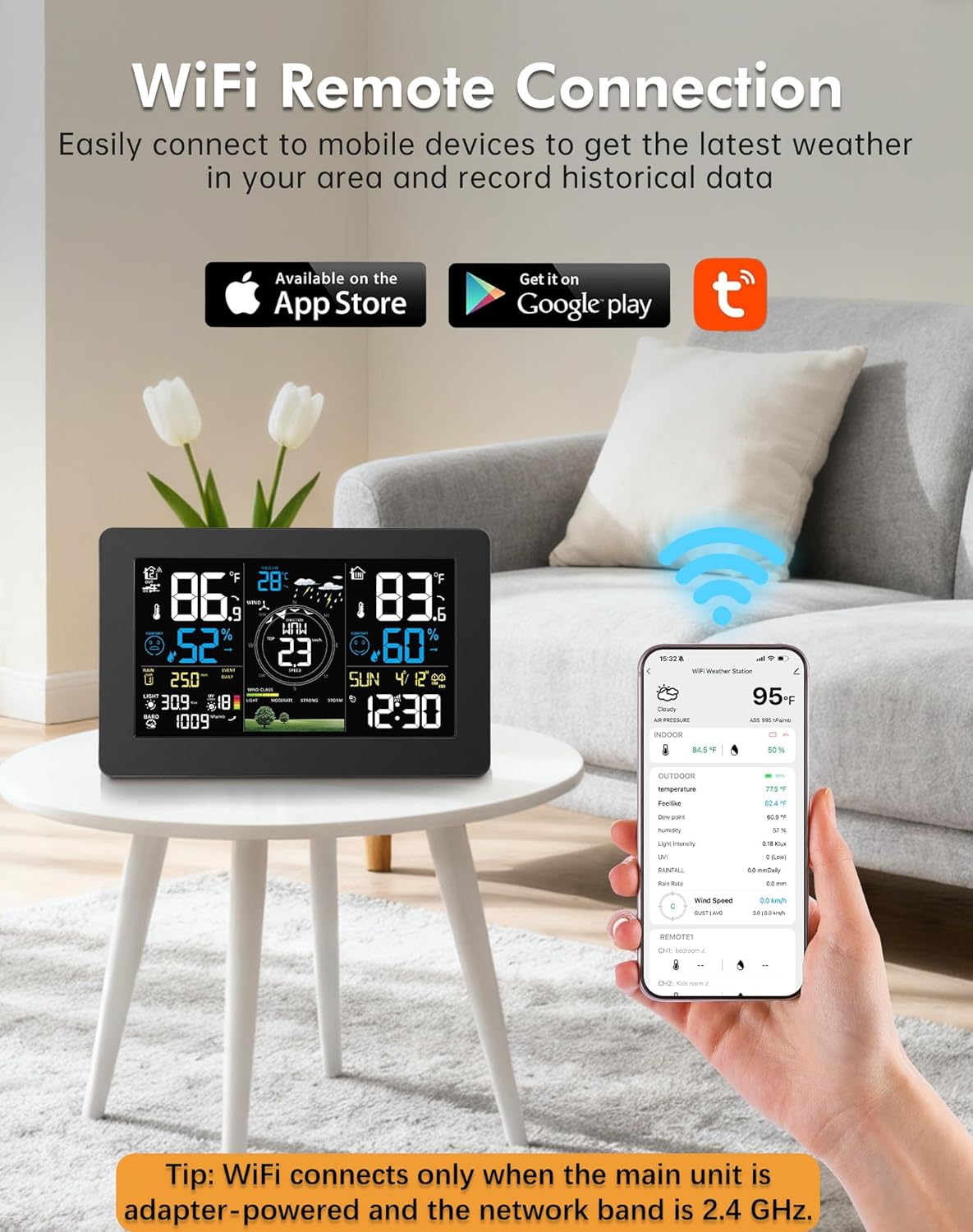
Image Description: This image illustrates the WiFi remote connection feature, showing the weather station's display alongside a smartphone running the companion app. It highlights the ability to get the latest weather and record historical data, with icons for App Store and Google Play. A tip reminds users that WiFi connects only when the main unit is adapter-powered and uses a 2.4 GHz network.
4. Operating Instructions
4.1 Displaying Weather Data
The 7.5-inch HD VA display provides a comprehensive overview of current and forecasted weather conditions.
- Temperature & Humidity: View indoor and outdoor readings.
- Wind Speed & Direction: Real-time wind data is displayed.
- Rainfall: Current and historical rainfall amounts are shown.
- Air Pressure: Monitor atmospheric pressure trends.
- UV Index: Daily UV index provides guidance for outdoor activities.
- Weather Forecast: A 12-hour forecast helps in planning.

Image Description: This image highlights the "Dynamic Weather Clock" feature of the Zivron weather station, displaying the current date and time along with a visual representation of the 12-hour weather forecast, including sunny, cloudy, rainy, and snowy conditions.
4.2 Clock and Alarm Functions
The weather station also functions as a clock, automatically synchronizing with an atomic time signal for accuracy. You can set alarms directly from the unit or via the companion app.
4.3 Adjusting Display Settings
Use the buttons on the side or back of the display unit, or the companion app, to adjust settings such as:
- Screen brightness (multiple levels available).
- Time format (12/24 hour).
- Temperature units (°F/°C).
- Customizable alerts for various weather parameters.
5. Maintenance
- Battery Replacement: Replace the 3 AA batteries in the outdoor sensor when the low battery indicator appears on the display.
- Cleaning: Wipe the indoor display unit with a soft, dry cloth. For the outdoor sensor, periodically check and clean the rain funnel and wind cups to ensure accurate readings. Avoid using abrasive cleaners or solvents.
- Sensor Placement: Regularly check that the outdoor sensor remains securely mounted and level to maintain accuracy.
6. Troubleshooting
- No Display/Display Off:
- Ensure the indoor unit is connected to the power adapter for continuous display.
- If running on batteries, touch the top button to wake the display for 15 seconds.
- No Outdoor Data:
- Check if the outdoor sensor batteries are installed correctly and have sufficient charge.
- Ensure the outdoor sensor is within the 328-foot transmission range of the indoor unit.
- Verify there are no major obstructions or strong interference sources between the units.
- Try re-pairing the outdoor sensor with the indoor unit (refer to the setup section or app instructions).
- WiFi Connection Issues:
- Confirm the indoor unit is powered by the AC adapter, not just batteries.
- Ensure your WiFi network is 2.4GHz. The device does not support 5GHz networks.
- Check your router settings and ensure the weather station is within range.
- Restart both the weather station and your router.
- Inaccurate Readings (Rainfall/Wind):
- Verify the outdoor sensor is mounted perfectly level using its built-in bubble level.
- Ensure the rain funnel and wind cups are free from debris.
- Check for any obstructions around the sensor that might impede wind flow or rain collection.
7. Specifications
| Feature | Detail |
|---|---|
| Brand | Zivron |
| Model Number | EM3354TY |
| Display Type | 7.5-inch HD VA LCD |
| Connectivity | WiFi (2.4GHz only), Wireless Sensor (328 ft / 100m range) |
| Indoor Unit Power | AC/DC Power Adapter, Battery Powered (display off to save power) |
| Outdoor Sensor Power | Solar Powered, 3x AA Batteries (not included) |
| Measurements | Temperature, Humidity, Wind Speed, Wind Direction, Rainfall, Air Pressure, UV Index, Time, Date, Weather Forecast |
| Special Features | Adjustable Brightness, Alarm, Clock, Customizable Alerts, Large Display, App Control |
| Item Weight | 1.69 kg |
| Product Dimensions | 37.85 x 23.88 x 14.99 cm |
8. Warranty and Support
For warranty information and technical support, please refer to the documentation included with your product packaging or contact Zivron customer service directly. Contact details can typically be found on the manufacturer's official website or on the product packaging.