
Itzy Ritzy 905951780
Itzy Ritzy Stroller Fan (Bear) Instruction Manual
Model: 905951780
Introduction
The Itzy Ritzy Stroller Fan is designed to provide cooling comfort for your child while on the go. Featuring a 360-degree swivel head, three adjustable speeds, flexible wraparound legs for secure attachment, and a built-in USB rechargeable battery, this fan offers convenience and safety with its protective fan guard.
Safety Information
- Ensure the protective fan guard is always in place to prevent contact with moving blades.
- Keep the fan away from water and excessive moisture.
- Do not attempt to disassemble or repair the fan yourself. Contact customer support for assistance.
- Use only the provided USB charging cable or a certified equivalent.
- Do not leave the fan unattended while charging.
- This product is not a toy. Adult supervision is recommended when in use near children.
Package Contents
- Itzy Ritzy Stroller Fan (Bear)
- USB Charging Cable
Setup
Charging the Fan
Before first use, fully charge the fan. Connect the included USB charging cable to the USB Type-C port on the back of the fan and to a compatible USB power source (e.g., wall adapter, computer, power bank).
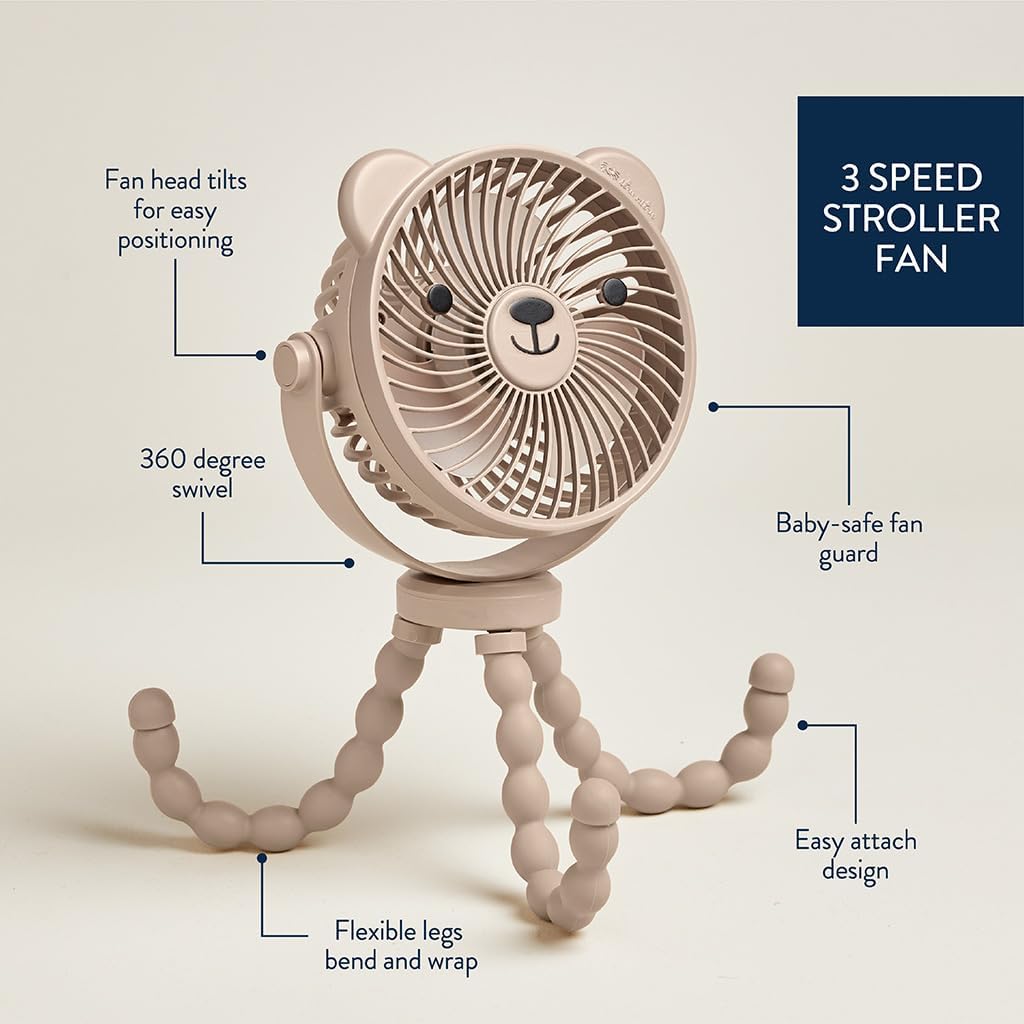
Image: Back of the fan indicating the USB Type-C charging port and power button.
Attaching to a Stroller or Surface
The fan features flexible wraparound tripod legs. To attach, bend and wrap the legs securely around stroller bars, car seat handles, or other suitable surfaces. Ensure the fan is stable and positioned safely away from your child's reach.
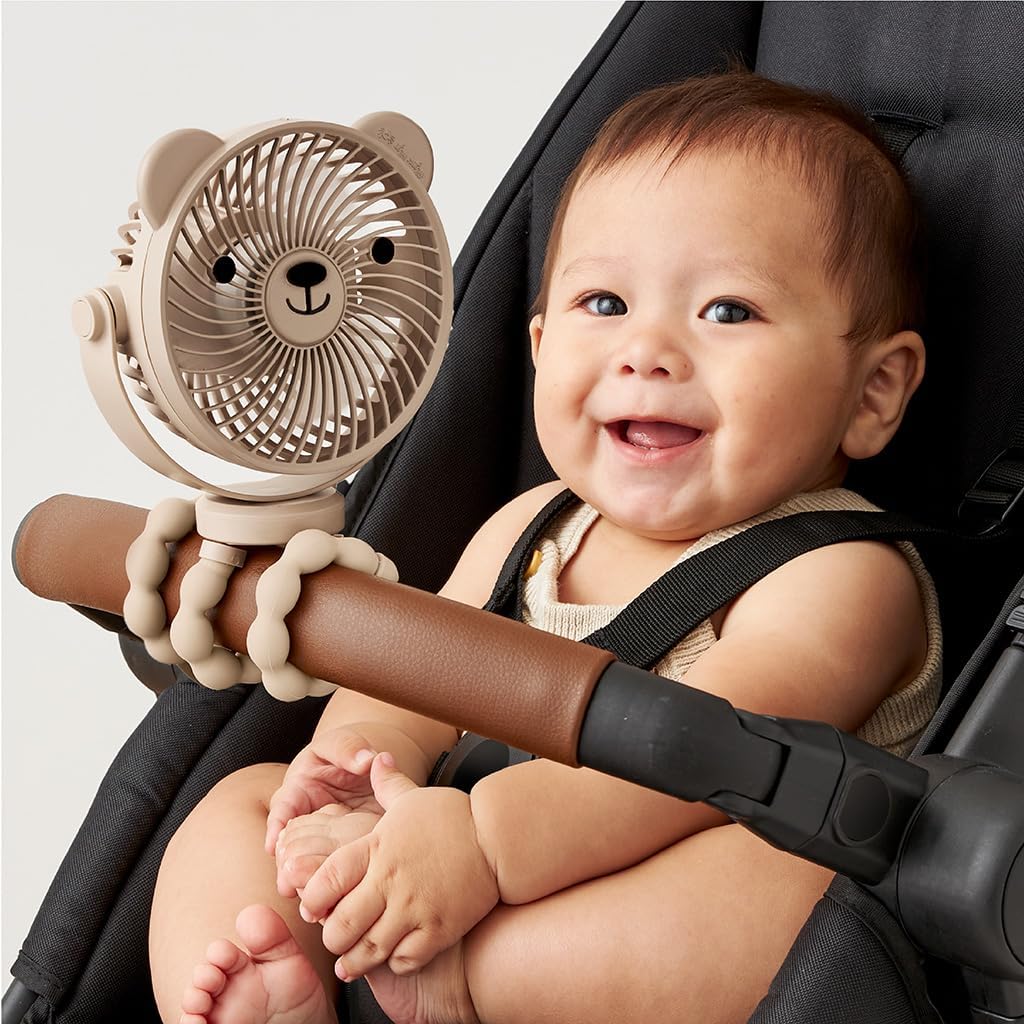
Image: A baby in a stroller with the fan securely attached to the stroller bar, providing cooling airflow.

Image: The stroller fan attached to a stroller, demonstrating its flexible legs and adjustable head.
Operating Instructions
Power On/Off and Speed Adjustment
Press the power button located on the back of the fan to turn it on. Each subsequent press will cycle through the three available speed settings (low, medium, high). Pressing it a fourth time will turn the fan off.

Image: Close-up of the fan head, highlighting the power button and the protective fan guard.
Adjusting Airflow Direction
The fan head features a 360-degree swivel and tilt function. Adjust the fan head to direct airflow precisely where needed for optimal comfort.

Image: Diagram illustrating the fan's 360-degree swivel, tilt, and flexible leg features.
Maintenance
- To clean the fan, wipe the exterior with a soft, damp cloth. Do not immerse the fan in water.
- Ensure the fan is turned off and unplugged before cleaning.
- Periodically check the flexible legs for any signs of wear or damage.
- Store the fan in a cool, dry place when not in use.
Troubleshooting
| Problem | Solution |
|---|---|
| Fan does not turn on. | Ensure the fan is fully charged. Connect it to a power source using the USB charging cable. |
| Fan stops working shortly after charging. | The battery may not be holding a charge. Ensure the charging cable is securely connected and the power source is functioning. If the issue persists, contact customer support. |
| Fan is not providing sufficient airflow. | Adjust the speed setting to a higher level. Ensure the fan guard is clear of obstructions. |
| Fan makes unusual noises. | Turn off the fan and check for any foreign objects obstructing the blades. If the noise continues, discontinue use and contact customer support. |
Specifications
| Feature | Detail |
|---|---|
| Brand | Itzy Ritzy |
| Model Name | Itzy Ritzy Stroller Fan |
| Model Number | 905951780 |
| Power Source | Battery Powered (Rechargeable USB) |
| Number of Speeds | 3 |
| Control Method | Button Control |
| Product Dimensions | 2.5"D x 5.25"W x 11.75"H |
| Material | Silicone/Plush Fabric |
| Special Feature | Portable, 360-degree swivel, Flexible legs, Protective fan guard |

Image: Dimensions of the Itzy Ritzy Stroller Fan.
Official Product Videos
Adorable Large Cooling Fan For Stroller
Video: This video demonstrates the Itzy Ritzy Stroller Fan's features and how it provides cooling for a baby in a stroller.
Review - Izzy Ritzy Stroller Accessory
Video: A review highlighting the features and benefits of the Izzy Ritzy Stroller Accessory.
A must-have for summertime with a baby
Video: This video showcases the stroller fan as an essential item for keeping babies cool during warm weather.
Review - Stroller Fan
Video: A user review demonstrating the functionality and benefits of the stroller fan.
Perfect little fan
Video: A short video review highlighting the fan's compact size and effectiveness.
Keep Baby Cool with This Adorable Stroller Fan
Video: A demonstration of the stroller fan's portability and effectiveness in keeping a baby cool.
Adorable stroller fan that is adjustable to handle!
Video: This video highlights the fan's adjustable features and how it can be attached to various handles.
Portable Fan for On-the-Go
Video: A comprehensive look at the fan's portability and ease of use for various situations.
Itzy Ritzy Stroller Fan
Video: A quick overview of the Itzy Ritzy Stroller Fan's design and functionality.
Warranty and Support
For warranty information or product support, please refer to the official Itzy Ritzy website or contact their customer service directly. Keep your proof of purchase for any warranty claims.
Official Website: www.itzyritzy.com
Related Documents - 905951780
 |
Itzy Ritzy User Guide & Maintenance Tips for Diaper Bags and Accessories Comprehensive user guide and maintenance tips for Itzy Ritzy diaper bags, car seat covers, nursing covers, snack bags, and pacifier pods. Learn how to adjust, organize, use, and care for your Itzy Ritzy products. |
Ask a question about this manual
Ask about setup, troubleshooting, compatibility, parts, safety, or missing instructions. Manuals+ will review the question and use this page’s manual context to help answer it.