
1. Introduction
This manual provides essential instructions for the setup, operation, and maintenance of your Yowow BIT Blood Pressure Smart Watch. Please read this guide thoroughly before using the device to ensure proper function and accurate readings. This smartwatch is designed to assist in monitoring various health metrics and activity levels.
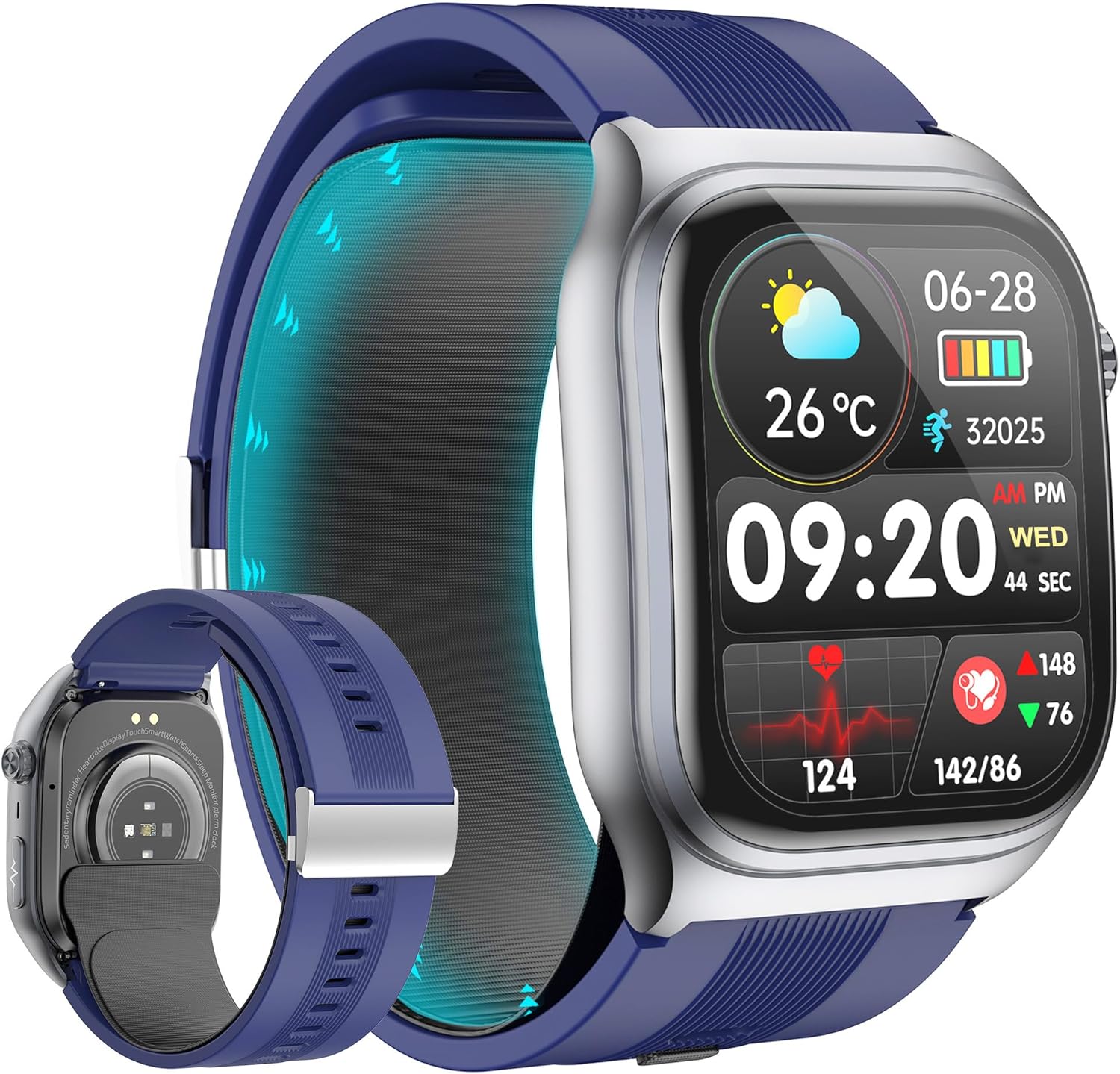
Image 1.1: The Yowow BIT Blood Pressure Smart Watch, featuring a blue strap and a clear display showing time, date, weather, and health metrics.
2. What's in the Box
Upon unboxing, please verify that all the following components are present:
- Smart Watch
- User Manual
- Charger
- Air Bag (pre-installed or separate, for blood pressure measurement)

Image 2.1: Illustration of the smartwatch dimensions and the included accessories: watch, charger, user manual, and an additional air bag component.
3. Product Overview
3.1 Display
The smartwatch features a 2.06-inch AMOLED display with a 410x502 resolution, offering clear visuals and responsive touch control. Watch faces can be customized via the HealthWear application.

Image 3.1: Close-up view of the smartwatch's 2.06-inch AMOLED display, highlighting its vibrant colors and detailed interface.
3.2 Key Features
- Blood Pressure Monitoring: Equipped with a micro-pump cuff and high-precision sensors for oscillometric measurement.
- 24/7 Health Monitoring: Tracks heart rate, body temperature, blood oxygen, and sleep quality.
- Activity Tracking: Supports multiple sports modes including running, cycling, and mountaineering.
- Bluetooth 5.3 Connectivity: Enables calls, notifications, and voice assistant functions.
- Long Battery Life: Up to 10 days of daily use and 30 days standby.
4. Setup
4.1 Charging the Device
Before initial use, fully charge the smartwatch. Connect the magnetic charging cable to the charging points on the back of the watch and plug the USB end into a compatible power adapter (5V charger recommended, avoid chargers over 5V/2A).
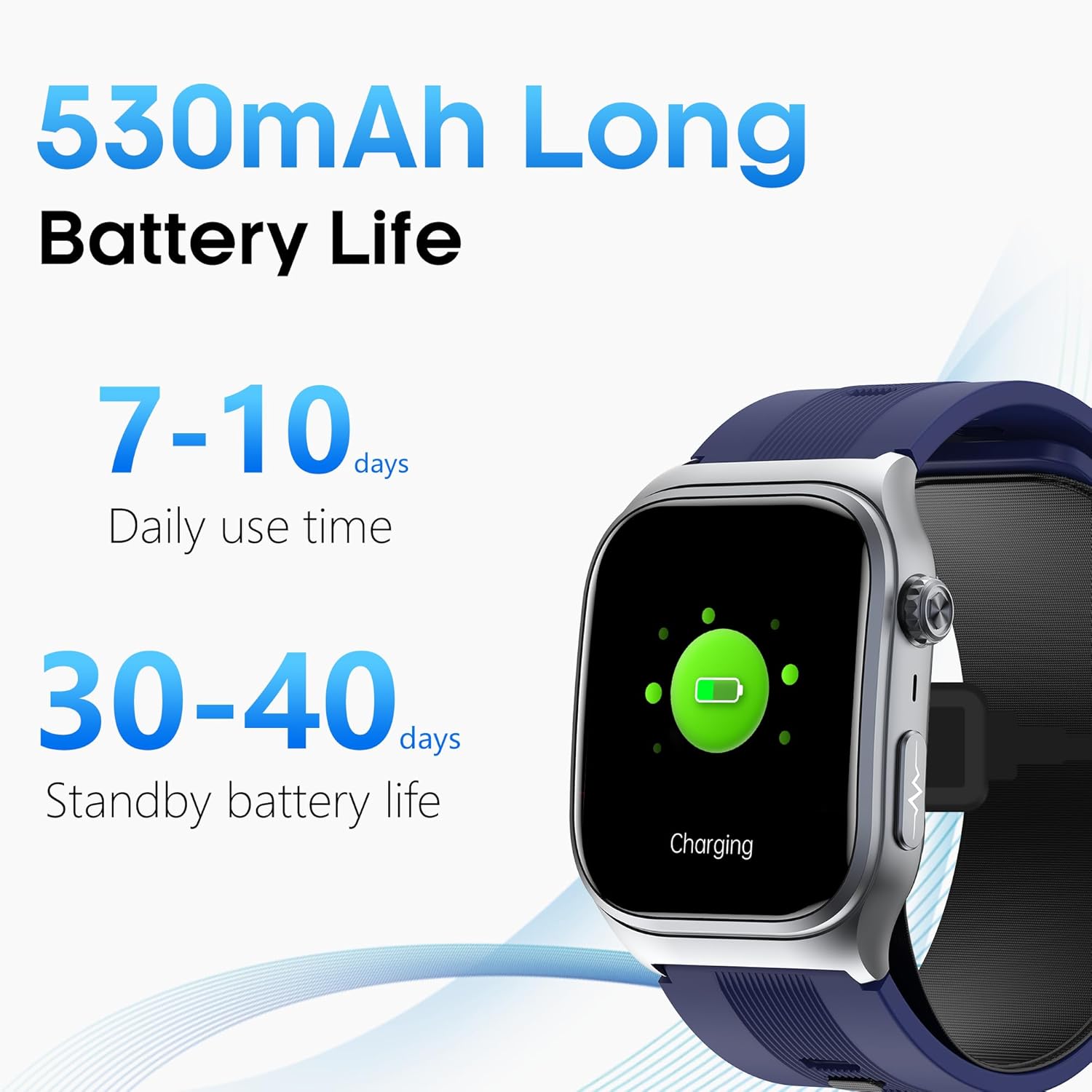
Image 4.1: The smartwatch display showing a charging indicator, illustrating the device's long battery life capabilities.
4.2 App Installation and Pairing
- Download the HealthWear APP from your smartphone's app store (compatible with Android 8.0+ and iOS 11.0+).
- Open the app and follow the on-screen instructions to create an account or log in.
- Enable Bluetooth on your smartphone.
- In the HealthWear APP, search for your device and select it to pair. Confirm the pairing request on both your phone and the smartwatch.
5. Operating Instructions
5.1 Display and Navigation
The smartwatch features a full touch screen for navigation. Swipe left, right, up, or down to access different functions and menus. Press the side button to return to the home screen or access the app list.
5.2 Blood Pressure Measurement
The watch offers two modes for blood pressure measurement:
- Accurate Measurement: Requires the airbag belt to be correctly installed. The airbag automatically inflates to provide a more precise measurement.
- Quick Measurement: Does not require the airbag belt. Suitable for daily checks and trend monitoring.

Image 5.1: The smartwatch display showing options for 'Accurate measurement' and 'Quick measurement' for blood pressure.
Measurement Posture Guidance:
For optimal accuracy, especially with the airbag, follow these steps:
- Ensure the blood pressure cuff is worn correctly and snugly on your wrist.
- Keep still, support your elbows, and place your feet flat on the ground.
- Maintain your wrist at the same height as your heart. Place your palm on your shoulder and begin the measurement.
- Wait for the measurement result to display on the watch.

Image 5.2: Visual guide demonstrating the four correct steps for achieving accurate blood pressure measurements with the smartwatch.
The watch also features a voice broadcast function to guide you through the measurement process and announce results. It can detect abnormal wearing posture and interrupt incorrect operations.

Image 5.3: The smartwatch screen showing a blood pressure reading (120/80 mmHg) with an animation indicating air pump and airbag inflation for measurement.
5.3 Health Monitoring
The smartwatch continuously monitors several health parameters, with data synchronized to the HealthWear APP for long-term storage and analysis.
- Heart Rate: Real-time monitoring with abnormal heart rate warnings.
- Body Temperature: Continuous monitoring with high-temperature reminders.
- Blood Oxygen (SpO2): 24/7 smart blood oxygen level tracking.
- Sleep Quality: Tracks deep sleep, light sleep, awake time, and sleep duration.
- Respiration Rate: Provides relaxation guidance through breathing exercises.

Image 5.4: Screenshots of the HealthWear app displaying various health metrics including temperature, SpO2, heart rate, sleep, steps, and blood pressure.
5.4 Activity Tracking
The watch supports multiple sports modes to record exercise data such as duration, steps, distance, and calorie consumption. This data helps in understanding performance and planning fitness routines.
- Running
- Cycling
- Mountaineering
- And other sports modes.
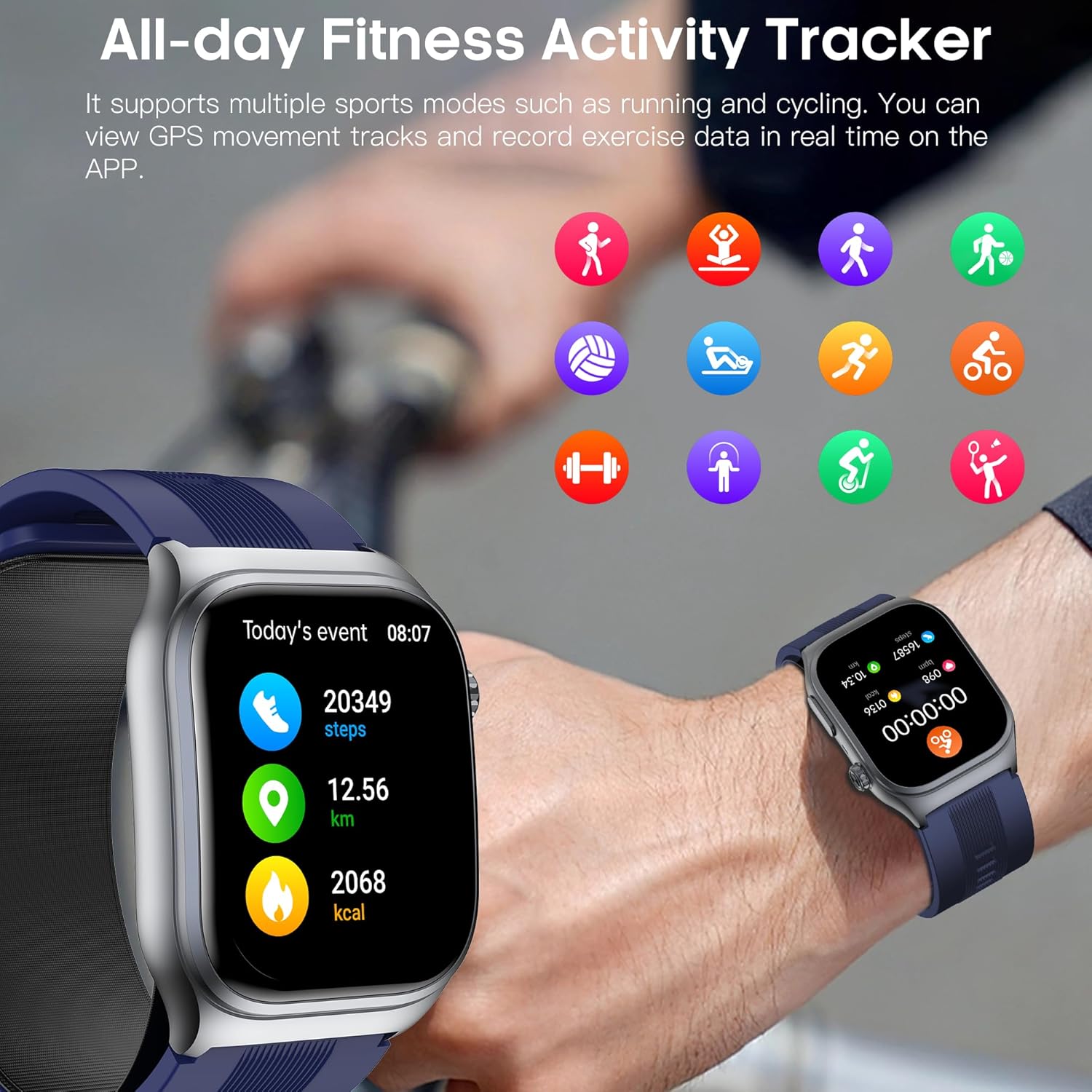
Image 5.5: The smartwatch and a companion app screen showing activity data like steps, distance, and calories burned, along with various sport mode icons.
5.5 Communication Features
- Bluetooth 5.3 Calling: Make and receive calls directly from the watch. View call records and manage contacts.
- Smart Notifications: Receive real-time SMS and app notifications (e.g., WhatsApp, Facebook, Instagram).
- SOS Emergency Call: Connect to the app via Bluetooth to set emergency contacts and initiate an SOS call with one click.

Image 5.6: The smartwatch screen showing incoming call interface, alongside icons representing dialing, call logs, contacts, SOS, and various messaging apps.
5.6 Smart Assistant and Other Features
The smartwatch integrates several smart features for daily convenience:
- AI Voice Assistant: Use voice commands for tasks like checking weather or setting alarms.
- Weather Forecast: Synchronizes with your phone to display current and upcoming weather.
- Alarm Clock: Set and manage alarms.
- Find Phone: Locate your paired smartphone.
- Camera Control: Remotely control your phone's camera.
- Music Control: Manage music playback on your phone.
- Sedentary Reminder: Prompts you to move after periods of inactivity.
- Calculator, Stopwatch, Timer, Flashlight: Additional utility functions.

Image 5.7: A visual representation of various smart applications available on the watch, including sedentary reminder, alarm, find phone, calendar, timer, camera control, music control, flashlight, and calculator.
6. Maintenance
6.1 Cleaning
Regularly clean your smartwatch and strap to prevent skin irritation and maintain functionality. Use a soft, damp cloth. Avoid harsh chemicals or abrasive materials. Ensure the charging contacts are clean and dry before charging.
6.2 Battery Life Tips
To maximize battery life:
- Adjust screen brightness to a lower setting.
- Reduce screen-on time.
- Disable continuous monitoring for features you don't need 24/7.
- Turn off unnecessary notifications.
7. Troubleshooting
If you encounter issues with your Yowow BIT Smart Watch, consider the following common solutions:
- Device not turning on: Ensure the watch is fully charged. Connect it to the charger for at least 30 minutes.
- Cannot pair with phone: Make sure Bluetooth is enabled on your phone and the watch. Restart both devices and try pairing again through the HealthWear APP. Ensure the app has necessary permissions.
- Inaccurate blood pressure readings: Verify correct wearing posture as described in Section 5.2. Ensure the airbag is properly installed and functioning. Calibrate the device against a medical-grade blood pressure monitor if possible. Note that smartwatches are not medical devices and readings should not be used for diagnostic purposes.
- Notifications not appearing: Check app permissions on your phone to ensure HealthWear can access notifications. Verify notification settings within the HealthWear APP.
- Short battery life: Refer to Section 6.2 for tips on optimizing battery usage.
- Touch screen unresponsive: Restart the watch. If the issue persists, ensure the screen is clean and dry.
For persistent issues, consult the HealthWear APP's help section or contact customer support.
8. Specifications
| Feature | Specification |
|---|---|
| Display Size | 2.06 Inches AMOLED |
| Battery Capacity | 530 mAh Lithium Polymer |
| Normal Usage Time | 7-10 days |
| Standby Time | Up to 30 days |
| Connectivity | Bluetooth 5.3 |
| Operating System Compatibility | Android 8.0+, iOS 11.0+ |
| Special Features | Activity Tracker, Air Bag Blood Pressure, Blood Oxygen, Heart Rate Monitor, Temperature, SOS |
| Item Weight | 9.3 ounces (0.58 Pounds) |
| Memory Storage Capacity | 64 GB |
9. Warranty and Support
For warranty information and customer support, please refer to the documentation included with your purchase or visit the official Yowow BIT website. Keep your purchase receipt as proof of purchase for any warranty claims.