
1. Introduction
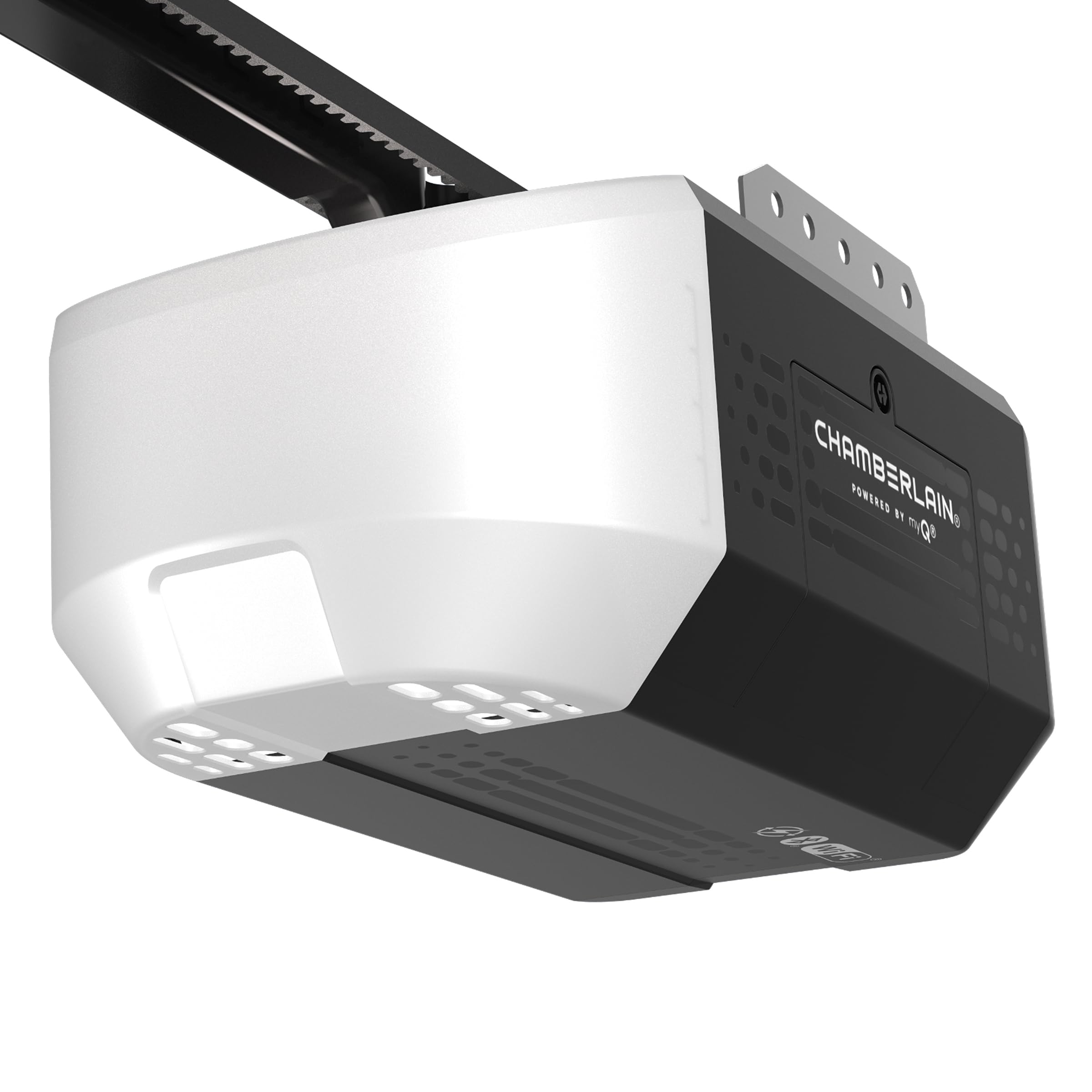
The Chamberlain B3000 is a 1/2 HP belt drive smart garage door opener designed for quiet and reliable performance. It features an ultra-quiet DC motor, battery backup for power outages, and myQ connectivity for smartphone control and monitoring. This manual provides essential information for the safe and effective use of your garage door opener.
2. Important Safety Information
Read and understand all instructions before installation and operation. Failure to follow these instructions may result in serious injury or property damage.
- WARNING: Garage door openers can cause serious injury or death if not installed and operated properly.
- WARNING: Keep remote controls and wall controls out of reach of children.
- WARNING: Never operate the garage door when people or objects are in the path of the door.
- WARNING: Regularly inspect the garage door system, including springs, cables, rollers, and other hardware, for signs of wear or damage. Do not attempt to repair these components yourself.
- WARNING: Ensure the safety reversal system is tested monthly. The door must reverse upon contact with a 1.5-inch object placed on the floor.
- WARNING: Ingestion Hazard: This product contains a button cell or coin battery. Death or serious injury can occur if ingested. A swallowed button cell or coin battery can cause internal chemical burns in as little as 2 hours.

3. What's Included
Your Chamberlain B3000 package includes the following components:
- 1/2 HP Smart Belt Drive Garage Door Opener Head
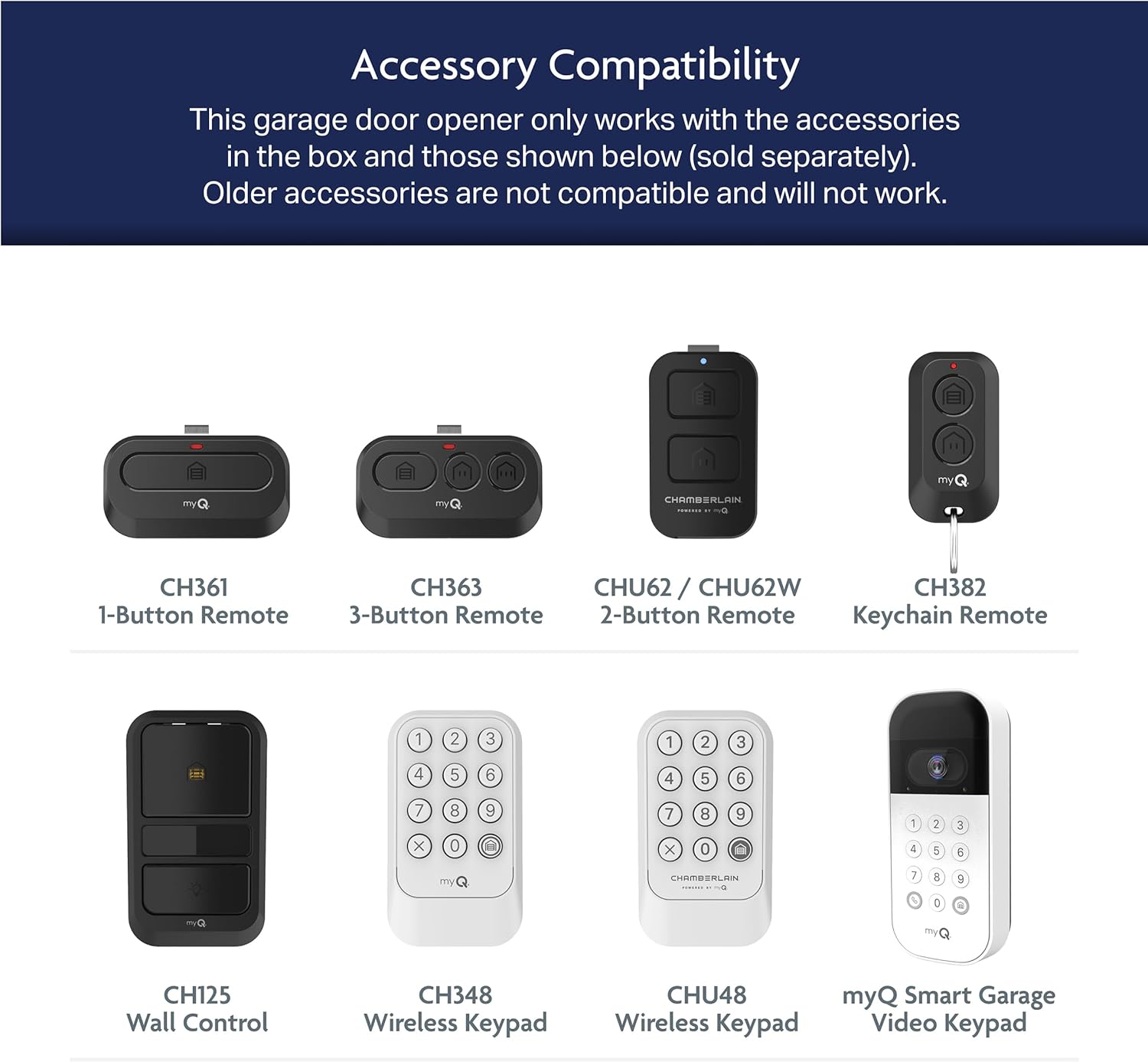
- 1-Button Remote Control
- 1-Button Wall Control
- Safety Reversing Sensors (Photo Eyes)
- Battery Backup Unit
- Mounting Hardware and Rail Assembly (for 7 ft. doors; extension kit sold separately for 8 ft. doors)
4. Setup and Installation
Installation of the Chamberlain B3000 requires careful attention to detail. It is recommended to consult the BILT Intelligent Instructions app for step-by-step 3D guides. If you are not comfortable with the installation process, consider seeking professional assistance.
4.1 Pre-Installation Checklist
- Ensure your garage door is balanced and in good working condition.
- Verify that your garage door requires reinforcement as detailed in the manual to avoid voiding the warranty.
- Gather all necessary tools as indicated in the BILT app or manual.
4.2 Installation Overview
The installation process typically involves:
- Assembling the rail and attaching it to the opener head.
- Mounting the opener to the ceiling.
- Installing the safety reversing sensors.
- Wiring the wall control.
- Connecting the battery backup.
- Programming the travel limits and force settings.
5. Operating Instructions
5.1 Using the Wall Control
The 1-button wall control provides convenient access to your garage door. Press the large button to open or close the door. It also features a light button to control the opener's light independently.
5.2 Using the Remote Control
The included 1-button remote allows you to operate the garage door from your vehicle. Press the button to open or close the door. Ensure the remote has a fresh battery for optimal performance.
5.3 myQ Smartphone Control
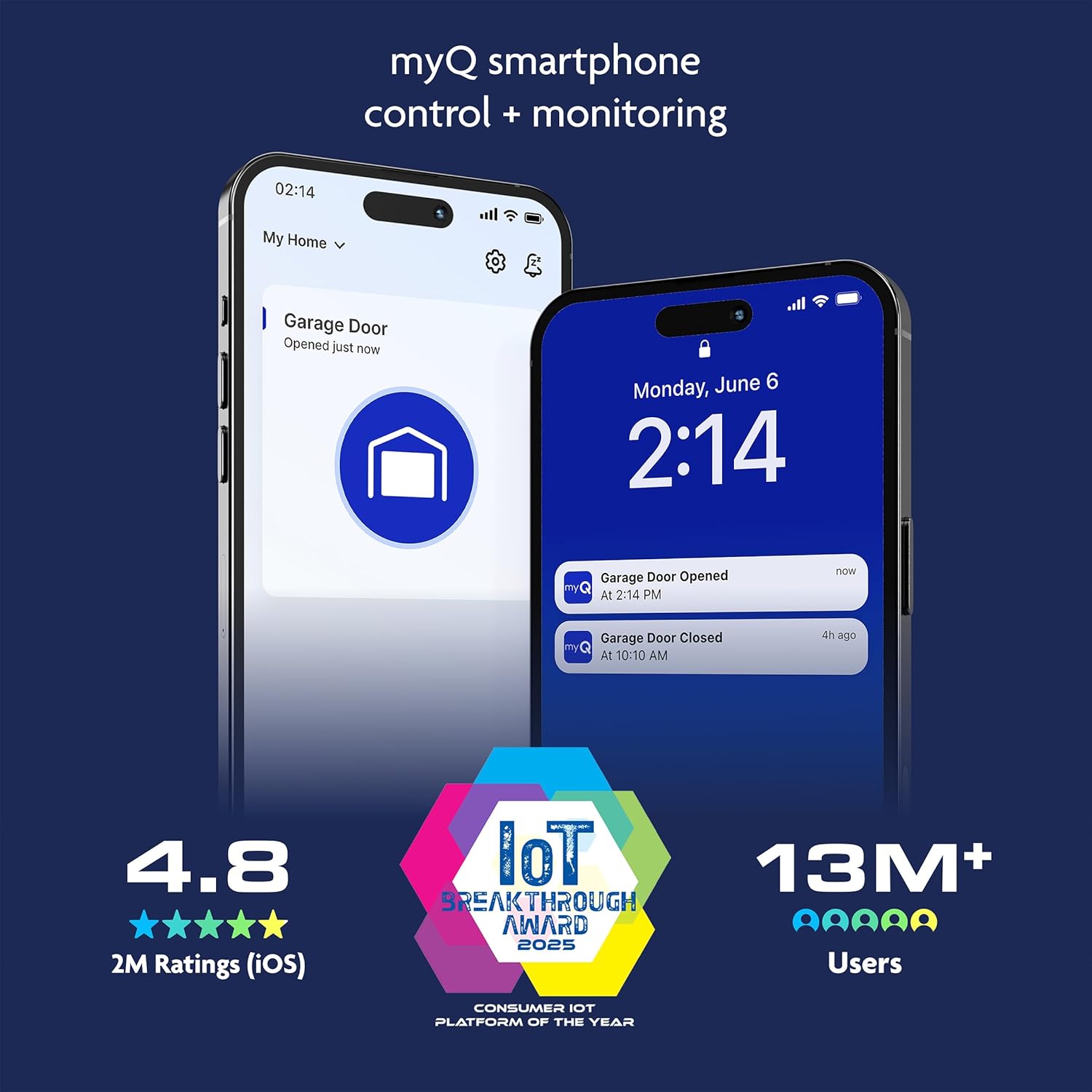
The B3000 features integrated myQ technology, allowing you to control, secure, and monitor your garage door from anywhere using the myQ app on your smartphone. Download the myQ app from your device's app store, create an account, and follow the in-app instructions to connect your opener.
5.4 HomeLink Compatibility
The B3000 is HomeLink compatible, allowing you to program your vehicle's built-in HomeLink buttons to operate your garage door. This feature is compatible with most vehicles made after 2016.
6. Maintenance
Regular maintenance ensures the longevity and safe operation of your garage door opener.
- Monthly: Test the safety reversal system and photo eye sensors. Inspect the door for balance and smooth operation.
- Annually: Lubricate rollers, hinges, and springs with a garage door lubricant. Do not lubricate the tracks.
- Battery Backup: Check the battery backup status periodically. Replace the battery when indicated by the opener or every 1-2 years.
7. Troubleshooting
Refer to the following common issues and solutions:
| Problem | Possible Cause | Solution |
|---|---|---|
| Opener does not operate from wall control or remote. | No power; remote battery dead; remote out of range; safety sensors obstructed. | Check power supply; replace remote battery; ensure clear line of sight for sensors; move closer to opener. |
| Door reverses unexpectedly. | Safety sensors misaligned or obstructed; travel limits set incorrectly; excessive force setting. | Align or clear safety sensors; reprogram travel limits; adjust force settings. |
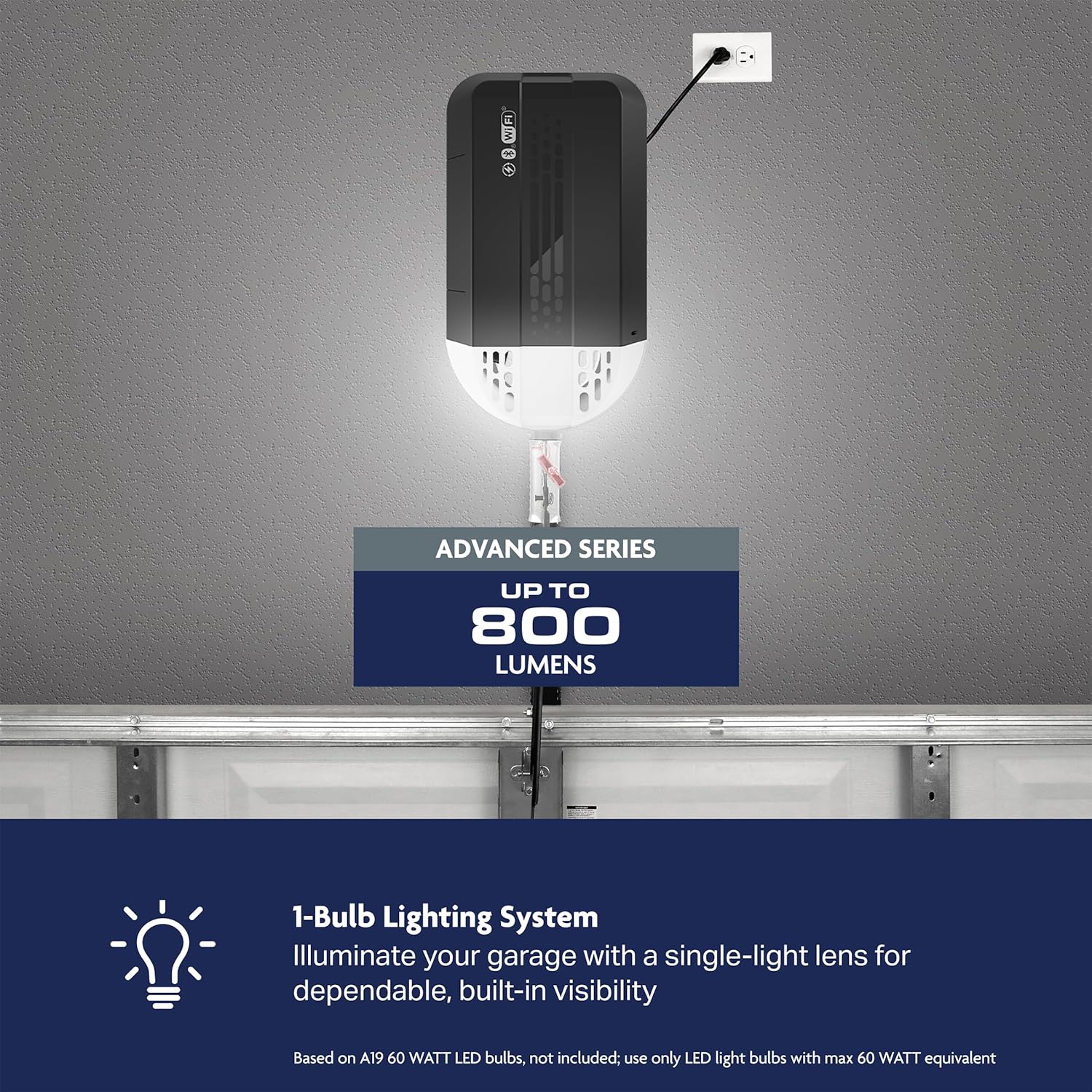
| Opener lights do not turn on. | Light bulb burned out; light feature disabled. | Replace bulb (use LED light bulbs with max 60 W equivalent); check light settings on wall control or myQ app. |
| myQ app not connecting. | Wi-Fi signal issue; incorrect myQ setup. | Check Wi-Fi router; re-establish myQ connection in the app. |
8. Product Specifications
| Feature | Detail |
|---|---|
| Manufacturer | Chamberlain Group |
| Model Number | B3000 |
| Lifting Capacity | 1/2 HP (equivalent to 1/2 HP AC motor) |
| Drive Type | Belt Drive |
| Motor Type | DC Motor |
| Connectivity | myQ (Wi-Fi enabled) |
| Battery Backup | Yes (Lithium Metal battery included) |
| Lighting | 1-Bulb Lighting System (up to 800 lumens, bulb sold separately) |
| Item Weight | 29.8 pounds |
| Product Dimensions | 14.6 x 8.2 x 7.2 inches |
9. Warranty Information
The Chamberlain B3000 garage door opener is backed by the following warranties:
- Motor: 5-year warranty
- Belt: 5-year warranty
- Parts: 1-year warranty
For detailed warranty terms and conditions, please refer to the documentation included with your product or visit the Chamberlain website.
10. Customer Support
For assistance with your Chamberlain B3000 garage door opener, please contact Chamberlain customer service. For HomeLink system programming support, contact HomeLink directly:
- HomeLink Support: 1-800-355-3515
- HomeLink Website: homelink.com


