
Introduction
The Chamberlain C4310 3/4 HP Chain Drive Smart Garage Door Opener offers quiet and reliable performance, ideal for attached garages. It features a sturdy chain drive, DC motor, battery backup for power outages, a built-in video camera, and myQ app connectivity for remote control and monitoring. This manual provides essential information for the setup, operation, maintenance, and troubleshooting of your new garage door opener.

Figure 1: Main unit of the Chamberlain C4310 Smart Garage Door Opener.
Product Features
The Chamberlain C4310 is equipped with several advanced features designed for convenience, security, and durability:
- Power Outage Protection: An included battery backup ensures uninterrupted access during power failures, providing at least 10 open and close cycles.
- Quiet Operation: A DC motor paired with a chain drive minimizes noise for dependable performance.
- Smart Access with myQ Connectivity: Control and monitor your garage from anywhere using the myQ app on your smartphone.
- Integrated Video Monitoring: A built-in fixed camera allows real-time monitoring of activity via the myQ app.
- Powerful 3/4 HP Motor: Designed for frequent use, delivering smooth, consistent operation and long-term durability.
- 2-Bulb Lighting System: Illuminates your entire garage with dual-light lenses for enhanced visibility (bulbs sold separately).
- Included Smart Accessories: Comes with two 1-button remotes and a multi-function wall control.

Figure 2: Overview of key features.

Figure 3: Battery backup ensures operation during power outages.
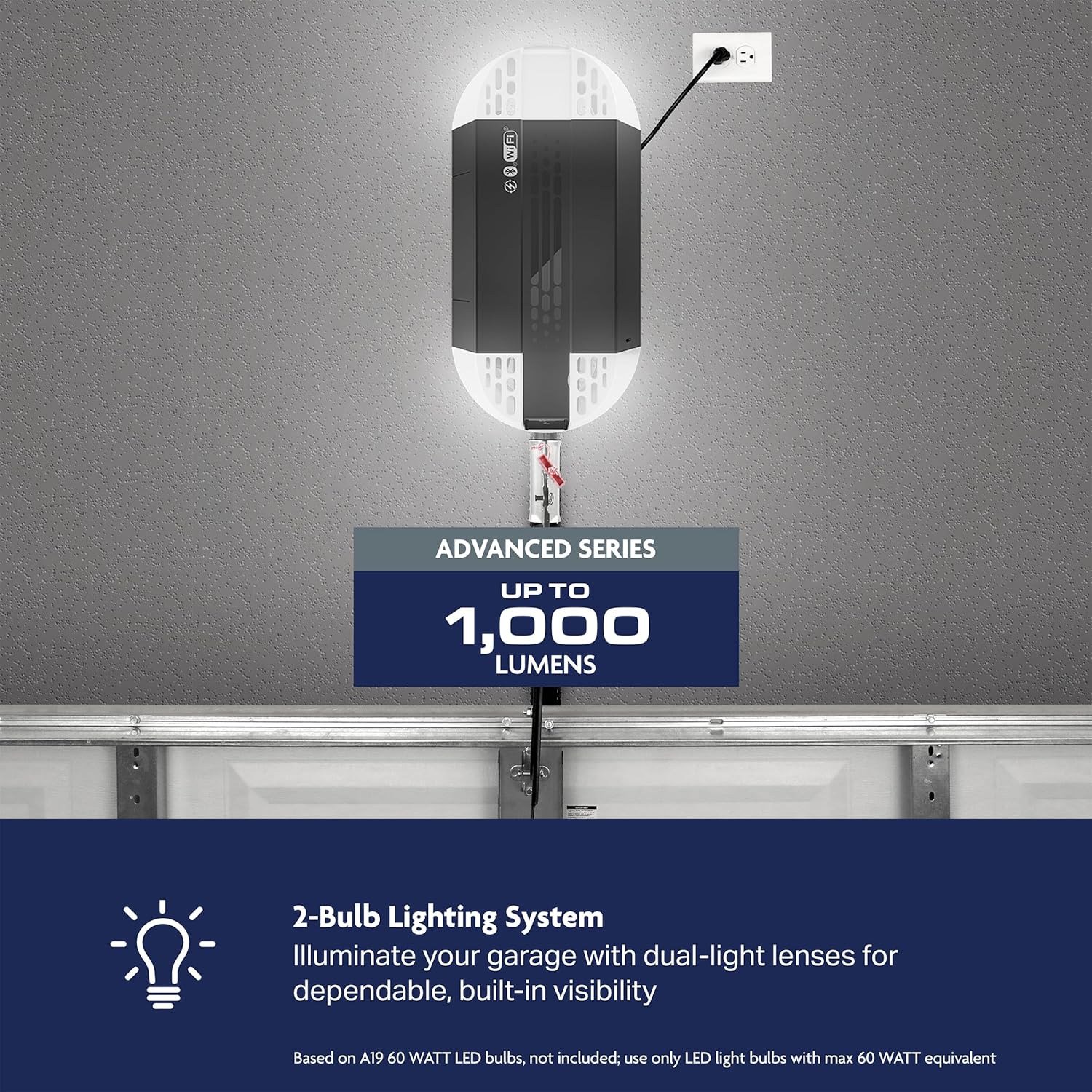
Figure 4: The 3/4 HP motor provides robust lifting capacity.

Figure 5: The 2-Bulb Lighting System enhances garage visibility.
Setup and Installation
Installation of the Chamberlain C4310 can be straightforward, especially when replacing an existing opener. While it is possible for a single person to install, having two people is recommended for ease and safety. Ensure all components are present before beginning installation.
Included Accessories
Your C4310 opener comes with the following accessories:
- 3/4 HP Smart Chain Drive Garage Door Opener with Video
- 2 x 1-Button Remotes
- Multi-Function Wall Control
- Safety Sensors
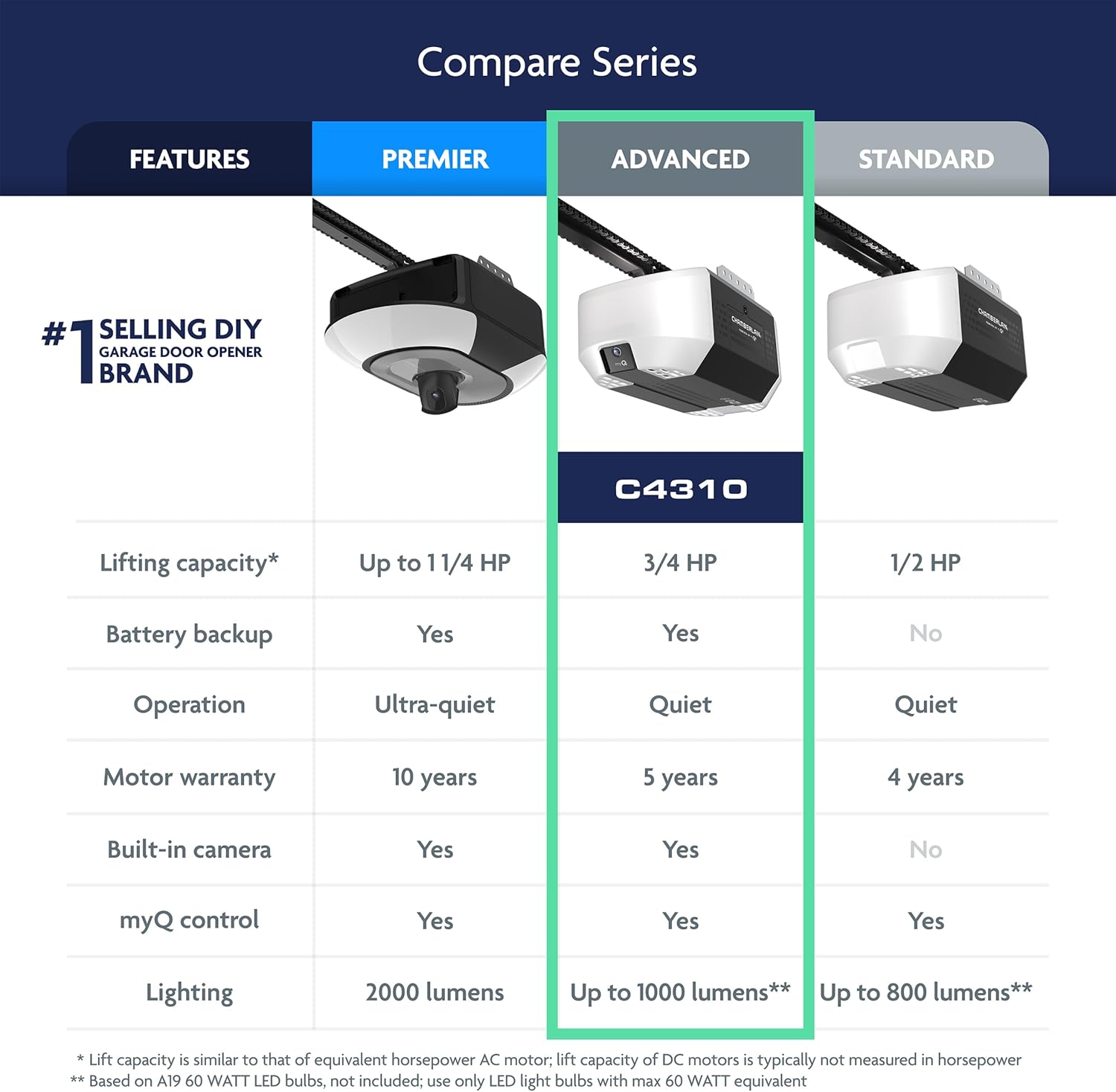
Figure 6: Included smart accessories for the C4310.
Accessory Compatibility
This garage door opener is designed to work with the accessories included in the box and specific compatible accessories (sold separately). Most older accessories are not compatible and will not function with this unit.
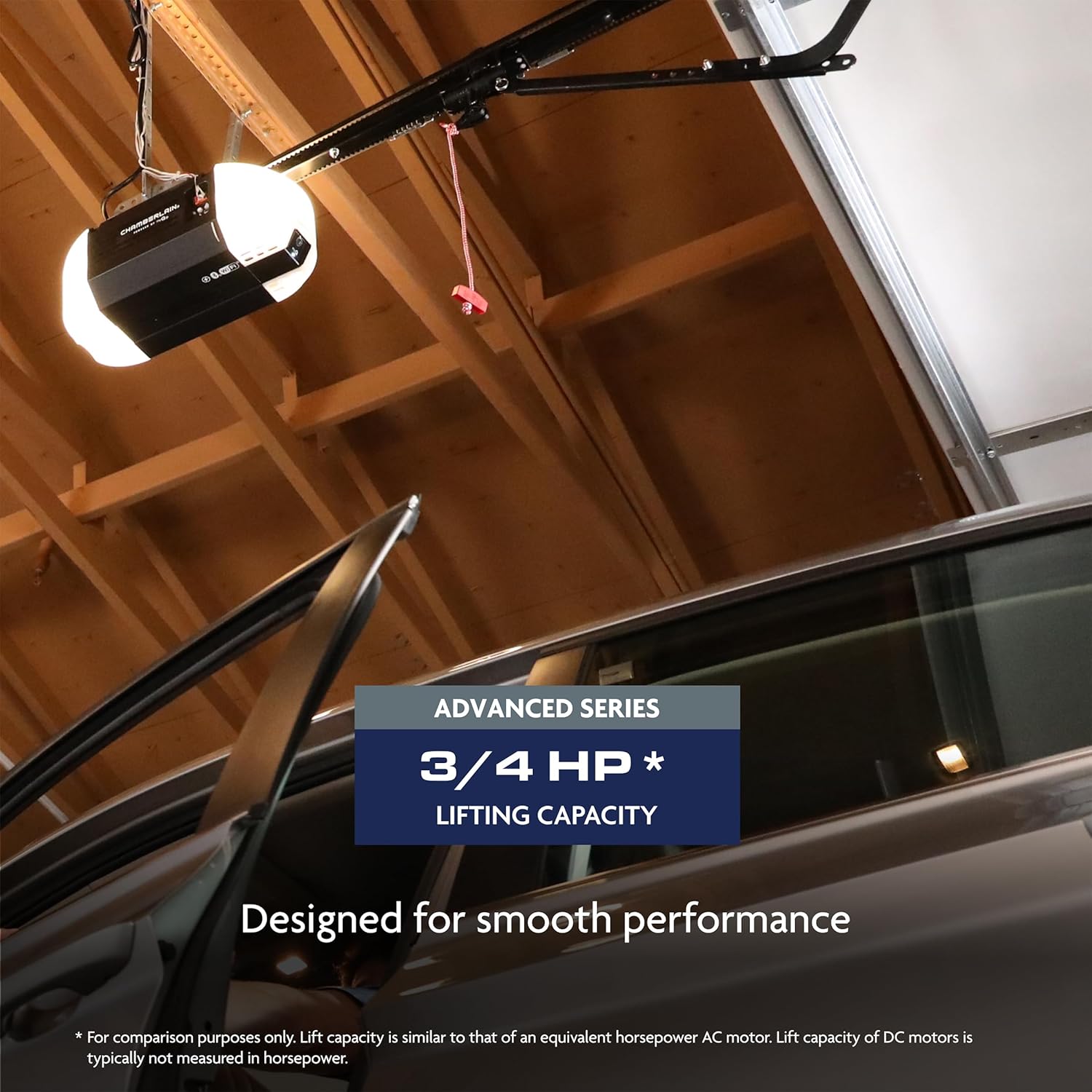
Figure 7: Compatible accessories for the C4310.
Chamberlain C4310 Setup Video
Video 1: Official setup guide for the Chamberlain C4310 garage door opener.
Pairing with HomeLink System
To integrate your garage door opener with your vehicle's built-in HomeLink system, follow the instructions provided in the video below. Ensure your vehicle is parked safely and out of the path of the garage door during the pairing process.
Video 2: Guide on pairing your vehicle's built-in HomeLink system with your garage door opener.
Operating Instructions
The C4310 offers multiple ways to operate your garage door:
- myQ App: Use your smartphone to open, close, and monitor your garage door from anywhere. The app also allows you to set schedules for automatic closing and receive notifications.
- 1-Button Remotes: Two remotes are included for convenient control from your vehicle.
- Multi-Function Wall Control: Located inside your garage, this control allows you to open/close the door and turn on/off the lights.
- Wireless Keypad: (Optional, sold separately) Provides keyless entry with a programmable PIN.
- Manual Release: In case of power failure or emergency, pull the red emergency release cord to manually open or close the garage door.
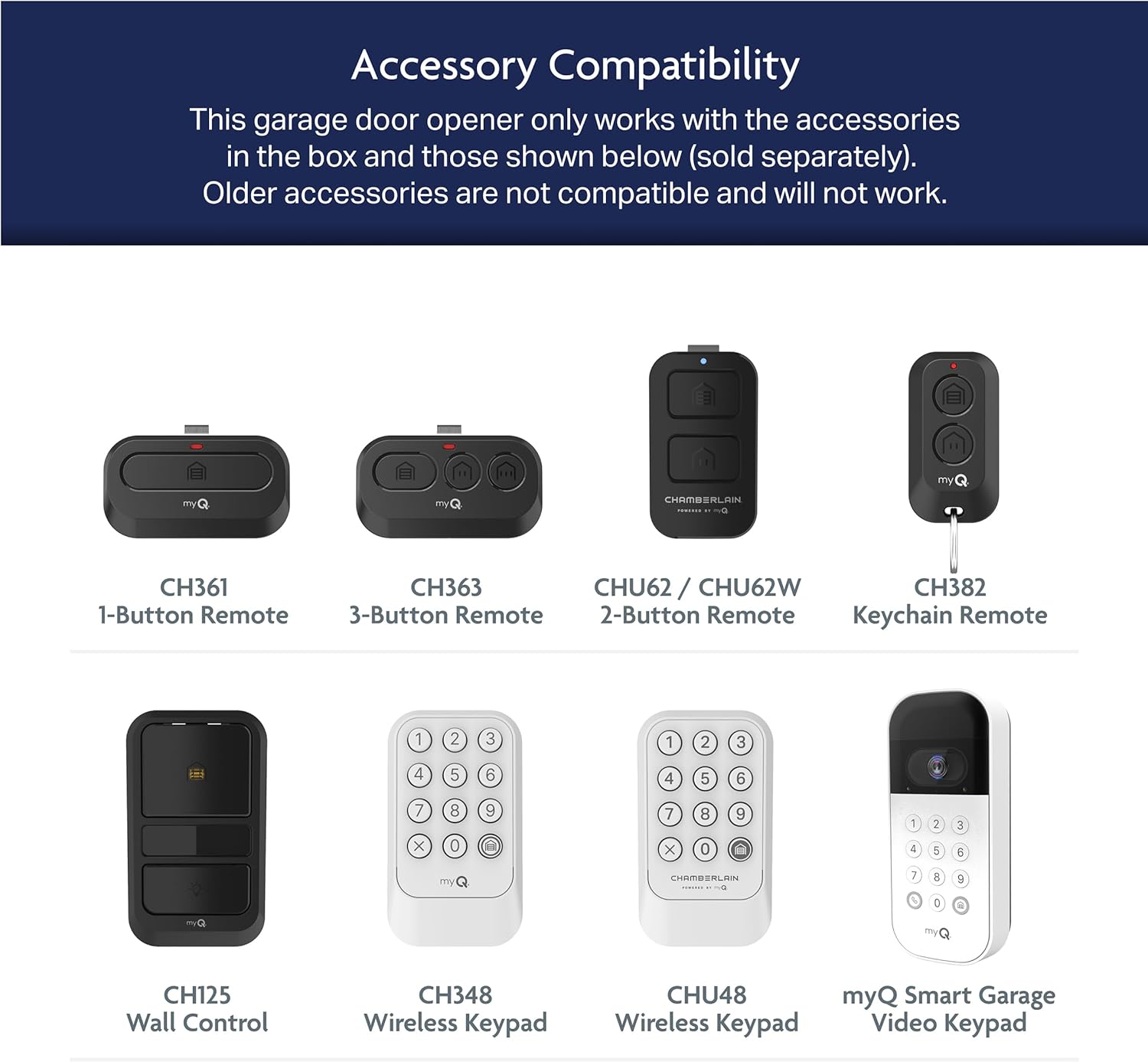
Figure 8: myQ smartphone control and monitoring interface.

Figure 9: Scheduling the garage door to close automatically.
Maintenance
Regular maintenance ensures the longevity and optimal performance of your garage door opener. The C4310's chain drive system is designed for durability and quiet operation. Periodically inspect the chain for proper tension and lubricate as recommended in the full product manual. Ensure safety sensors are clean and aligned to prevent operational issues.
Troubleshooting
If you encounter issues with your Chamberlain C4310, consider the following common troubleshooting steps:
- Door Not Closing: Check that the safety sensors are properly aligned and free from obstructions. The LED indicators on the sensors should be solid.
- Power Outage: The battery backup should automatically engage. If not, ensure the battery is properly connected and charged. Use the manual release cord if necessary.
- Remote/Keypad Not Working: Check battery levels in remotes/keypads. Ensure they are programmed correctly.
- Door Stops Mid-Operation: This could indicate an obstruction or an issue with the travel limits. Refer to the full manual for instructions on setting and adjusting travel limits.
Specifications
| Specification | Detail |
|---|---|
| Model Number | C4310 |
| Motor Type | 3/4 HP Chain Drive DC Motor |
| Connectivity | Wi-Fi, myQ App |
| Battery Backup | Yes |
| Lighting | 2-Bulb Lighting System (up to 1000 lumens, bulbs sold separately) |
| Integrated Camera | Fixed Camera |
| Item Weight | 31.9 pounds |
| Product Dimensions | 14.6 x 8.2 x 7.2 inches |
| Batteries Included | Yes |
| Battery Cell Type | Lithium Metal |
Warranty Information
The Chamberlain C4310 Smart Garage Door Opener is backed by a robust warranty:
- Motor: 5-year warranty
- Chain: 1-year warranty
- Parts: 1-year warranty
This warranty reflects Chamberlain's commitment to lasting performance and peace of mind. For detailed terms and conditions, please refer to the warranty documentation included with your product.
Support
For further assistance, technical support, or to purchase additional accessories, please visit the official Chamberlain website or contact their customer service. Always refer to the complete product manual for comprehensive safety information and detailed instructions.


