
ORACLE Red Bull RACING RB-EB130
ORACLE Red Bull RACING RB-EB130 Bluetooth In-Ear Headphones User Manual
Model: RB-EB130
1. Introduction
This manual provides essential instructions for the safe and efficient use of your ORACLE Red Bull RACING RB-EB130 Bluetooth In-Ear Headphones. Please read this manual thoroughly before using the product and retain it for future reference.
The RB-EB130 earbuds offer powerful sound with 13mm drivers, Environmental Noise Cancelling (ENC) technology for reduced ambient noise, and a stable Bluetooth connection for clear audio and calls.
2. Package Contents
- ORACLE Red Bull RACING RB-EB130 In-Ear Headphones (Left and Right Earbuds)
- Charging Case
- USB-C Charging Cable
- User Manual
3. Product Overview
Familiarize yourself with the components of your RB-EB130 headphones and charging case.
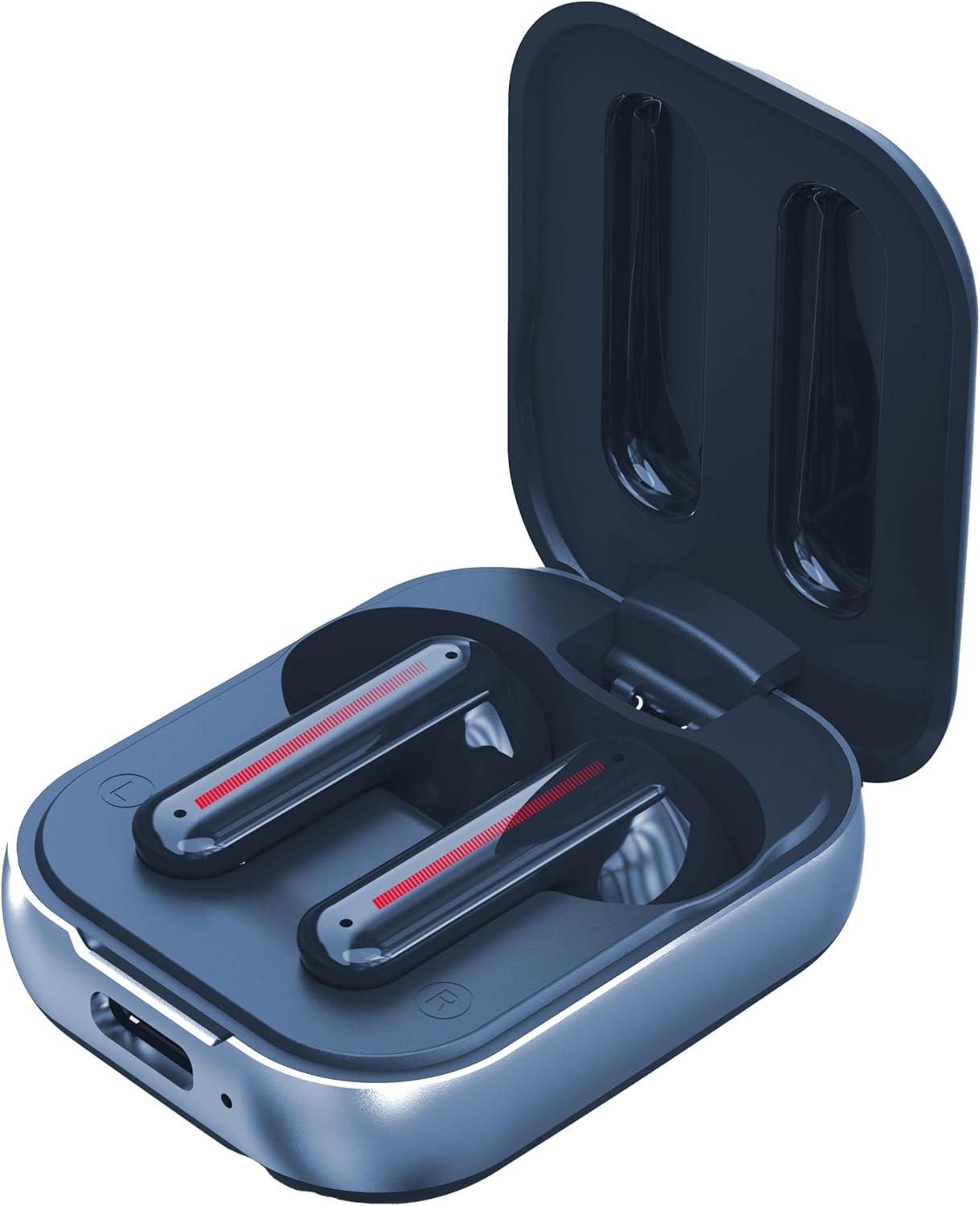
Figure 3.1: The RB-EB130 earbuds placed inside their open charging case, showing the charging contacts and the sleek design of the earbuds.

Figure 3.2: Front view of the closed charging case, featuring the ORACLE Red Bull RACING logo prominently on the lid and the USB-C charging port at the bottom.

Figure 3.3: Side view of the closed charging case, highlighting its compact form factor and the USB-C charging port.
4. Setup
4.1 Charging the Earbuds and Case
- Initial Charge: Before first use, fully charge the earbuds and the charging case.
- Charging the Case: Connect the supplied USB-C cable to the charging port on the case and the other end to a USB power source (e.g., wall adapter, computer USB port). The charging indicator on the case will show charging status. A full charge takes approximately 1.5 hours.
- Charging the Earbuds: Place the earbuds into the charging case. Ensure they are correctly seated. The earbuds will automatically begin charging. The case holds enough power for multiple earbud charges, providing up to 4-5 hours of playtime per earbud charge.
4.2 Bluetooth Pairing
- Activate Pairing Mode: Open the charging case. The earbuds will automatically enter pairing mode, indicated by a flashing LED light on the earbuds (refer to product for specific LED behavior).
- Enable Bluetooth: On your device (smartphone, tablet, laptop), go to the Bluetooth settings and ensure Bluetooth is enabled.
- Select Device: In the list of available Bluetooth devices, select "RB-EB130" (or similar name).
- Confirm Connection: Once connected, the LED indicator on the earbuds will change (e.g., solid blue or turn off), and you will hear an audible confirmation.
- Reconnect: After initial pairing, the earbuds will automatically connect to the last paired device when removed from the case and within range (up to 10 meters).
5. Operating Instructions
5.1 Touch Controls
The RB-EB130 earbuds feature touch-sensitive controls. Specific functions may vary slightly, but common operations include:
- Play/Pause: Single tap on either earbud.
- Next Track: Double tap on the right earbud.
- Previous Track: Double tap on the left earbud.
- Answer/End Call: Single tap on either earbud during an incoming call or active call.
- Reject Call: Press and hold either earbud for 2 seconds during an incoming call.
- Activate Voice Assistant: Triple tap on either earbud (e.g., Siri, Google Assistant).
- Toggle ENC: Press and hold for 2-3 seconds on either earbud (may vary, refer to specific product documentation for exact ENC control).
5.2 Environmental Noise Cancelling (ENC)
The built-in ENC technology reduces ambient noise by up to 30 dB, enhancing your listening experience and call clarity. This feature is automatically active or can be toggled via touch controls as described above.
5.3 Making and Receiving Calls
With the integrated microphones, you can make and receive calls. The 4 ENC microphones ensure clear voice quality even in noisy environments.
- Answering a Call: Tap either earbud once.
- Ending a Call: Tap either earbud once during an active call.
- Rejecting a Call: Press and hold either earbud for 2 seconds.
6. Maintenance
Proper maintenance ensures the longevity and optimal performance of your RB-EB130 headphones.
- Cleaning: Use a soft, dry, lint-free cloth to clean the earbuds and charging case. Do not use abrasive cleaners, alcohol, or chemical solvents.
- Water Resistance: These earbuds are not water resistant. Avoid exposure to water, moisture, rain, or sweat.
- Storage: When not in use, store the earbuds in their charging case to protect them and keep them charged. Store in a cool, dry place away from extreme temperatures.
- Charging Port: Keep the USB-C charging port free of dust and debris.
7. Troubleshooting
If you encounter issues with your RB-EB130 headphones, refer to the following common solutions:
- No Power:
- Ensure the charging case and earbuds are fully charged.
- Check the USB-C charging cable and power source for proper connection.
- Cannot Pair:
- Ensure Bluetooth is enabled on your device.
- Make sure the earbuds are in pairing mode (LED flashing).
- Turn off Bluetooth on other nearby devices that may be trying to connect.
- Forget "RB-EB130" from your device's Bluetooth list and try pairing again.
- Place earbuds back in the case, close, then reopen to reset pairing mode.
- No Sound/Low Volume:
- Check the volume level on both your device and the earbuds.
- Ensure the earbuds are properly connected to your device.
- Try playing different audio sources.
- Clean any debris from the earbud speakers.
- Intermittent Connection:
- Ensure your device is within the 10-meter Bluetooth range.
- Avoid physical obstructions between your device and the earbuds.
- Minimize interference from other wireless devices.
8. Specifications
| Feature | Specification |
|---|---|
| Model | RB-EB130 |
| Brand | ORACLE Red Bull RACING |
| Connectivity | Bluetooth Wireless |
| Driver Size | 13 mm |
| Noise Control | Environmental Noise Cancellation (ENC), up to 30 dB |
| Battery Life (Earbuds) | 4-5 Hours (per charge) |
| Charging Case Battery | 200 mAh (provides additional charges) |
| Charging Time | Approx. 1.5 Hours (case) |
| Charging Port | USB-C |
| Wireless Range | Up to 10 meters |
| Microphones | 4 ENC Microphones |
| Control Method | Touch |
| Water Resistance | Not Water Resistant |
| Item Weight | 50 Grams |
9. Warranty and Support
For warranty information and customer support, please refer to the documentation provided with your purchase or visit the official ORACLE Red Bull RACING product support website. Keep your proof of purchase for warranty claims.
For further assistance, please contact your retailer or the manufacturer's customer service.