
1. Introduction
Thank you for choosing the ORACLE Red Bull RACING RB-EB120 Bluetooth In-Ear Earbuds. These earbuds are designed to provide a high-quality audio experience with wireless freedom, active noise reduction, and a comfortable fit. This manual will guide you through the setup, operation, and maintenance of your new earbuds.
2. Package Contents
Please check the package for the following items:
- ORACLE Red Bull RACING RB-EB120 Earbuds (Left and Right)
- Charging Case
- USB-C Charging Cable
- User Manual
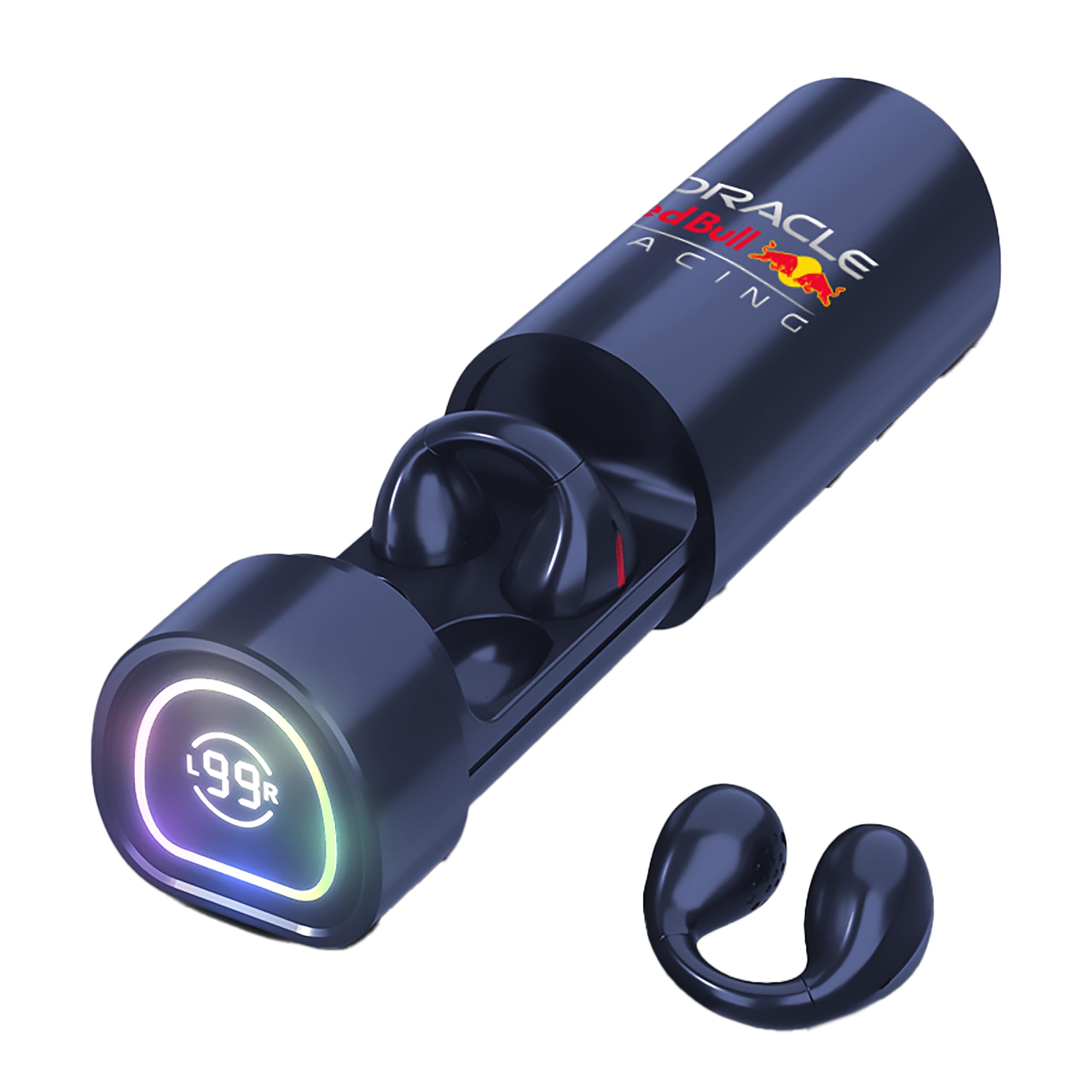
Image: The RB-EB120 earbuds and their charging case, showcasing the compact design and Red Bull Racing branding.
3. Setup
3.1. Charging the Earbuds and Case
- Before first use, fully charge the earbuds and the charging case.
- Place the earbuds into the charging case, ensuring they are correctly seated.
- Connect the USB-C charging cable to the charging port on the case and the other end to a USB power source (e.g., wall adapter, computer USB port).
- The indicator lights on the case will show the charging status. A full charge typically takes approximately 1.5 hours for the case and earbuds.
- Once fully charged, disconnect the charging cable. The earbuds provide up to 5 hours of playback on a single charge, with the charging case providing additional charges.
3.2. Pairing with a Bluetooth Device
- Ensure the earbuds are charged and placed inside the charging case.
- Open the charging case lid. The earbuds will automatically enter pairing mode, indicated by a flashing LED light on the earbuds.
- On your device (smartphone, tablet, computer), go to the Bluetooth settings.
- Turn on Bluetooth and search for available devices.
- Select "RB-EB120" from the list of found devices.
- Once connected, the earbud LED lights will stop flashing, and you will hear a confirmation tone.
- If pairing fails, close the case, wait a few seconds, and repeat the steps.
4. Operating the Earbuds
4.1. Wearing the Earbuds
Gently insert the earbuds into your ears, ensuring a snug and comfortable fit. Adjust them until the sound quality is optimal and they feel secure.
4.2. Touch Controls
The RB-EB120 earbuds feature intuitive touch controls on each earbud. Specific functions may vary slightly depending on your device and application.
- Play/Pause: Single tap on either earbud.
- Next Track: Double tap on the right earbud.
- Previous Track: Double tap on the left earbud.
- Answer/End Call: Single tap on either earbud.
- Reject Call: Press and hold either earbud for 2 seconds.
- Activate Voice Assistant: Triple tap on either earbud.
- Noise Reduction Mode: Press and hold the left earbud for 2 seconds to cycle through noise reduction modes (On/Off).
4.3. Noise Reduction
The earbuds feature environmental noise suppression, effectively reducing ambient noise by up to 30 dB. This allows for a more immersive listening experience and clearer call quality in noisy environments. Activate or deactivate this feature using the touch controls as described above.
4.4. Making Calls
With the integrated microphone, you can make and receive calls hands-free. Use the touch controls to manage your calls.
5. Maintenance
5.1. Cleaning
- Regularly clean the earbuds and charging case with a soft, dry, lint-free cloth.
- Do not use abrasive cleaners, alcohol, or chemical solvents.
- Ensure charging contacts on both earbuds and case are clean and dry to prevent charging issues.
5.2. Storage
When not in use, store the earbuds in their charging case to protect them from dust and damage. Store in a cool, dry place away from extreme temperatures.
6. Troubleshooting
- Earbuds not pairing: Ensure earbuds are charged. Place them back in the case, close the lid, wait 10 seconds, then open the lid to re-enter pairing mode. On your device, forget the "RB-EB120" and try pairing again.
- No sound from one earbud: Check if both earbuds are charged. Try placing them back in the case and taking them out again. Re-pair if necessary.
- Charging issues: Ensure the USB-C cable is securely connected and the charging contacts on the earbuds and case are clean. Try a different USB-C cable or power source.
- Low volume or poor sound quality: Adjust the volume on your connected device. Ensure the earbuds are properly seated in your ears. Clean any debris from the earbud grilles.
- Noise reduction not working: Ensure the feature is activated via touch controls. Check for a secure fit in your ears.
7. Specifications
| Brand | ORACLE Red Bull RACING |
| Model Number | RB-EB120 |
| Connectivity Technology | Wireless (Bluetooth) |
| Ear Placement | In-Ear |
| Driver Size | 10 mm |
| Noise Control | Environmental Noise Suppression (up to 30 dB) |
| Microphone | Integrated |
| Earbud Battery Life | Up to 5 hours |
| Charging Case Battery | 300 mAh |
| Charging Time | Approx. 1.5 hours |
| Charging Port | USB-C |
| Control Method | Touch |
| Weight | 70 Grams (item) |
| Water Resistance | Not waterproof |
8. Warranty and Support
Your ORACLE Red Bull RACING RB-EB120 earbuds are covered by a manufacturer's warranty. Please refer to the warranty card included in your package for specific terms and conditions.
For technical support, troubleshooting assistance, or warranty claims, please contact your retailer or visit the official ORACLE Red Bull RACING product support website. Keep your proof of purchase for warranty service.