
1. Introduction
This manual provides essential instructions for setting up, operating, maintaining, and troubleshooting your OUKITEL P1 Pro smartphone. Please read this guide thoroughly to ensure proper use and to maximize your device's capabilities.

Image 1.1: Front and back view of the OUKITEL P1 Pro smartphone, highlighting its sleek design and triple camera system.
2. What's in the Box
Upon opening your OUKITEL P1 Pro package, verify that all the following items are included:
- 1x OUKITEL P1 Pro Smartphone
- 1x Charger & Protective Case
- 1x Type-C Cable
- 1x Maintenance Card
- 1x Card Pin (SIM ejector tool)
For a visual guide on the package contents, please refer to the unboxing video below:
Video 2.1: An unboxing video demonstrating the contents of the OUKITEL P1 Pro smartphone package, including the phone, charger, cable, protective case, and documentation.

Image 2.2: An overview of the OUKITEL P1 Pro smartphone and its accessories, including the charger, USB-C cable, protective case, and documentation.
3. Setup
3.1. SIM Card and TF Card Installation
The OUKITEL P1 Pro supports dual Nano SIM cards or one Nano SIM card and one TF (microSD) card for expanded storage. Follow these steps to install your cards:
- Locate the SIM card tray on the side of your phone.
- Insert the provided card pin into the small hole next to the tray and gently push until the tray ejects.
- Place your Nano SIM card(s) and/or TF card into the tray with the gold contacts facing down, ensuring they are correctly oriented as indicated on the tray.
- Carefully reinsert the tray into the phone until it clicks into place.

Image 3.1: Illustration of the OUKITEL P1 Pro's dual SIM card tray, showing how to insert two Nano SIM cards or one Nano SIM and one TF card.
3.2. Initial Power On and Basic Configuration
To power on your device, press and hold the Power button until the OUKITEL logo appears. Follow the on-screen prompts to complete the initial setup, which includes selecting your language, connecting to Wi-Fi, and setting up your Google account.
4. Operating Your OUKITEL P1 Pro
4.1. Display and Interaction
The OUKITEL P1 Pro features a 6.7-inch FHD+ AMOLED display with a 120Hz refresh rate for smooth visuals and responsive touch. The display resolution is 1080x2412 pixels, providing clear and vibrant images.

Image 4.1: The OUKITEL P1 Pro's 6.7-inch FHD+ AMOLED display, showcasing its 1080x2412 resolution and 120Hz refresh rate for an immersive visual experience.
Dynamic Island Feature
The Dynamic Island provides a convenient way to view notifications, alerts, and ongoing activities without interrupting your current task. It adapts dynamically to display relevant information such as incoming calls, music playback, and battery status.

Image 4.2: The Dynamic Island feature on the OUKITEL P1 Pro, illustrating how it displays various notifications and system information.
4.2. Camera Features
Capture high-quality photos and videos with the OUKITEL P1 Pro's versatile camera system:
- 50MP AI Main Camera: For detailed and vibrant primary photos.
- 32MP Front Camera: Ideal for clear selfies and video calls.
- 2MP Macro Camera: For capturing intricate close-up details.

Image 4.3: The OUKITEL P1 Pro's camera setup, detailing the 50MP AI main camera, 32MP front camera, and 2MP macro camera.
4.3. Performance and Storage
The device is powered by the MediaTek Helio G100 processor, built on a 6nm process, ensuring efficient performance. It comes with 16GB RAM and 256GB ROM, expandable up to 2TB via a TF card, providing ample space for applications and media.

Image 4.4: Visual representation of the OUKITEL P1 Pro's 16GB RAM and 256GB ROM, powered by the MediaTek Helio G100 Octa-Core processor.
Android 15 Operating System
The OUKITEL P1 Pro runs on Android 15, offering enhanced privacy protection, AI optimization features, and a fluid user experience.

Image 4.5: The OUKITEL P1 Pro displaying the Android 15 operating system interface, integrated with Gemini AI.
4.4. Battery and Charging
Equipped with a 5150mAh battery, the OUKITEL P1 Pro provides extended usage times. It supports 18W fast charging, allowing for quick recharges. Additionally, the phone can function as a power bank via OTG for charging other devices.
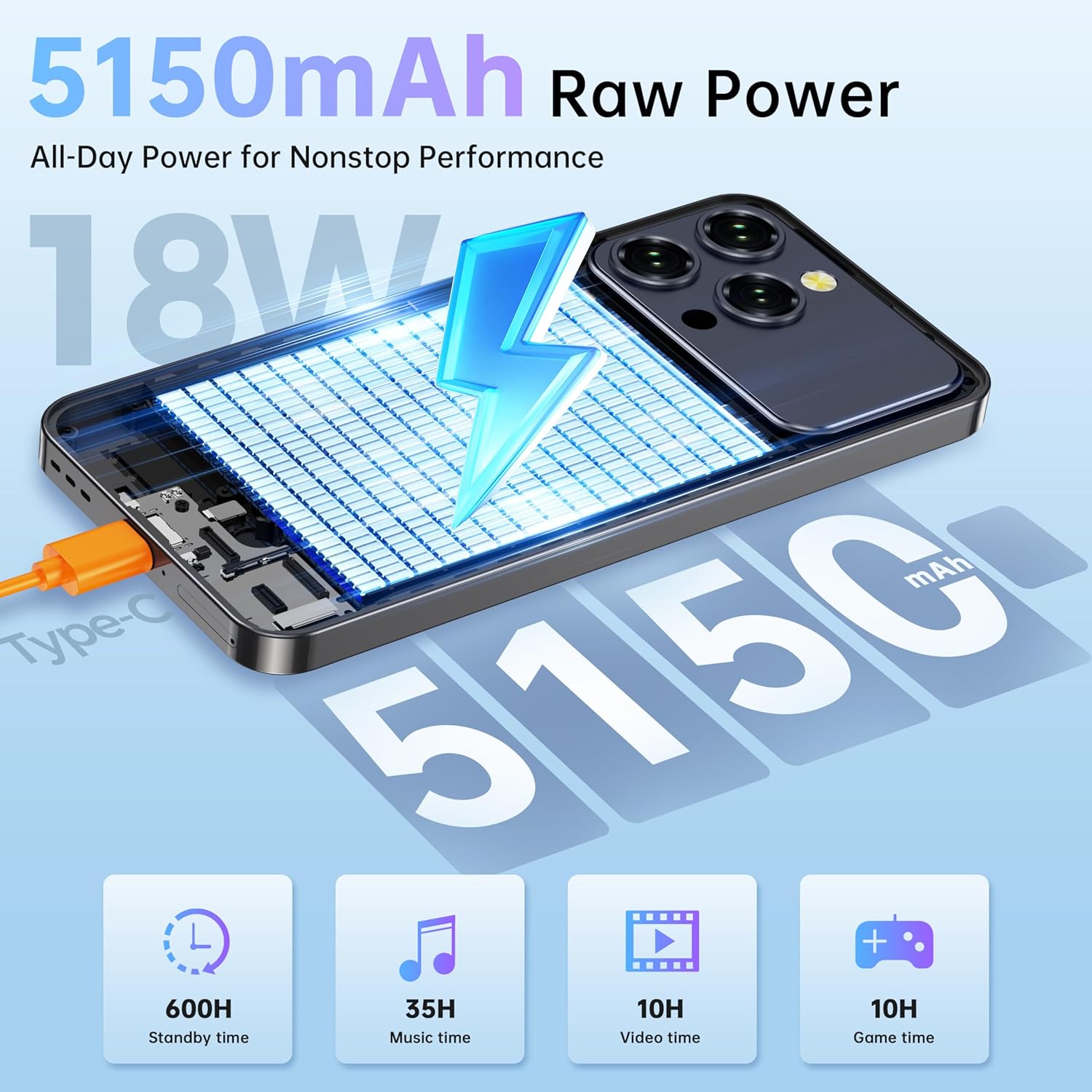
Image 4.6: The OUKITEL P1 Pro's 5150mAh battery capacity and 18W fast charging capability, with estimated usage times for standby, music, video, and gaming.

Image 4.7: An illustration of the OUKITEL P1 Pro's reverse charging feature, demonstrating its ability to charge another device using an OTG cable.
4.5. Connectivity
The OUKITEL P1 Pro offers comprehensive connectivity options:
- 4G Dual SIM: Supports 4G networks (GSM carriers like T-Mobile).
- GPS: For accurate navigation.
- NFC: For contactless payments and data exchange.
- Wi-Fi: Dual-band 2.4G/5G for fast internet access.

Image 4.8: The OUKITEL P1 Pro demonstrating its navigation system and dual-band Wi-Fi connectivity.

Image 4.9: The OUKITEL P1 Pro showcasing its NFC capability for smooth and secure contactless payments.
4.6. Security Features
The OUKITEL P1 Pro offers multiple security options to protect your data:
- Under-Display Fingerprint Scanner: Fast and secure biometric authentication.
- Face ID: Convenient facial recognition for unlocking your device.

Image 4.10: A visual representation of the OUKITEL P1 Pro's in-display fingerprint sensor for quick and secure unlocking.
Watch the video below for a demonstration of the OUKITEL P1 Pro's key features, including its unlock capabilities:
Video 4.1: A video showcasing various features of the OUKITEL P1 Pro, including its display, processor, battery, Dynamic Island, and the in-display fingerprint unlock function.
5. Maintenance
To ensure the longevity and optimal performance of your OUKITEL P1 Pro, follow these maintenance guidelines:
- Cleaning: Use a soft, lint-free cloth to clean the screen and body of the phone. Avoid abrasive materials or harsh chemicals.
- Software Updates: Regularly check for and install system updates to benefit from the latest features, security patches, and performance improvements.
- Battery Care: Avoid extreme temperatures. Do not let the battery fully drain frequently. Use the original charger and cable for optimal charging.
- Physical Protection: Utilize the provided protective case to guard against drops and scratches. Consider a screen protector for added display safety.
6. Troubleshooting
This section addresses common issues you might encounter with your OUKITEL P1 Pro. If you experience a problem not listed here, please refer to the support section.
| Problem | Possible Solution |
|---|---|
| Phone does not turn on | Ensure the battery is charged. Connect the phone to the charger for at least 30 minutes. If it still doesn't turn on, try a forced restart (refer to the device's quick start guide for button combinations). |
| Poor network signal | Check if your SIM card is correctly inserted. Ensure you are in an area with network coverage. Try restarting the phone. Verify your carrier settings. |
| Battery drains quickly | Reduce screen brightness, close unused apps, disable unnecessary features like GPS or Bluetooth when not in use. Check battery usage in settings to identify power-hungry apps. |
| Apps are slow or crashing | Clear cache for problematic apps. Ensure sufficient storage space. Restart the phone. If the issue persists, consider uninstalling and reinstalling the app. |
| Fingerprint sensor not working | Ensure your finger is clean and dry. Re-register your fingerprints in the security settings. Ensure the screen is clean and free of obstructions. |
7. Specifications
Key technical specifications for the OUKITEL P1 Pro smartphone:
| Feature | Detail |
|---|---|
| Model Name | OUKITEL P1 Pro |
| Operating System | Android 15 |
| Display | 6.7 Inches FHD+ AMOLED, 1080x2412 Resolution, 120Hz Refresh Rate |
| Processor | MediaTek Helio G100 (6nm, 2.2 GHz Octa-Core) |
| RAM | 16 GB |
| Internal Storage | 256 GB |
| Expandable Storage | Up to 2TB via TF card |
| Main Camera | 50MP AI Camera |
| Front Camera | 32MP |
| Battery Capacity | 5150 mAh |
| Charging | 18W Fast Charging, OTG Reverse Charging |
| Security | Under-Display Fingerprint Sensor, Face ID |
| Connectivity | 4G Dual SIM, Wi-Fi (2.4G/5G), Bluetooth, GPS, NFC |
| Dimensions | 6.39 x 3 x 0.32 inches |
| Item Weight | 6.6 ounces |
8. Warranty and Support
Your OUKITEL P1 Pro smartphone comes with a warranty as detailed in the included Maintenance Card and Warranty Certificate. Please retain your proof of purchase for warranty claims.
For technical support, troubleshooting assistance beyond this manual, or warranty inquiries, please refer to the contact information provided on your Maintenance Card or visit the official OUKITEL support website.
Important Note: Do not attempt to disassemble this device. Any unauthorized disassembly will void the warranty.