
1. Product Overview
The MUMEOMU M4 is a next-generation AI-powered voice recorder designed to streamline your recording and information management tasks. Beyond simple audio recording, it offers advanced features such as automatic transcription, summarization, and translation, making it an ideal tool for business professionals, writers, journalists, researchers, and students.
This device integrates cutting-edge AI technology to enhance efficiency in meetings, interviews, lectures, and daily communication. It features an intuitive interface, robust privacy protection, and a portable design for convenience.

Figure 1: MUMEOMU M4 AI Voice Recorder showcasing its multi-functional capabilities including recording, transcription, summarization, and translation.
2. Initial Setup
2.1. Charging the Device
Before first use, fully charge your MUMEOMU M4. Connect the device to a power source using the provided USB cable. The charging indicator will show the charging status. A full charge typically takes a few hours.
2.2. Powering On/Off
- To Power On: Press and hold the power button until the screen illuminates.
- To Power Off: Press and hold the power button, then select 'Power Off' on the screen.
2.3. Wi-Fi Connection
For online transcription, translation, and AI features, connect your M4 to a Wi-Fi network. Navigate to the 'Settings' menu on the device, select 'Wi-Fi', and choose your desired network. Enter the password if prompted.
2.4. Account Setup
Upon first use, you may be prompted to set up an account or log in. Follow the on-screen instructions to create a new account or link an existing one to access cloud services and personalized AI features.
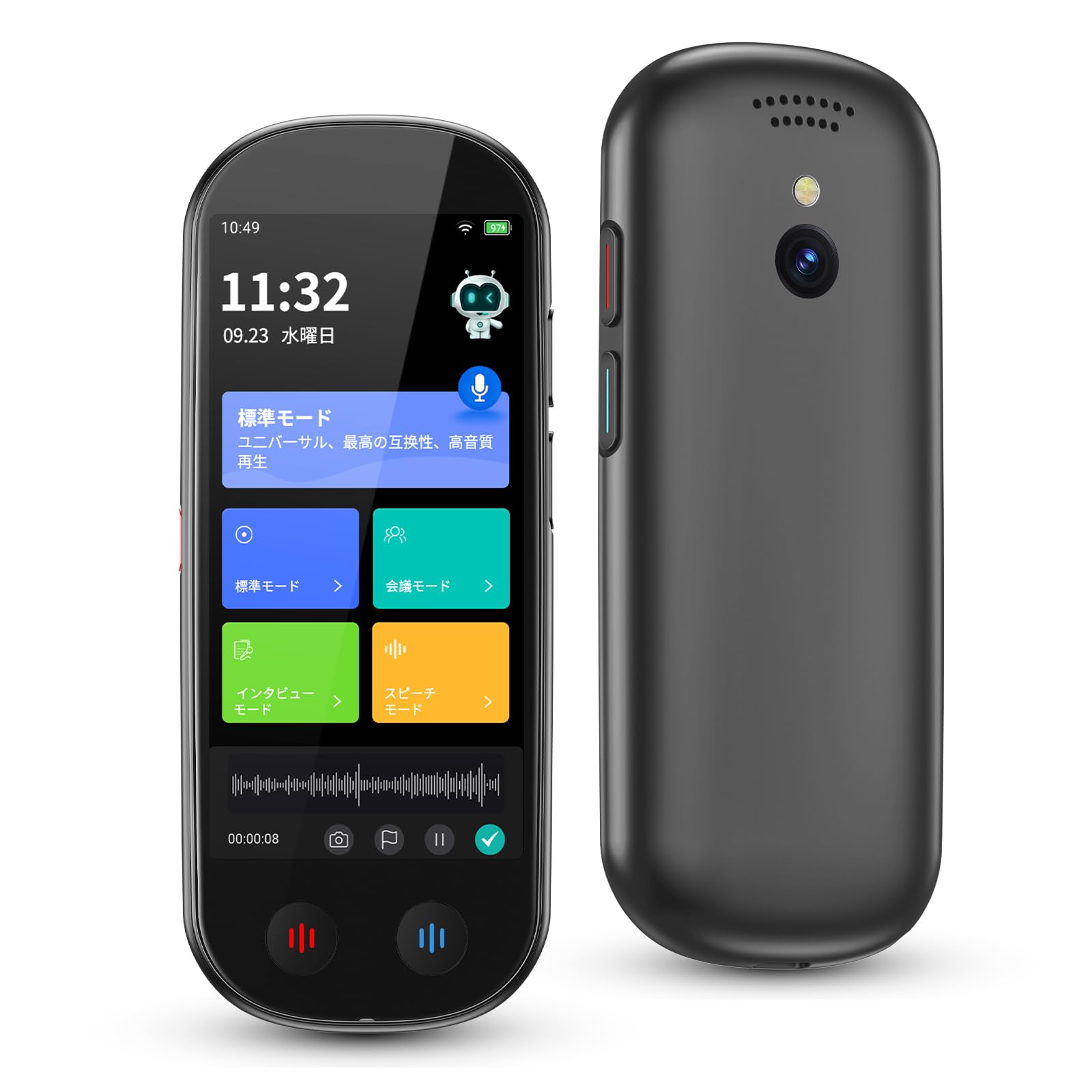
Figure 2: The MUMEOMU M4 AI Voice Recorder, a compact and portable device.
3. Operating Instructions
3.1. Recording Modes
The MUMEOMU M4 offers four specialized recording modes to optimize audio capture for different environments:
- Standard Mode: For general high-quality audio recording.
- Meeting Mode: Optimized for multi-person discussions, seminars, and conferences.
- Interview Mode: Ideal for one-on-one or one-on-two conversations, utilizing directional microphones to focus on specific speakers and reduce ambient noise.
- Speech Mode: Suitable for classrooms, press conferences, and lecture halls, capable of capturing clear audio from up to 15 meters away.
To select a mode, tap the 'Mode' icon on the screen and choose the appropriate setting for your recording scenario.

Figure 3: The M4 device interface showing the selection of different recording modes.
3.2. Transcription
The M4 provides real-time transcription for 134 languages, including Japanese, with high accuracy. It can identify different speakers, making meeting minutes and interview summaries easier to organize. Recorded content can be reviewed during recording.
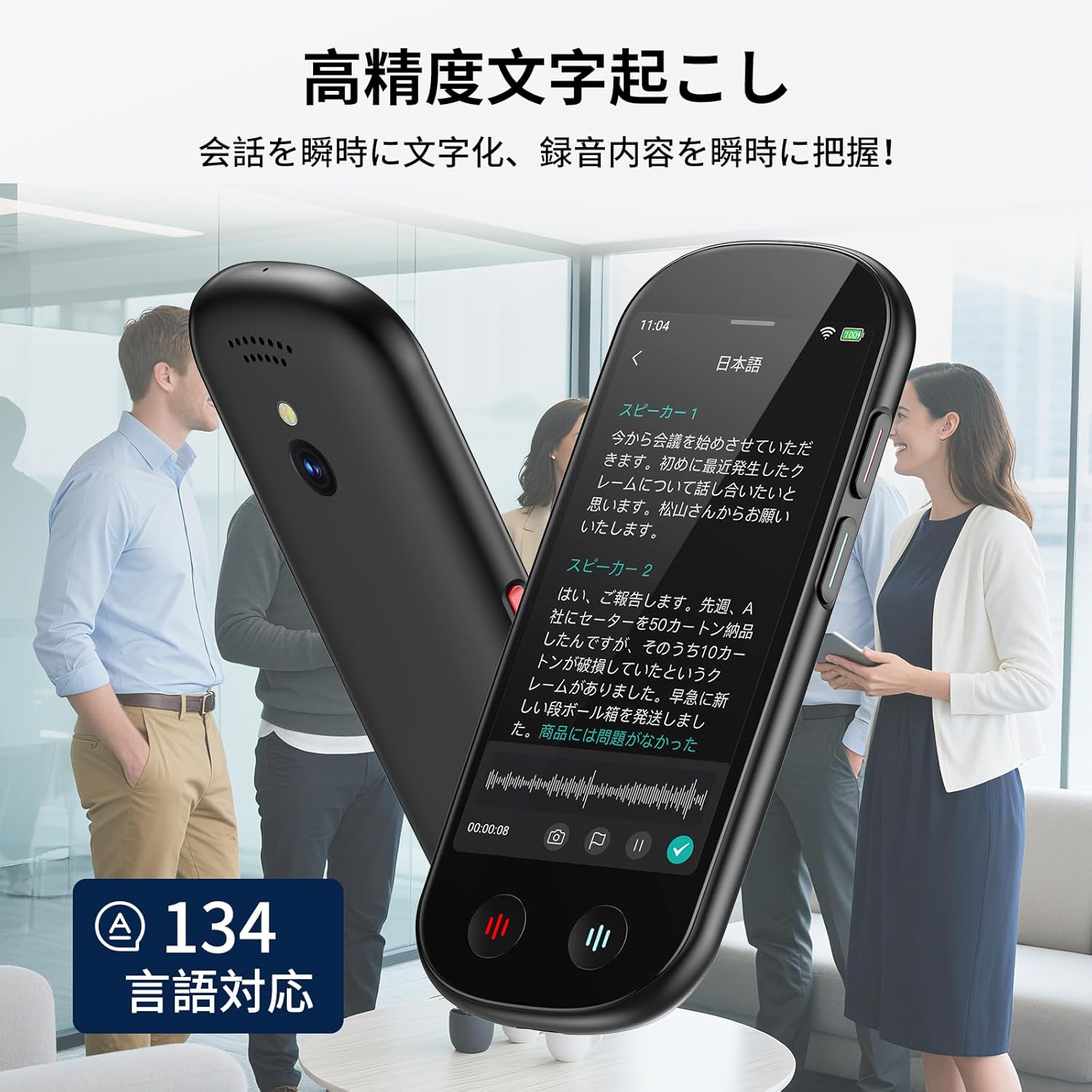
Figure 4: Real-time transcription feature on the M4, converting spoken words into text instantly.
3.3. Summarization
Leveraging Open AI integration, the M4 can automatically summarize long audio data, efficiently organizing key points from meetings or interviews. This feature helps in quickly grasping the essence of lengthy discussions.

Figure 5: The M4's AI summarization function, presenting key points from recorded conversations.
3.4. Translation
The device supports voice translation for 134 languages and also includes a photo translation feature. This allows for seamless communication across language barriers and quick understanding of foreign text.

Figure 6: The M4's interface showing options for voice and photo translation.
3.5. Advanced AI Functions (Xiaobei AI)
Based on Chat GPT 4.0, the M4 integrates proprietary 'Xiaobei AI' offering various AI functions up to three times a day for free. These include:
- AI Q&A: Analyzes internet information to provide accurate answers to questions.
- AI Voice: Allows voice commands for tasks like music playback or weather checks.
- AI Character: Provides specialized advice from AI characters like teachers or programmers.
- AI Writing: Simplifies the creation of meeting minutes and other documents.
3.6. Camera Functionality
Equipped with an 8-megapixel camera, the M4 can capture 4K resolution photos. This allows for simultaneous recording and photo capture, useful for documenting interviews or lectures for blogs and social media.
3.7. Bluetooth Connectivity
The MUMEOMU M4 supports Bluetooth connectivity, allowing you to connect wireless earphones to check recorded content privately.
4. Data Management
Easily transfer your recorded data to a PC or smartphone via Wi-Fi or USB. The device supports various file formats including MP3, TXT, Word, and PDF for editing, downloading, and sharing. This ensures flexible and convenient data management across your devices.
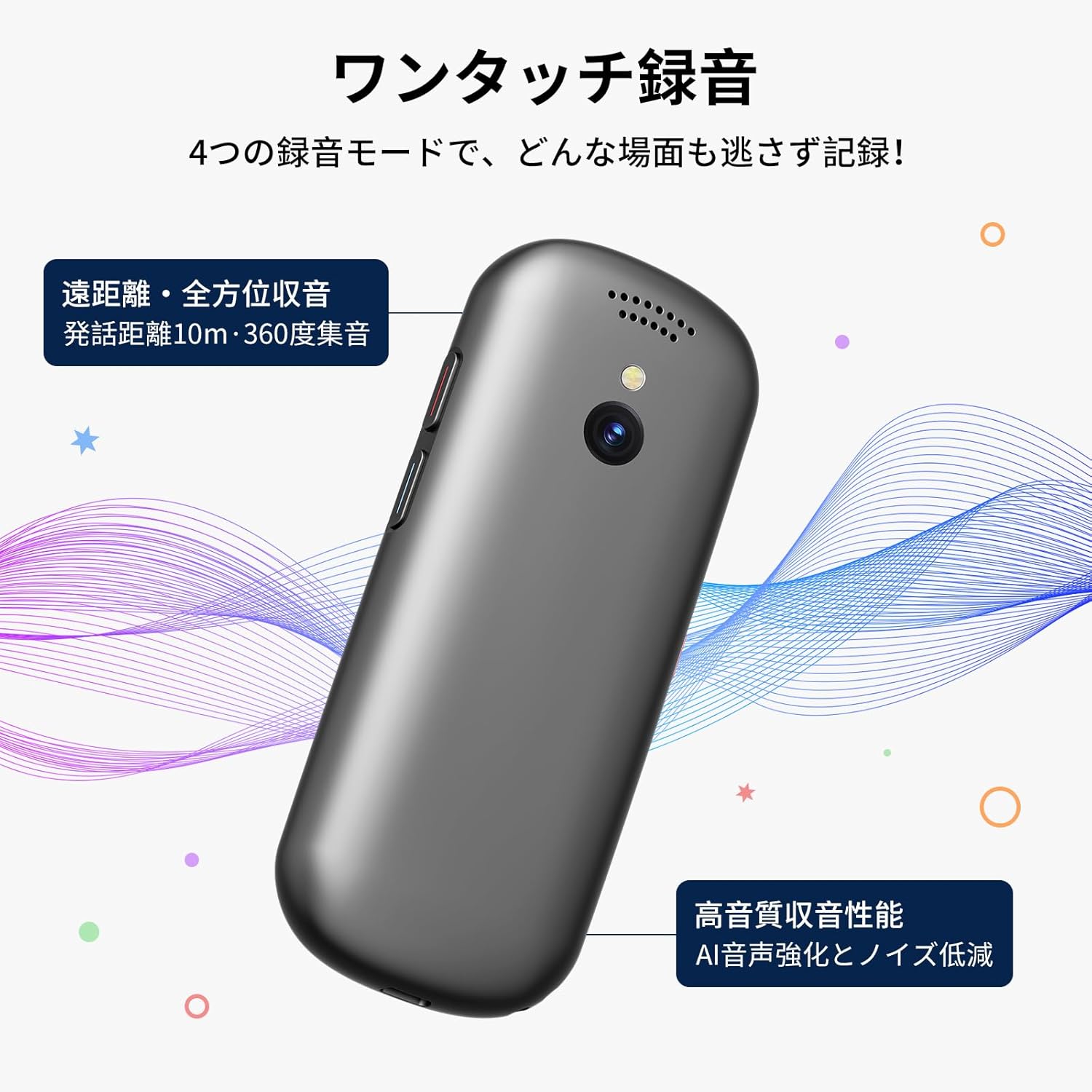
Figure 7: The M4 connected to a laptop, illustrating easy data transfer and management.
5. Maintenance
5.1. Cleaning
To maintain optimal performance, regularly clean the device with a soft, dry cloth. Avoid using liquid cleaners or abrasive materials that could damage the screen or casing. Ensure no dust or debris accumulates in the microphone or speaker grilles.
5.2. Storage
Store the MUMEOMU M4 in a cool, dry place away from direct sunlight, extreme temperatures, and high humidity. When storing for extended periods, ensure the battery is partially charged (around 50%) to prolong its lifespan.
6. Troubleshooting
6.1. Device Not Powering On
- Ensure the device is fully charged. Connect it to a power source and wait for at least 30 minutes before attempting to power on again.
- If the device still does not power on, try a different charging cable or adapter.
6.2. Wi-Fi Connection Issues
- Verify that your Wi-Fi network is active and within range.
- Double-check the Wi-Fi password.
- Restart the M4 device and your Wi-Fi router.
- If issues persist, try connecting to a different Wi-Fi network to rule out network-specific problems.
6.3. Transcription Accuracy Problems
- Ensure you are using the appropriate recording mode for your environment (e.g., Meeting Mode for multiple speakers).
- Minimize background noise as much as possible.
- Speak clearly and at a moderate pace.
- Ensure the device's software is up to date.
6.4. Data Transfer Failures
- For USB transfer, ensure the cable is securely connected to both the device and the computer.
- For Wi-Fi transfer, confirm both devices are on the same network and the M4 is properly connected.
- Check if there is sufficient storage space on the receiving device.
7. Specifications
| Feature | Specification |
|---|---|
| Brand | MUMEOMU |
| Model | M4 |
| Continuous Use Time | 7 Hours (with monitor off for standard recording) |
| Battery Capacity | 2000mAh Lithium-ion |
| Display | 4.1-inch HD Touch Panel |
| Microphone Operation Mode | Noise Cancelling (8 microphones) |
| Digital Recording Time | 8 hours |
| Memory Storage Capacity | 16GB internal, 5GB free cloud storage (expandable with paid plans: 30G, 50G, 100G, 200G) |
| Recording Format | WAV |
| Dimensions | 16.1 x 8.6 x 3.4 cm |
| Weight | 95g |
| Camera | 8 Megapixels (4K photo shooting) |

Figure 8: Overview of the M4's core specifications and features.
8. Safety and Privacy
The MUMEOMU M4 prioritizes user data security and privacy. All data storage, deletion, and transfer require explicit user permission. Unauthorized operations are not possible.
- Data Encryption: Recording, transcription, and summarization data are connected to the ChatGPT API via an encrypted port. This data is not used for training AI models, ensuring your information remains confidential.
- Cloud Protection: All user data is protected on AWS cloud servers with masking, preventing unauthorized access by third parties.

Figure 9: The M4 device highlighting its commitment to data security and user privacy.
9. Warranty and Support
For warranty information, please refer to the documentation included with your purchase or contact the retailer. If you encounter any issues or have questions regarding the MUMEOMU M4, please reach out to our customer support team through the contact information provided on our official website or your purchase platform.