
Introduction
This manual provides instructions for the GWVEE Replacement Remote Control, designed for seamless operation with the VEATOOL Sonbar S20L 2.1ch Speaker System. This remote control replicates all functions of the original unit, offering a direct replacement without the need for complex setup procedures.
Setup
1. Battery Installation
The remote control requires two AAA batteries for operation. These batteries are not included and must be purchased separately.
- Locate the battery compartment cover on the back of the remote control.
- Slide the cover downwards or press the latch to open the compartment.
- Insert two AAA batteries, ensuring the positive (+) and negative (-) terminals align correctly with the markings inside the compartment.
- Replace the battery compartment cover until it clicks securely into place.

2. Initial Use
This replacement remote control is designed for immediate use with your VEATOOL Sonbar S20L 2.1ch Speaker System. No programming, coding, or pairing is required. Once batteries are installed, the remote is ready to operate the soundbar directly.
Operating Instructions
Button Functions
The remote control features an intuitive layout for easy access to all soundbar functions. Refer to the image below for button identification and their corresponding actions:
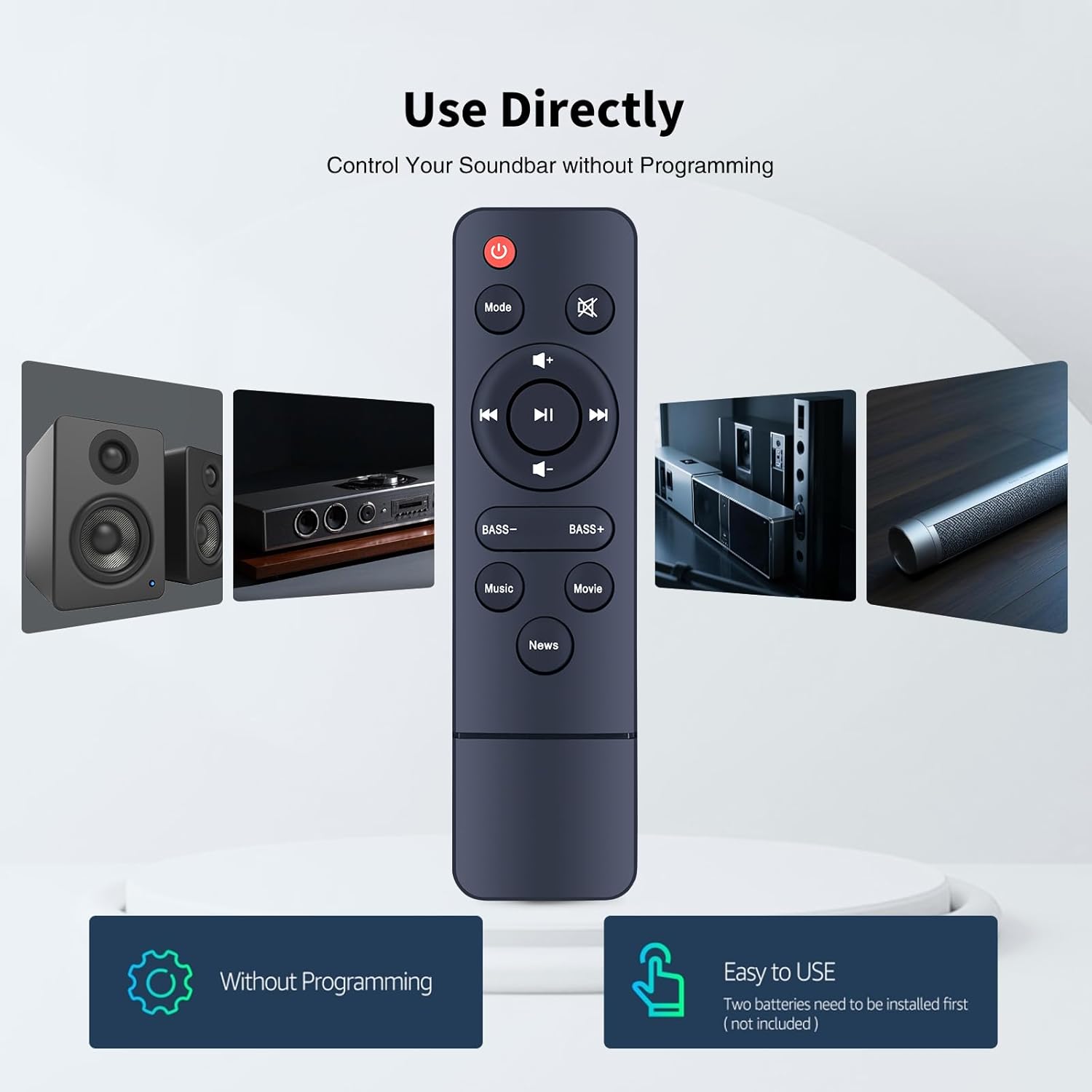
| Button | Function |
|---|---|
| Power (Red Button) | Turns the soundbar On or Off. |
| Mode | Switches between input modes (e.g., Bluetooth, Optical, AUX). |
| Mute | Mutes or unmutes the sound. |
| Volume Up (+) | Increases the soundbar volume. |
| Volume Down (-) | Decreases the soundbar volume. |
| Previous Track (◀◀) | Skips to the previous track during media playback. |
| Play/Pause (►▌▌) | Plays or pauses media playback. |
| Next Track (▶▶) | Skips to the next track during media playback. |
| Bass - | Decreases the bass level. |
| Bass + | Increases the bass level. |
| Music | Activates the Music sound mode. |
| Movie | Activates the Movie sound mode. |
| News | Activates the News sound mode. |
Optimal Usage
For best performance, ensure a clear line of sight between the remote control and the soundbar. The remote is designed to operate effectively up to 26 feet (approximately 8 meters) and supports multi-angle control within a 120-degree range.

Maintenance
Battery Replacement
Replace batteries when the remote's responsiveness decreases or if the soundbar no longer responds to commands. Always replace both AAA batteries simultaneously with new ones.
Cleaning
To clean the remote control, use a soft, dry cloth. Avoid using liquid cleaners, aerosols, or harsh chemicals, as these can damage the remote's surface or internal components.
Troubleshooting
- Remote not responding:
- Ensure the batteries are inserted correctly with the correct polarity.
- Replace old batteries with new AAA batteries.
- Check for any obstructions between the remote control and the soundbar's sensor.
- Ensure you are within the operational range (up to 26 feet) and angle (120 degrees).
- Limited range or intermittent response:
- This may indicate low battery power; replace the batteries.
- Minimize interference from other electronic devices.
- Specific button not working:
- Ensure the remote is pointed directly at the soundbar.
- If only one button is unresponsive, it might indicate a physical issue with that button.
Specifications
| Feature | Detail |
|---|---|
| Model Number | B0FQP1TRF4 |
| Compatible Devices | VEATOOL Sonbar S20L 2.1ch Speaker System |
| Power Source | 2 x AAA Batteries (not included) |
| Dimensions (L x W x H) | 5.83 x 1.61 x 0.79 inches (14.8 x 4.1 x 2.0 cm) |
| Item Weight | 1.28 ounces (36.3 grams) |
| Color | Black |
| Special Feature | Ergonomic design, No programming required |
Support
If you encounter any issues not covered in this manual or require further assistance, please contact the seller or manufacturer's customer support. Provide your product model number (B0FQP1TRF4) for quicker service.