
Introduction
This manual provides detailed instructions for the assembly, operation, and maintenance of your Karl home Computer Desk. Please read all instructions carefully before assembly and use to ensure safe and proper functionality.
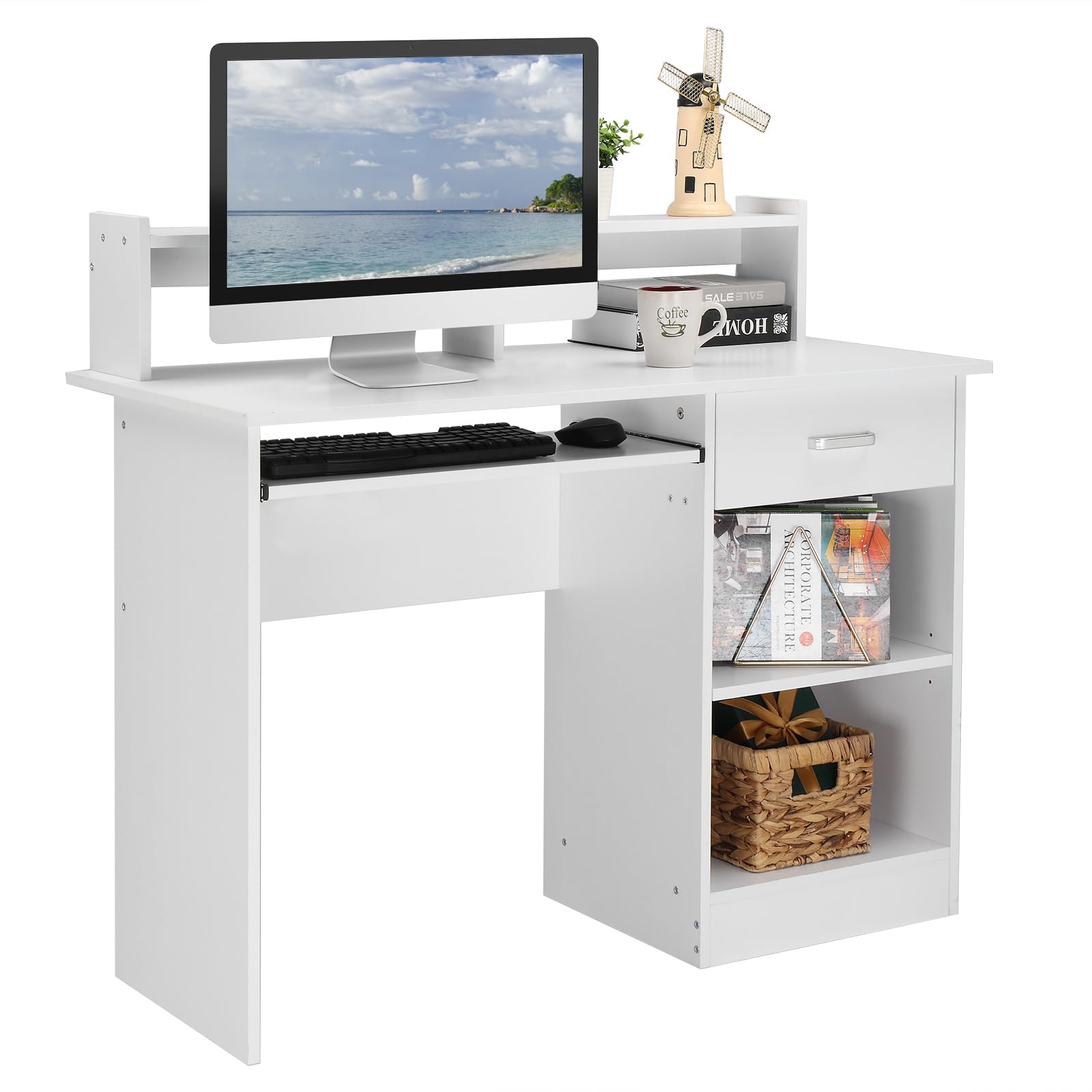
Image: Karl home Computer Desk, White, with keyboard tray and storage shelves, set up in a modern home office environment.
Safety Information
To ensure your safety and prolong the life of your desk, please observe the following precautions:
- Always assemble the desk according to the provided instructions.
- Keep the desk away from heat sources and moisture to prevent warping or damage.
- Do not overload the desk or the drawer, as this could cause instability.
- Always unplug and turn off electrical devices before cleaning the desk.
- Keep the desk and the area around it clear of obstacles to prevent tripping hazards.
- Always supervise children when they are near the desk.
Parts List
Before beginning assembly, ensure all parts are present and undamaged. Refer to the diagram below for identification.

Image: Exploded view diagram of the desk components with dimensions, including the main desktop, side panels, shelves, drawer, and keyboard tray.
Note: A detailed hardware list will be included in your product packaging.
Assembly Instructions
Assembly requires two people and basic hand tools (not included). Follow these steps carefully:
- Prepare the Workspace: Clear a spacious area and lay out all parts on a soft, clean surface to prevent scratches.
- Assemble the Main Frame: Attach the side panels to the main desktop using the provided fasteners. Ensure all connections are secure.
- Install the Keyboard Tray: Mount the sliding rails to the designated area under the desktop. Attach the keyboard tray to the rails. Ensure smooth operation.
- Construct the Drawer: Assemble the drawer box and install the drawer slides. Insert the assembled drawer into its compartment.
- Attach the Shelves: Install the fixed and adjustable shelves into the side storage unit. The adjustable shelf can be positioned at different heights to accommodate items like a CPU tower or books.
- Add the Desktop Shelf (Hutch): Secure the small hutch to the top of the main desktop.
- Final Check: Verify all screws and connections are tightened. Gently move the desk to its desired location.
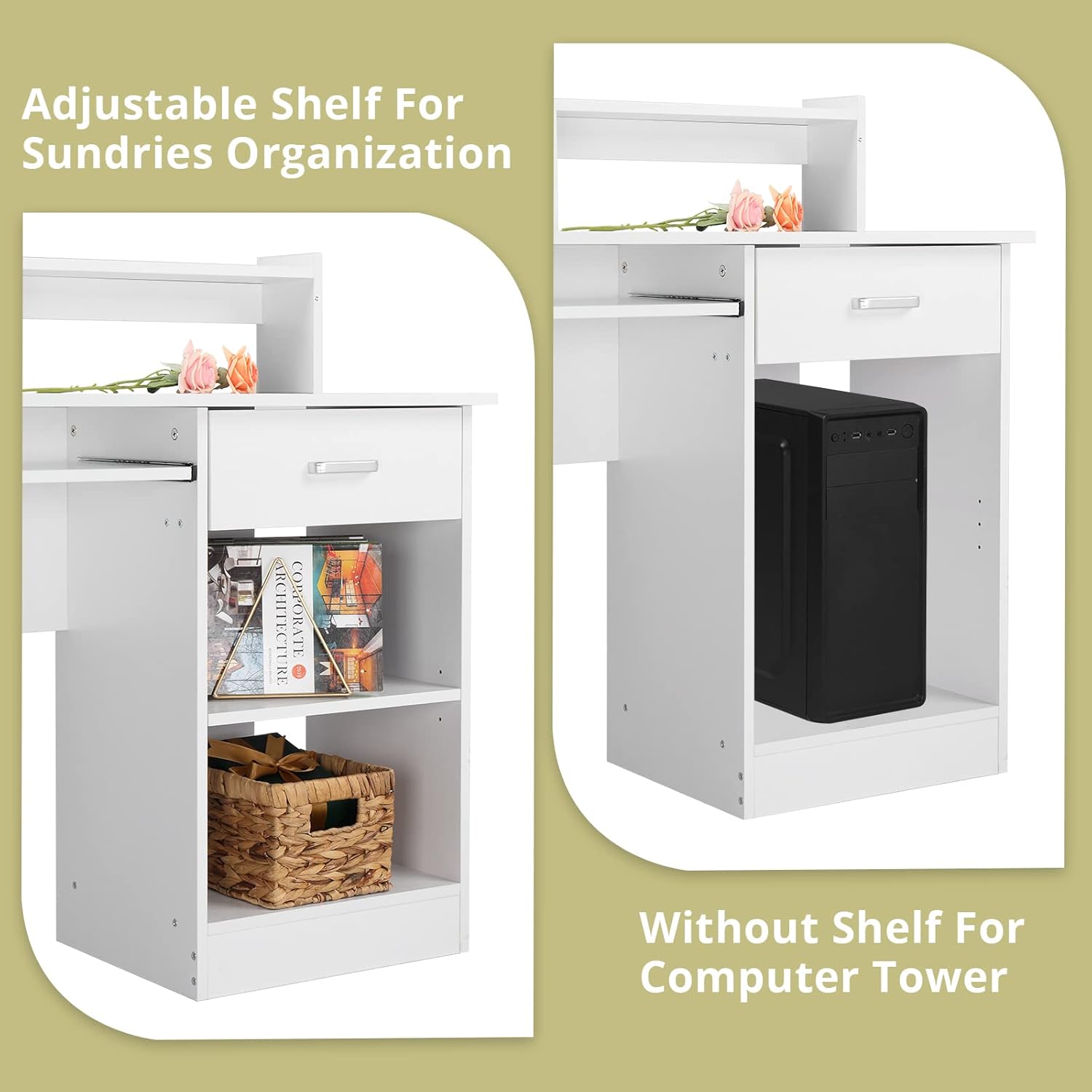
Image: Close-up view illustrating the adjustable shelf within the side storage compartment, demonstrating its use for organizing items or accommodating a computer tower when removed.

Image: Detailed views of the desk's features: a sliding keyboard tray with a keyboard and mouse, a sliding drawer, the extra small hutch on the desktop, and the adjustable shelf mechanism.
Operating Instructions
Your Karl home Computer Desk is designed for efficient use in various settings. Here's how to utilize its key features:
- Keyboard Tray: Gently pull the tray forward to extend it for keyboard and mouse use. Push it back in when not in use to save space.
- Storage Drawer: The smooth-gliding drawer provides enclosed storage for office supplies, documents, or personal items. Pull the handle to open and push to close.
- Adjustable Shelf: The shelf in the side compartment can be adjusted to different heights or removed entirely to accommodate larger items like a CPU tower. To adjust, remove the shelf, reposition the support pins, and place the shelf back on the pins.
- Desktop Shelf (Hutch): Use this elevated platform to place your monitor, small speakers, or decorative items, helping to optimize your viewing angle and desk organization.

Image: A top-down view of the desk's utility drawer, showcasing its capacity to store an iPad and magazines, highlighting its practical storage function.
Maintenance
Proper care will maintain the appearance and functionality of your desk.
- Cleaning: Wipe the desk surfaces with a dry cloth. Avoid abrasive cleaners or harsh chemicals that may damage the finish.
- Spills: Immediately wipe up any spills to prevent water damage or staining.
- Hardware: Periodically check all screws and fasteners to ensure they remain tight. Retighten as necessary.
Troubleshooting
If you encounter any issues with your desk, refer to the following common problems and solutions:
| Problem | Possible Cause | Solution |
|---|---|---|
| Keyboard tray does not slide smoothly. | Rails are misaligned or dirty. | Check that the rails are correctly installed and aligned. Clean any debris from the tracks. Apply a small amount of silicone lubricant if needed. |
| Desk feels wobbly or unstable. | Loose fasteners or uneven floor. | Ensure all assembly screws are tightened. If the floor is uneven, use furniture pads or shims to stabilize the desk. |
| Drawer does not close completely. | Drawer slides are misaligned or obstructed. | Verify the drawer slides are properly installed and aligned. Check for any items obstructing the drawer's path. |
Specifications
| Feature | Detail |
|---|---|
| Brand | Karl home |
| Model | Computer Desk with Keyboard Tray |
| Product Dimensions (D x W x H) | 19.7"D x 40.6"W x 37"H |
| Color | White |
| Material Type | Engineered Wood |
| Special Feature | Keyboard Tray Included, Desktop Shelf, Adjustable Cabinet Shelf |
| Number of Drawers | 1 |
| Number of Shelves | 1 (adjustable) |
| Assembly Required | Yes |
| Product Care Instructions | Wipe with Dry Cloth |
Warranty and Support
For warranty information or technical support, please contact Karl home customer service directly. Refer to your purchase documentation for specific contact details or visit the official Karl home website.
You can visit the Karl home Store on Amazon for more information.