1. Product Overview
The Gueray HJGY02CD is a versatile portable CD player designed with a retro leather briefcase aesthetic. It supports multiple audio playback modes including CD, FM radio, USB, AUX, and dual Bluetooth functionality (receiver and transmitter). Equipped with a 3600mAh rechargeable battery and dual stereo speakers, it offers a comprehensive audio experience.
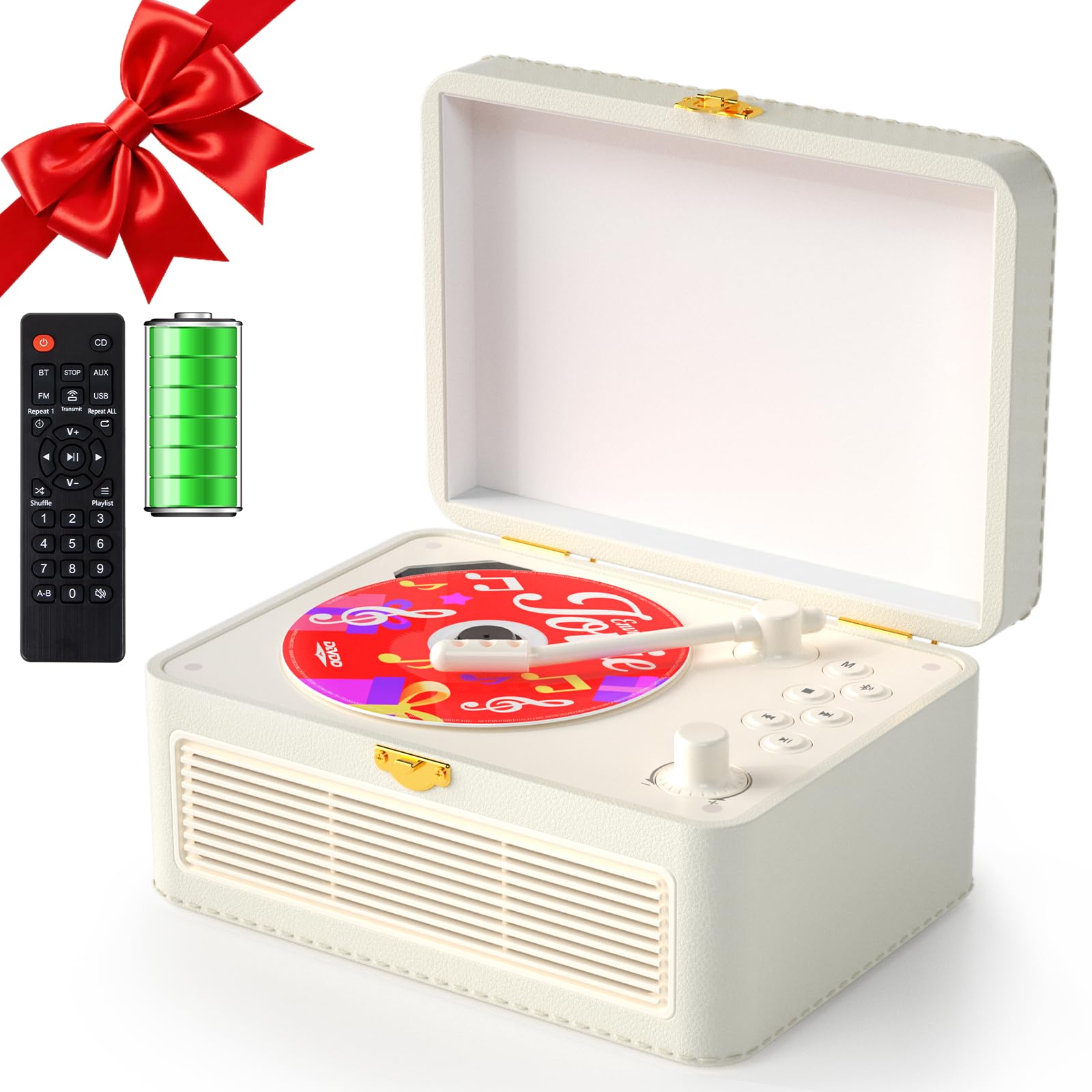
Image: Gueray HJGY02CD Portable Leather CD Player showcasing its multi-function capabilities including CD, USB, AUX, Bluetooth, FM Radio, 3.5mm Audio Input/Output, Built-in Loud Speaker, and 3600mAh Rechargeable Battery.
2. Package Contents
Before use, please ensure all items are present in the package:
- 1 × Gueray Portable Leather CD Player
- 1 × USB-C Charging Cable
- 1 × AUX Cable
- 1 × Remote Control
- 1 × User Manual (this document)
3. Setup
3.1 Charging the Device
The CD player features a built-in 3600mAh rechargeable battery. For optimal performance, fully charge the device before first use.
- Connect the provided USB-C charging cable to the DC-5V port on the back of the player.
- Connect the other end of the USB-C cable to a compatible USB power adapter (5V/2A recommended, not included) or a computer USB port.
- The charging indicator light will illuminate. A full charge typically takes 5-6 hours.
- Once fully charged, the indicator light may change color or turn off, depending on the model. The player can operate for 4-6 hours on a full charge.
3.2 Remote Control Battery Installation
The remote control requires 1 AA battery (included). Open the battery compartment on the back of the remote and insert the battery, observing the correct polarity.
3.3 Identifying Controls and Ports
Familiarize yourself with the player's controls and connection ports:

Image: Detailed diagram showing the location and function of the Charging Indicator, DC-5V Port, Headphone/AUX Port, USB Port, Power Switch, Tonearm, Mode Button, Bluetooth Transmit Button, STOP Button, Previous/Track Back Button, Next/Track Forward Button, Play/Pause Button, and Volume Knob.
- 1. Charging Indicator: Shows charging status.
- 2. DC-5V Port: For power input and charging.
- 3. Headphone/AUX Port: 3.5mm audio input/output.
- 4. USB Port: For USB drive playback.
- 5. Power Switch: Turns the device on/off.
- 6. Tonearm: Used to activate CD playback.
- 7. Mode Button: Cycles through playback modes.
- 8. Bluetooth Transmit Button: Activates Bluetooth transmission mode.
- 9. STOP Button: Stops playback.
- 10. Previous/Track Back Button: Skips to previous track or tunes FM frequency.
- 11. Next/Track Forward Button: Skips to next track or tunes FM frequency.
- 12. Play/Pause Button: Starts or pauses playback.
- 13. Volume Knob: Adjusts the volume level.
4. Operating Instructions
4.1 Power On/Off
Slide the Power Switch (5) to the 'ON' position to turn on the player. Slide it to 'OFF' to power down.
4.2 Mode Selection
Press the Mode Button (7) repeatedly to cycle through the available playback modes: CD, FM, USB, AUX, Bluetooth Receiver, Bluetooth Transmitter.

Image: The Gueray HJGY02CD CD Player showing its display with indicators for CD Mode, FM Mode, USB Mode, AUX Mode, Bluetooth Receiver Mode, and Bluetooth Transmitter Mode.
4.3 CD Playback Mode
- Open the player's lid.
- Place a CD (compatible formats: CD, CD-R, CD-RW, MP3, WMA) onto the spindle.
- Gently lower the tonearm (6) onto the CD.
- Select 'CD Mode' using the Mode Button (7). The player will automatically begin reading and playing the CD.
- Use the Play/Pause (12), Previous/Track Back (10), and Next/Track Forward (11) buttons to control playback.
- The A-B Repeat function is available in CD mode. Press the A-B button on the remote control to set the start point (A) and press again to set the end point (B) for repeating a specific section.
4.4 FM Radio Mode
- Select 'FM Mode' using the Mode Button (7).
- Use the Previous/Track Back (10) and Next/Track Forward (11) buttons to manually tune to desired radio stations.
- For automatic scanning, press and hold the Play/Pause button (12) in FM mode. The player will scan and save available stations.
4.5 USB Playback Mode
- Insert a USB flash drive into the USB Port (4).
- Select 'USB Mode' using the Mode Button (7). The player will automatically detect and play audio files (MP3, WMA) from the USB drive.
- Use the Play/Pause (12), Previous/Track Back (10), and Next/Track Forward (11) buttons to control playback.
- The A-B Repeat function is available in USB mode.
4.6 AUX Mode
- Connect an external audio device (e.g., smartphone, MP3 player) to the Headphone/AUX Port (3) using the provided 3.5mm AUX cable.
- Select 'AUX Mode' using the Mode Button (7).
- Audio from the connected device will now play through the CD player's speakers. Control playback from the external device.
4.7 Bluetooth Receiver Mode
This mode allows the CD player to receive audio from another Bluetooth-enabled device (e.g., smartphone, tablet).
- Select 'Bluetooth Receiver Mode' using the Mode Button (7). The player will enter pairing mode, indicated by a flashing Bluetooth icon.
- On your external device, enable Bluetooth and search for available devices. Select 'Gueray HJGY02CD' (or similar) to pair.
- Once paired, audio from your external device will play through the CD player.
4.8 Bluetooth Transmitter Mode
This mode allows the CD player to transmit audio (from CD, USB, or FM) to external Bluetooth headphones or speakers.
- Ensure your external Bluetooth headphones or speaker are in pairing mode.
- Select your desired playback source (CD, USB, or FM).
- Press the Bluetooth Transmit Button (8). The player will search for nearby Bluetooth receiving devices.
- Once connected, audio from the player will be transmitted to your external Bluetooth device.
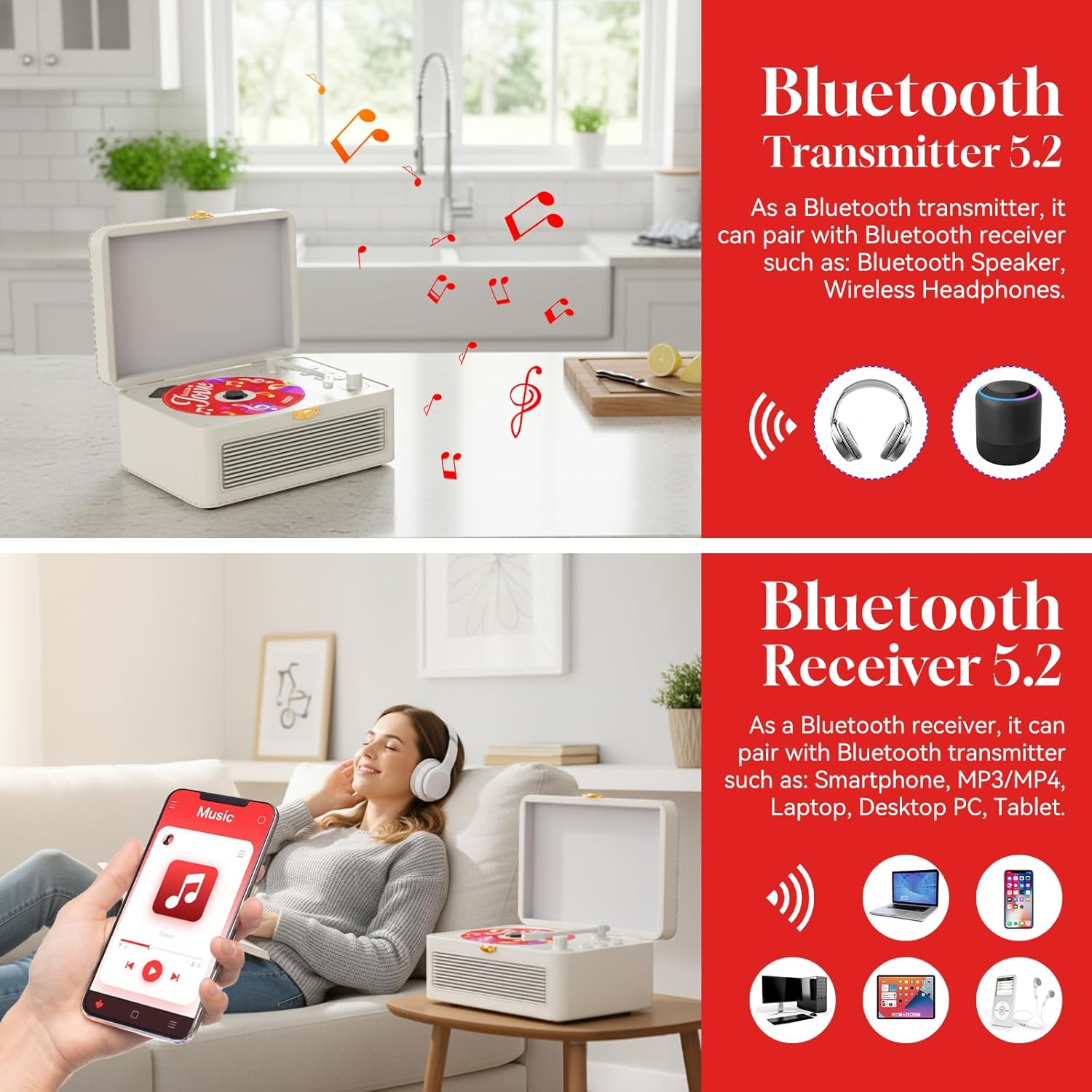
Image: Illustration of the Gueray HJGY02CD CD Player's Bluetooth 5.2 capabilities, showing it can act as a transmitter to Bluetooth speakers or headphones, and as a receiver to play music from smartphones, tablets, or laptops.
4.9 Volume Control
Rotate the Volume Knob (13) clockwise to increase volume and counter-clockwise to decrease volume.
4.10 Remote Control Usage
The included remote control allows for convenient operation from a distance. All primary functions (Power, Mode, Play/Pause, Track Skip, Volume, A-B Repeat) are accessible via the remote.

Image: The Gueray HJGY02CD Portable CD Player shown with its remote control, highlighting the convenience of remote operation and the 3600mAh rechargeable battery.
5. Maintenance
To ensure the longevity and optimal performance of your Gueray HJGY02CD CD Player, follow these maintenance guidelines:
- Cleaning: Use a soft, dry cloth to clean the exterior of the player. For the leather surface, a slightly damp cloth can be used, followed by a dry cloth. Avoid abrasive cleaners or solvents.
- CD Care: Handle CDs by their edges. Keep them clean and free of dust and scratches. Store CDs in their cases when not in use.
- Storage: When not in use for extended periods, store the player in a cool, dry place away from direct sunlight and extreme temperatures.
- Battery: To maintain battery health, avoid fully discharging the battery frequently. Charge the device regularly, even if not in constant use.
- Avoid Liquids: Do not expose the player to water or other liquids.
6. Troubleshooting
If you encounter issues with your Gueray HJGY02CD CD Player, please refer to the following common problems and solutions:
- No Power:
- Ensure the power switch is in the 'ON' position.
- Check if the battery is charged. Connect the player to a power source using the USB-C cable.
- Verify the USB-C cable and power adapter are functioning correctly.
- No Sound:
- Increase the volume using the Volume Knob (13) or the remote control.
- Ensure the correct playback mode is selected (CD, FM, USB, AUX, Bluetooth).
- If using AUX mode, check the volume on the external device and ensure the AUX cable is securely connected.
- If using Bluetooth Transmitter mode, ensure the external Bluetooth device (headphones/speaker) is connected and its volume is up.
- If playing a CD, ensure the CD is clean and not scratched.
- CD Not Playing/Skipping:
- Ensure the CD is clean and free of scratches or smudges.
- Verify the CD is placed correctly on the spindle and the tonearm is gently lowered.
- Try a different CD to rule out a disc-specific issue.
- Ensure the player is on a stable, flat surface to prevent skipping.
- Bluetooth Connection Issues:
- Ensure both devices are in pairing mode and within range (typically 10 meters).
- Turn off and on Bluetooth on both devices and try pairing again.
- Clear previous Bluetooth pairings on your external device if necessary.
- Remote Control Not Working:
- Check and replace the AA battery in the remote control.
- Ensure there are no obstructions between the remote and the player.
- Point the remote directly at the player's sensor.
7. Specifications
| Model Number | HJGY02CD |
| Supported Formats | CD, CD-R, CD-RW, MP3, WMA (for CD/USB) |
| FM Radio Range | 76MHz-108MHz |
| Bluetooth Version | 5.2 (Receiver & Transmitter) |
| Speaker Output | 2.5W x 2 (Stereo) |
| Power Input | AC100-240V, 50Hz/60Hz, DC: 5V/2A |
| Battery Capacity | 3600mAh (Lithium Ion) |
| Charging Time | 5-6 hours |
| Operating Time | 4-6 hours (on full charge) |
| Dimensions (Unit) | 20.5cm x 14cm x 9cm |
| Weight | 1.41 kg |
| Connectivity | USB, AUX, Bluetooth |
| Color | Beige |
8. Warranty Information
For detailed warranty information regarding your Gueray HJGY02CD Portable Leather CD Player, please refer to the warranty card included with your purchase or contact the seller directly. Warranty terms and conditions may vary by region and retailer.
9. Support
If you require further assistance or have questions not covered in this manual, please contact Gueray customer support or the retailer from whom you purchased the product. Please have your model number (HJGY02CD) and purchase details ready when contacting support.