
Introduction
Thank you for choosing the Pointcinco IM01 Hybrid Active Noise Cancelling Headphones. These headphones are designed to provide a superior audio experience with advanced noise cancellation technology, comfortable wear, and versatile connectivity options. Please read this manual carefully to ensure proper use and maintenance of your new headphones.
What's in the Box
- Active noise cancelling headphones
- Cable
- User Manual
Product Overview
The Pointcinco IM01 headphones feature a sleek design with intuitive controls and comfortable earcups. Below are key components and their functions.

Figure 1: Front view of the Pointcinco IM01 headphones.

Figure 2: Close-up of the soft, comfortable earcups designed for extended wear.

Figure 3: Side view highlighting the control buttons (power, volume) and ports (USB-C charging, 3.5mm AUX).
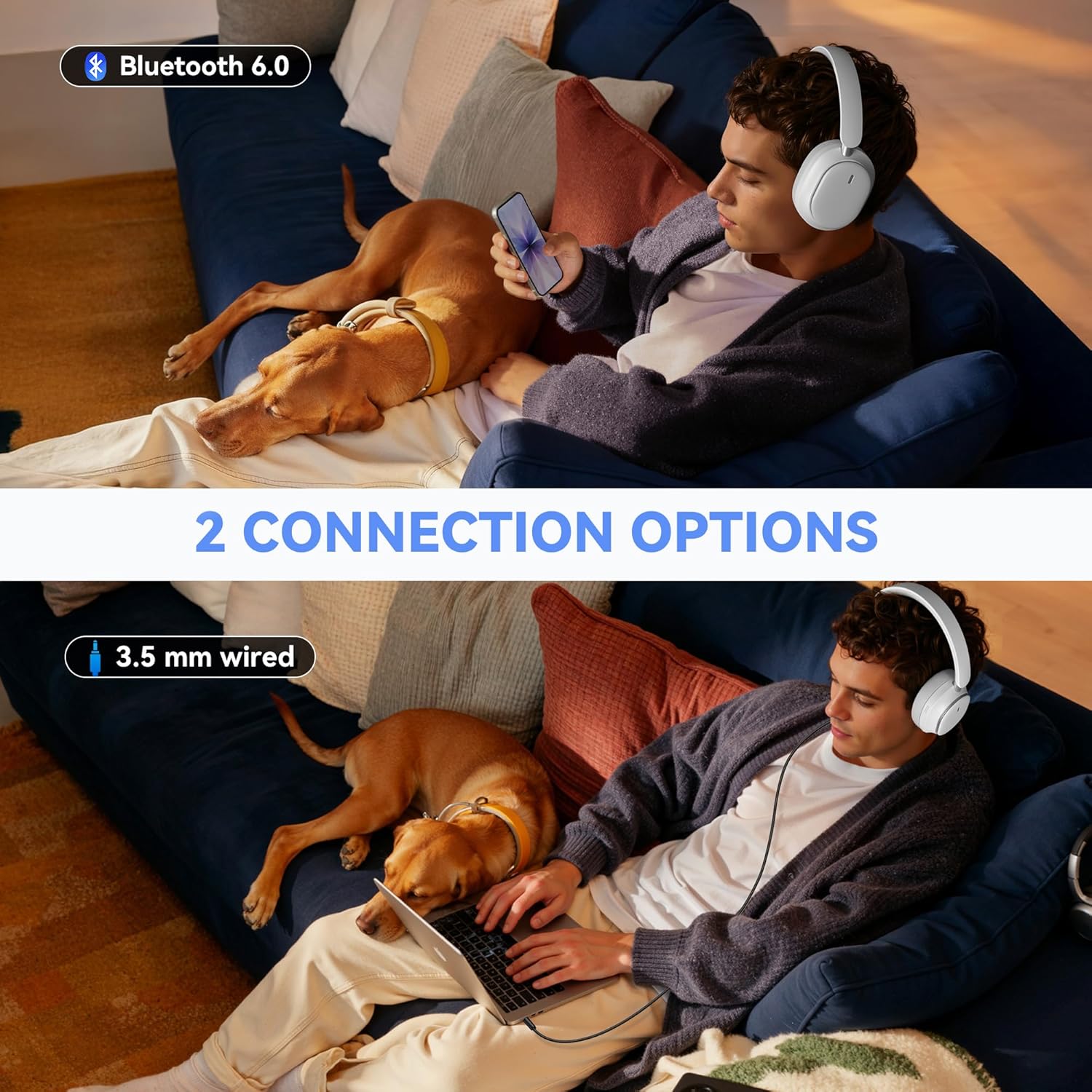
Figure 4: The headphones feature a foldable design for easy storage and portability.
Setup
Charging the Headphones
Before first use, fully charge your headphones. Connect the provided USB-C charging cable to the charging port on the headphone and the other end to a USB power source. A full charge takes approximately 2.5 hours.
Powering On/Off
- Power On: Press and hold the Power button for 3 seconds until the indicator light turns on.
- Power Off: Press and hold the Power button for 3 seconds until the indicator light turns off.
Bluetooth Pairing
- Ensure the headphones are powered off.
- Press and hold the Power button for 5 seconds until the indicator light flashes blue and red, indicating pairing mode.
- On your device (smartphone, tablet, laptop), enable Bluetooth and search for available devices.
- Select "IM01" from the list of devices.
- Once connected, the indicator light will turn solid blue.
Operating Instructions
Active Noise Cancelling (ANC) & Transparency Mode
The headphones feature Hybrid Active Noise Cancelling to block ambient noise and a Transparency Mode to hear your surroundings.
- Activate ANC: Press the ANC button (located on the left earcup) once to turn on Active Noise Cancelling.
- Activate Transparency Mode: Press the ANC button a second time to switch to Transparency Mode.
- Turn Off ANC/Transparency: Press the ANC button a third time to turn off both modes.

Figure 5: Enjoy quiet with ANC ON mode, blocking out ambient noise.

Figure 6: Transparency Mode allows you to hear your surroundings while wearing the headphones.
Wired Mode
To use the headphones in wired mode, connect the provided 3.5mm audio cable to the AUX port on the headphone and to your audio device. This mode is useful when battery is low or for non-Bluetooth devices.
Call Management
- Answer/End Call: Press the Multi-function button (often the Power button) once.
- Reject Call: Press and hold the Multi-function button for 2 seconds.
- Redial Last Call: Double-press the Multi-function button.
Music Playback
- Play/Pause: Press the Multi-function button once.
- Volume Up/Down: Use the Volume + and Volume - buttons.
- Next Track: Press and hold the Volume + button for 3 seconds.
- Previous Track: Press and hold the Volume - button for 3 seconds.
Voice Assistant
To activate your device's voice assistant (e.g., Siri, Google Assistant), press and hold the Multi-function button until you hear a tone.
Maintenance
To ensure the longevity and optimal performance of your headphones, follow these maintenance tips:
- Clean the earcups and headband regularly with a soft, dry cloth.
- Avoid exposing the headphones to extreme temperatures, humidity, or direct sunlight.
- Store the headphones in a cool, dry place when not in use. The foldable design helps protect them during storage and travel.
- Do not use abrasive cleaners or solvents.
Troubleshooting
If you encounter any issues with your headphones, refer to the following common solutions:
- Headphones not powering on: Ensure the headphones are fully charged.
- Cannot pair via Bluetooth: Make sure the headphones are in pairing mode (flashing blue/red light) and within range of your device. Forget previous pairings on your device and try again.
- No sound: Check the volume levels on both the headphones and your connected device. Ensure the headphones are properly paired or the audio cable is securely connected.
- ANC not working effectively: Ensure the ANC mode is activated. Adjust the fit of the earcups to ensure a good seal around your ears.
For further assistance, please contact customer support.
Specifications
| Feature | Detail |
|---|---|
| Headphones Jack | 3.5 mm Jack |
| Model Name | IM01 |
| Connectivity Technology | Wired, Wireless |
| Wireless Communication Technology | Bluetooth |
| Age Range (Description) | Adult |
| Material | Plastic |
| Specific Uses For Product | Entertainment |
| Charging Time | 2.5 Hours |
| Compatible Devices | Cellphones, Laptops, Tablets, Television |
| Control Type | Button Control |
| Item Weight | 0.71 Pounds (11.4 ounces) |
| Style | Modern |
| Number of Items | 1 |
| Controller Type | Button |
| Audio Driver Type | Dynamic Driver |
| Bluetooth Version | 6.0 |
| Earpiece Shape | Over Ear |
| Hardware Interface | Bluetooth |
| Noise Control Features | active_noise_cancellation |
| Supports Bluetooth Technology | Yes |
| Special Feature | Noise Cancellation |
| Manufacturer | Pointcinco |
| Package Dimensions | 7.28 x 6.34 x 2.24 inches |
| Color | White |
| Ear Placement | Over Ear |
| Form Factor | Over Ear |
| Noise Control | Active Noise Cancellation |
Warranty & Support
Your Pointcinco IM01 headphones come with a standard manufacturer's warranty. For specific details regarding warranty coverage and to register your product for any extended warranty offers, please refer to the information provided in your product packaging or visit the official Pointcinco website. For technical support or customer service inquiries, please contact the seller directly or refer to the contact information in your user manual.