
1. Introduction
This manual provides essential information for the safe and effective operation, maintenance, and troubleshooting of your Protmex 1200W Dual Action Car Buffer Polisher. Please read this manual thoroughly before initial use and retain it for future reference.

Image: The Protmex 1200W Dual Action Car Buffer Polisher, showcasing its ergonomic design and polishing pad.
2. Safety Instructions
Always observe basic safety precautions to reduce the risk of fire, electric shock, and personal injury when using this power tool.
- Read All Instructions: Familiarize yourself with the polisher's operation and safety guidelines.
- Wear Personal Protective Equipment: Always wear safety goggles, gloves, and an apron to protect against debris and chemical splashes.
- Maintain Work Area: Keep your work area clean, well-lit, and free from clutter. Ensure adequate ventilation.
- Avoid Hazardous Environments: Do not use the polisher in damp or wet locations, or in the presence of flammable liquids or gases.
- Secure Workpiece: Ensure the vehicle or surface being polished is stable and will not move during operation.
- Unplug When Not in Use: Disconnect the polisher from the power source before making adjustments, changing accessories, or storing it.
- Use Correct Accessories: Only use accessories recommended by Protmex for this polisher.
- Inspect Tool Before Use: Check for damaged parts, misaligned moving parts, or any other condition that may affect its operation.
- Keep Children Away: Do not allow children or untrained individuals to operate the polisher.
- Avoid Overreaching: Maintain proper footing and balance at all times.
3. Package Contents
The Protmex 1200W Dual Action Car Buffer Polisher kit includes the following items:
- Protmex 1200W Dual Action Polisher (x1)
- Straight Auxiliary Handle (x1)
- Wrench (x1)
- Carbon Brushes (x2, replacement set)
- Car Masking Tape (x1 roll)
- Microfiber Cloths (x2)
- Safety Goggles (x1)
- Gloves (x1 pair)
- Apron (x1)
- Storage Bag (x1)
- Flat Sponges (x3) - For fine polish & wax layer
- Wave Sponges (x3) - For light scratches
- Wool Pads (x3) - For heavy scratches
- 2000-grit Sandpapers (x5) - For advanced use
- Cloth Bonnets/Covers (x4) - For gloss & shine / general polishing protection
- User Manual (x1)

Image: A visual representation of the complete polishing kit, including the polisher, various pads, handles, and safety accessories.

Image: Detailed diagram illustrating all components included in the Protmex 1200W Car Buffer Polisher kit, with labels for each item.
4. Product Features
- Constant Power System: Maintains full torque under pressure, preventing bogging or fading during extended use. Vented housing ensures optimal airflow and durability.
- Powerful 1200W Pure Copper Motor: High-torque motor designed for efficient removal of scratches, oxidation, and swirl marks.
- 9mm Random Orbital Throw: Expands coverage and increases polishing efficiency by up to 35%, ensuring smooth, swirl-free results.
- 6 Variable Speed Settings (2500-6000 RPM): Offers precise control for various tasks, from waxing to heavy cutting.
- Ergonomic Design: Comfortable grip for prolonged use, reducing user fatigue.
- Lock-On Button: Allows for continuous operation without holding the trigger, enhancing comfort during long detailing sessions.
- Replaceable Carbon Brushes: Extends the motor's lifespan, ensuring long-term performance.

Image: An internal view of the Protmex polisher highlighting the 1200W motor and constant power system for stable performance.

Image: Close-up of the Protmex polisher's speed dial, illustrating the 6 variable speed settings from 2500 to 6000 RPM.
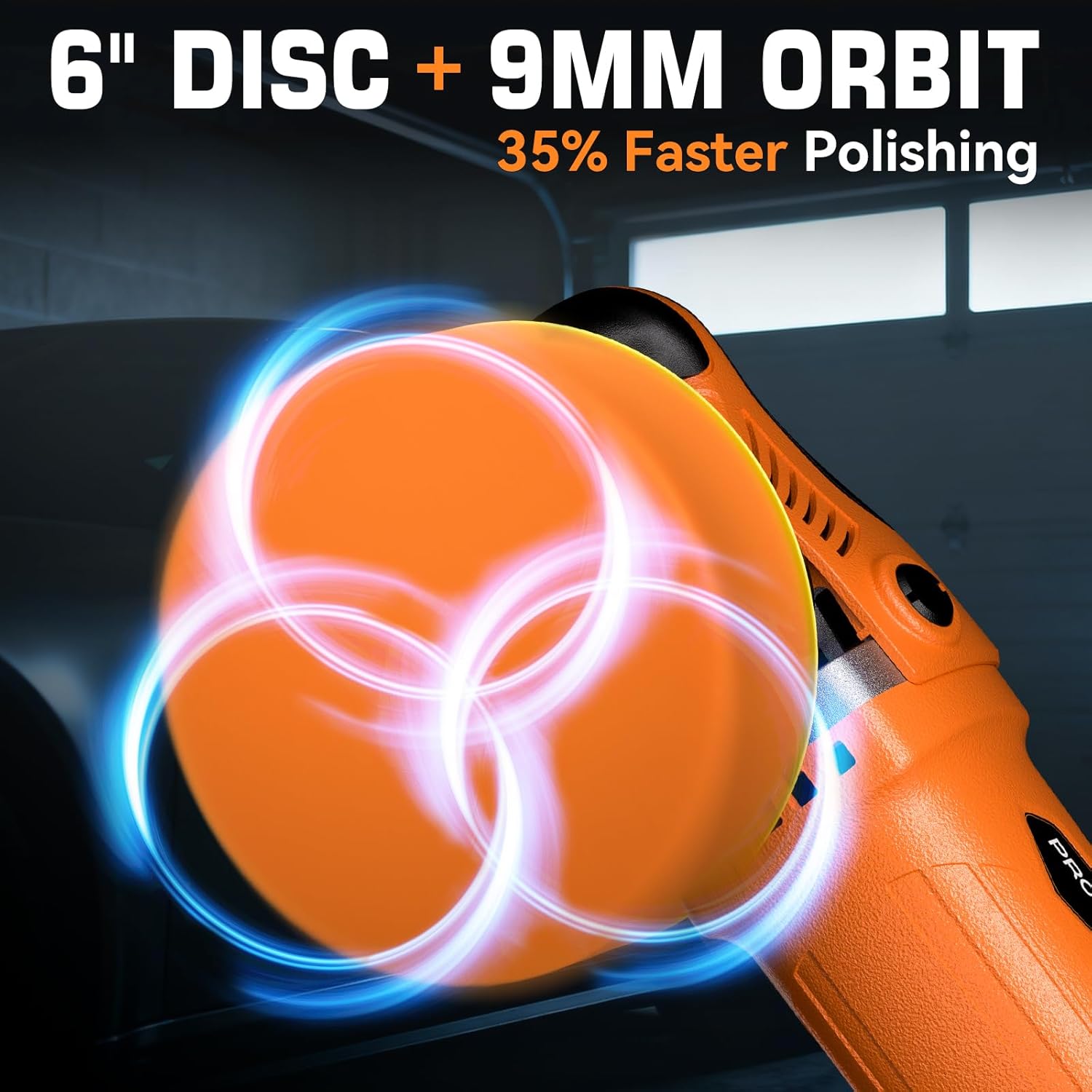
Image: The 6-inch polishing disc and 9mm orbital throw of the Protmex polisher, designed for efficient and swirl-free polishing.

Image: A user demonstrating the ergonomic hold of the Protmex polisher, highlighting its comfortable design for extended use.
Video: A demonstration of the Protmex 1200W Car Polisher in action, showcasing its power and effectiveness on a car surface.
5. Setup
5.1 Attaching the Auxiliary Handle
- Identify the threaded holes on the side of the polisher's head.
- Align the straight auxiliary handle with one of the threaded holes.
- Insert the provided screw and tighten it securely with the wrench. Ensure the handle is firm and does not wobble.
5.2 Attaching Polishing Pads
The polisher features a hook-and-loop backing pad for easy attachment of various polishing pads.
- Select the appropriate pad (wool, wave, or flat sponge) for your task.
- Align the pad with the hook-and-loop backing pad on the polisher.
- Press the pad firmly onto the backing pad until it is securely attached.
- To remove, simply peel the pad off the backing pad.

Image: A visual guide showing the self-locking switch, how to secure the backing plate with a wrench, and the process for carbon brush replacement.
6. Operating Instructions
6.1 General Operation
- Ensure the correct pad is attached and the work surface is clean and prepared.
- Apply a small amount of polishing compound or wax directly to the pad or the work surface.
- Place the polisher flat on the surface before turning it on.
- Press the trigger switch to start the polisher. Use the lock-on button for continuous operation if desired.
- Adjust the speed using the variable speed dial according to the task.
- Move the polisher in a slow, overlapping pattern, applying even pressure. Avoid pressing too hard, as the constant power system will maintain RPMs.
- After use, turn off the polisher, unplug it, and clean the pads.
6.2 Speed Settings Guide
| Speed Setting | RPM Range | Recommended Use |
|---|---|---|
| 1-2 | 2500-3500 RPM | Waxing & Sealing |
| 3-4 | 3500-5000 RPM | Polishing & Refining |
| 5-6 | 5000-6000 RPM | Cutting & Oxidation Removal |
6.3 Application Examples

Image: A person using the polisher to cut and remove surface scratches and heavy stains from a car's paintwork.

Image: The polisher being used to refine paint, eliminate swirl marks, and improve overall paint clarity.

Image: A user applying a finishing wax with the polisher to seal in shine and protect the paint surface.

Image: The polisher used for buffing to enhance gloss and achieve a smooth, polished finish.

Image: Examples of the Protmex polisher's versatility, showing its use for car, furniture, boat, and floor polishing.
Video: A detailed review and demonstration of the Protmex 1200W Car Buffer Polisher, highlighting its features and performance.
7. Maintenance
7.1 Cleaning
- After each use, unplug the polisher.
- Wipe down the exterior of the tool with a clean, damp cloth. Do not use harsh chemicals or abrasive cleaners.
- Clean used polishing pads thoroughly with water and mild soap. Allow them to air dry completely before storage.
7.2 Carbon Brush Replacement
The carbon brushes are wear-and-tear parts and should be replaced regularly (typically every 2-3 years depending on usage) to maintain motor efficiency and extend the tool's lifespan. Replacement brushes are included in your kit.
- Unplug the polisher from the power source.
- Locate the carbon brush caps on the sides of the motor housing.
- Use a screwdriver to unscrew the caps.
- Remove the old carbon brushes.
- Insert the new carbon brushes, ensuring they are seated correctly.
- Screw the caps back on securely.
8. Troubleshooting
| Problem | Possible Cause | Solution |
|---|---|---|
| Polisher does not start | No power supply; Damaged power cord; Faulty switch; Worn carbon brushes. | Check power outlet and cord; Inspect power cord for damage; Contact support if switch is faulty; Replace carbon brushes. |
| Excessive vibration or noise | Loose or improperly attached pad; Damaged backing pad; Internal mechanical issue. | Ensure pad is securely attached; Inspect backing pad for damage and replace if necessary; Contact support for internal issues. |
| Reduced performance/speed drop under pressure | Worn carbon brushes; Overload; Insufficient power supply. | Replace carbon brushes; Reduce pressure on the tool; Ensure adequate power supply. |
| Overheating | Blocked ventilation; Prolonged heavy use. | Clear ventilation openings; Allow tool to cool down; Avoid continuous heavy use. |
9. Specifications
| Feature | Detail |
|---|---|
| Brand | Protmex |
| Model Number | PX7202-9 |
| Power | 1200W Pure Copper Motor |
| Orbital Throw | 9mm |
| Disc Size | 6 Inch |
| Variable Speed | 6 Settings (2500-6000 RPM) |
| Item Weight | 4.16 Kilograms |
| UPC | 715011876086 |
10. Warranty & Support
Protmex is committed to providing high-quality products and excellent customer service.
- After-Sales Service: Enjoy 24-month after-sales support for your product.
- Customer Support: Round-the-clock 7/24 support is available for any inquiries or assistance you may need.
- Expert Team: Our professional technical guide team is ready to help with any product-related questions.
- Contact Us: If you have any questions regarding your car polisher, please contact Protmex customer service.

Image: Information regarding Protmex's comprehensive service, including 24-month after-sales, 7/24 support, and expert technical guidance.