
1. Introduction
The giatero Q18B-6000A is a portable lithium polymer jump starter designed to provide emergency power for starting vehicles with 12V batteries. It also functions as a portable power bank for charging various electronic devices via its USB outputs. This manual provides essential information for the safe and effective operation, maintenance, and troubleshooting of your Q18B-6000A Jump Starter.
2. Safety Information
WARNING: Read all safety warnings and instructions before using this product. Failure to follow the warnings and instructions may result in electric shock, fire, and/or serious injury.
- Do not operate the jump starter if it has been damaged or modified.
- Do not expose the jump starter to rain or wet conditions.
- Do not use the jump starter in explosive atmospheres, such as in the presence of flammable liquids, gases, or dust.
- Always wear eye protection and protective clothing when working with batteries.
- Keep the jump starter away from children.
- Ensure the vehicle is in park (P) or neutral (N) and the parking brake is engaged before attempting to jump start.
- Do not connect the positive (+) and negative (-) clamps together.
- If the jump starter becomes excessively hot, discontinue use immediately.
- Do not attempt to jump start a frozen battery.
- Only use the provided smart battery clamps with the jump starter.
3. Package Contents
Verify that all items are present in the package:
- giatero Q18B-6000A Jump Starter Unit
- Smart Battery Clamps
- USB-C Charging Cable
- User Manual (this document)
- Storage Case
4. Product Features and Components
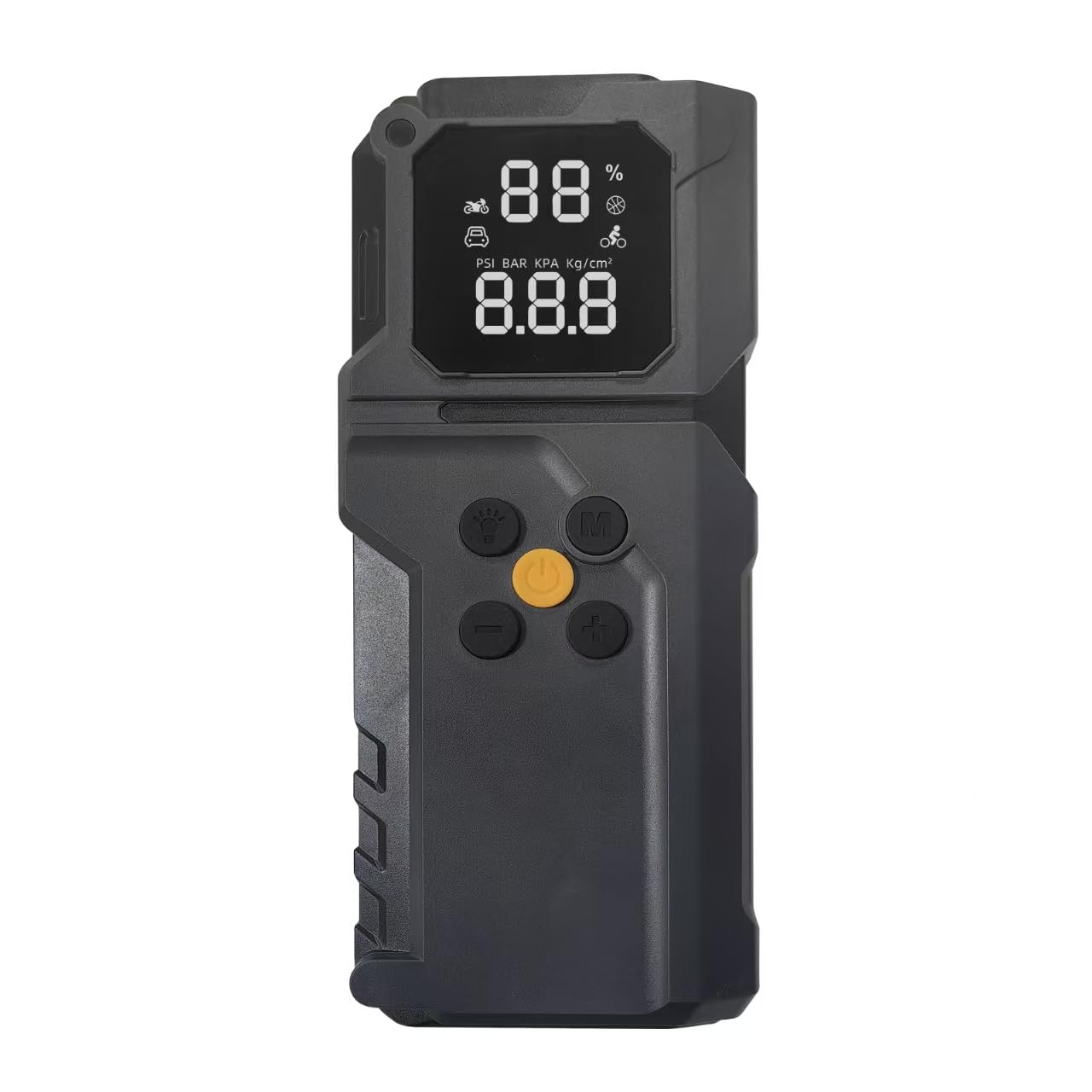
Image Description: The main giatero Q18B-6000A jump starter unit, showing its compact design, power button, LED display, USB output ports, and the jump start port. This image illustrates the overall appearance and key interface elements of the device.
The Q18B-6000A features a robust design with multiple functionalities:
- Jump Start Port: For connecting the smart battery clamps.
- USB Output Ports: For charging smartphones, tablets, and other USB-powered devices.
- USB-C Input Port: For recharging the jump starter unit.
- LED Display: Shows battery level and operational status.
- LED Flashlight: Provides illumination in low-light conditions.
- Power Button: To turn the unit on/off and cycle through modes.
5. Setup
5.1 Initial Charging
Before first use, fully charge the giatero Q18B-6000A Jump Starter. This ensures optimal performance and battery longevity.
- Connect the provided USB-C charging cable to the USB-C input port on the jump starter.
- Connect the other end of the USB-C cable to a USB wall adapter (not included) or a powered USB port.
- The LED display will show the charging progress. Charge until the display indicates 100%.
- Disconnect the charging cable once fully charged.
Note: It is recommended to recharge the unit every 3-6 months, even if not in use, to maintain battery health.
6. Operating Instructions
6.1 Jump Starting a Vehicle
Follow these steps carefully to jump start a 12V vehicle battery:
- Ensure the jump starter is at least 50% charged.
- Turn off the vehicle's ignition and all accessories (headlights, radio, etc.).
- Connect the smart battery clamps to the jump start port on the Q18B-6000A. Ensure a firm connection.
- Attach the red (+) clamp to the vehicle's positive battery terminal.
- Attach the black (-) clamp to the vehicle's negative battery terminal or a solid, unpainted metal part of the engine block (ground point).
- Once connected, the smart clamps' indicator light will show status. A solid green light indicates a safe connection and readiness to jump start.
- Start the vehicle's engine. If it doesn't start immediately, wait 30 seconds before trying again. Do not crank for more than 3 seconds per attempt.
- Once the vehicle starts, immediately disconnect the black (-) clamp first, then the red (+) clamp from the vehicle battery.
- Disconnect the smart battery clamps from the jump starter unit.
IMPORTANT: If the smart clamps show a red light or beep, refer to the troubleshooting section.
6.2 Charging Electronic Devices
The Q18B-6000A can charge various USB-powered devices:
- Connect your device's USB charging cable to one of the USB output ports on the jump starter.
- Press the power button on the jump starter to activate the USB output.
- Your device should begin charging. The LED display will show the remaining battery level of the jump starter.
- Disconnect your device once fully charged or when you are finished.
6.3 Using the LED Flashlight
To activate the LED flashlight:
- Press and hold the power button for 3 seconds to turn on the flashlight.
- Press the power button again to cycle through modes (steady on, strobe, SOS).
- Press and hold the power button again for 3 seconds to turn off the flashlight.
7. Charging the Jump Starter
To recharge the internal battery of the Q18B-6000A:
- Connect the provided USB-C charging cable to the USB-C input port on the jump starter.
- Connect the other end of the USB-C cable to a USB wall adapter (5V/2A or higher recommended) or a powered USB port.
- The LED display will show the charging status. The unit is fully charged when the display shows 100%.
- Disconnect the charging cable once charging is complete.
It typically takes several hours to fully charge the unit from empty.
8. Maintenance
- Cleaning: Wipe the unit with a dry, soft cloth. Do not use harsh chemicals or abrasive materials.
- Storage: Store the jump starter in a cool, dry place, away from direct sunlight and extreme temperatures.
- Battery Care: Recharge the unit every 3-6 months to maintain battery health, even if not in use.
- Clamps: Keep the smart battery clamps clean and free of corrosion.
9. Troubleshooting
| Problem | Possible Cause | Solution |
|---|---|---|
| Vehicle does not start. | Jump starter battery is low. Incorrect clamp connection. Vehicle battery is severely damaged. | Recharge the jump starter. Check clamp connections (positive to positive, negative to negative/ground). Ensure smart clamp indicator is green. Consult a professional mechanic. |
| Smart clamps show red light/beep. | Reverse polarity. Short circuit. Over-temperature. | Disconnect and re-connect clamps correctly. Ensure clamps are not touching each other or other metal parts. Allow unit to cool down before reattempting. |
| Jump starter not charging. | Faulty charging cable or adapter. USB-C port issue. | Try a different USB-C cable and/or wall adapter. Contact customer support if issue persists. |
| USB devices not charging. | Jump starter is off. Low battery on jump starter. Faulty USB cable. | Press the power button to activate USB output. Recharge the jump starter. Try a different USB cable. |
10. Specifications
| Model: | Q18B |
| Brand: | giatero |
| Peak Amperage: | 6000 Amps |
| Battery Cell Composition: | Lithium Polymer |
| Voltage: | 14.8 Volts |
| Product Dimensions: | 5 x 2 x 7 inches (approx.) |
| Item Weight: | 2.2 pounds (approx.) |
| Vehicle Service Type: | UTV (and other 12V vehicles) |
11. Warranty and Support
giatero products are manufactured to high-quality standards. For warranty information, technical support, or service inquiries, please refer to the warranty card included with your purchase or visit the official giatero website. Please have your model number (Q18B) and purchase date available when contacting support.
Online Support: www.giatero.com/support (Example Link)
Email: support@giatero.com (Example Email)