
Hovadova B0FQJ9V8C8
Hovadova Mobile TV Cart Rolling TV Stand Instruction Manual
Model: B0FQJ9V8C8
Introduction
This manual provides detailed instructions for the assembly, operation, and maintenance of your Hovadova Mobile TV Cart Rolling TV Stand. Please read this manual thoroughly before installation and use to ensure safe and correct operation. Keep this manual for future reference.
Safety Information
- Weight Capacity: Do not exceed the maximum weight capacity of 88 lbs (40 kg). Overloading can result in serious injury or product damage.
- Screen Size: This stand is designed for TVs between 10 and 46 inches. Ensure your TV's size and VESA pattern are compatible.
- VESA Compatibility: Verify your TV's VESA mounting pattern (75x75mm to 200x200mm) before installation.
- Stability: Always ensure the stand is on a flat, stable surface. Avoid placing it on uneven ground or near edges where it could tip over.
- Children and Pets: Keep children and pets away from the TV stand during movement and adjustment to prevent accidents.
- Assembly: Follow all assembly instructions carefully. Incorrect assembly can lead to instability and potential injury.
- Moving the Stand: When moving the stand, ensure the TV is securely attached and move slowly to prevent tipping.
- Cable Management: Properly route all cables to prevent tripping hazards and damage to the cables or TV.
Package Contents
Please check that all components are present and undamaged before beginning assembly. If any parts are missing or damaged, contact customer support.
- Base with pre-installed wheels
- Lower Pole
- Upper Pole
- Connecting Piece
- Pitching/Tilting Mechanism
- VESA Mounting Plate
- Hardware Kit (various screws, washers, spacers, adjustment knob)
- Tools (e.g., Allen wrench, screwdriver)
Setup and Installation
Follow these steps to assemble your Hovadova Mobile TV Cart. It is recommended to have a second person assist during the TV mounting process.
Installation Video Guide
This video provides a visual guide for the assembly of the Hovadova Mobile TV Cart Rolling TV Stand. It demonstrates each step from attaching the wheels to mounting the TV.
- Attach Wheels to Base: Secure the universal wheels to the bottom of the circular base using the provided screws and screwdriver. Ensure all wheels are firmly attached.
- Assemble the Pole: Insert the connecting piece into the lower pole, then attach the upper pole. Secure them together using the provided bolts and Allen wrench.
- Mount Pole to Base: Place the assembled pole onto the center of the base. Secure it from underneath the base using the large spacer and bolt.
- Attach Pitching Mechanism: Slide the pitching/tilting mechanism onto the top of the upper pole. Secure it with the provided bolt and adjustment knob.
- Attach VESA Plate to TV: Carefully place your TV face down on a soft, clean surface. Attach the VESA mounting plate to the back of your TV using the appropriate screws, washers, and spacers from the hardware kit. Ensure the plate is centered and securely fastened.
- Mount TV to Stand: With assistance, lift the TV and carefully slide the VESA plate onto the pitching mechanism on the stand. Secure the TV to the stand using the safety screws or locking mechanism.

Image: The Hovadova Mobile TV Cart supporting a television, illustrating the compatible screen size range of 10 to 46 inches and VESA compatibility.
Operating Instructions
Your Hovadova Mobile TV Cart is designed for ease of use and flexibility. Here's how to operate its key features:
Moving the Stand
The stand is equipped with smooth, silent wheels for easy portability. To move the stand, gently push it to your desired location. Ensure the path is clear of obstacles and move slowly to maintain stability. The wheels are designed for quiet operation on various floor surfaces.

Image: The TV stand being effortlessly moved across a room, highlighting its flexible and mobile design.
Adjusting Viewing Angle
The stand offers multiple adjustment options to achieve the optimal viewing angle:
- Up and Down Tilt: Loosen the adjustment knob on the pitching mechanism to tilt the screen from -10° to +10°. Tighten the knob to secure the desired angle.
- Left and Right Tilt: The screen can also be tilted horizontally from -30° to +30° by adjusting the mechanism. Secure after adjustment.
- Screen Rotation: The TV can be rotated 0-360° to switch between landscape and portrait orientations. Loosen the appropriate fasteners, rotate the screen, and then re-tighten to secure.
- Height Adjustment: The stand features a 4-level height adjustment. To change the height, loosen the bolts on the upper pole, adjust to one of the pre-drilled holes, and re-tighten the bolts securely. The adjustable range is approximately 42.91 to 47.64 inches.

Image: Visual representation of the flexible tilt adjustments, showing the range of up/down and left/right movement.

Image: A television screen rotating on the stand, demonstrating the ability to switch between landscape and portrait modes.

Image: A diagram detailing the four distinct height adjustment levels available on the TV stand.
Cable Management
The stand features a built-in cable management system within the pole. Route your TV and power cables through the designated openings to keep them organized and out of sight, contributing to a tidy entertainment area and preventing cable damage or tripping hazards.
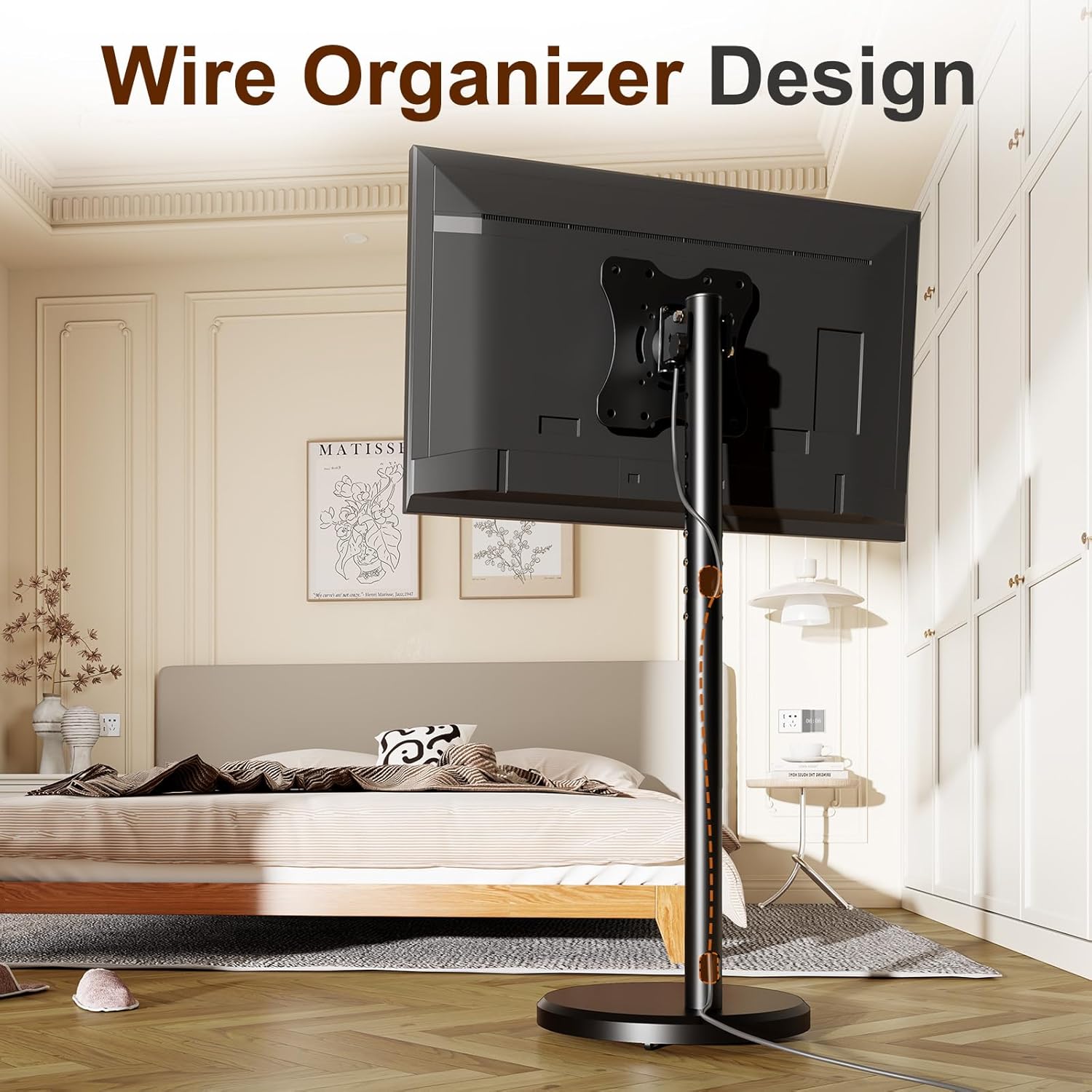
Image: The back of the TV stand, illustrating the integrated wire organizer design for clean cable routing.
Maintenance
- Cleaning: Wipe the stand with a soft, damp cloth. Avoid using abrasive cleaners or solvents that could damage the finish.
- Regular Inspection: Periodically check all bolts and connections to ensure they remain tight and secure. Re-tighten if necessary.
- Wheel Care: Keep the wheels free of dust and debris to ensure smooth movement.
Troubleshooting
| Problem | Possible Cause | Solution |
|---|---|---|
| Stand feels unstable. | Loose connections; uneven surface; TV weight exceeds limit. | Ensure all bolts are tightened. Move the stand to a flat, level surface. Verify TV weight is within the 88 lbs limit. |
| Difficulty moving the stand. | Wheels are obstructed by debris; wheels are damaged. | Clean any debris from the wheels. If wheels are damaged, contact customer support for replacements. |
| TV not tilting or rotating smoothly. | Adjustment knob/bolts are too tight or too loose. | Loosen the adjustment knob/bolts slightly for movement, then re-tighten to secure. |
| TV does not fit the VESA plate. | Incorrect VESA pattern. | Confirm your TV's VESA pattern is between 75x75mm and 200x200mm. If not, the stand is incompatible. |
Specifications
- Brand: Hovadova
- Model: B0FQJ9V8C8
- Compatible TV Sizes: 10-46 inches
- Maximum Weight Capacity: 88 lbs (40 kg)
- VESA Compatibility: 75x75mm, 100x100mm, 200x100mm, 200x200mm
- Height Adjustment Range: 42.91 - 47.64 inches
- Up/Down Tilt Angle: -10° to +10°
- Left/Right Tilt Angle: -30° to +30°
- Screen Rotation: 0-360°
- Material: Metal
- Color: Black
- Item Weight: 11.92 pounds
- Package Dimensions: 24.5 x 22.25 x 2.5 inches

Image: Detailed product measurements and the maximum TV load capacity of 88 lbs.
Warranty and Support
For warranty information, technical support, or to report missing/damaged parts, please contact Hovadova customer service through the retailer where the product was purchased or visit the official Hovadova website. Please have your model number (B0FQJ9V8C8) and purchase date available when contacting support.
Ask a question about this manual
Ask about setup, troubleshooting, compatibility, parts, safety, or missing instructions. Manuals+ will review the question and use this page’s manual context to help answer it.