
1. Product Overview
This manual provides detailed instructions for the installation and operation of the NJSBYL Auto Start Stop Eliminator, designed specifically for Nissan Rogue models from 2023 to 2026. This device automatically disables the vehicle's idle stop-start function upon ignition, offering a consistent driving experience. The original auto stop-start function can be re-enabled manually at any time by pressing the 'Auto Off' button.
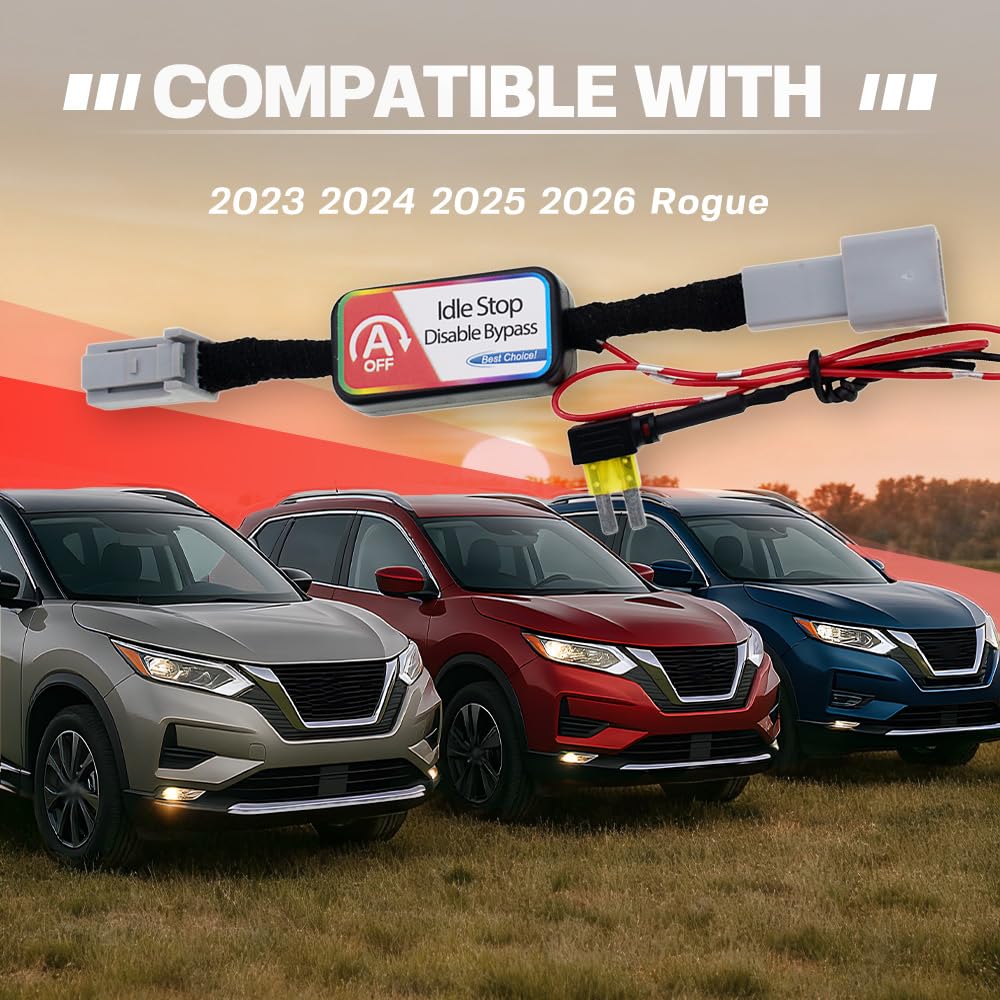
Image: The NJSBYL Auto Start Stop Eliminator is compatible with Nissan Rogue models from 2023 to 2026.
2. Setup and Installation
The Auto Start Stop Eliminator is designed for a precise 1:1 fit with the original Micro 2 fuse, ensuring a plug-and-play installation without additional modifications. A panel pry tool is included to assist with accessing the installation area.
Installation Steps:
- Locate the passenger compartment fuse box. You will need to remove its lid to access the installation position.
- Identify the 'Auto Off' switch panel. Carefully disconnect the wiring from the back of this switch using the provided panel pry tool.
- Plug the new wiring connectors from the eliminator module into the vehicle's harness and the 'Auto Off' switch.
- Connect the power wire of the eliminator into the designated fuse panel slot, following the specific instructions included with your product. If the designated fuse slot is empty, plug the device directly into it.
- Ensure all connections are secure.
- Restart your vehicle for the device to activate.

Image: The NJSBYL Auto Start Stop Eliminator features a 1:1 design matching the original Micro 2 fuse for direct plug-and-play installation.

Image: Overview of the Auto Start Stop Eliminator module, showing its compact design, exact fuse match, and durable copper core wiring.

Image: Diagram illustrating the installation process behind the 'Auto Off' panel in a 2023 Nissan Rogue.
Video: Official video demonstrating the functionality of the NJSBYL Auto Start Stop Eliminator, showing how it disables the auto stop feature for a smoother driving experience.
3. Operating Instructions
Once the NJSBYL Auto Start Stop Eliminator is installed and the vehicle is restarted, the idle stop-start system will be automatically disabled. This setting will persist each time the vehicle is started, eliminating the need to manually press the 'Auto Off' button.
Re-enabling Auto Start/Stop:
To temporarily re-enable the auto stop-start function, press the 'Auto Off' button on your vehicle's dashboard. The system will then operate as originally designed until the vehicle is turned off and restarted.
The device does not interfere with remote start functionality or any other factory settings of your Nissan Rogue.

Image: Dashboard view showing the 'Auto Off' button, illustrating how the eliminator provides effortless control over the auto start/stop feature.

Image: Comparison of the vehicle's display before and after installation, showing the 'Idle Stop System' status changing from 'ON' to 'OFF' at red lights and stop signs.

Image: This device does not affect remote start functionality and does not void the car's warranty.
4. Maintenance
The NJSBYL Auto Start Stop Eliminator is designed for maintenance-free operation. No regular servicing or adjustments are required after proper installation. Periodically, ensure all connections remain secure.
5. Troubleshooting
If you encounter issues with your Auto Start Stop Eliminator, please refer to the following common scenarios and solutions:
- Inconsistent Operation: Some users have reported initial inconsistencies where the device did not work immediately after the first restart or worked intermittently. If this occurs, allow the vehicle to sit for a few minutes, then restart. It may require a couple of drive cycles to fully synchronize and operate consistently.
- No Fuse in Designated Slot: If the installation instructions indicate removing a specific fuse but the slot is empty, proceed by plugging the device directly into that empty slot. The device is designed to function correctly in this scenario.
- Device Not Functioning: If the device consistently fails to operate as described, verify all connections are secure and correctly installed according to the included instructions. Ensure the power wire is properly seated in the fuse panel.
If issues persist after following these troubleshooting steps, please contact customer support for further assistance.
6. Specifications
| Feature | Detail |
|---|---|
| Brand | NJSBYL |
| Material | Bare Copper, Plastic |
| Item Dimensions (L x W x H) | 7.09 x 5.91 x 1.18 inches |
| Item Weight | 43 g |
| Connector Type | DIN |
| Model | 2023-2026 Rogue auto stop eliminator |
| Part Number | 02-NJ-NIQTQ-06 |
| Included Components | 1X 2023-2026 Rogue autostop eliminator, 1X panel pry tool, 1X installation instruction |
| Compatibility | 2023, 2024, 2025, 2026 Nissan Rogue |
7. Warranty and Support
Your NJSBYL Auto Start Stop Eliminator is covered by a comprehensive warranty and dedicated customer support.
Warranty Information:
- The product includes 12-month replacement support from the date of purchase. This covers defects in materials and workmanship under normal use.
Customer Support:
- For any questions, installation assistance, or troubleshooting not covered in this manual, 24/7 customer service is available. Please refer to the contact information provided with your product packaging or on the official NJSBYL website.